What is the furnished rental inventory form template?
In a furnished let, the property is only half the story. The sofa, the mattress, the crockery and the washing machine all belong to the landlord, and all of them can be worn, broken or missing by the time the tenant leaves. Without a signed list of what was there and what state it was in, end-of-tenancy conversations become one person's memory against another's.
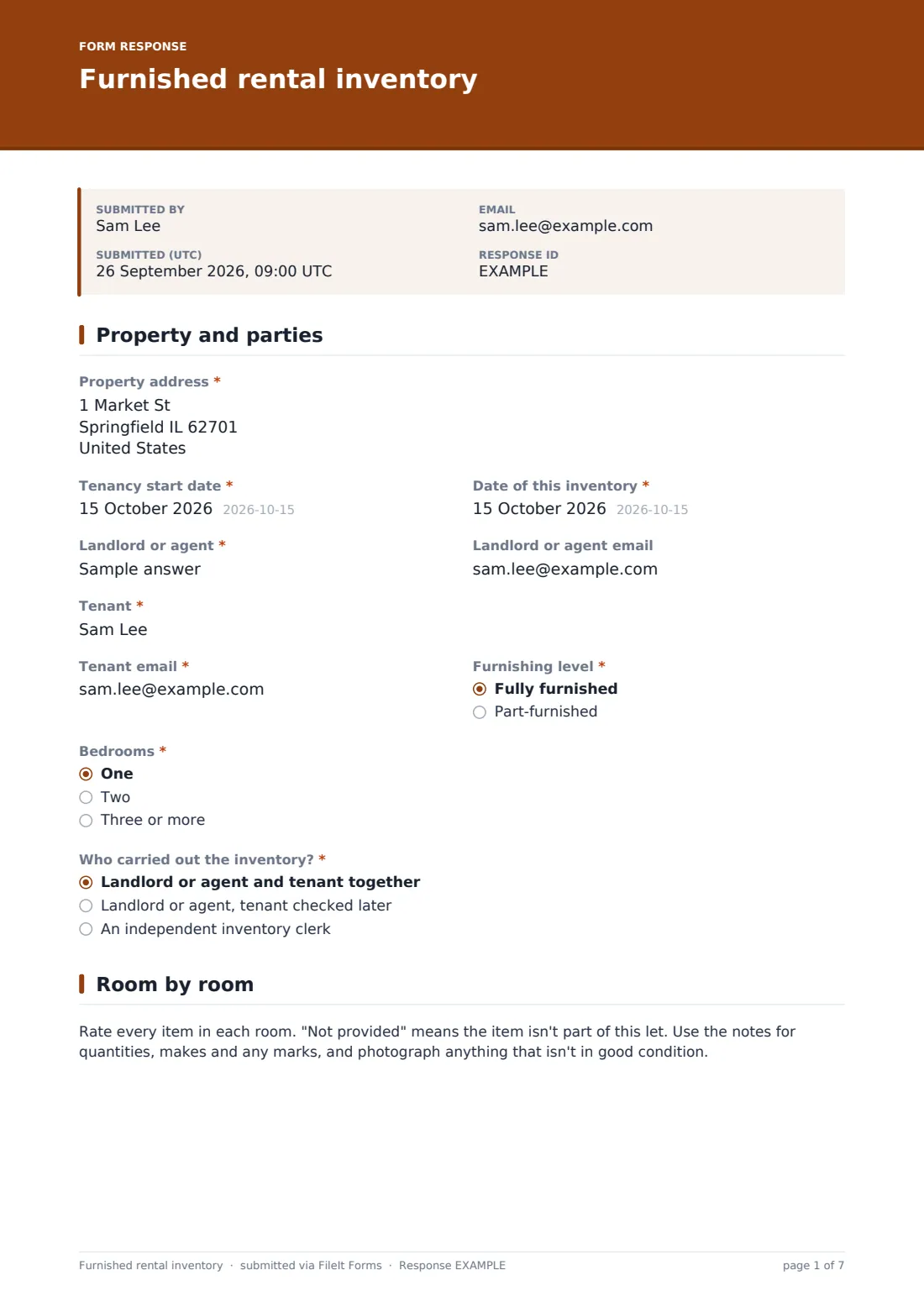
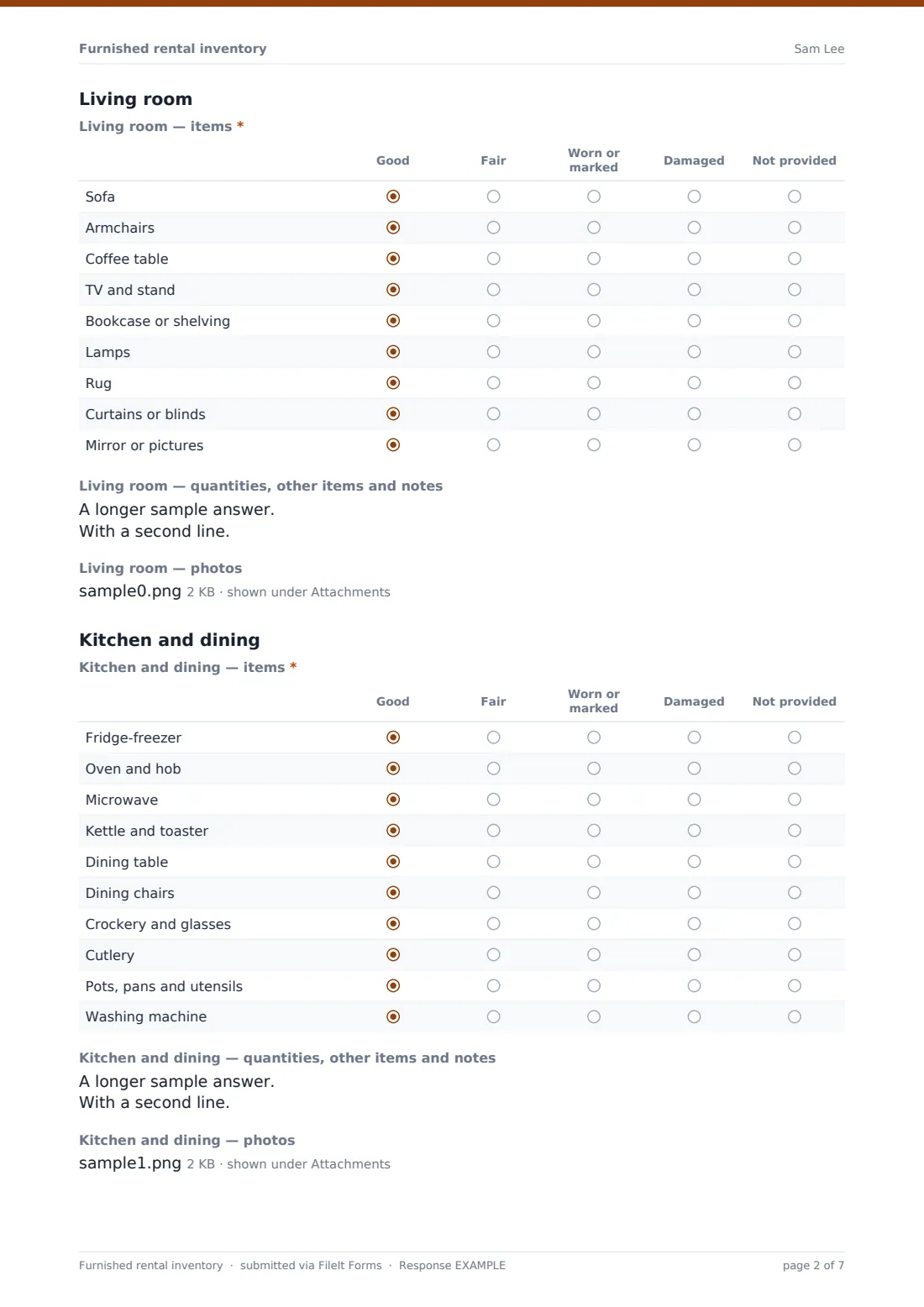
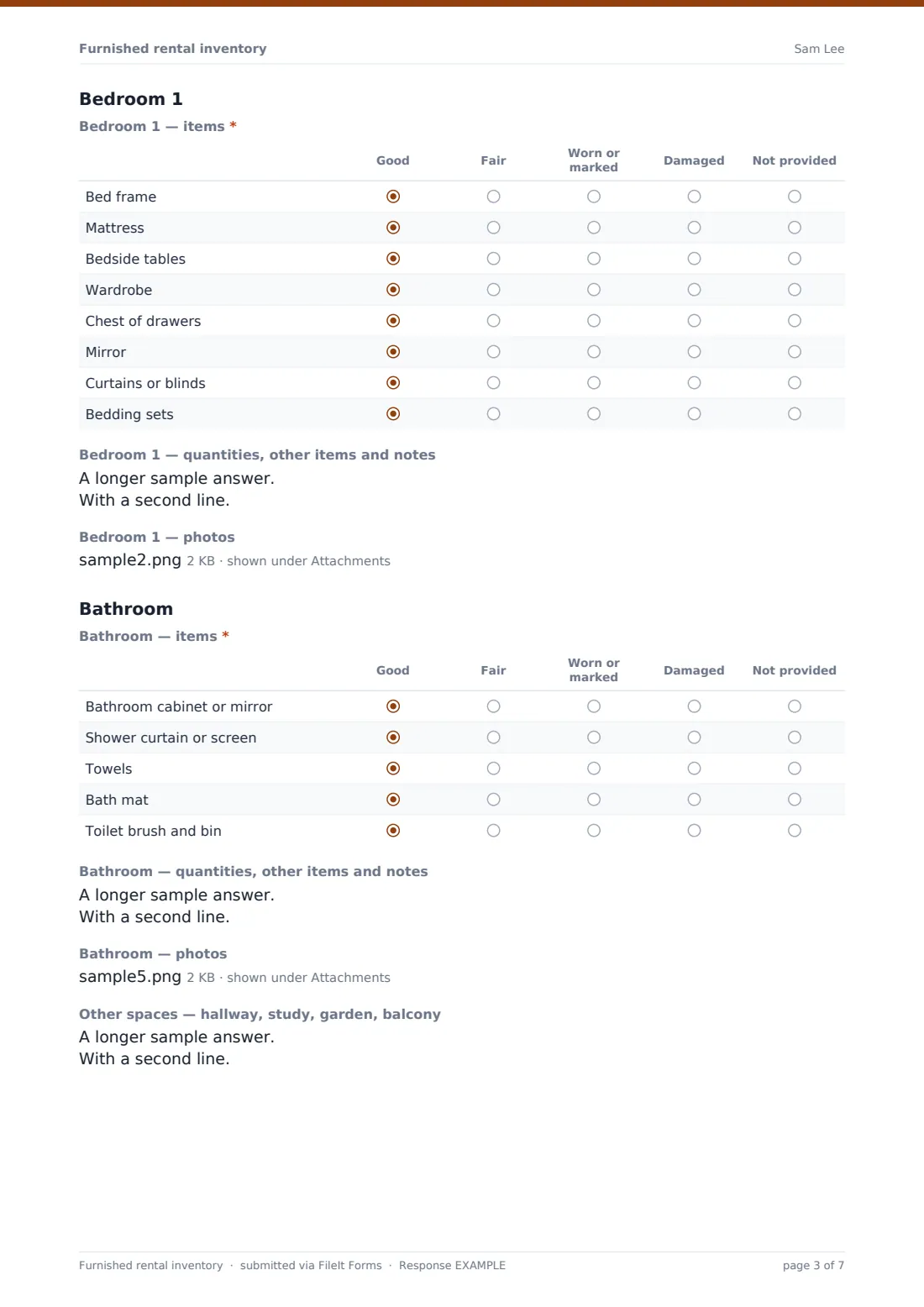
This template builds that list in three pages. The first records the property, tenancy start date, inventory date, the landlord or agent and the tenant, the "Furnishing level", the number of bedrooms and "Who carried out the inventory?". The second page goes room by room. Each room has the same three parts: a grid rating every item as good, fair, worn or marked, damaged, or not provided; a notes box for quantities and marks; and up to six photos.
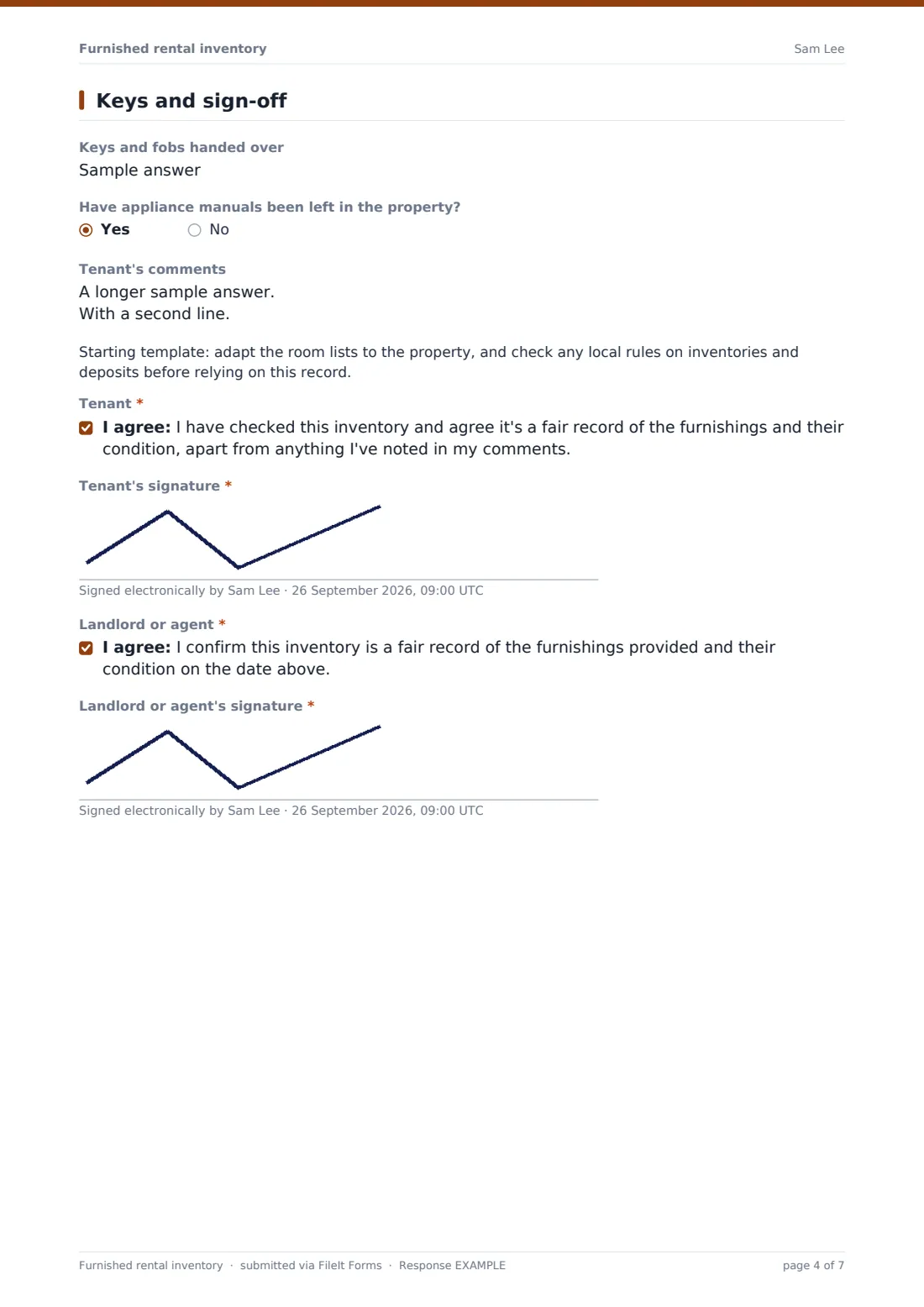
Rooms included are the living room, kitchen and dining area, bedrooms, and the bathroom, with a box for hallways, studies and outside spaces. Choosing two bedrooms adds Bedroom 2; three or more adds a further section. The last page records keys and fobs, whether appliance manuals were left, and the tenant's comments, then both the tenant and the landlord or agent agree and sign. The finished inventory is filed as a PDF in your FileIt vault, with every photo attached.
- Best for
- Landlords and letting agents with furnished or part-furnished lets
- Filled in by
- The landlord, agent or inventory clerk with the tenant, at check-in
- Time to complete
- 30–60 minutes, depending on the property
- Includes
- Item grids for each room, notes and photos per room, bedroom logic, keys, manuals, tenant comments, two signatures
Who uses a furnished rental inventory form?
- Check-in for a furnished flat or house
- Student houses where each room comes furnished
- Corporate lets and furnished relocations
- Part-furnished lets where only some rooms are equipped
- Recording new furniture bought between tenancies
- A starting point for the check-out comparison
Questions on this furnished rental inventory form
36 questions over 3 pages · includes signature, file upload, conditional questions, multiple pages, consent checkbox, ratings.
1 Property and parties
- Property address*
- Tenancy start date*
- Date of this inventory*
- Landlord or agent*
- Landlord or agent email
- Tenant*
- Tenant email*
- Furnishing level* Fully furnished · Part-furnished
- Bedrooms* One · Two · Three or more
- Who carried out the inventory?* Landlord or agent and tenant together · Landlord or agent, tenant checked later · An independent inventory clerk
2 Room by room
- Living room — items* Good · Fair · Worn or marked · Damaged · Not provided
- Living room — quantities, other items and notes
- Living room — photos
- Kitchen and dining — items* Good · Fair · Worn or marked · Damaged · Not provided
- Kitchen and dining — quantities, other items and notes
- Kitchen and dining — photos
- Bedroom 1 — items* Good · Fair · Worn or marked · Damaged · Not provided
- Bedroom 1 — quantities, other items and notes
- Bedroom 1 — photos
- Bedroom 2 — items* asked only when it applies Good · Fair · Worn or marked · Damaged · Not provided
- Bedroom 2 — quantities, other items and notes asked only when it applies
- Bedroom 2 — photos asked only when it applies
- Bedroom 3 and beyond — items* asked only when it applies Good · Fair · Worn or marked · Damaged · Not provided
- Bedroom 3 and beyond — quantities, other items and notes asked only when it applies
- Bedroom 3 and beyond — photos asked only when it applies
- Bathroom — items* Good · Fair · Worn or marked · Damaged · Not provided
- Bathroom — quantities, other items and notes
- Bathroom — photos
- Other spaces — hallway, study, garden, balcony
3 Keys and sign-off
- Keys and fobs handed over
- Have appliance manuals been left in the property?
- Tenant's comments
- Tenant*
- Tenant's signature*
- Landlord or agent*
- Landlord or agent's signature*
The furnished rental inventory form, page by page
1 Property and parties
The property address, tenancy start and inventory dates, landlord or agent, tenant, "Tenant email", furnishing level and "Bedrooms" are required; the landlord's email is optional. "Who carried out the inventory?" records whether both sides walked round together, the tenant checked afterwards, or a clerk did it.
2 Room by room
A short note explains the ratings. Each room — "Living room", "Kitchen and dining", "Bedroom 1", "Bathroom" and, depending on the bedroom count, "Bedroom 2" and "Bedroom 3 and beyond" — has a required item grid, a quantities-and-notes box with an example, and a photo upload. The kitchen grid covers ten items from fridge-freezer to washing machine. A final box covers hallways, studies, gardens and balconies.
3 Keys and sign-off
"Keys and fobs handed over", the manuals question and "Tenant's comments" come first, followed by a template note. The tenant agrees the record is fair, apart from anything in their comments, and signs; the landlord or agent confirms and signs.
Make the template yours
- Edit each room's item list to match what's actually in the property
- Add a room — copy a heading, grid, notes box and photo upload, then rename them
- Add a dining room or study if the property has one
- File each inventory into the property's vault folder
- Use it again at check-out by duplicating the form and renaming it
- Change the rating scale if you prefer your own wording
Tips for a better furnished rental inventory form
- Take photos in good light, with a wide shot of each room and close-ups of marks
- Count small items like cutlery and glasses — they're the ones that go missing
- Note makes and models of appliances in the kitchen notes
- Give the tenant time to check the list and add comments before signing
- Keep the inventory with the tenancy agreement and deposit records
Every response becomes a PDF in your vault
The inventory is filed as one signed PDF in your vault, with every room's photos attached, and you're emailed. The person completing it can get a copy.
At the end of the tenancy, open the original PDF and photos from your vault to compare against the property's condition, and export responses to CSV if you manage several lets.
- Start from this template. It opens in the FileIt Forms designer — change any question, add pages, set the rules for when questions appear.
- Share it. Turn on a public link, or send it to people by email, each with their own link. They don’t need a FileIt account.
- Get the answers as PDFs. Each response is saved as a PDF in the vault folder you choose, with uploaded files attached — and listed in a Responses table you can export to CSV.
Furnished rental inventory form: frequently asked questions
Is this furnished rental inventory template free?
Yes. It's included in FileIt's Forms app on every plan.
How many photos can I add?
Up to six per room, plus room-by-room notes. Every photo is attached to the filed PDF.
What if the property has more bedrooms?
Choosing "Three or more" adds a combined section for the extra bedrooms. You can also add more rooms in the designer.
Can the tenant disagree with the inventory?
Yes. The "Tenant's comments" box records anything they dispute, and their agreement is to the inventory apart from those comments.
Do both people need to sign on the same device?
The form is filled in once, so it suits a walk-round together with both signatures on one phone or tablet.
Does the tenant need a FileIt account?
No. Only the landlord or agent who owns the form needs an account.