What is the call & meeting recording consent form template?
"Is it OK if I record this?" at the start of a call is easy to forget and impossible to prove later. And a quick yes doesn't cover the questions that matter afterwards — can the clip go on the podcast? Can their name appear in the case study? Was the AI note-taker mentioned?
This template gets clear, written consent before the session. Participants see what will be recorded — audio, video, screen sharing, automated transcripts — and tick only the uses they agree to. Choosing publishing asks how they want to be identified and whether they want to review anything first.
Each signed consent is saved as a PDF in the vault folder you choose, next to the recordings it covers if you like.
- Best for
- Researchers, podcasters, recruiters, trainers and teams that record calls
- Filled in by
- Each person being recorded
- Time to complete
- About 2 minutes
- Includes
- Recording formats, use-by-use choices, publishing follow-ups, AI transcript consent, signature
Who uses a call & meeting recording consent form?
- User research and customer interviews recorded for analysis
- Podcast or video guests agreeing to publication
- Recorded job interviews shared with the hiring panel
- Training sessions or webinars recorded for people who couldn't attend
- Meetings using an AI note-taker or automated transcription
- Coaching or consulting calls recorded for the client's own notes
Questions on this call & meeting recording consent form
18 questions over 4 pages · includes signature, conditional questions, multiple pages, consent checkbox.
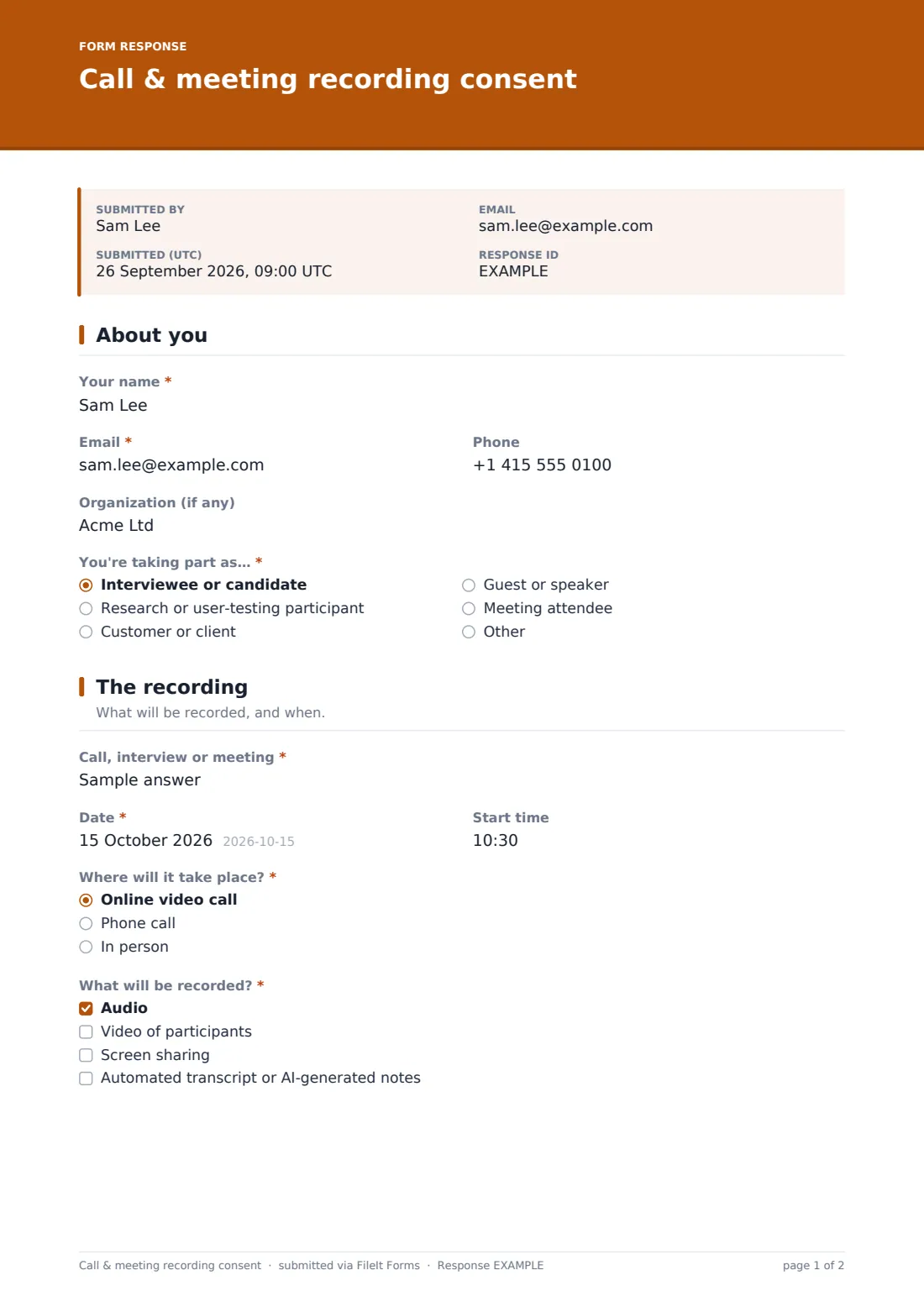
1 About you
- Your name*
- Email*
- Phone
- Organization (if any)
- You're taking part as…* Interviewee or candidate · Research or user-testing participant · Customer or client · Guest or speaker · Meeting attendee
2 The recording
- Call, interview or meeting*
- Date*
- Start time
- Where will it take place?* Online video call · Phone call · In person
- What will be recorded?* Audio · Video of participants · Screen sharing · Automated transcript or AI-generated notes
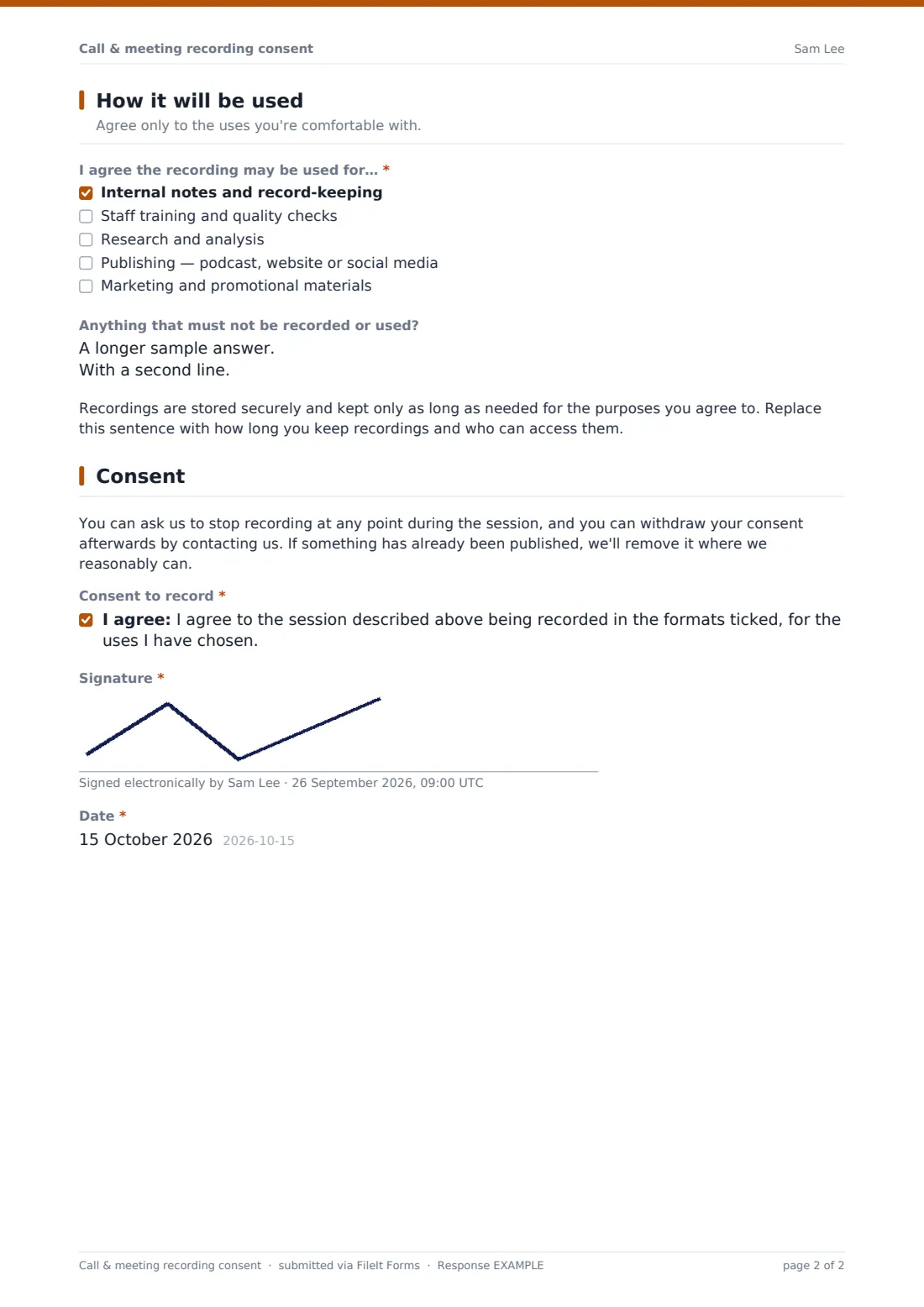
3 How it will be used
- I agree the recording may be used for…* Internal notes and record-keeping · Staff training and quality checks · Research and analysis · Publishing — podcast, website or social media · Marketing and promotional materials
- How may you be identified in anything published?* asked only when it applies Full name and role · First name only · Anonymously — no name, face or identifying details
- Would you like to review clips or quotes before they're published? asked only when it applies
- Anything that must not be recorded or used?
4 Consent
- Consent to record*
- Transcripts and AI notes* asked only when it applies
- Signature*
- Date*
The call & meeting recording consent form, page by page
1 About you
Name and email are required; phone and organization are optional. The person says how they're taking part — interviewee, research participant, customer, guest or speaker, meeting attendee, or another role.
2 The recording
A required description names the call, interview or meeting, with its date and, optionally, a start time. The person confirms whether it's a video call, phone call or in person, and ticks what will be recorded: audio, video, screen sharing, or an automated transcript or AI-generated notes.
3 How it will be used
At least one use must be ticked: internal notes, staff training and quality, research and analysis, publishing, or marketing. Ticking publishing reveals a required question on how the person may be identified — full name and role, first name only, or anonymously — and an optional request to review clips first. An optional box captures anything that must not be recorded or used, and a retention note is ready for your own wording.
4 Consent
A note explains that recording can be stopped at any time and consent withdrawn afterwards. The main consent covers the formats and uses chosen; if a transcript or AI notes were ticked, a second consent covers automated transcription. Signature and date complete it.
Make the template yours
- Fill in the retention paragraph with how long you keep recordings and who can see them
- Remove uses you'll never need, such as marketing, so the choices stay honest
- Name the transcription or note-taking tool you use in the AI consent
- Send it as a request a day before the session so consent is in place when you join
- Route responses to the same folder as the recordings for each project
- Add your brand color and a cover message in your own voice
Tips for a better call & meeting recording consent form
- Get consent before the session, then confirm it verbally once the recording starts
- Tell people if an AI tool is joining the call — many don't expect it
- Honour the identification choice in every edit, including captions and file names
- Offer a review step for anything published; it builds trust and catches mistakes
- Delete recordings when the purpose is over rather than keeping them indefinitely
- Recording laws differ — some places require everyone's consent — so check the rules where your participants are
Every response becomes a PDF in your vault
Each consent is filed as a signed PDF in your chosen vault folder and emailed to the participant. You'll be notified when it comes in, if notifications are on.
Before publishing anything, check the Responses table to see who agreed to publication and how they want to be named. You can filter by use or export the list for your editing team.
- Start from this template. It opens in the FileIt Forms designer — change any question, add pages, set the rules for when questions appear.
- Share it. Turn on a public link, or send it to people by email, each with their own link. They don’t need a FileIt account.
- Get the answers as PDFs. Each response is saved as a PDF in the vault folder you choose, with uploaded files attached — and listed in a Responses table you can export to CSV.
Call & meeting recording consent form: frequently asked questions
Is this call and meeting recording consent template free to use?
Yes. It's one of FileIt's ready-made templates, and every FileIt account, including the free plan, includes the Forms app and its full library of templates.
Do people filling in this form need a FileIt account?
No. Anyone with the link, or an emailed request, can complete and submit the form without creating a FileIt account. Only the form owner needs one.
Does FileIt record the call?
No. This form records consent. The recording itself is made with whatever call, video or audio tool you use.
Can someone agree to recording but not publishing?
Yes. Each use is a separate tick, so someone can agree to internal notes and research while saying no to publishing and marketing.
What if someone changes their mind after the session?
The form tells them they can withdraw consent by contacting you. You then need to stop using the recording and remove anything published where you reasonably can.
Is one consent enough for a group meeting?
Usually each person being recorded should give their own consent. Send the form as individual requests so you can see who has completed it.
Is this legal advice?
No. Recording and privacy laws differ between countries and states. Use this as a starting template and check the rules that apply to you and your participants.