What is the physiotherapy intake form template?
A first physiotherapy appointment often spends its opening minutes on questions the patient could have answered at home: when the pain started, what makes it worse, which medications they take, how they were referred and who's paying.
This template gathers all of that before the visit. It asks where the problem is and how it started, with follow-ups for injuries and post-operative patients, pain scores, what helps and what hurts, and a short screen for warning signs — with an urgent-care message if a patient reports bladder or bowel changes or weakness in both legs. It then covers health conditions, activity levels and the patient's own goals.
Each intake is saved as a PDF in the vault folder you choose, with any scan reports attached.
- Best for
- Physiotherapy and physical therapy clinics, sports and rehab practices
- Filled in by
- The patient, or a parent or guardian for a child
- Time to complete
- About 8 minutes
- Includes
- Referral and payment logic, body-area checklist, pain scales, warning-sign screen, scan uploads, goals, consent and signature
Who uses a physiotherapy intake form?
- New patients booking their first physiotherapy assessment
- Post-operative rehab referrals from surgeons
- Sports clubs sending injured players for treatment
- Workplace injury or accident-claim patients who need claim details recorded
- Mobile or home-visit physiotherapists without a front desk
- Re-assessments for returning patients with a new problem
Questions on this physiotherapy intake form
38 questions over 4 pages · includes signature, file upload, conditional questions, multiple pages, consent checkbox, ratings.
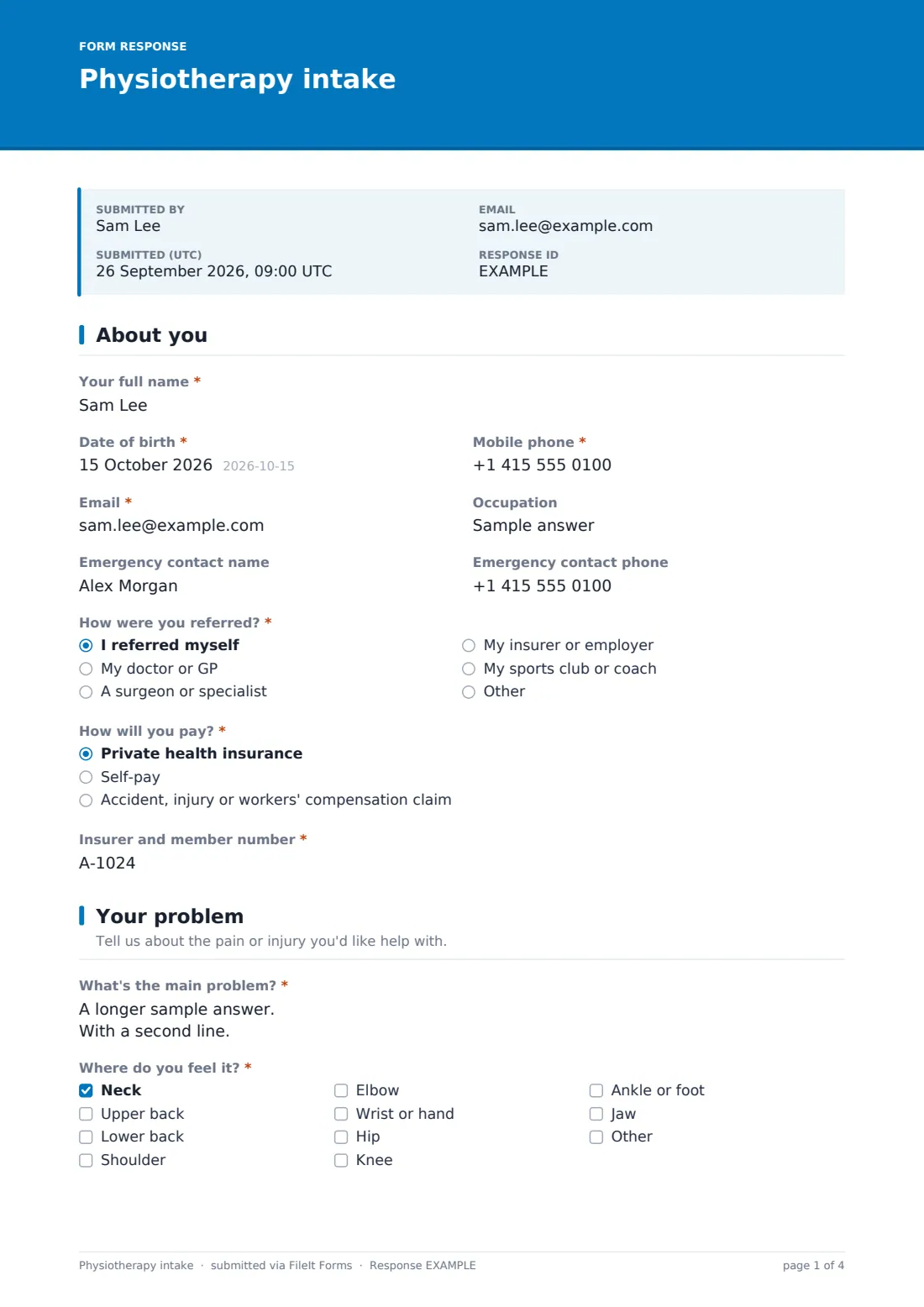
1 About you
- Your full name*
- Date of birth*
- Mobile phone*
- Email*
- Occupation
- Emergency contact name
- Emergency contact phone
- How were you referred?* I referred myself · My doctor or GP · A surgeon or specialist · My insurer or employer · My sports club or coach
- Name of the person or practice that referred you asked only when it applies
- How will you pay?* Private health insurance · Self-pay · Accident, injury or workers' compensation claim
- Insurer and member number* asked only when it applies
- Claim number and insurer or case manager* asked only when it applies
2 Your problem
- What's the main problem?*
- Where do you feel it?* Neck · Upper back · Lower back · Shoulder · Elbow · Wrist or hand · Hip · Knee · Ankle or foot · Jaw
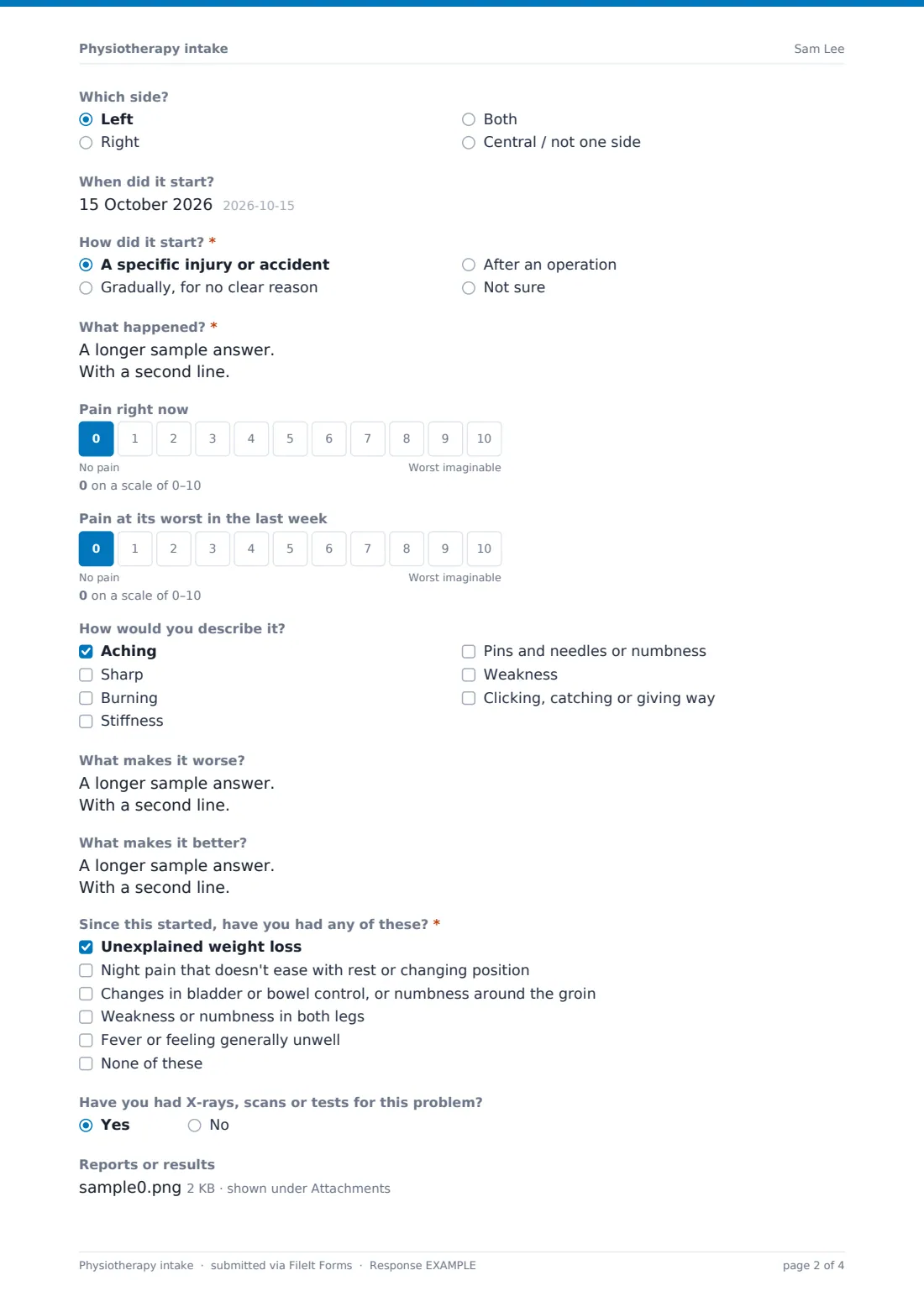
- Which side? Left · Right · Both · Central / not one side
- When did it start?
- How did it start?* A specific injury or accident · Gradually, for no clear reason · After an operation · Not sure
- What happened?* asked only when it applies
- Which operation, and when?* asked only when it applies
- Pain right now
- Pain at its worst in the last week
- How would you describe it? Aching · Sharp · Burning · Stiffness · Pins and needles or numbness · Weakness · Clicking, catching or giving way
- What makes it worse?
- What makes it better?
- Since this started, have you had any of these?* Unexplained weight loss · Night pain that doesn't ease with rest or changing position · Changes in bladder or bowel control, or numbness around the groin · Weakness or numbness in both legs · Fever or feeling generally unwell · None of these
- Have you had X-rays, scans or tests for this problem?
- Reports or results asked only when it applies
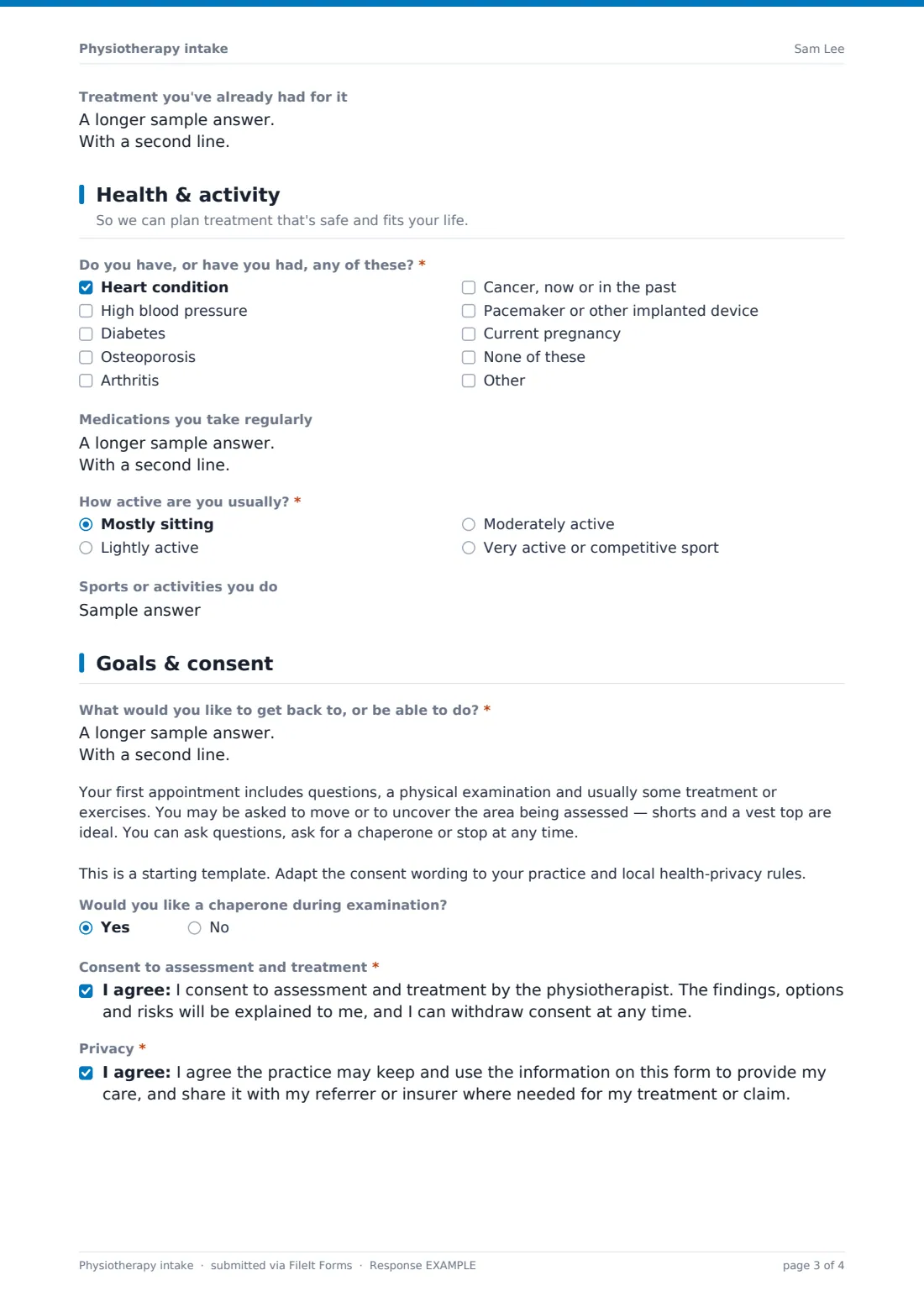
- Treatment you've already had for it
3 Health & activity
- Do you have, or have you had, any of these?* Heart condition · High blood pressure · Diabetes · Osteoporosis · Arthritis · Cancer, now or in the past · Pacemaker or other implanted device · Current pregnancy · None of these
- Medications you take regularly
- How active are you usually?* Mostly sitting · Lightly active · Moderately active · Very active or competitive sport
- Sports or activities you do
4 Goals & consent
- What would you like to get back to, or be able to do?*
- Would you like a chaperone during examination?
- Consent to assessment and treatment*
- Privacy*
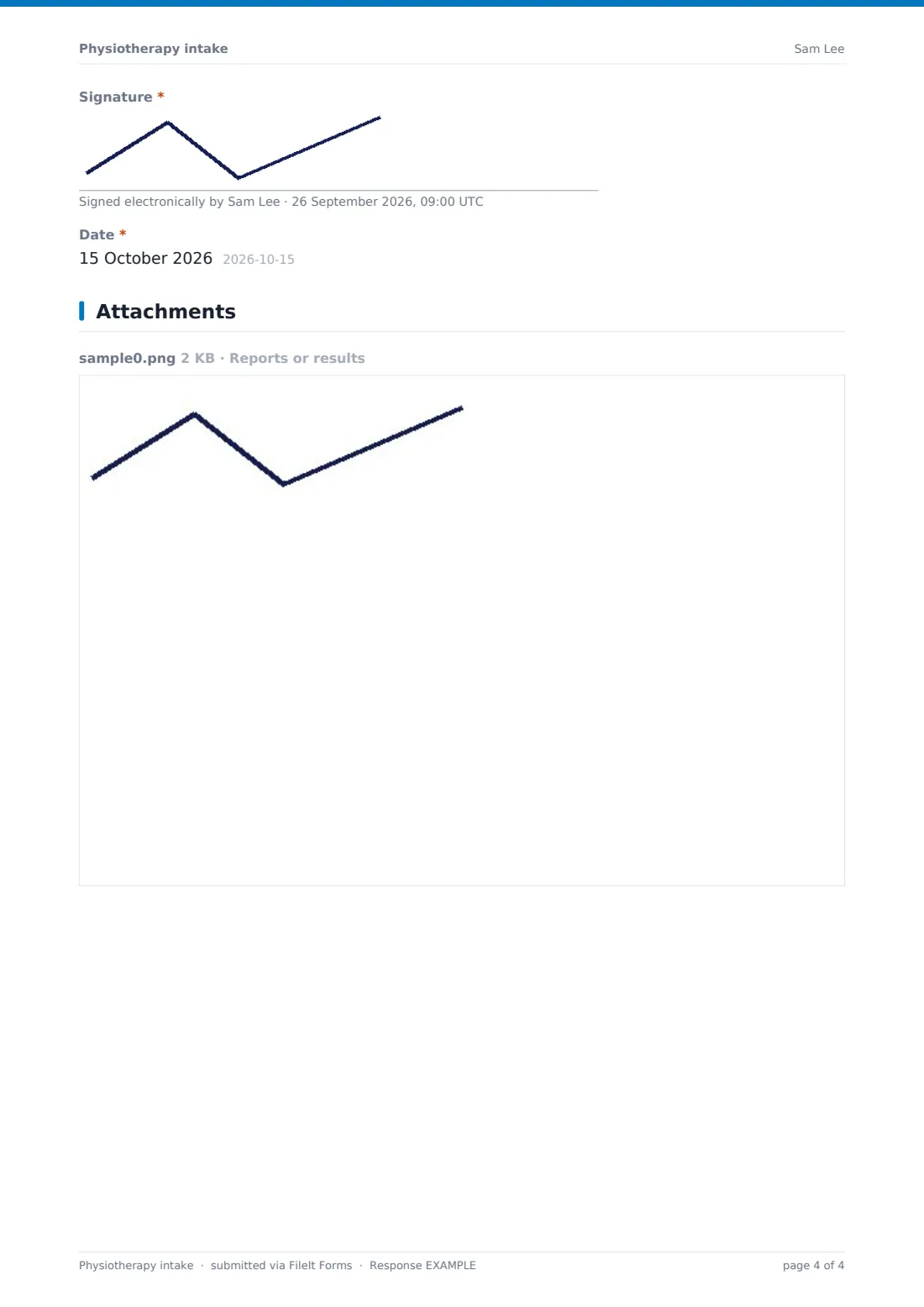
- Signature*
- Date*
The physiotherapy intake form, page by page
1 About you
Name, date of birth, mobile and email are required; occupation and an emergency contact are optional. The patient says how they were referred — themselves, a doctor, a specialist, an insurer or employer, a sports club, or other — and anyone other than self-referral can name the referrer. Payment by insurance asks for insurer and member number; an accident or workers' compensation claim asks for the claim number.
2 Your problem
A required description of the main problem and at least one body area come first, with side, start date and how it began. An injury asks what happened; after an operation asks which one and when. Two 0–10 scales record pain now and at its worst, followed by how it feels and what makes it worse or better.
A required checklist screens for warning signs — unexplained weight loss, unrelenting night pain, bladder or bowel changes, weakness in both legs, feeling unwell — and ticking bladder or bowel changes, or weakness or numbness in both legs, shows an urgent message to seek medical help now. Patients can say whether they've had scans and upload reports, and list treatment already tried.
3 Health & activity
A required checklist covers relevant conditions such as heart problems, diabetes, osteoporosis, cancer, implanted devices and pregnancy. Medications are optional. The patient picks their usual activity level and can list their sports.
4 Goals & consent
The patient describes what they want to get back to — the goal treatment is built around. A note explains what the first appointment involves and what to wear, and the patient can ask for a chaperone. Consents cover assessment and treatment, and use of the information including sharing with a referrer or insurer. Signature and date complete it.
Make the template yours
- Edit the payment options to match the insurers and schemes you work with
- Add your clinic's address, parking and what-to-wear advice to the cover text
- Add condition-specific questions, for example for women's health or neurological rehab
- Adjust the warning-sign message to match your clinical protocols
- Put the form link in your booking confirmation emails so it arrives with every new appointment
- Route intakes into a folder per clinician or per location
Tips for a better physiotherapy intake form
- Review the warning-sign answers as soon as each intake arrives, not just at the appointment
- Use the patient's own goal as the measure of progress in your notes
- Ask patients to bring scan reports even if they've uploaded them, in case of questions
- Keep health information in a restricted folder with access only for clinical staff
- Check that your consent wording meets your professional body's requirements
- This is a starting template — adapt it to your practice and local health-privacy rules
Every response becomes a PDF in your vault
Each intake is filed as a PDF in the vault folder you choose, with scan reports attached to the response. The clinic is notified and the patient receives a copy.
Clinicians can open the PDF before the appointment, and the Responses table lets you filter by referral source, payment method or warning signs, or export to CSV for your practice-management system.
- Start from this template. It opens in the FileIt Forms designer — change any question, add pages, set the rules for when questions appear.
- Share it. Turn on a public link, or send it to people by email, each with their own link. They don’t need a FileIt account.
- Get the answers as PDFs. Each response is saved as a PDF in the vault folder you choose, with uploaded files attached — and listed in a Responses table you can export to CSV.
Physiotherapy intake form: frequently asked questions
Is this physiotherapy intake template free to use?
Yes. It's one of FileIt's ready-made templates, and every FileIt account, including the free plan, includes the Forms app and its full library of templates.
Do patients need a FileIt account to fill it in?
No. Patients complete it from a link or emailed request without creating an account. Only the clinic needs one.
Does the form flag urgent symptoms?
It shows the patient an urgent message if they report bladder or bowel changes, groin numbness, or weakness or numbness in both legs. It doesn't alert your team automatically, so review warning-sign answers when intakes arrive.
Can patients upload MRI or X-ray reports?
Yes. If they say they've had scans, they can upload up to five reports as PDFs or photos.
Can I use it for physical therapy in the US?
Yes. The wording works for physiotherapy and physical therapy; edit payment options and consent wording to match your practice and state rules.
Is the consent wording ready to use?
It's a starting point. Adapt it to your practice, professional body and local health-privacy requirements.