What is the pharmacy patient profile form template?
When a new customer hands over their first prescription, the counter usually turns into a quick interview: date of birth, insurance, allergies, other medicines, how they'd like to be told it's ready. It holds up the queue, and details given in a hurry are easy to get wrong.
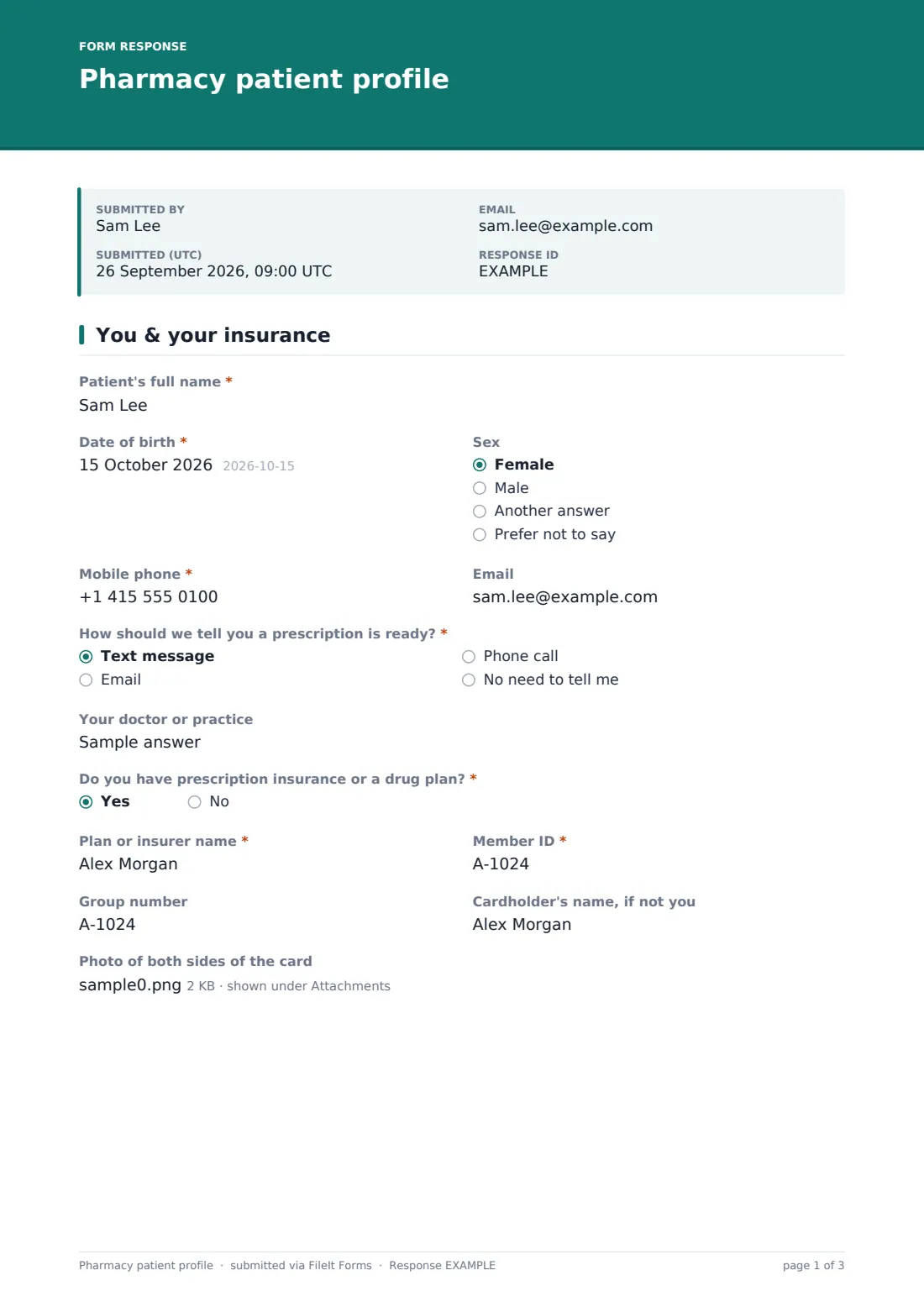
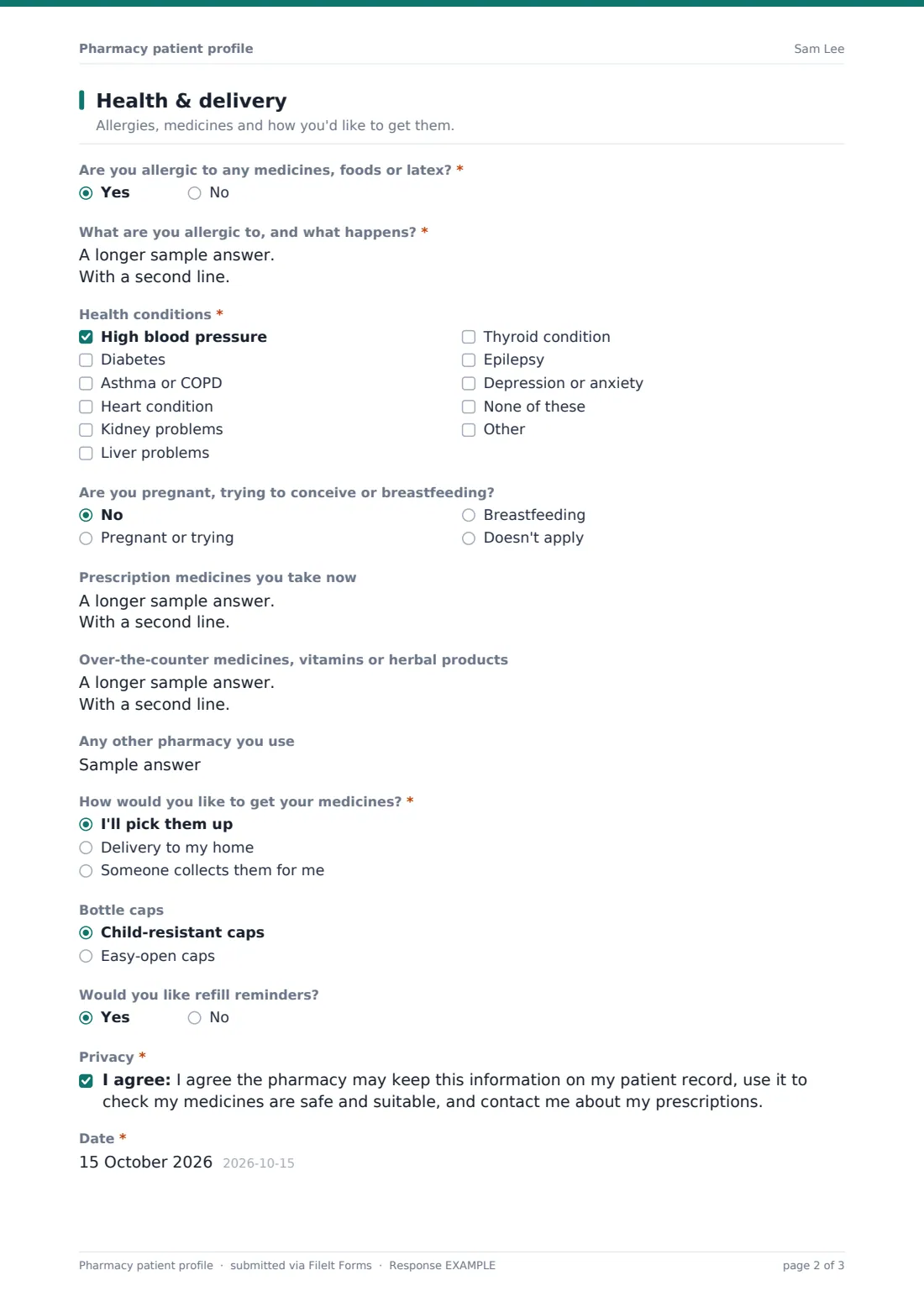
This template lets customers register before they arrive, or on a tablet while they wait. The first page covers contact details, the doctor or practice they use, and prescription insurance, with plan name, member ID, group number and photos of both sides of the card. The second page asks about allergies, health conditions, pregnancy or breastfeeding, prescription and over-the-counter medicines, and how they'd like to get their medicines.
Choose delivery to my home and a delivery address and instructions appear. Choose someone collects them for me and the form asks for that person's name. Each profile is saved as a PDF in your FileIt vault, with the insurance card photos attached.
- Best for
- Independent and community pharmacies, compounding and specialty pharmacies
- Filled in by
- The patient, or a family member registering on their behalf
- Time to complete
- About 5 minutes
- Includes
- Insurance details and card uploads, allergy follow-up, conditions checklist, medicine lists, pickup or delivery logic, privacy consent
Who uses a pharmacy patient profile form?
- New customers transferring their prescriptions from another pharmacy
- Pharmacies starting a home delivery service for housebound patients
- Families registering an elderly parent whose medicines they collect
- A QR code on the counter so walk-in customers register while they wait
- Updating records for existing customers whose insurance has changed
- Specialty pharmacies onboarding patients before a first shipment
Questions on this pharmacy patient profile form
28 questions over 2 pages · includes file upload, conditional questions, multiple pages, consent checkbox.
1 You & your insurance
- Patient's full name*
- Date of birth*
- Sex Female · Male · Another answer · Prefer not to say
- Mobile phone*
- How should we tell you a prescription is ready?* Text message · Email · Phone call · No need to tell me
- Your doctor or practice
- Do you have prescription insurance or a drug plan?*
- Plan or insurer name* asked only when it applies
- Member ID* asked only when it applies
- Group number asked only when it applies
- Cardholder's name, if not you asked only when it applies
- Photo of both sides of the card asked only when it applies
2 Health & delivery
- Are you allergic to any medicines, foods or latex?*
- What are you allergic to, and what happens?* asked only when it applies
- Health conditions* High blood pressure · Diabetes · Asthma or COPD · Heart condition · Kidney problems · Liver problems · Thyroid condition · Epilepsy · Depression or anxiety · None of these
- Are you pregnant, trying to conceive or breastfeeding? No · Pregnant or trying · Breastfeeding · Doesn't apply
- Prescription medicines you take now
- Over-the-counter medicines, vitamins or herbal products
- Any other pharmacy you use
- How would you like to get your medicines?* I'll pick them up · Delivery to my home · Someone collects them for me
- Delivery address* asked only when it applies
- Delivery instructions asked only when it applies
- Name of the person who collects for you asked only when it applies
- Bottle caps Child-resistant caps · Easy-open caps
- Would you like refill reminders?
- Privacy*
- Date*
The pharmacy patient profile form, page by page
1 You & your insurance
The patient's name, date of birth and mobile phone are required, with sex and email optional. How should we tell you a prescription is ready? offers text, email, a call or no notice at all. The patient can name their doctor or practice. Answering yes to Do you have prescription insurance or a drug plan? reveals the plan or insurer name and member ID (both required), the group number, the cardholder's name if it isn't the patient, and an upload for photos of both sides of the card.
2 Health & delivery
Are you allergic to any medicines, foods or latex? is required; a yes asks what the allergy is and what happens. Health conditions is a required checklist covering blood pressure, diabetes, asthma or COPD, heart, kidney, liver and thyroid conditions, epilepsy and depression or anxiety, with an other option and none of these. The patient says whether they're pregnant, trying to conceive or breastfeeding, and lists prescription medicines, over-the-counter products and any other pharmacy they use.
How would you like to get your medicines? branches three ways: picking them up, home delivery (with a required delivery address and optional instructions) or someone else collecting (with that person's name). A choice of child-resistant or easy-open caps, refill reminders, a privacy consent and the date complete the profile.
Make the template yours
- Change the cover text to include your opening hours and delivery area
- Add your local delivery days as a dropdown under the delivery address
- Remove the insurance questions if you only serve cash-paying customers
- Add a question about immunizations you offer, such as seasonal flu shots
- Edit the conditions list to match the checks your pharmacist relies on most
- File profiles into a folder per branch if you run more than one pharmacy
Tips for a better pharmacy patient profile form
- Enter each new profile into your dispensing system promptly, then keep the PDF as the signed record
- Ask customers to update the form whenever their insurance or medicines change
- Check the over-the-counter and supplement answers; they're easy to forget at the counter
- Keep health information in a vault folder only pharmacy staff can open
- Review your privacy wording against the rules that apply to your pharmacy
- Put the form link on your website and prescription bags
Every response becomes a PDF in your vault
Each profile is filed as a PDF in the vault folder you choose. The insurance card photos are attached to the vault document, and the pharmacy gets an email for every new registration.
The Responses tab lets you search by name, filter by delivery choice, and export to CSV if you'd like to import details elsewhere.
- Start from this template. It opens in the FileIt Forms designer — change any question, add pages, set the rules for when questions appear.
- Share it. Turn on a public link, or send it to people by email, each with their own link. They don’t need a FileIt account.
- Get the answers as PDFs. Each response is saved as a PDF in the vault folder you choose, with uploaded files attached — and listed in a Responses table you can export to CSV.
Pharmacy patient profile form: frequently asked questions
Is this pharmacy patient profile template free?
Yes. The Forms app and its templates are part of every FileIt account, including the free plan.
Do customers need to create an account?
No. They fill it in from a link, a QR code or an emailed request. Only the pharmacy needs a FileIt account.
Can customers upload their insurance card?
Yes. If they say they have prescription insurance, they can upload up to two photos or a PDF of the card.
Does the address only appear for delivery?
Yes. The delivery address and instructions show only when the customer chooses home delivery, and the address is then required.
Does FileIt connect to my dispensing software?
No. Responses are saved as PDFs and can be exported to CSV, which you can use to enter or import the details yourself.
Can I use it to update an existing customer's record?
Yes. Send it again as an emailed request and the new response is filed alongside the earlier one.