
What is the petition signature form form template?
A paper petition on a clipboard at the school gate or the corner shop collects names, but it's hard to share, hard to count and easy to lose. This petition signature form puts your petition on a link you can share anywhere, and keeps every signature as a dated record in your FileIt vault.
The petition text sits at the top of the form in your own words, so everyone signing sees exactly what they're supporting. Signers give their name, email and postcode or ZIP code, and say whether they live, work or study in the area or are supporting from elsewhere. That distinction matters to most decision-makers. They can add a comment about why they're signing, choose whether their first name and town appear on a public list, and draw or type an optional signature.
A required declaration confirms they're signing in their own name and only once. The second page asks whether they'd like campaign updates and how they could help — sharing, coming to the hand-in, writing to a representative or volunteering — with a separate consent for emails.
- Best for
- Community groups, charities, residents' associations, parent groups and faith communities campaigning locally
- Filled in by
- Supporters, on any phone or computer
- Time to complete
- About 2 minutes
- Includes
- Editable petition text, local connection question, public display choice, optional signature, update consent
Who uses a petition signature form form?
- Residents petitioning the council to keep a library or bus route
- Parents asking a school board for a safer crossing
- A charity gathering support for a local campaign
- A faith community asking for a change to a planning decision
- Tenants petitioning a landlord about repairs in a building
Questions on this petition signature form form
12 questions over 2 pages · includes signature, conditional questions, multiple pages, consent checkbox.
1 Sign the petition
- Your name*
- Email*
- Postcode or ZIP code*
- Town or city
- Which describes you?* I live in the area · I work or study in the area · I'm a supporter from elsewhere
- Why are you signing? (optional)
- Show my name on the public list of signatures?* Yes — my first name and town · No — count my signature privately
- Signature (optional)
- Declaration*
2 Stay involved
- Would you like updates on this campaign?*
- Would you like to help? asked only when it applies Share the petition · Come to the hand-in · Write to my representative · Volunteer with the campaign
- Campaign updates* asked only when it applies
The petition signature form form, page by page
1 Sign the petition
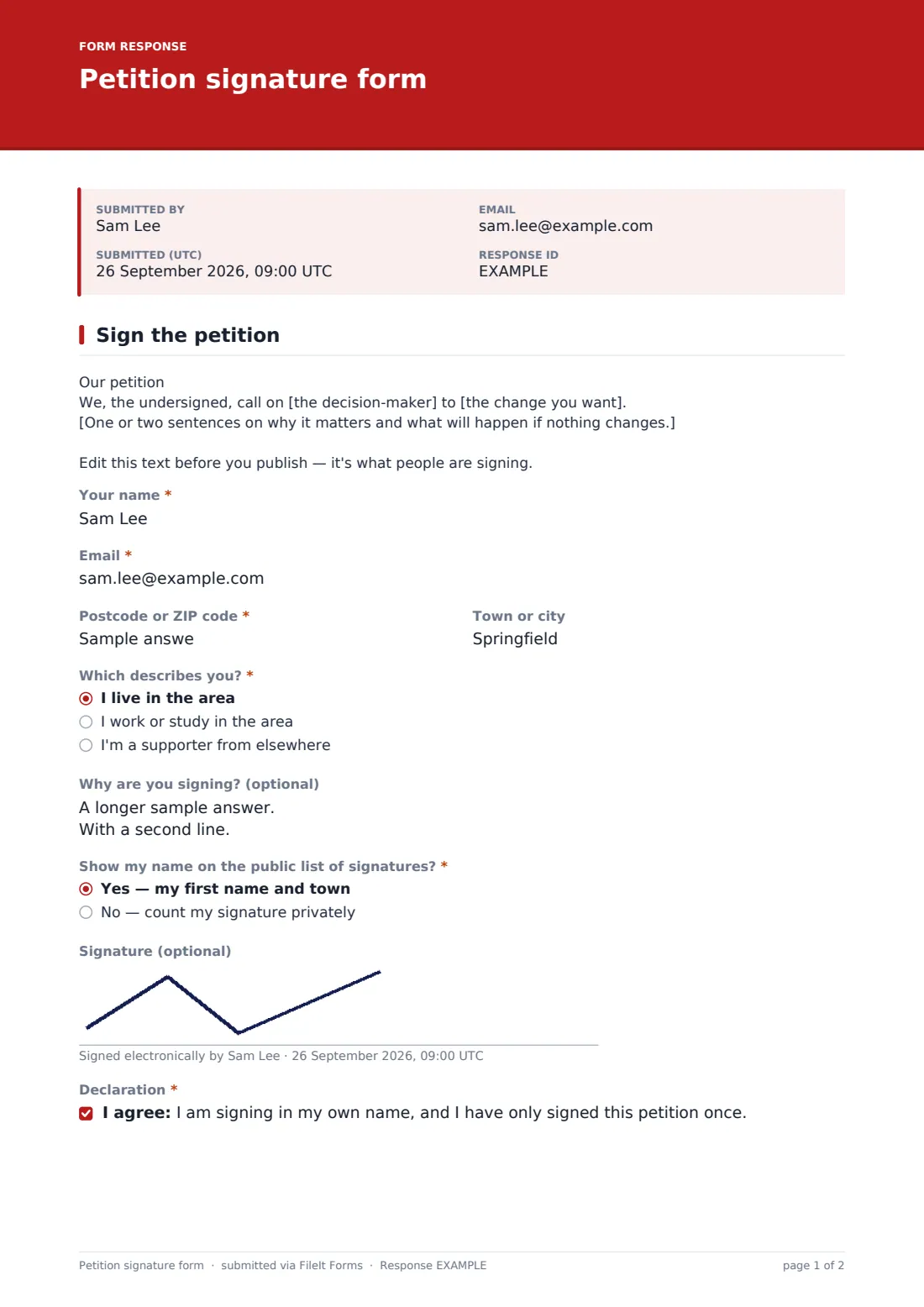
The petition text comes first: an example paragraph you replace with your call to action and why it matters. Signers give their name, email, "Postcode or ZIP code" and town. "Which describes you?" offers living in the area, working or studying in the area, or being a supporter from elsewhere.
"Why are you signing? (optional)" has help text saying comments may be quoted with first names only. "Show my name on the public list of signatures?" offers first name and town, or a private signature. An optional signature can be drawn or typed, and the declaration confirms they're signing in their own name and only once.
2 Stay involved
"Would you like updates on this campaign?" is required. A yes opens "Would you like to help?" — share the petition, come to the hand-in, write to a representative, or volunteer — and a consent to receive campaign emails, with the right to unsubscribe at any time.
Make the template yours
- Replace the example petition text with your own call to action
- Make the signature required if the body you're petitioning asks for signatures
- Set a closing date for the hand-in
- Change "Postcode or ZIP code" to a dropdown of wards or neighbourhoods
- Switch on the respondent copy if you want signers to get a receipt
- Check whether the body you're petitioning has its own rules for valid signatures
Tips for a better petition signature form form
- Keep the petition text short, specific and addressed to someone who can act on it
- Share the link with a QR code on posters in local shops
- Use the CSV export to count local signatures separately from supporters elsewhere
- Only publish names of people who chose to be shown
- Send updates only to those who ticked the campaign updates consent
Every response becomes a PDF in your vault
Each signature is filed as a PDF in your vault, and the form owner is notified by email. The template doesn't email signers a copy by default, and it allows one signature per browser to discourage repeat signing.
The Responses table shows the running total and lets you search by name or postcode. Export to CSV to count signatures by area, prepare the public list from those who agreed to be shown, and build your list of supporters who want to help.
- Start from this template. It opens in the FileIt Forms designer — change any question, add pages, set the rules for when questions appear.
- Share it. Turn on a public link, or send it to people by email, each with their own link. They don’t need a FileIt account.
- Get the answers as PDFs. Each response is saved as a PDF in the vault folder you choose, with uploaded files attached — and listed in a Responses table you can export to CSV.
Petition signature form form: frequently asked questions
Is this petition form template free?
Yes. It's one of the ready-made templates in the Forms app on every FileIt account, including the free plan.
Can someone sign twice?
The form allows one response per browser and asks signers to declare they've signed once. That discourages repeat signing, but a determined person could use another device, so check for duplicates in the export.
Will signers' email addresses be public?
No. Only names of people who chose to be shown should go on a public list, and the form only offers first name and town.
Is an online petition accepted by my council?
It depends on the body. Some have their own petition rules or systems, so check before you start.
Can I add a signature requirement?
Yes. Make the signature field required in the designer. Signers can draw or type their name.
Can I see how many people have signed?
Yes. The form list shows the response count, and the Responses tab lists every signature.