
What is the pet sitting instructions form template?
When owners go away, pet sitters need far more than "feed the cat": how much and when, where the food is, which pet takes which medicine, the daily routine, which cat hides under the bed, how to get in, where the leads are, who the vet is and what to do if something goes wrong. Writing it down once avoids frantic messages mid-trip.
This template starts with the owner's contact details, the address, the dates away, how to reach them, a nearby backup contact and the type of sitting — drop-in visits, overnight stays or full house-sitting. The pets page covers each pet with photos, feeding, treats and water, medication with dose and timing, the daily routine, behaviour and quirks, and whether they may go outside.
The house page records how the sitter gets in — with a reminder to share codes separately — the alarm, where supplies are kept, house tasks and areas that are off limits. The last page covers the vet, insurance, the nearest out-of-hours vet, what to do if a pet goes missing, emergency treatment consent with an optional spending limit and how often to send updates. The signed instructions are saved as a PDF in FileIt.
- Best for
- Pet sitters, house sitters, pet care businesses and owners leaving pets with friends
- Filled in by
- The pet owner, before going away
- Time to complete
- About 10 minutes
- Includes
- Dates and contacts, pet photos, feeding and medication, routines and quirks, house access and tasks, vet and insurance, missing-pet plan, emergency consent and signature
Who uses a pet sitting instructions form?
- Professional pet sitters collecting instructions before each booking
- House sitters looking after pets for several weeks
- Cat sitting drop-in visits while owners are on holiday
- Friends or neighbours looking after pets for a weekend
- Pets with daily medication that must be given on time
- Households with several kinds of pet and different routines
Questions on this pet sitting instructions form
32 questions over 4 pages · includes signature, file upload, conditional questions, multiple pages, consent checkbox.
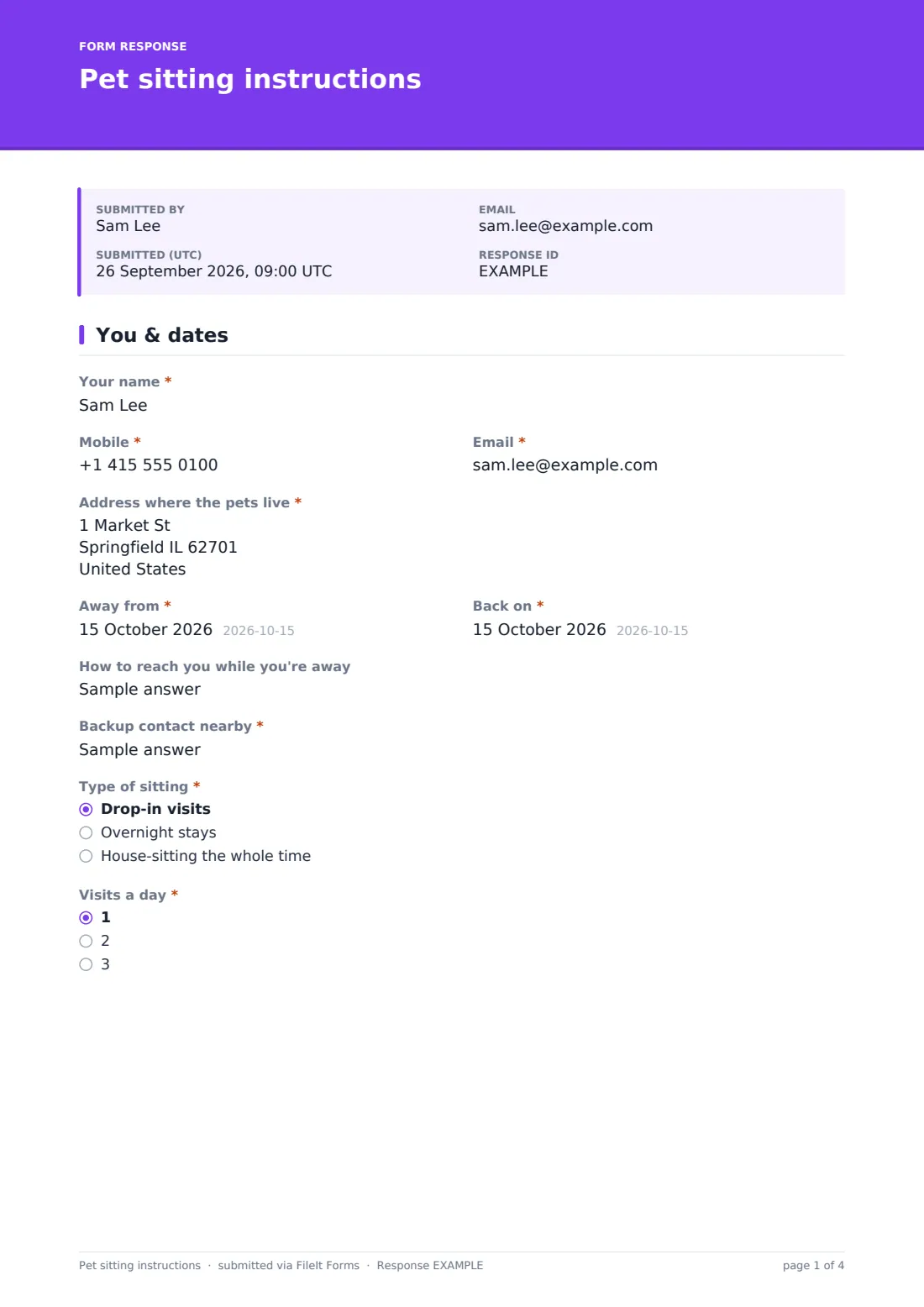
1 You & dates
- Your name*
- Mobile*
- Email*
- Address where the pets live*
- Away from*
- Back on*
- How to reach you while you're away
- Backup contact nearby*
- Type of sitting* Drop-in visits · Overnight stays · House-sitting the whole time
- Visits a day* asked only when it applies 1 · 2 · 3
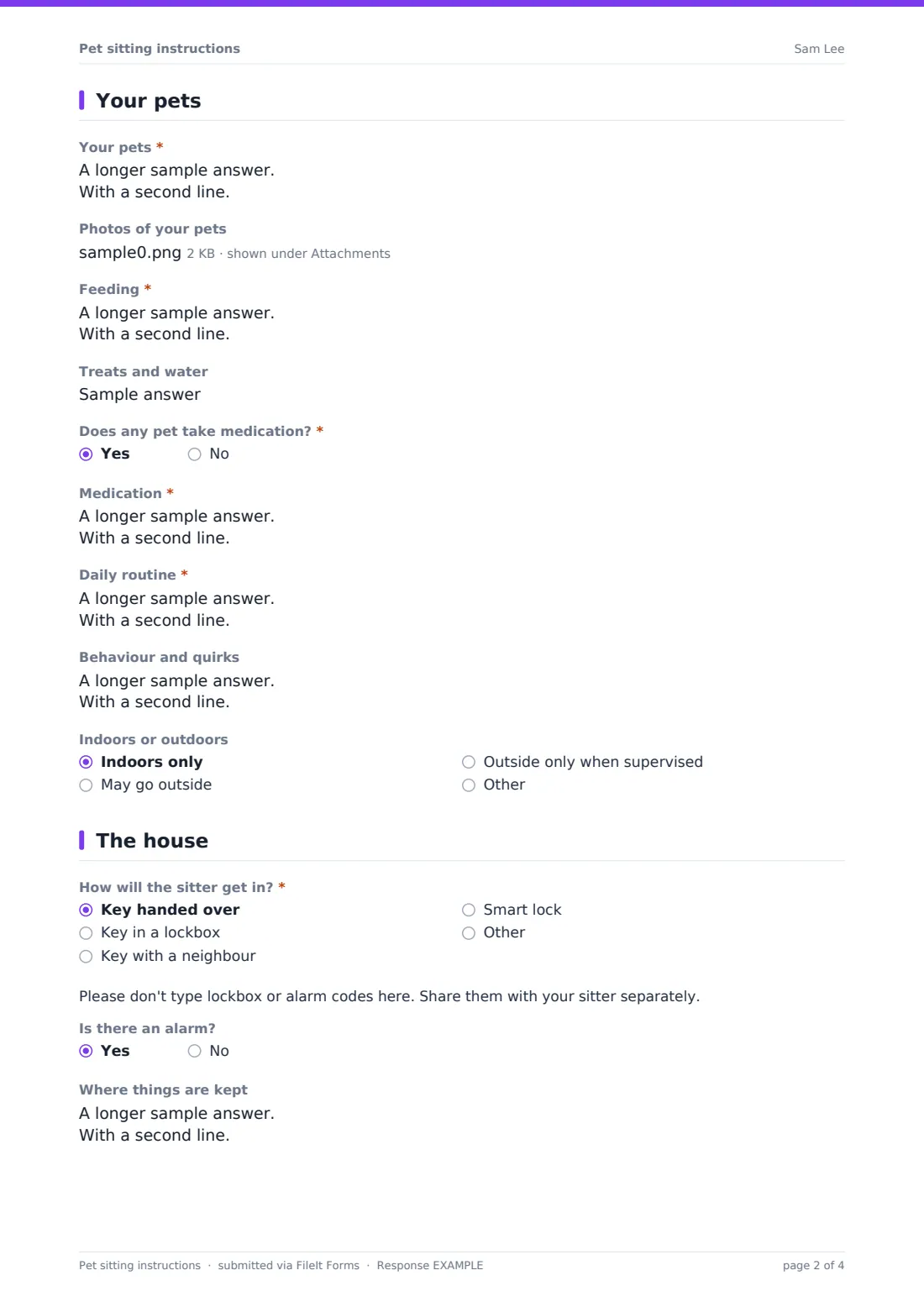
2 Your pets
- Your pets*
- Photos of your pets
- Feeding*
- Treats and water
- Does any pet take medication?*
- Medication* asked only when it applies
- Daily routine*
- Behaviour and quirks
- Indoors or outdoors Indoors only · May go outside · Outside only when supervised
3 The house
- How will the sitter get in?* Key handed over · Key in a lockbox · Key with a neighbour · Smart lock
- Is there an alarm?
- Where things are kept
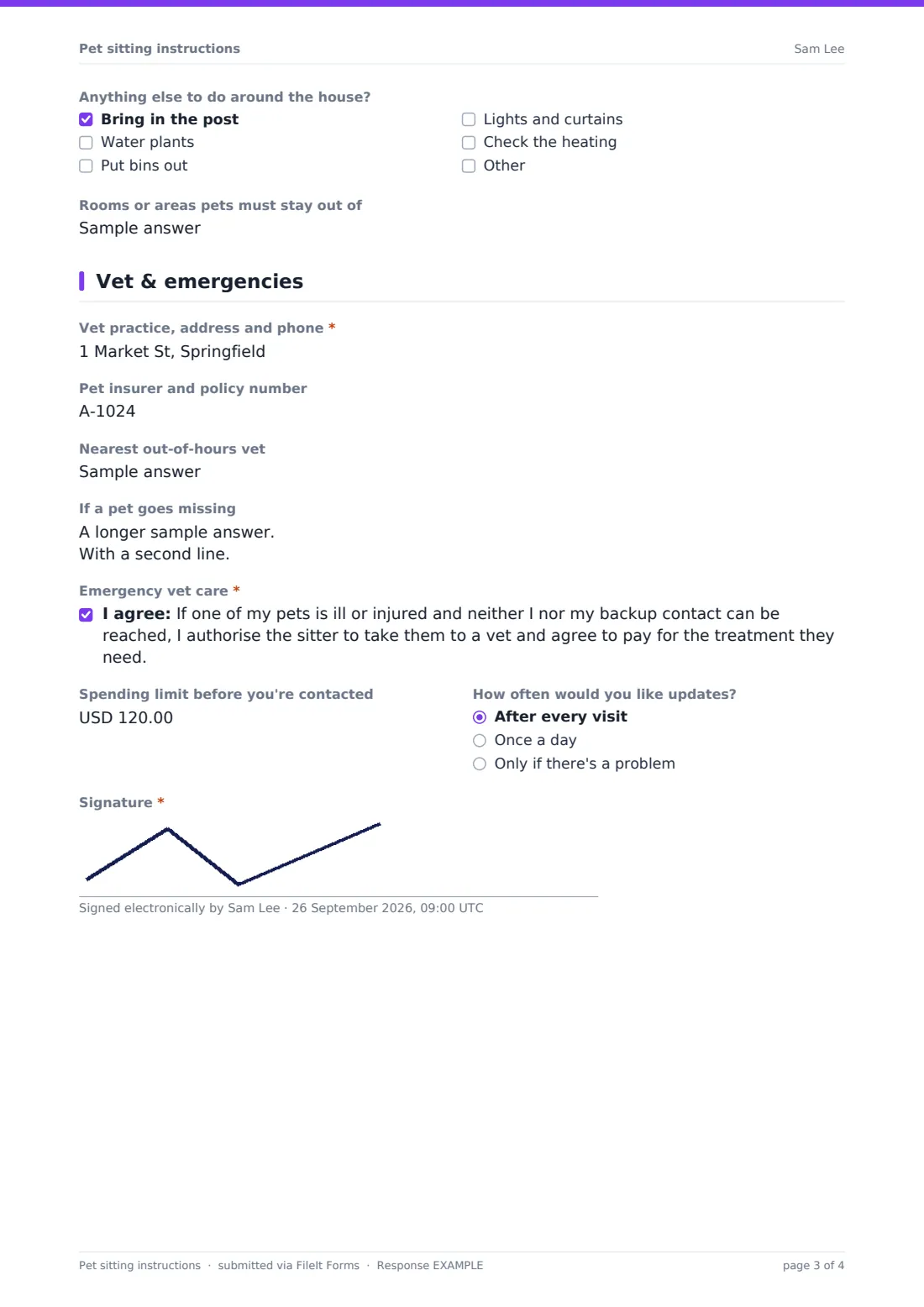
- Anything else to do around the house? Bring in the post · Water plants · Put bins out · Lights and curtains · Check the heating
- Rooms or areas pets must stay out of
4 Vet & emergencies
- Vet practice, address and phone*
- Pet insurer and policy number
- Nearest out-of-hours vet
- If a pet goes missing
- Emergency vet care*
- Spending limit before you're contacted
- How often would you like updates? After every visit · Once a day · Only if there's a problem
- Signature*
The pet sitting instructions form, page by page
1 You & dates
The owner gives their name, mobile, email and the address where the pets live, the dates they're away and back, how to reach them while away and a nearby backup contact. They choose drop-in visits — which asks how many a day — overnight stays or house-sitting the whole time.
2 Your pets
The owner describes each pet and can add up to five photos. Feeding instructions cover what, how much, when and where food is kept, plus treats and water. If any pet takes medication, they give the pet, medicine, dose, time and how to give it. The daily routine, behaviour and quirks — hiding spots, fears, escape risks — and whether pets may go outside complete the page.
3 The house
Choose how the sitter gets in — a key handed over, a lockbox, a neighbour or a smart lock — with a reminder to share codes separately. The owner notes whether there's an alarm, where supplies are kept, house tasks like the post, plants, bins, lights and heating, and rooms pets must stay out of.
4 Vet & emergencies
Record the vet practice, pet insurer and policy number, the nearest out-of-hours vet and what to do if a pet goes missing. The owner agrees to emergency vet care if neither they nor their backup contact can be reached, can set a spending limit, chooses how often they'd like updates, and signs.
Make the template yours
- Add your sitting prices and booking terms to the cover text
- Add a question about plants, pools or other pets' specific needs
- Change the currency on the spending limit to your own
- Send a personal link to each client before their booking
- File each client's instructions in their own vault folder
- Add an upload for vaccination or medication records
Tips for a better pet sitting instructions form
- Fill it in a few days before travelling so the sitter can ask questions
- Leave medication labelled in its original packaging
- Share lockbox and alarm codes separately, not in the form
- Tell your vet who will be looking after your pets
- Make sure microchip details are up to date before you go
- Leave extra food in case your return is delayed
Every response becomes a PDF in your vault
The signed instructions are saved as a PDF in the vault folder you choose, with pet photos attached. The account owner can be emailed when a client submits, and the owner can receive a copy to check.
In Responses, filter by dates to see upcoming sits, or export to CSV to keep a list of clients, pets and vets.
- Start from this template. It opens in the FileIt Forms designer — change any question, add pages, set the rules for when questions appear.
- Share it. Turn on a public link, or send it to people by email, each with their own link. They don’t need a FileIt account.
- Get the answers as PDFs. Each response is saved as a PDF in the vault folder you choose, with uploaded files attached — and listed in a Responses table you can export to CSV.
Pet sitting instructions form: frequently asked questions
Is this pet sitting instructions template free?
Yes. It's part of the Forms app, included with every FileIt account, the free plan too.
Can I use it for any kind of pet?
Yes. The pets, feeding and routine questions are free text, so they work for dogs, cats, rabbits, birds, fish and reptiles.
Should owners put alarm or lockbox codes in the form?
No. The form reminds owners to share codes with the sitter separately.
Does the emergency consent cover our liability?
It records the owner's authorisation and any spending limit. Check it against your own terms and insurance, and edit it to suit.
Can the sitter see the instructions on their phone?
Yes. The PDF opens on any phone, and you can share it from your vault.
Can owners update the instructions for the next trip?
They can submit the form again for each trip, so you always have the latest version.