
What is the dog walking client intake form template?
Before a dog walker takes a new dog out, they need to know who to call, what the dog is like with people and other dogs, whether it comes back when called, any health problems, how to get into the house and what to do if something goes wrong. Getting it in writing, with a signature, protects the dog, the owner and the walker.
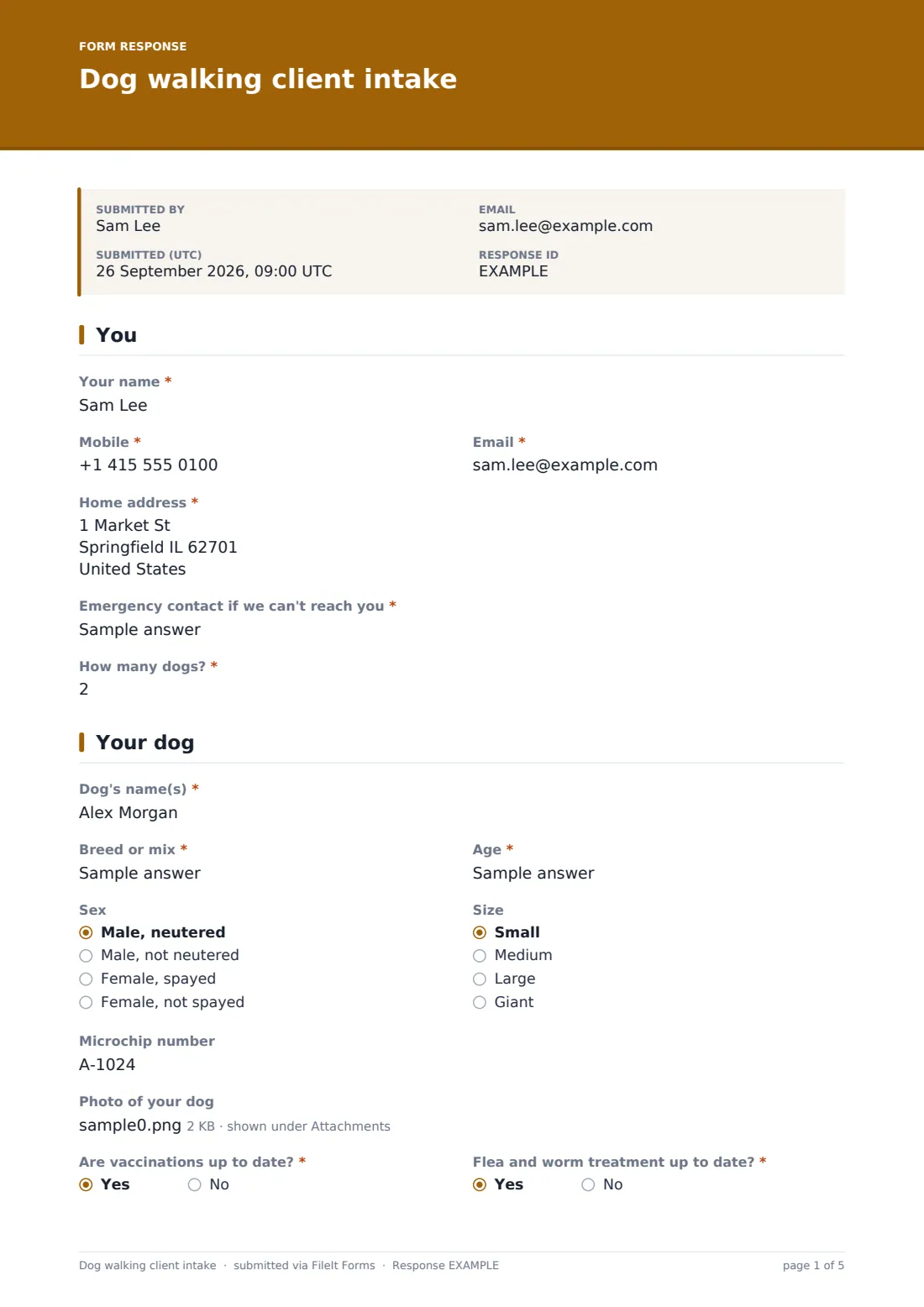
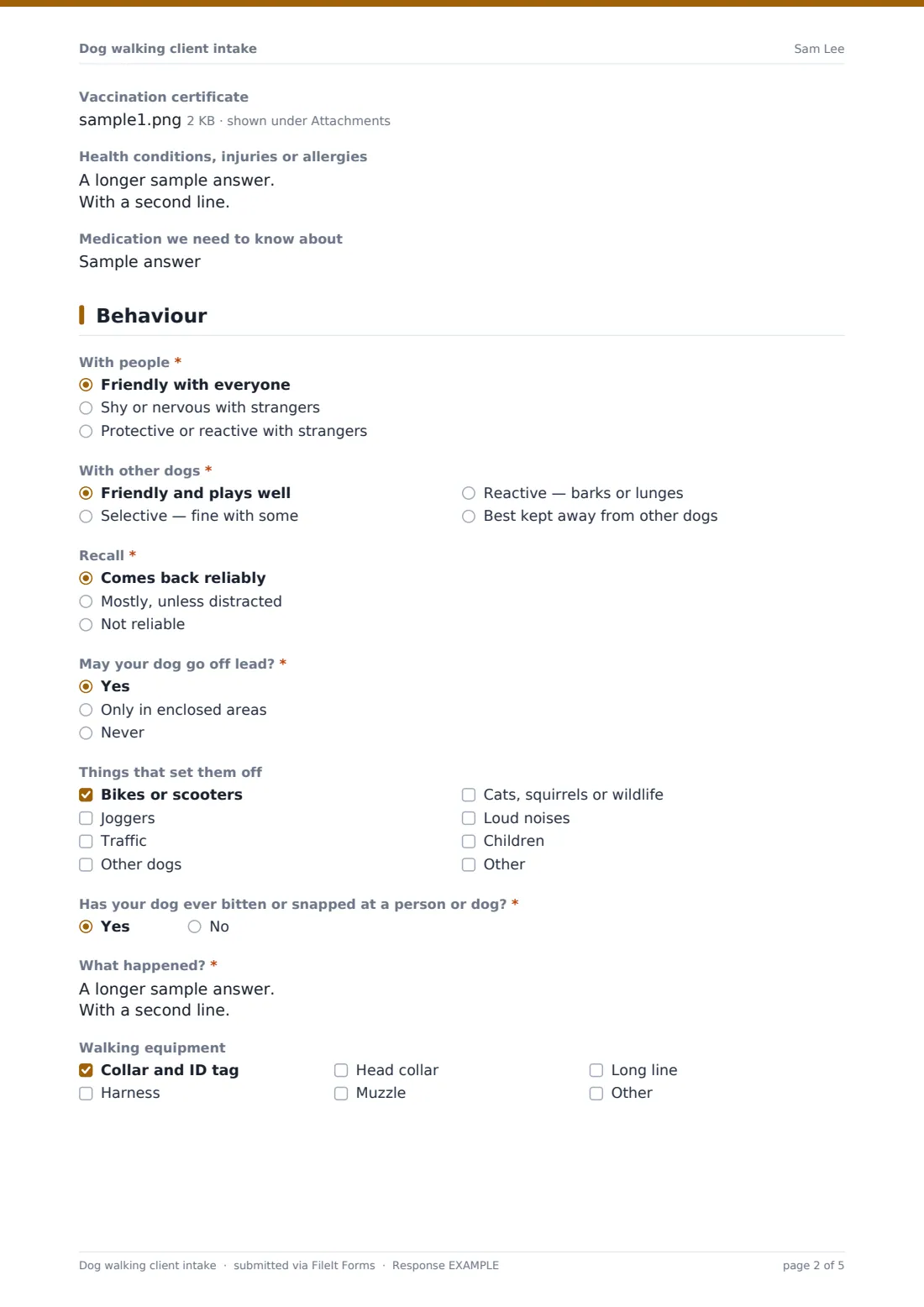
This template collects the owner's contact details, address and an emergency contact, then the dog's name, breed, age, sex, size, microchip, photos, vaccinations, flea and worm treatment, health conditions and medication. A behaviour page asks how the dog is with people and other dogs, how reliable its recall is, whether it may go off lead, its triggers, any bite history and the walking equipment it uses.
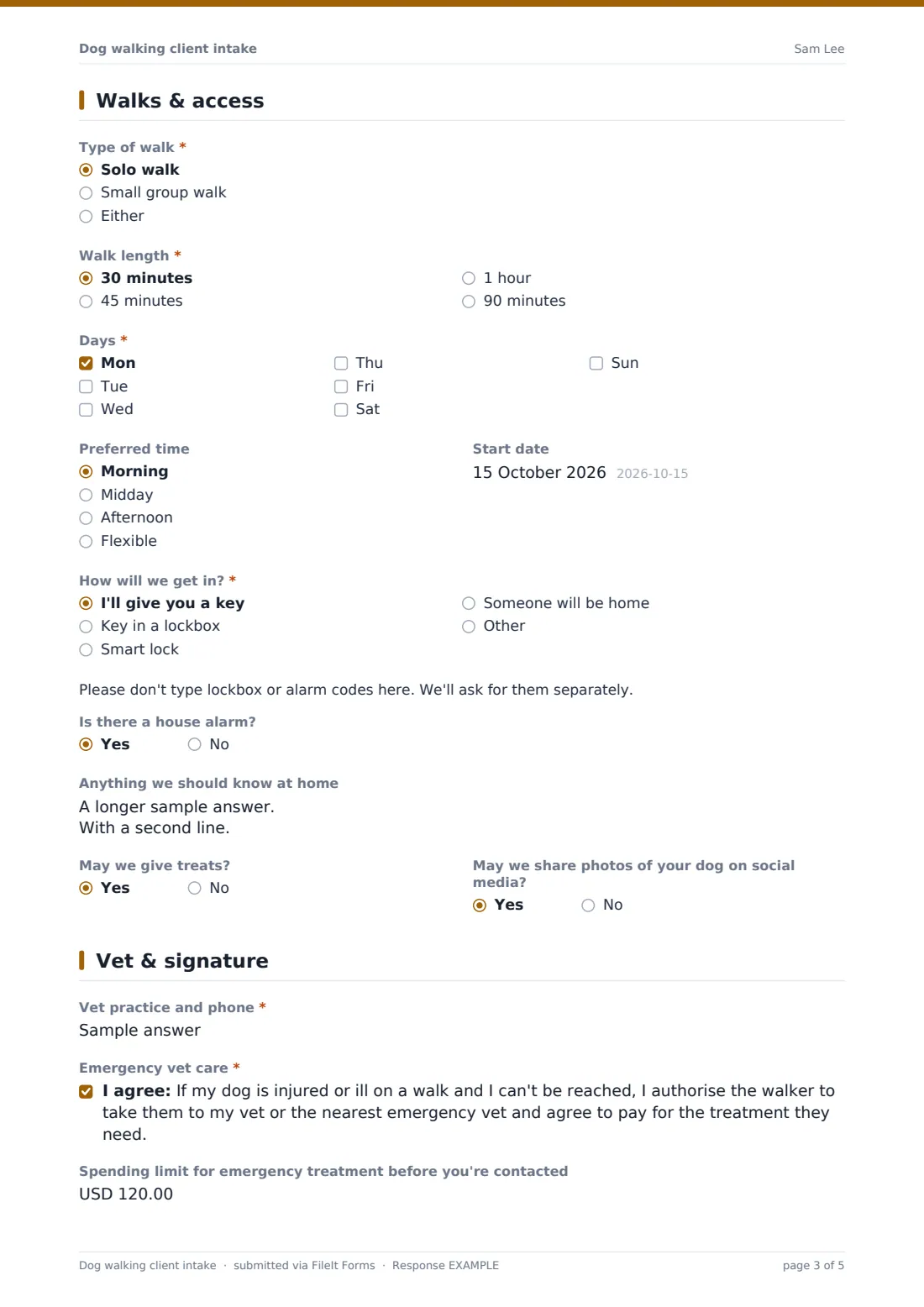
The final page sets solo or group walks, length, days, preferred time and start date, how the walker gets in — with a reminder not to type codes into the form — the alarm, home notes, treats, photo permission, the vet and emergency treatment consent with an optional spending limit. The signed intake is saved as a PDF in FileIt.
- Best for
- Dog walkers, pet care businesses and doggy day care services
- Filled in by
- The dog's owner, before the first walk
- Time to complete
- About 6 minutes
- Includes
- Dog profile with photos, vaccination certificate upload, health, behaviour and recall, bite history, walk schedule, key access, emergency vet consent and signature
Who uses a dog walking client intake form?
- Onboarding new dog walking clients
- Checking whether a dog is suitable for group walks
- Collecting vet and emergency details before taking a dog out
- Recording off-lead permission in writing
- Pet care businesses with several walkers sharing client details
- Updating details for an existing client with a new dog
Questions on this dog walking client intake form
40 questions over 5 pages · includes signature, file upload, conditional questions, multiple pages, consent checkbox.
1 You
- Your name*
- Mobile*
- Email*
- Home address*
- Emergency contact if we can't reach you*
- How many dogs?*
2 Your dog
- Dog's name(s)*
- Breed or mix*
- Age*
- Sex Male, neutered · Male, not neutered · Female, spayed · Female, not spayed
- Size Small · Medium · Large · Giant
- Microchip number
- Photo of your dog
- Are vaccinations up to date?*
- Flea and worm treatment up to date?*
- Vaccination certificate
- Health conditions, injuries or allergies
- Medication we need to know about
3 Behaviour
- With people* Friendly with everyone · Shy or nervous with strangers · Protective or reactive with strangers
- With other dogs* Friendly and plays well · Selective — fine with some · Reactive — barks or lunges · Best kept away from other dogs
- Recall* Comes back reliably · Mostly, unless distracted · Not reliable
- May your dog go off lead?* Yes · Only in enclosed areas · Never
- Things that set them off Bikes or scooters · Joggers · Traffic · Other dogs · Cats, squirrels or wildlife · Loud noises · Children
- Has your dog ever bitten or snapped at a person or dog?*
- What happened?* asked only when it applies
- Walking equipment Collar and ID tag · Harness · Head collar · Muzzle · Long line
4 Walks & access
- Type of walk* Solo walk · Small group walk · Either
- Walk length* 30 minutes · 45 minutes · 1 hour · 90 minutes
- Days* Mon · Tue · Wed · Thu · Fri · Sat · Sun
- Preferred time Morning · Midday · Afternoon · Flexible
- Start date
- How will we get in?* I'll give you a key · Key in a lockbox · Smart lock · Someone will be home
- Is there a house alarm?
- Anything we should know at home
- May we give treats?
- May we share photos of your dog on social media?
5 Vet & signature
- Vet practice and phone*
- Emergency vet care*
- Spending limit for emergency treatment before you're contacted
- Signature*
The dog walking client intake form, page by page
1 You
The owner gives their name, mobile, email, home address and an emergency contact in case they can't be reached, and says how many dogs they have.
2 Your dog
Record the dog's name, breed, age, sex and neuter status, size and microchip number, and add up to three photos. The owner confirms whether vaccinations and flea and worm treatment are up to date, can upload a vaccination certificate, and lists health conditions, injuries, allergies and medication.
3 Behaviour
The owner describes how the dog is with people and with other dogs, how reliable its recall is and whether it may go off lead — always, only in enclosed areas or never. They tick triggers such as bikes, joggers, traffic, other dogs, wildlife, loud noises or children, answer a required question about any bite or snap — with details if yes — and list the walking equipment it uses.
4 Walks & access
Choose solo or group walks, the walk length, days, preferred time and start date, then how the walker gets in — a key, lockbox, smart lock or someone at home. A note asks owners not to type codes into the form. Questions cover a house alarm, things to know at home, treats and photo sharing.
5 Vet & signature
The owner names their vet practice and phone number, agrees to emergency treatment if the dog is hurt or ill on a walk and they can't be reached, can set a spending limit before they're contacted, and signs.
Make the template yours
- Add your prices and cancellation policy to the cover text
- Change the walk lengths and times to the services you offer
- Change the currency on the spending limit to your own
- Add a question about pick-up and drop-off for doggy day care
- Send personal links to existing clients to update their details
- File each client's intake in their own vault folder
Tips for a better dog walking client intake form
- Meet the dog before the first walk, even if the form looks straightforward
- Take any bite history seriously and plan walks around it
- Respect off-lead answers exactly — never assume
- Collect lockbox and alarm codes separately, not in the form
- Check vaccination status before mixing dogs in a group
- Ask clients to update their details when health or behaviour changes
Every response becomes a PDF in your vault
Each signed intake is saved as a PDF in the vault folder you choose, with the dog's photos attached. The account owner can be emailed when a new client signs up, and the owner can receive a copy.
In Responses, filter by walk days to plan your schedule, or export to CSV to keep a client list with vets and emergency contacts.
- Start from this template. It opens in the FileIt Forms designer — change any question, add pages, set the rules for when questions appear.
- Share it. Turn on a public link, or send it to people by email, each with their own link. They don’t need a FileIt account.
- Get the answers as PDFs. Each response is saved as a PDF in the vault folder you choose, with uploaded files attached — and listed in a Responses table you can export to CSV.
Dog walking client intake form: frequently asked questions
Is this dog walking client intake template free?
Yes. It's part of the Forms app, included with every FileIt account, the free plan too.
Can owners with more than one dog use it?
Yes. The owner says how many dogs they have and can describe them together. For dogs with very different needs, ask for a form per dog.
Should owners put their lockbox code in the form?
No. The form asks how you'll get in and reminds owners not to type codes. Collect codes separately.
Does the emergency vet consent cover our liability?
It records the owner's authorisation and any spending limit. Check it against your own terms and insurance, and edit it to suit.
Can owners upload vaccination certificates?
Yes. There's an optional upload for a photo or scan of the latest vaccination record, alongside up to three photos of the dog.
Can the owner sign on their phone?
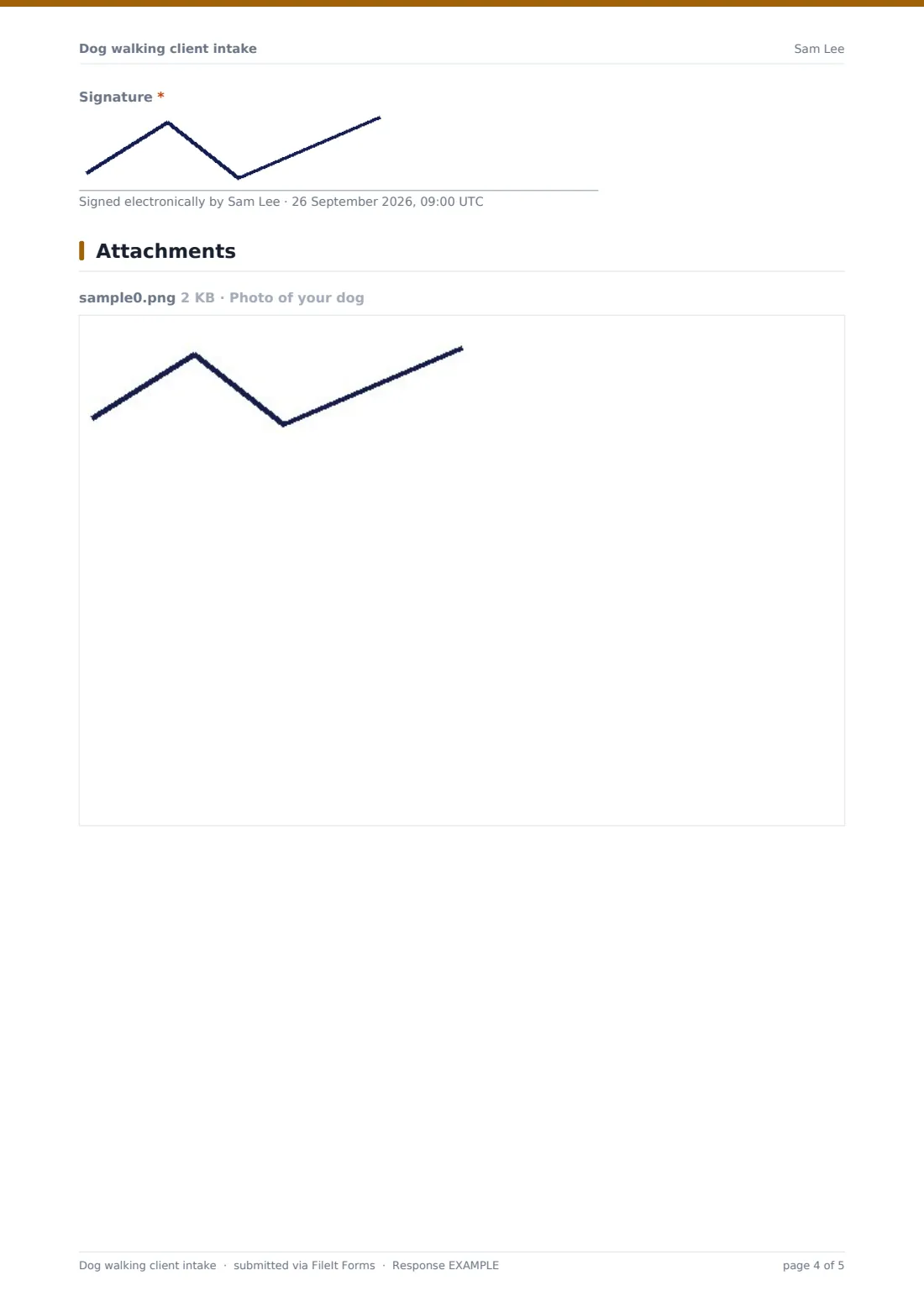
Yes. The signature is drawn on screen.