What is the pet at work request form template?
Dog-friendly offices are popular, but they only work when every dog is healthy, calm and supervised, and when colleagues with allergies or a fear of dogs are taken seriously. Without a standard request, approvals depend on whoever asks most confidently.
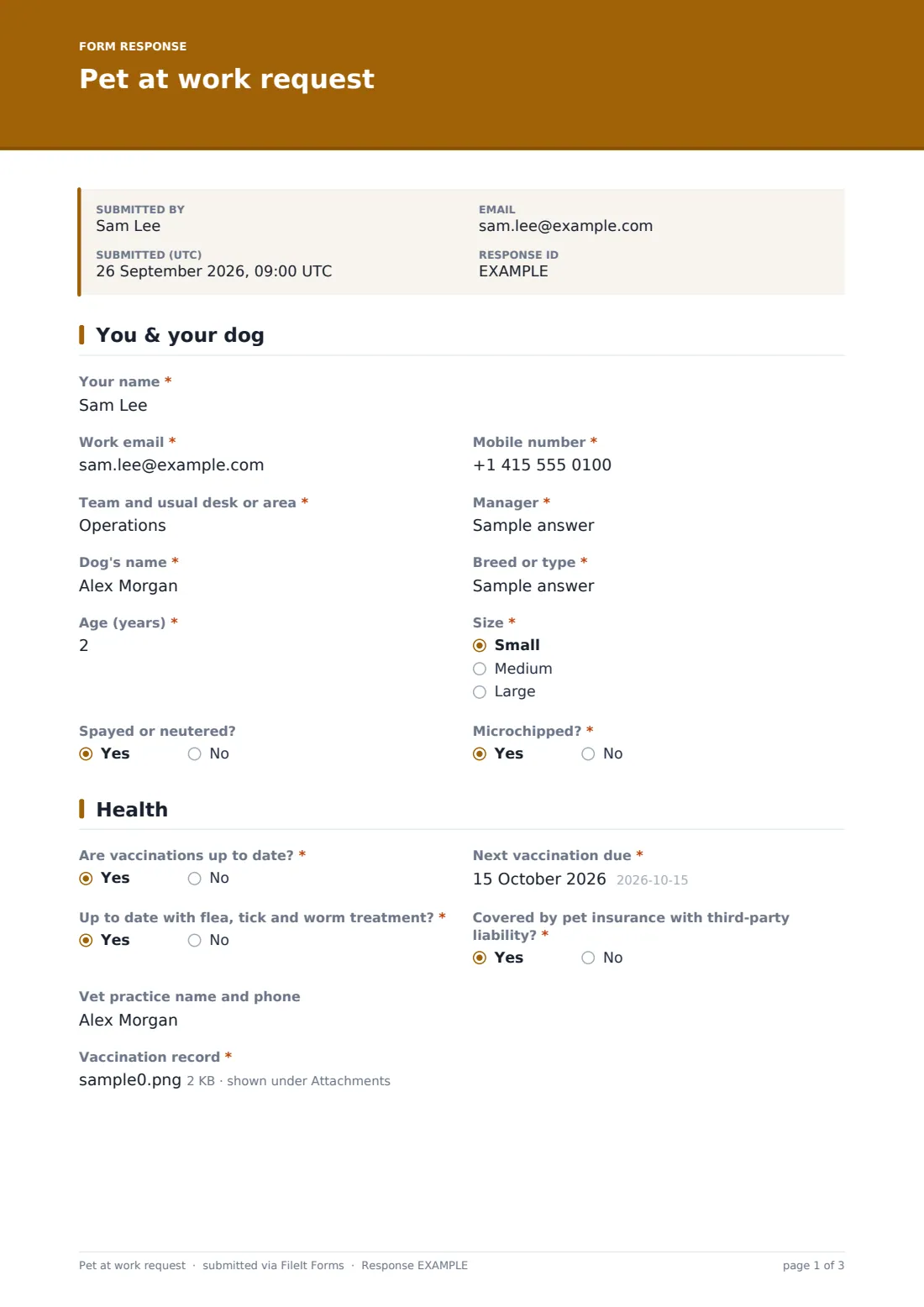
This template gives facilities and HR the full picture. The employee describes themselves and their dog — name, breed, age, size, whether they're neutered and microchipped — then health: vaccinations and when the next is due, flea, tick and worm treatment, insurance with third-party liability, their vet, and an uploaded vaccination record. A behaviour grid covers new people, other dogs, noise, being left alone and recall, with questions on house training and any history of biting.
The employee picks the days they'd like, says whether they'd accept a trial day, confirms they've checked with colleagues nearby about allergies or fear of dogs and whether their manager agrees. They tick all six office dog rules, accept that permission can be withdrawn and sign. Every request is saved as a PDF in your FileIt vault.
- Best for
- Offices, studios and workplaces with a dog-friendly policy
- Filled in by
- The employee who wants to bring their dog
- Time to complete
- About 6 minutes
- Includes
- Vaccination upload, behaviour grid, bite history, allergy check, six office rules and signature
Who uses a pet at work request form?
- A company launching a dog-friendly office policy
- A coworking space approving members' dogs
- A small studio agreeing which days dogs can come in
- A facilities team keeping vaccination records for every office dog
- Pausing or reviewing permission after a colleague raises a concern
- Organising a trial day before regular visits are agreed
Questions on this pet at work request form
31 questions over 5 pages · includes signature, file upload, conditional questions, multiple pages, consent checkbox, ratings.
1 You & your dog
- Your name*
- Work email*
- Mobile number*
- Team and usual desk or area*
- Manager*
- Dog's name*
- Breed or type*
- Age (years)*
- Size* Small · Medium · Large
- Spayed or neutered?
- Microchipped?*
2 Health
- Are vaccinations up to date?*
- Next vaccination due* asked only when it applies
- Up to date with flea, tick and worm treatment?*
- Covered by pet insurance with third-party liability?*
- Vet practice name and phone
- Vaccination record*
3 Temperament
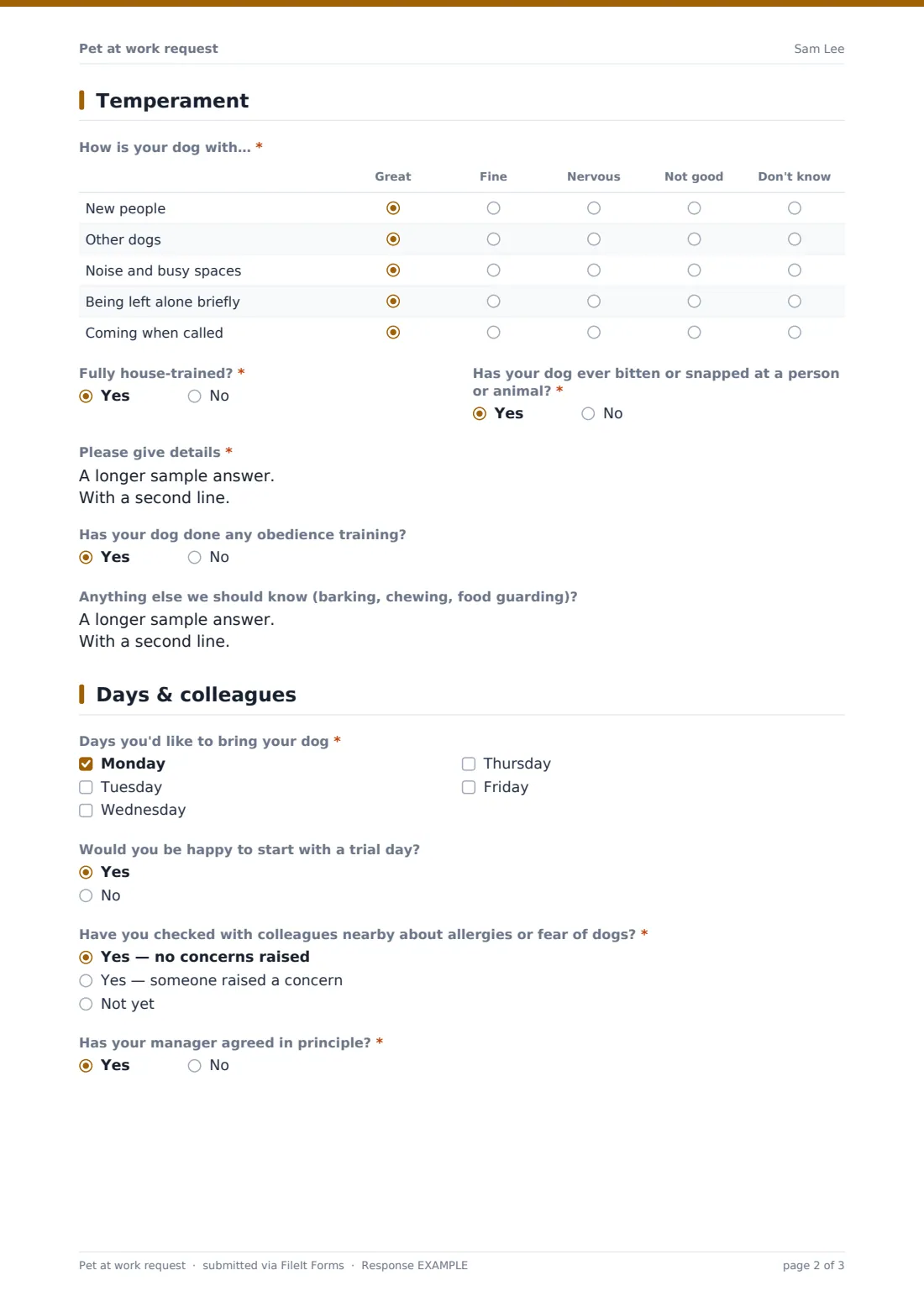
- How is your dog with…* Great · Fine · Nervous · Not good · Don't know
- Fully house-trained?*
- Has your dog ever bitten or snapped at a person or animal?*
- Please give details* asked only when it applies
- Has your dog done any obedience training?
- Anything else we should know (barking, chewing, food guarding)?
4 Days & colleagues
- Days you'd like to bring your dog* Monday · Tuesday · Wednesday · Thursday · Friday
- Would you be happy to start with a trial day? Yes · No
- Have you checked with colleagues nearby about allergies or fear of dogs?* Yes — no concerns raised · Yes — someone raised a concern · Not yet
- What concern was raised, and how could it be managed?* asked only when it applies
- Has your manager agreed in principle?*
5 Agreement
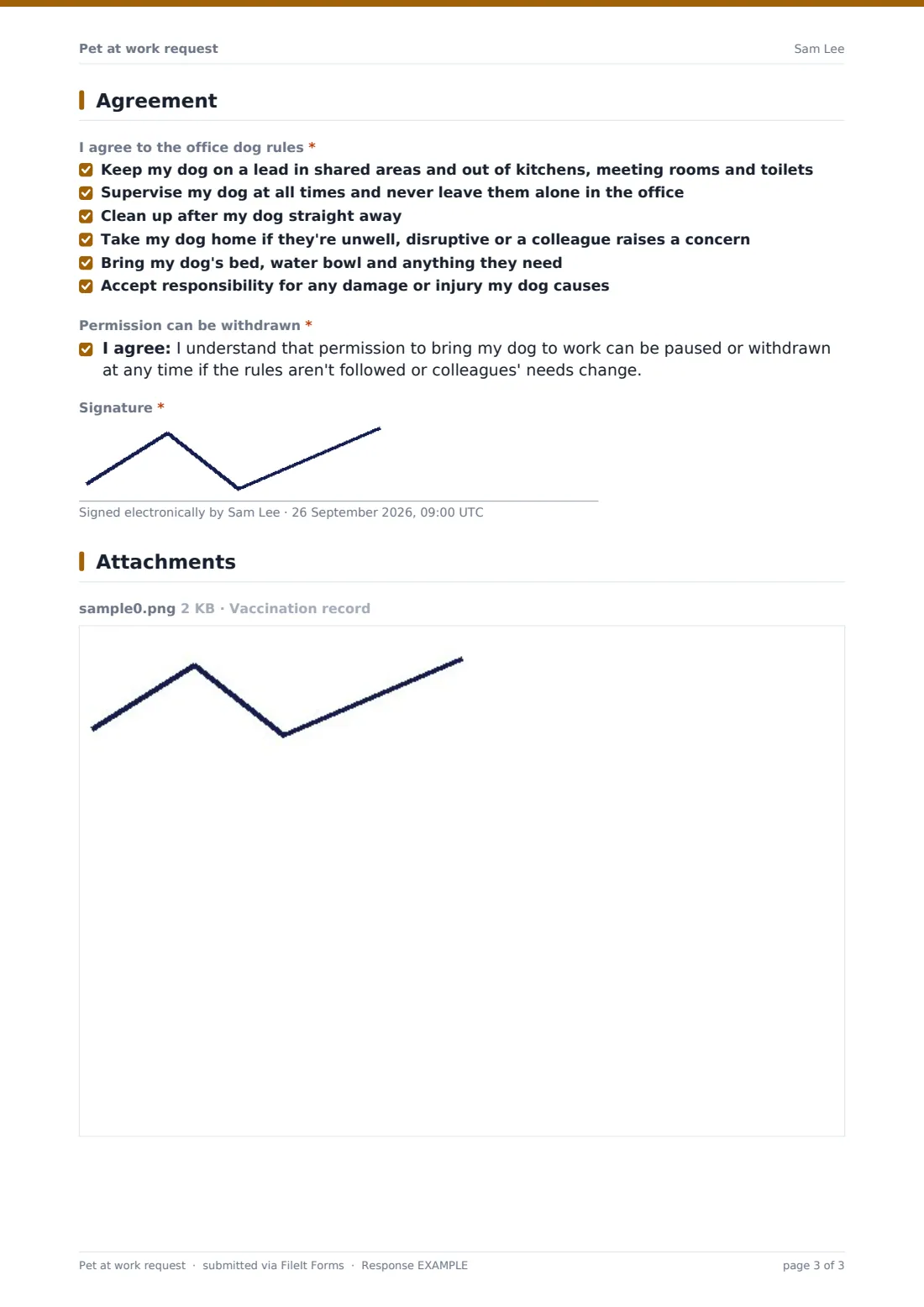
- I agree to the office dog rules* Keep my dog on a lead in shared areas and out of kitchens, meeting rooms and toilets · Supervise my dog at all times and never leave them alone in the office · Clean up after my dog straight away · Take my dog home if they're unwell, disruptive or a colleague raises a concern · Bring my dog's bed, water bowl and anything they need · Accept responsibility for any damage or injury my dog causes
- Permission can be withdrawn*
- Signature*
The pet at work request form, page by page
1 You & your dog
The employee gives Your name, Work email, Mobile number, Team and usual desk or area and Manager, then the Dog's name, Breed or type, Age, Size, and whether they're spayed or neutered and microchipped.
2 Health
The form asks whether vaccinations are up to date (and when the next is due), whether flea, tick and worm treatment is current, whether the dog has pet insurance with third-party liability, and the vet practice. A vaccination record upload is required.
3 Temperament
A grid rates how the dog is with new people, other dogs, noise and busy spaces, being left alone briefly and coming when called. The employee confirms house training and any history of biting or snapping — a yes requires details — plus obedience training and habits such as barking or chewing.
4 Days & colleagues
The employee ticks the days they'd like, says whether they'd start with a trial day, and whether they've checked with nearby colleagues about allergies or fear of dogs. If someone raised a concern, they explain how it could be managed. Manager agreement in principle is required.
5 Agreement
All six office dog rules must be ticked: keeping the dog on a lead in shared areas, constant supervision, cleaning up, taking the dog home when needed, bringing what the dog needs, and responsibility for any damage or injury. The employee accepts that permission can be withdrawn and signs.
Make the template yours
- Edit the office dog rules to match your own policy
- Add Saturday or Sunday if your workplace is open at weekends
- Extend the form to other pets by changing the wording and the behaviour grid
- Add facilities to notifications so they can plan dog-free zones
- Set an annual closing date so every dog's vaccinations are rechecked each year
- Add a question about which floor or zone the dog will be in
Tips for a better pet at work request form
- Agree dog-free areas before the first dog arrives
- Limit how many dogs are in on the same day
- Take allergy and fear concerns seriously — they should outweigh a request
- Start with a short trial day and review how it went
- Check insurance cover with your own insurer as well as the owner's
- Recheck vaccination records every year
Every response becomes a PDF in your vault
Each request is saved as a PDF in your vault with the uploaded vaccination record. Owner notifications let facilities or HR review requests as they arrive.
Export requests to a CSV to build a rota of which dogs are in on which days, and to see when each dog's vaccinations are next due.
- Start from this template. It opens in the FileIt Forms designer — change any question, add pages, set the rules for when questions appear.
- Share it. Turn on a public link, or send it to people by email, each with their own link. They don’t need a FileIt account.
- Get the answers as PDFs. Each response is saved as a PDF in the vault folder you choose, with uploaded files attached — and listed in a Responses table you can export to CSV.
Pet at work request form: frequently asked questions
Is this pet at work request form free?
Yes. It's included in the FileIt Forms app on every plan, including the free plan.
Is it only for dogs?
It's written for dogs, the most common office pet. Edit the wording and behaviour grid for other animals.
Does the form approve the dog automatically?
No. It collects the request; HR, facilities or the manager decide and confirm.
Can we require a vaccination record?
Yes — the upload is already required and accepts PDFs or photos.
What happens if a colleague is allergic?
The form asks the employee whether they've checked with nearby colleagues and, if a concern was raised, how it could be managed. The final decision is yours.
Can permission be withdrawn?
Yes. The employee agrees that permission can be paused or withdrawn at any time.