What is the order picking error report form template?
Mispicks are expensive in ways that don't show on a pick rate: reshipping, return freight, credits, a stock record that's now wrong in two places, and a customer who checks the next box more carefully. Fixing the order is one job; working out why it happened is another.
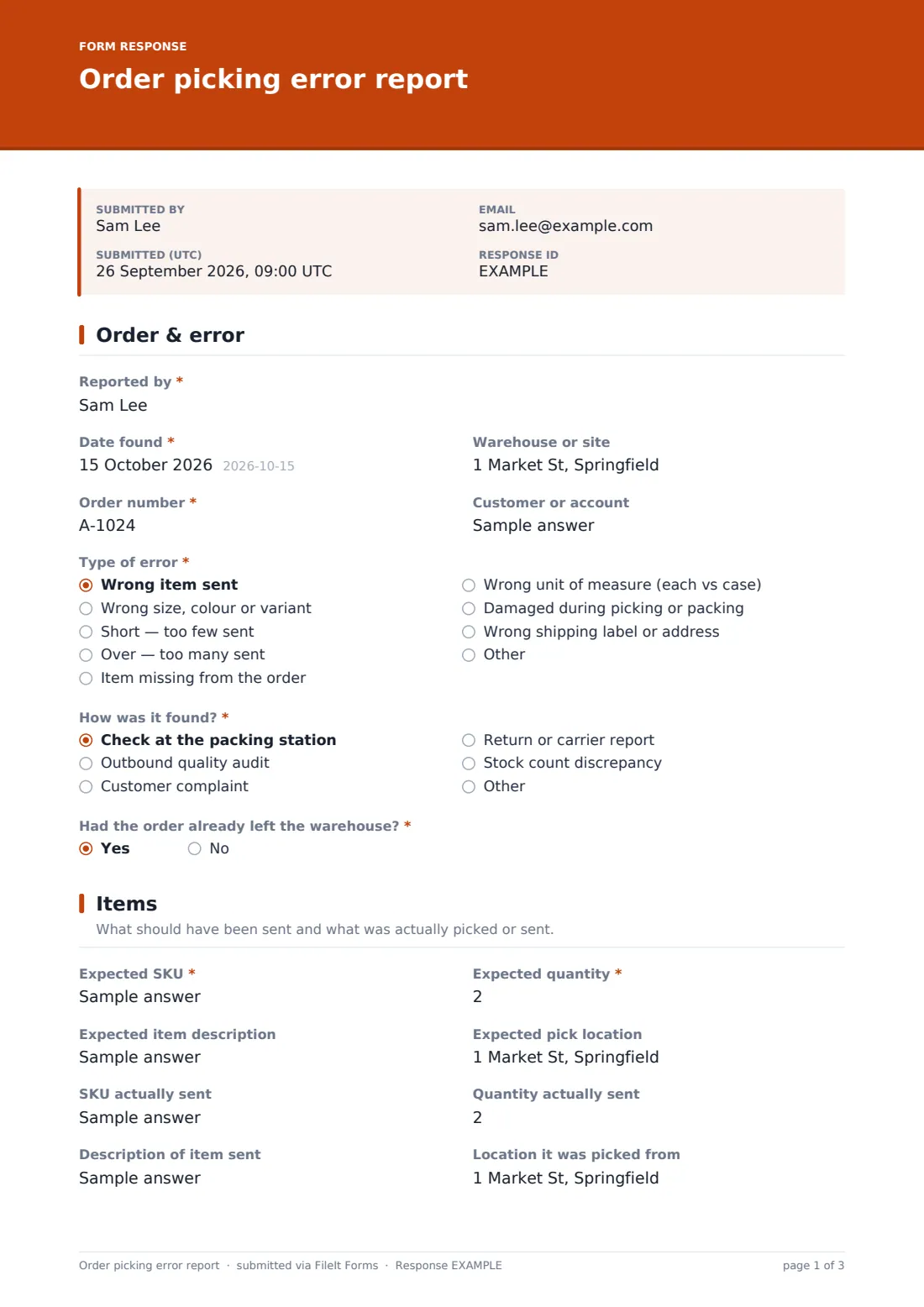
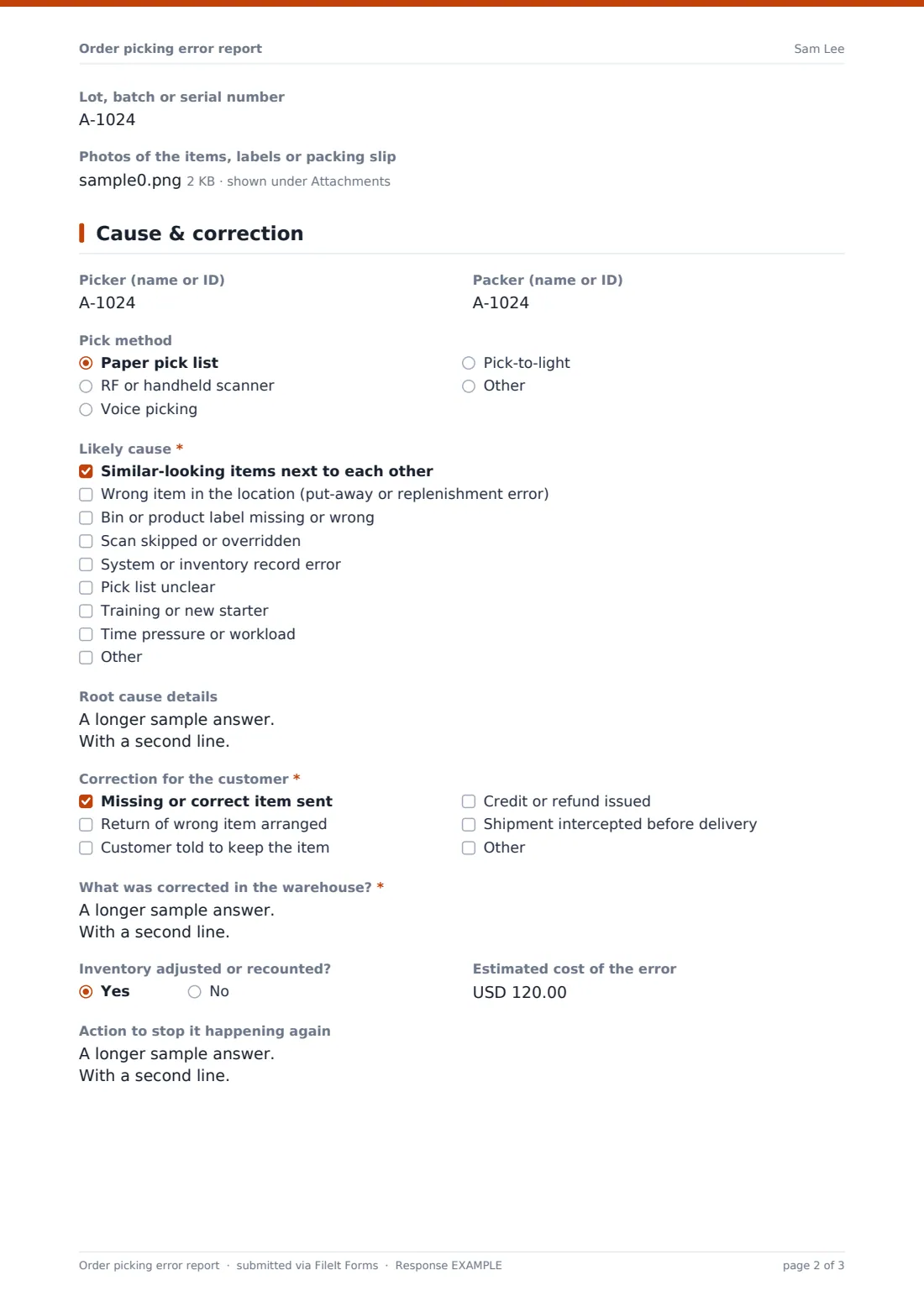
This report captures both. It records the order and error type, how the error was found and whether the order had already shipped, then the expected item, SKU and quantity alongside what was actually sent and where it was picked from. The last page covers the picker and packer, the pick method, the likely cause, what was done for the customer and in the warehouse, the cost and a preventive action.
Logged consistently, these reports show patterns, such as look-alike SKUs slotted side by side or scans being skipped at busy times. Each one is saved as a PDF in your FileIt vault, and the Responses table exports to CSV for analysis.
- Best for
- Warehouses, fulfilment centres, 3PLs and ecommerce businesses
- Filled in by
- Packers, team leaders, QC auditors or customer service
- Time to complete
- About 3-5 minutes
- Includes
- Expected versus sent items, photo upload, cause checklist, customer correction when shipped, cost and prevention
Who uses a order picking error report form?
- Packing station staff catching a mispick before dispatch
- Customer service logging a wrong-item complaint
- Outbound QC audits recording errors found in sampled orders
- 3PLs reporting errors to clients with corrective actions
- Tracking order accuracy by picker, zone or pick method
- Investigating stock discrepancies found in a count
Questions on this order picking error report form
28 questions over 3 pages · includes file upload, conditional questions, multiple pages.
1 Order & error
- Reported by*
- Date found*
- Warehouse or site
- Order number*
- Customer or account
- Type of error* Wrong item sent · Wrong size, colour or variant · Short — too few sent · Over — too many sent · Item missing from the order · Wrong unit of measure (each vs case) · Damaged during picking or packing · Wrong shipping label or address
- How was it found?* Check at the packing station · Outbound quality audit · Customer complaint · Return or carrier report · Stock count discrepancy
- Had the order already left the warehouse?*
2 Items
- Expected SKU*
- Expected quantity*
- Expected item description
- Expected pick location
- SKU actually sent asked only when it applies
- Quantity actually sent
- Description of item sent asked only when it applies
- Location it was picked from
- Lot, batch or serial number
- Photos of the items, labels or packing slip
3 Cause & correction
- Picker (name or ID)
- Packer (name or ID)
- Pick method Paper pick list · RF or handheld scanner · Voice picking · Pick-to-light · Other
- Likely cause* Similar-looking items next to each other · Wrong item in the location (put-away or replenishment error) · Bin or product label missing or wrong · Scan skipped or overridden · System or inventory record error · Pick list unclear · Training or new starter · Time pressure or workload
- Root cause details
- Correction for the customer* asked only when it applies Missing or correct item sent · Return of wrong item arranged · Customer told to keep the item · Credit or refund issued · Shipment intercepted before delivery
- What was corrected in the warehouse?*
- Inventory adjusted or recounted?
- Estimated cost of the error
- Action to stop it happening again
The order picking error report form, page by page
1 Order & error
The reporter, the date found, the site, order number and customer come first. Type of error covers wrong item, wrong variant, short, over, missing, wrong unit of measure, damage during picking or packing, and wrong label. How was it found? covers the packing check, an outbound audit, a customer complaint, a return or a stock count, and the page ends by asking whether the order had already left the warehouse.
2 Items
The expected SKU and quantity are required, with the description and expected pick location. Unless the item was simply missing, the form asks for the SKU and description of what was actually sent, along with the quantity sent and where it was picked from. A lot, batch or serial number and photos of the items, labels or packing slip can be added.
3 Cause & correction
The picker and packer, pick method and a required Likely cause checklist cover look-alike items, put-away errors, labels, skipped scans, system errors, unclear pick lists, training and workload, with a box for root cause details.
If the order had shipped, the form asks what was done for the customer, such as sending the correct item, arranging a return or issuing a credit. What was corrected in the warehouse is always required, with whether inventory was adjusted, the estimated cost and an action to stop it happening again.
Make the template yours
- Replace the Warehouse or site question with a dropdown of your sites or zones
- Add your client list as a dropdown if you're a 3PL
- Make photos required when the error is found at the packing station
- Send notifications to the inventory control team when an inventory adjustment is needed
- Add a severity question if some customers or products need escalation
Tips for a better order picking error report form
- Log errors caught before dispatch too; they show the same causes as the ones that reach customers
- Look at the location, not just the picker; slotting and labels cause many repeat errors
- Recount the location when a wrong item is found, as the stock record is often wrong too
- Keep the tone factual so people report their own errors
- Review causes monthly and act on the most frequent one first
Every response becomes a PDF in your vault
Each report is saved as a PDF in your FileIt vault with its photos. Team leaders can be notified as soon as an error is logged, so a shipped error can be put right quickly.
Export the Responses table to CSV to count errors by type, cause, pick method or location and see where improvements will have the most effect.
- Start from this template. It opens in the FileIt Forms designer — change any question, add pages, set the rules for when questions appear.
- Share it. Turn on a public link, or send it to people by email, each with their own link. They don’t need a FileIt account.
- Get the answers as PDFs. Each response is saved as a PDF in the vault folder you choose, with uploaded files attached — and listed in a Responses table you can export to CSV.
Order picking error report form: frequently asked questions
Is this order picking error report template free?
Yes. It's included in the FileIt Forms app on every account, including the free plan, and every question can be edited, removed or added to in the form designer.
Does this calculate our order accuracy rate?
No. It logs individual errors. To calculate an accuracy rate, compare the number of reports with your total orders or lines shipped in the same period.
Should picker names be recorded?
The picker and packer fields are optional. Many teams record an ID so patterns can be seen, while making it clear the aim is to fix causes, not blame individuals.
Can customers report a wrong item with this form?
It's designed for staff. For customers, a simpler complaint or return form usually works better, and customer service can then log the details here.
Can it be used on a handheld scanner?
Yes, if the device has a web browser. The form also works on phones and tablets.
Do warehouse staff need a FileIt account to fill it in?
No. Anyone with the form's link can submit it without creating an account. You can also email personal links to specific people.