What is the office move request form template?
Even a one-desk move touches several teams. Facilities moves the furniture, IT reconnects the PC and checks the network port, someone changes the phone extension and the access card, and a box of confidential paper needs to go somewhere safe. When the request is a one-line email, each of those teams has to come back with questions.
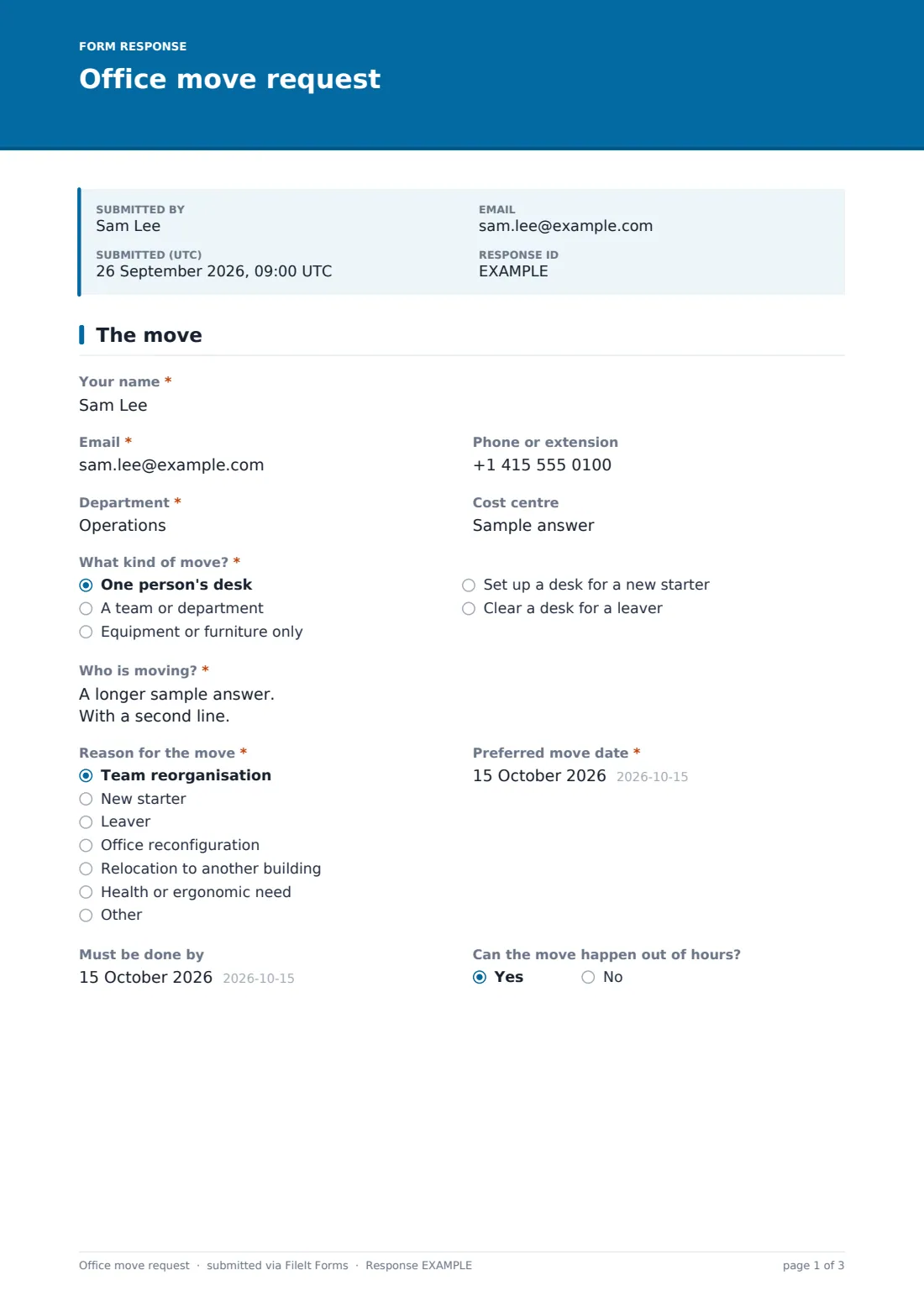
This office move request form collects the detail once. The requester says what kind of move it is — a single desk, a whole team, equipment only, a new starter or a leaver — who is moving and when. Then they give the exact from and to locations, the IT equipment and network needs, the phone extension, furniture, crates and confidential waste, and the manager approving the move.
Every request is filed as a PDF in your FileIt vault, so facilities and IT work from the same record and you keep a history of who moved where and when.
- Best for
- Facilities, workplace and IT teams in offices, campuses and public-sector buildings
- Filled in by
- The person moving, their manager or an office coordinator
- Time to complete
- About 5–8 minutes
- Includes
- Floor plan upload, IT and network checklist, furniture list, crate delivery, confidential waste, manager approval
Who uses a office move request form?
- Moving a team to a new floor after a reorganisation
- Setting up a desk, PC and phone for a new starter
- Clearing a desk and collecting equipment when someone leaves
- Moving specialist equipment such as a plotter or lab PC
- Planning a building relocation one department at a time
- Moving someone to a quieter or better-equipped desk for health reasons
Questions on this office move request form
35 questions over 4 pages · includes file upload, conditional questions, multiple pages, consent checkbox.
1 The move
- Your name*
- Email*
- Phone or extension
- Department*
- Cost centre
- What kind of move?* One person's desk · A team or department · Equipment or furniture only · Set up a desk for a new starter · Clear a desk for a leaver
- How many people are moving?* asked only when it applies
- Who is moving?*
- Reason for the move* Team reorganisation · New starter · Leaver · Office reconfiguration · Relocation to another building · Health or ergonomic need · Other
- Other reason* asked only when it applies
- Preferred move date*
- Must be done by
- Can the move happen out of hours?
2 From & to
- Moving from — building
- Moving from — floor, room or desk
- Moving to — building*
- Moving to — floor, room or desk*
- Floor plan or seating plan
- Access restrictions at either end
3 IT & phones
- IT equipment that moves Desktop PC · Laptop and dock · Monitors · Desk phone · Printer or scanner · Specialist equipment
- Describe the specialist equipment* asked only when it applies
- Network and Wi-Fi at the new location* Existing ports and Wi-Fi are fine · New network ports needed · Not sure – please check
- Phone extension* Keep the same extension · New extension needed · No desk phone
- Do building or door access permissions need changing?
- Other IT notes
4 Furniture & packing
- Furniture that moves Desk · Chair · Pedestal or drawers · Filing cabinet · Bookcase or shelving · Whiteboard · None – using what's there
- Anything needed at the new location?
- Packing crates or boxes needed
- Deliver crates by asked only when it applies
- Confidential waste to dispose of?
- Confidential waste bins needed asked only when it applies
- Items to dispose of or recycle
- Approving manager*
- Manager's email
- *
The office move request form, page by page
1 The move
Your name, Email, Phone or extension, Department and Cost centre come first. What kind of move? sets the scope; a team move also asks How many people are moving? Who is moving? takes names, a team name or, for equipment-only moves, a list of items. Reason for the move (with a box for any other reason), Preferred move date, Must be done by and Can the move happen out of hours? finish the page.
2 From & to
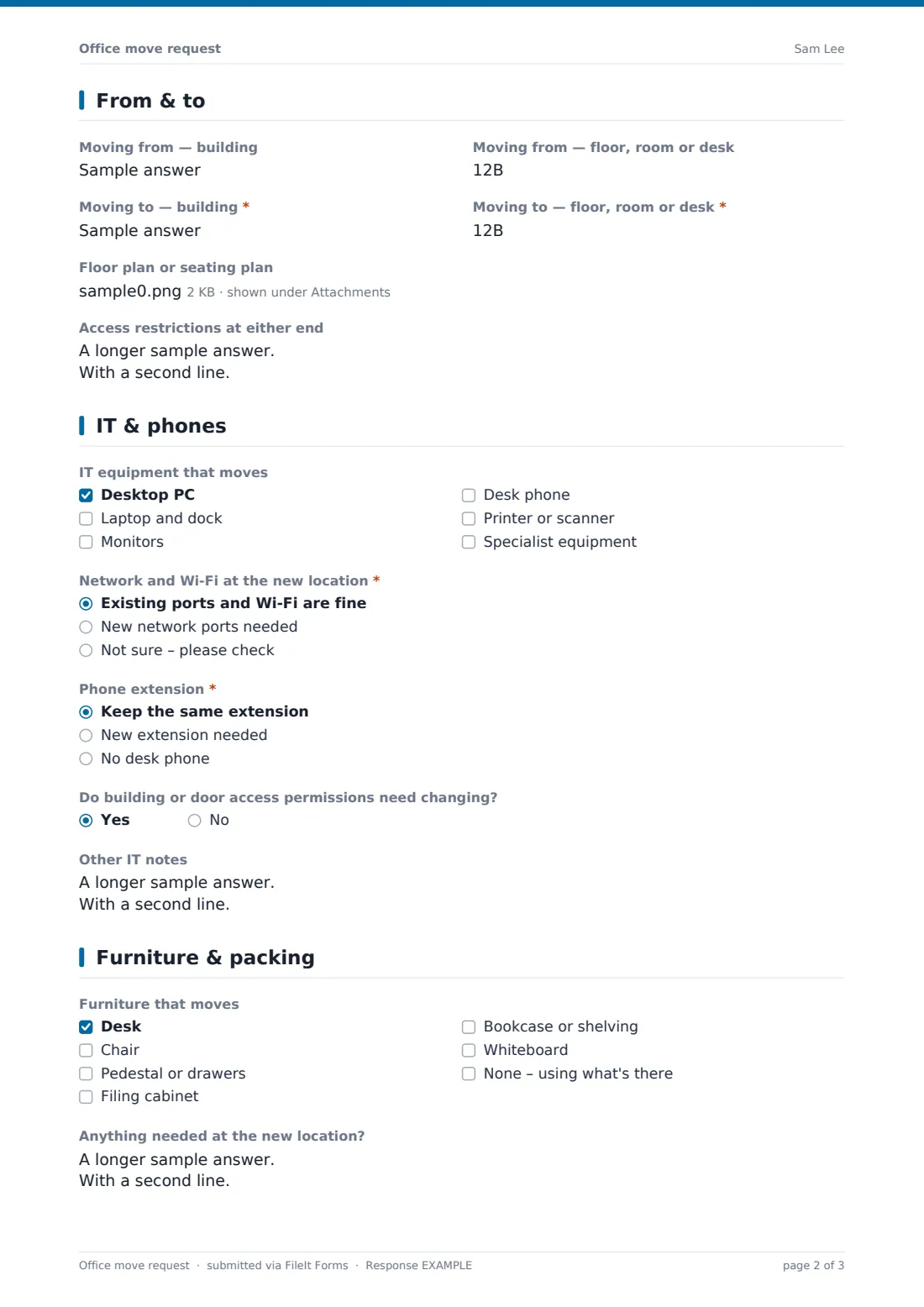
Four short fields give the building and the floor, room or desk at each end; the From fields can be left blank for a new starter. A Floor plan or seating plan can be uploaded — PDF, image, spreadsheet or Word — with the new positions marked. Access restrictions at either end captures lift bookings, loading bay times, security sign-in and anything awkward for the movers.
3 IT & phones
IT equipment that moves lists a desktop PC, laptop and dock, monitors, desk phone, printer or scanner and specialist equipment. Choosing specialist equipment asks for its make, model, power and network needs. Network and Wi-Fi at the new location, Phone extension and whether building or door access permissions need changing give IT and security their part, with room for Other IT notes.
4 Furniture & packing
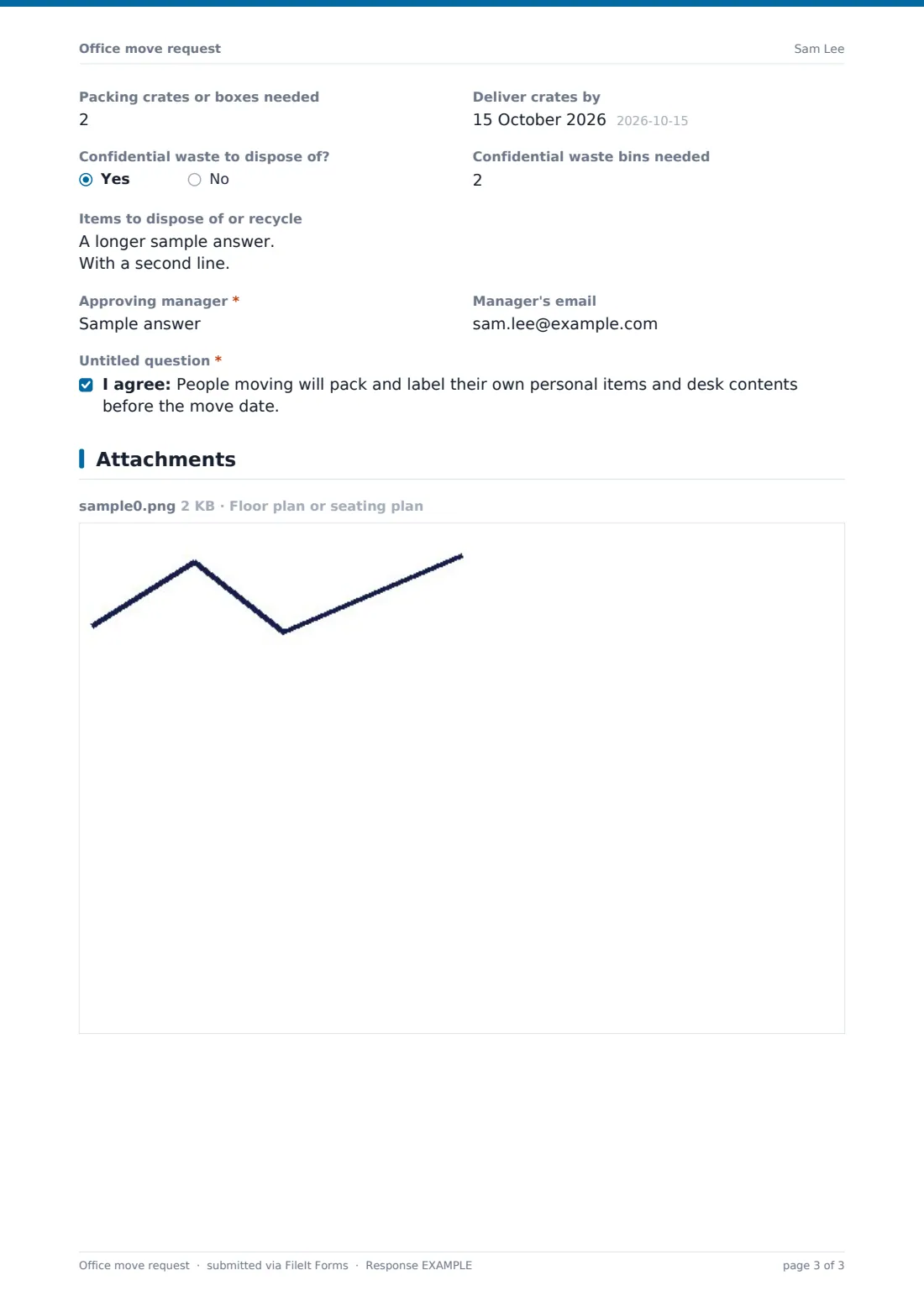
Furniture that moves covers desks, chairs, pedestals, filing cabinets, shelving and whiteboards — or none, if people use what's already there — and Anything needed at the new location? lists extras. Crate numbers reveal a delivery date, and confidential waste asks how many secure bins are needed. Items to dispose of, the Approving manager and their email, and an agreement that people pack their own personal items complete the request.
Make the template yours
- Swap the building text fields for dropdowns of your own sites
- Add your lead time to the cover text, such as ten working days
- Add facilities and IT service desk addresses to the notification emails
- Remove the confidential waste questions if your building handles it separately
- Add a question about lab or hazardous equipment if you run technical spaces
- File requests into a vault folder per building or per project
Tips for a better office move request form
- Ask for requests at least two weeks before the move so crates and IT time can be booked
- Check the network port at the new desk before move day, not on it
- Label crates with the destination desk number, not the person's name alone
- Book the lift and loading bay as soon as the date is agreed
- Collect leavers' equipment on their last day while they're still there to hand it over
Every response becomes a PDF in your vault
Each request is filed as a PDF in your chosen vault folder, with any floor plans attached, and the owner is notified straight away. The requester can receive a copy as their record of what was asked for.
The Responses table lets you filter by move date, building or type of move, and export to CSV to build a move schedule for a larger relocation.
- Start from this template. It opens in the FileIt Forms designer — change any question, add pages, set the rules for when questions appear.
- Share it. Turn on a public link, or send it to people by email, each with their own link. They don’t need a FileIt account.
- Get the answers as PDFs. Each response is saved as a PDF in the vault folder you choose, with uploaded files attached — and listed in a Responses table you can export to CSV.
Office move request form: frequently asked questions
Is this office move request form free?
Yes. It's one of the starter templates in FileIt's Forms app, available on every plan including the free one.
Can one request cover a whole team?
Yes. Choose a team or department move, give the headcount and list the names. A seating plan upload helps for larger moves.
Does the form create tickets in our IT system?
No. FileIt Forms doesn't connect to service desk tools. Add your IT team to the notification emails and they can raise their own tickets from the PDF.
Can a manager approve the request in the form?
The form records the approving manager's name and email. If you need a signature, add a signature question or send the form as a personal link to the manager.
Can people upload floor plans?
Yes, up to three files: PDF, image, spreadsheet or Word document.
Do requesters need a FileIt account?
No. Anyone with the link can submit a request.