What is the offer approval request form template?
Most offer delays aren't caused by the candidate. They happen inside the business: an approver who needs the salary band, a finance lead who wasn't told about the sign-on bonus, a director who only finds out the role wasn't budgeted after the offer has gone out. An offer approval request gathers the package and the reasoning into one document, so each approver sees the same facts and the hiring manager isn't retyping them into a chain of emails.
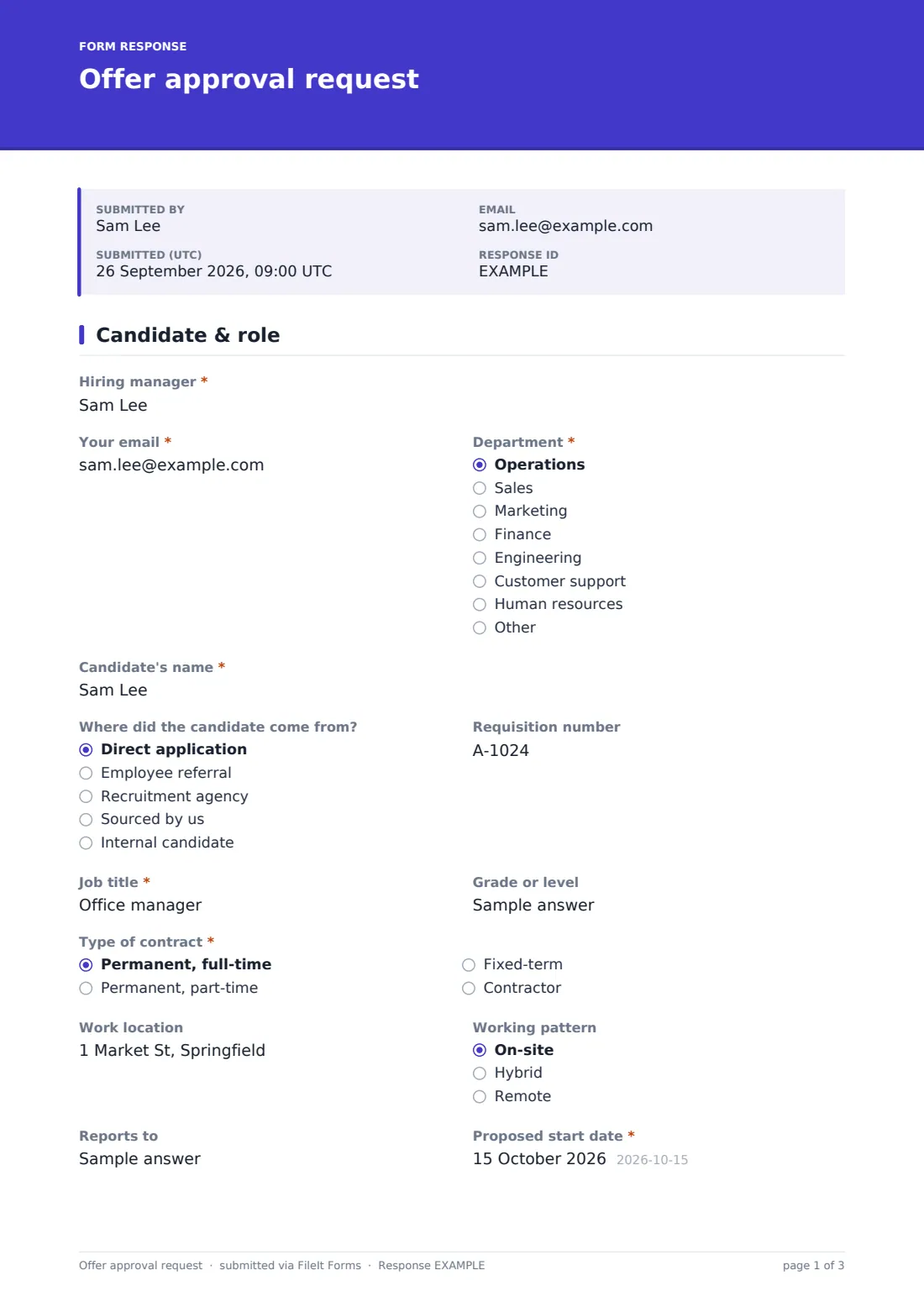
The first page covers the candidate and the role: where the candidate came from, the requisition number, job title and level, contract type, location and working pattern, start date and headcount status. A role outside the budget has to answer “Why hire outside the budget?”
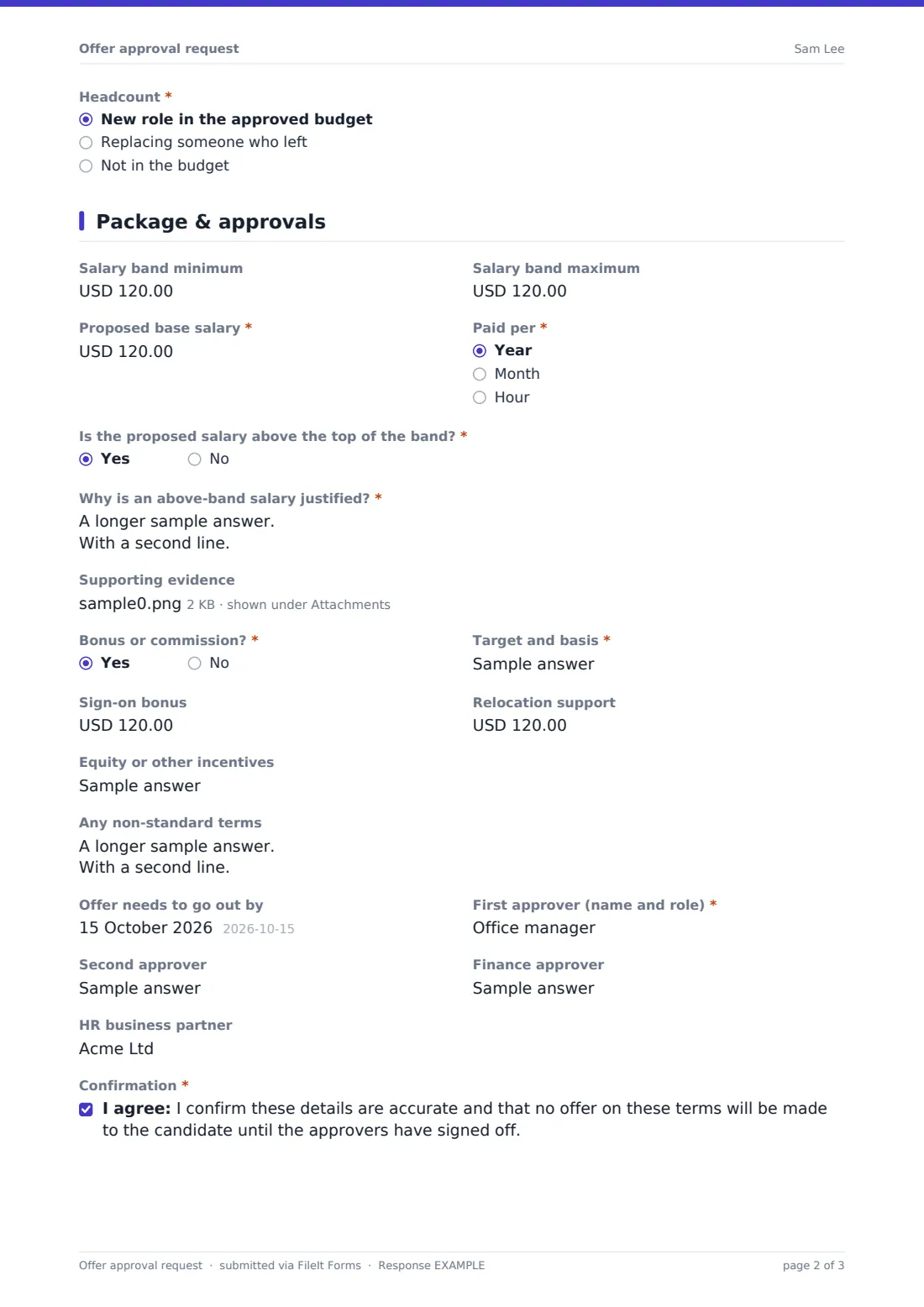
The second page is the package. The hiring manager enters the salary band minimum and maximum and the “Proposed base salary”, then answers “Is the proposed salary above the top of the band?” A yes opens a required “Why is an above-band salary justified?” box and an optional upload for salary surveys or a competing offer. Bonus, sign-on, relocation, equity and non-standard terms follow, then the approvers and the hiring manager's signature. The finished request is filed as a PDF in your FileIt vault.
- Best for
- Growing companies, recruitment teams and HR departments that need offers signed off before they go out
- Filled in by
- The hiring manager, once a preferred candidate is chosen
- Time to complete
- About 6 minutes
- Includes
- Candidate and role details, headcount status, salary band check, above-band justification, incentives and up to four approvers
Who uses a offer approval request form?
- A start-up where the founder and finance lead both approve every hire
- A hiring manager who needs to pay above band to land a hard-to-find specialist
- An HR team keeping a dated record of who approved each offer and on what terms
- A recruitment agency's client confirming a package before the agency calls the candidate
- A department replacing a leaver and showing the role is a backfill, not new headcount
Questions on this offer approval request form
36 questions over 2 pages · includes signature, file upload, conditional questions, multiple pages, consent checkbox.
1 Candidate & role
- Hiring manager*
- Your email*
- Department* Operations · Sales · Marketing · Finance · Engineering · Customer support · Human resources · Other
- Candidate's name*
- Where did the candidate come from? Direct application · Employee referral · Recruitment agency · Sourced by us · Internal candidate
- Requisition number
- Job title*
- Grade or level
- Type of contract* Permanent, full-time · Permanent, part-time · Fixed-term · Contractor
- Fixed-term end date* asked only when it applies
- Work location
- Working pattern On-site · Hybrid · Remote
- Reports to
- Proposed start date*
- Headcount* New role in the approved budget · Replacing someone who left · Not in the budget
- Why hire outside the budget?* asked only when it applies
2 Package & approvals
- Salary band minimum
- Salary band maximum
- Proposed base salary*
- Paid per* Year · Month · Hour
- Is the proposed salary above the top of the band?*
- Why is an above-band salary justified?* asked only when it applies
- Supporting evidence asked only when it applies
- Bonus or commission?*
- Target and basis* asked only when it applies
- Sign-on bonus
- Relocation support
- Equity or other incentives
- Any non-standard terms
- Offer needs to go out by
- First approver (name and role)*
- Second approver
- Finance approver
- HR business partner
- Confirmation*
- Hiring manager's signature*
The offer approval request form, page by page
1 Candidate & role
The hiring manager gives their name, email and department, then the candidate's name and “Where did the candidate come from?”: direct application, employee referral, recruitment agency, sourced by us, or internal. They add the requisition number, “Job title”, “Grade or level” and “Type of contract”. A fixed-term contract asks for its end date. Work location, working pattern, “Reports to” and the “Proposed start date” follow. “Headcount” records whether this is a new role in the approved budget, a backfill, or unbudgeted.
2 Package & approvals
Salary comes first: band minimum and maximum, the proposed base salary and whether it's paid per year, month or hour. The above-band question decides whether the justification and evidence fields appear.
“Bonus or commission?” asks for the target and basis when the answer is yes. Optional currency fields record a sign-on bonus and relocation support, and free-text fields take equity and “Any non-standard terms”, such as extra holiday or a shorter notice period. The manager sets the date the offer needs to go out by and names a first approver, second approver, finance approver and HR business partner. They confirm no offer will be made until sign-off, and sign.
Make the template yours
- Change the currency fields from US dollars to your own currency
- Make the band fields required if every role in your company has a published band
- Add the approvers' email addresses to the notification list so they're alerted on each request
- Remove equity or relocation if you never offer them
- Add a question for the candidate's current salary only if that's lawful and relevant where you hire
Tips for a better offer approval request form
- Fill in the band even when the offer is inside it — approvers find it reassuring
- Give a specific, evidence-based reason for above-band offers rather than “strong candidate”
- Send the request as soon as references or final interviews are scheduled, not after
- Keep verbal promises to the candidate in step with what's on the approved request
- Use the PDF as the source for the written offer letter so the numbers match
Every response becomes a PDF in your vault
Each submitted request is filed as a PDF in your vault and an email notice goes to you and anyone on the notification list. The hiring manager receives a copy of what they asked for, which they can forward to approvers if needed.
Approvals themselves happen outside the form. Approvers review the PDF and reply, and the Responses table gives HR one list of every offer requested, searchable by candidate or job title and exportable to CSV for hiring reports.
- Start from this template. It opens in the FileIt Forms designer — change any question, add pages, set the rules for when questions appear.
- Share it. Turn on a public link, or send it to people by email, each with their own link. They don’t need a FileIt account.
- Get the answers as PDFs. Each response is saved as a PDF in the vault folder you choose, with uploaded files attached — and listed in a Responses table you can export to CSV.
Offer approval request form: frequently asked questions
Is this offer approval template free?
Yes. It's a starter template in FileIt's Forms app, included on every account, including the free plan.
Does the form route the request to each approver in turn?
No. It records who the approvers are and notifies the addresses you list in the settings. Approvers sign off by replying or in your usual process.
Does the form check whether the salary is above the band?
The hiring manager answers that question directly, which decides whether the justification appears. The form doesn't compare the numbers for you.
Can I attach market data?
Yes. When the salary is above band, up to three supporting files can be uploaded and are filed with the request.
Can recruiters fill it in instead of the hiring manager?
Yes. Change the first label from “Hiring manager” to whoever usually prepares the request.
Is this the offer letter?
No. It's the internal approval. Use the approved details to prepare the offer letter you send the candidate.