What is the mentoring session log form template?
Mentoring programmes run on trust, and trust needs a light paper trail. Coordinators need to know that sessions are happening, roughly what's being covered and whether goals are moving. Funders often ask for hours and outcomes. And when a mentor hears something worrying, there has to be a simple, reliable way to pass it on. A session log does all three, provided it's short enough that busy volunteers actually fill it in.
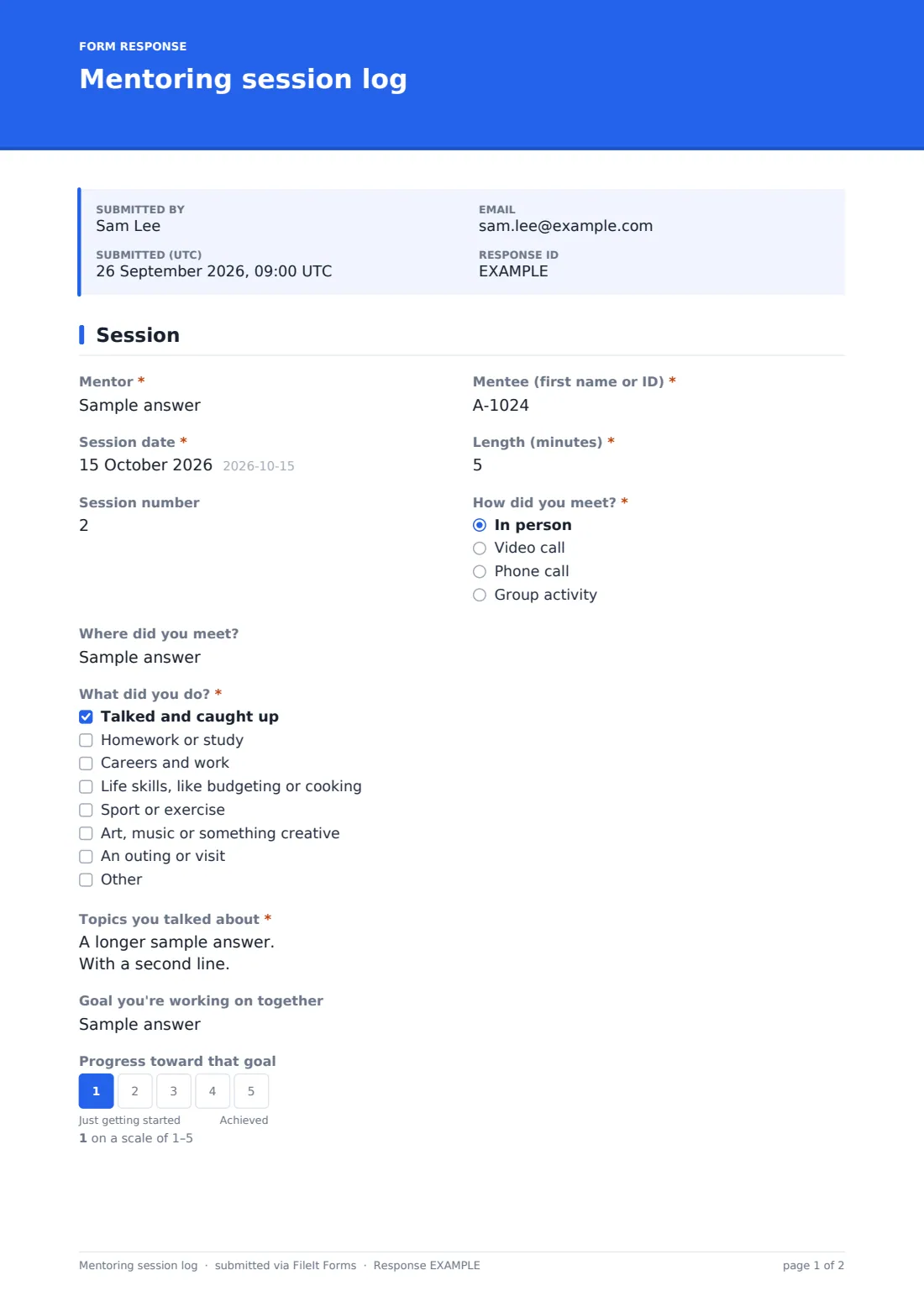
This one-page template is built for the minutes after a session ends. Mentor, mentee (first name or ID, to keep the record discreet), "Session date" and "Length (minutes)" come first, followed by "How did you meet?" — in person, by video, by phone or as part of a group activity. An in-person session asks where. "What did you do?" is a tick list, and "Topics you talked about" gives space for a short summary.
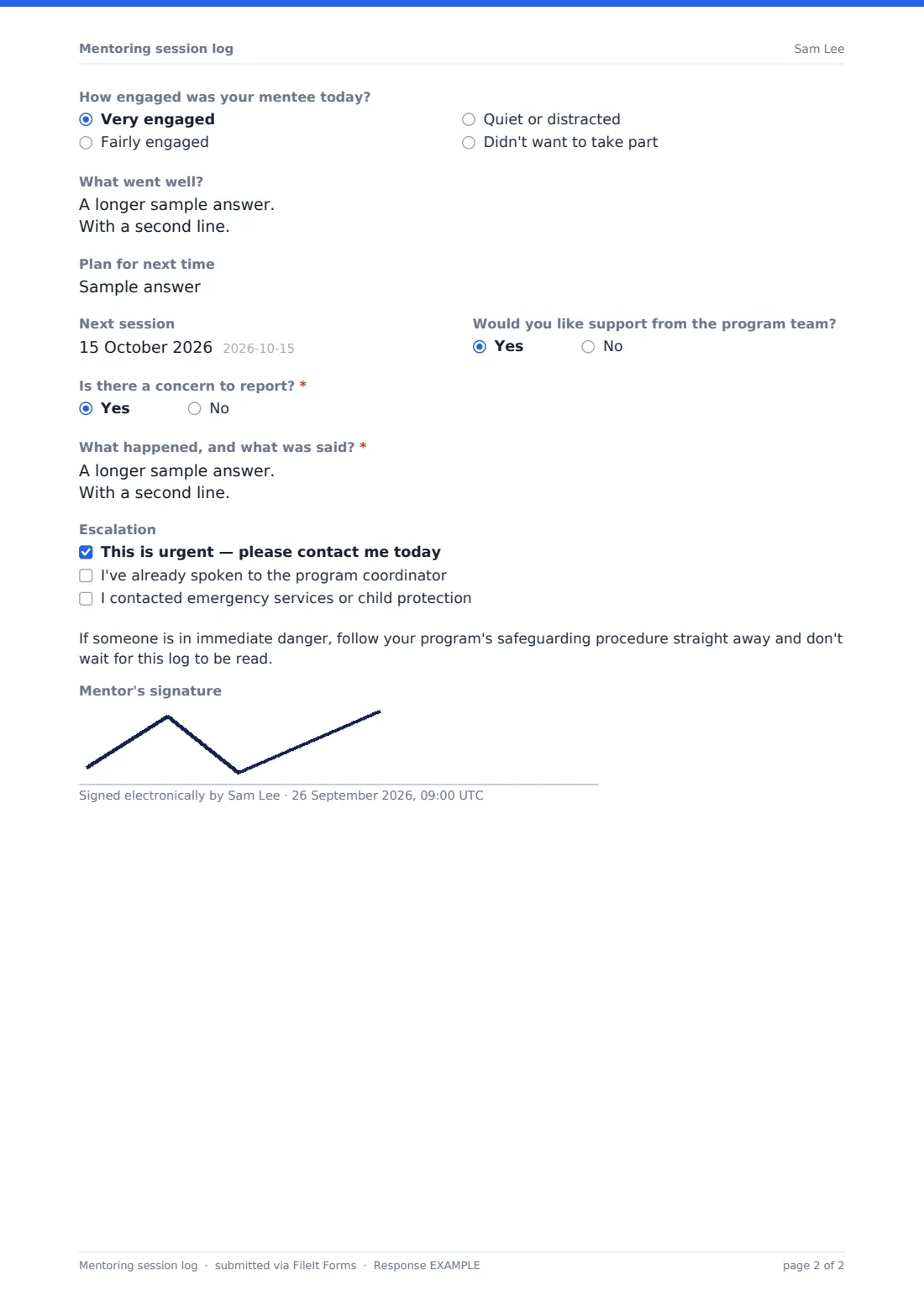
Goals are tracked lightly: name the "Goal you're working on together" and a five-point scale asks for progress. A few reflective questions follow, then "Is there a concern to report?". A yes brings up a details box, an "Escalation" checklist and a reminder to follow your safeguarding procedure. Every log is filed as a PDF in your FileIt vault, so the record of each match builds up session by session.
- Best for
- Youth mentoring, school and workplace mentoring, and befriending programmes
- Filled in by
- Volunteer or staff mentors after each session
- Time to complete
- About 3 minutes
- Includes
- Session details, activities, topics, goal and progress scale, engagement, next steps, concern with escalation
Who uses a mentoring session log form?
- Weekly logs from volunteers in a youth mentoring programme
- Counting sessions and hours for a funder report
- Tracking goal progress across a school year
- Workplace mentors recording conversations with apprentices
- Befriending schemes keeping a record of each visit
- Giving mentors a clear route to raise a safeguarding concern
Questions on this mentoring session log form
20 questions · includes signature, conditional questions, ratings.
1 Session
- Mentor*
- Mentee (first name or ID)*
- Session date*
- Length (minutes)*
- Session number
- How did you meet?* In person · Video call · Phone call · Group activity
- Where did you meet? asked only when it applies
- What did you do?* Talked and caught up · Homework or study · Careers and work · Life skills, like budgeting or cooking · Sport or exercise · Art, music or something creative · An outing or visit
- Topics you talked about*
- Goal you're working on together
- Progress toward that goal asked only when it applies
- How engaged was your mentee today? Very engaged · Fairly engaged · Quiet or distracted · Didn't want to take part
- What went well?
- Plan for next time
- Next session
- Would you like support from the program team?
- Is there a concern to report?*
- What happened, and what was said?* asked only when it applies
- Escalation asked only when it applies This is urgent — please contact me today · I've already spoken to the program coordinator · I contacted emergency services or child protection
- Mentor's signature
The mentoring session log form, page by page
1 Session
"Mentor" and "Mentee (first name or ID)" sit side by side, then the date, "Length (minutes)", an optional "Session number" and "How did you meet?". Choosing in person asks "Where did you meet?". "What did you do?" covers talking, homework, careers, life skills, sport, creative activities and outings, with an Other box, and "Topics you talked about" is required. If a goal is named, "Progress toward that goal" runs from "Just getting started" to "Achieved". "How engaged was your mentee today?", "What went well?", "Plan for next time", the next session date and a request for support from the programme team follow. "Is there a concern to report?" is required; yes shows "What happened, and what was said?", the escalation options and a short reminder about immediate danger. An optional signature closes the log.
Make the template yours
- Turn the mentor and mentee boxes into dropdowns of your current matches
- Rewrite the activity list to suit school, workplace or community mentoring
- Edit the safeguarding paragraph to name your designated lead and their number
- Add the safeguarding lead to the notification emails so concerns reach them directly
- File logs into a vault folder per match, or per programme year
- Remove the signature if mentors log sessions from their phones on the go
Tips for a better mentoring session log form
- Ask mentors to log on the same day, while details are fresh
- Use first names or IDs for mentees and keep full records elsewhere
- Read concern reports first, every day they arrive
- Look for matches with long gaps between session dates — they may need help
- Share progress-scale trends with mentors so they can see their impact
Every response becomes a PDF in your vault
Each log is filed as a PDF in the vault folder you choose, and the coordinator is emailed when one arrives — including a log that reports a concern. Mentors can receive a copy of their own log.
The Responses table can be searched by mentor or mentee and exported to CSV to count sessions and minutes for each match, which is often what a funder report needs.
- Start from this template. It opens in the FileIt Forms designer — change any question, add pages, set the rules for when questions appear.
- Share it. Turn on a public link, or send it to people by email, each with their own link. They don’t need a FileIt account.
- Get the answers as PDFs. Each response is saved as a PDF in the vault folder you choose, with uploaded files attached — and listed in a Responses table you can export to CSV.
Mentoring session log form: frequently asked questions
Is this mentoring session log template free?
Yes. It's one of the starter templates in FileIt's Forms app, on every plan including free.
Does FileIt alert someone when a concern is reported?
Every log triggers the normal notification email to the owner and any addresses you add. FileIt doesn't treat concern logs differently, so treat this as a record and keep your phone procedure for urgent cases.
Why only the mentee's first name or ID?
It keeps each PDF discreet. You can rename the question if your programme prefers full names.
Can we track goals over time?
Each log records the goal and a progress score from 1 to 5, and the CSV export lets you follow a match's scores across sessions.
Can mentors fill it in on a phone?
Yes. The form works on any phone or computer, and mentors don't need a FileIt account.
Can one link serve all our mentors?
Yes. Share one public link with every mentor; each log records who submitted it.