What is the chapter leader application form template?
Many causes grow through local chapters, branches or campus groups led by volunteers. The leader shapes almost everything — who turns up, how the cause is represented and whether the chapter lasts beyond its first year. So it pays to ask the same questions of everyone: what they've done before, what they'd do now, how much time they really have and who can vouch for them.
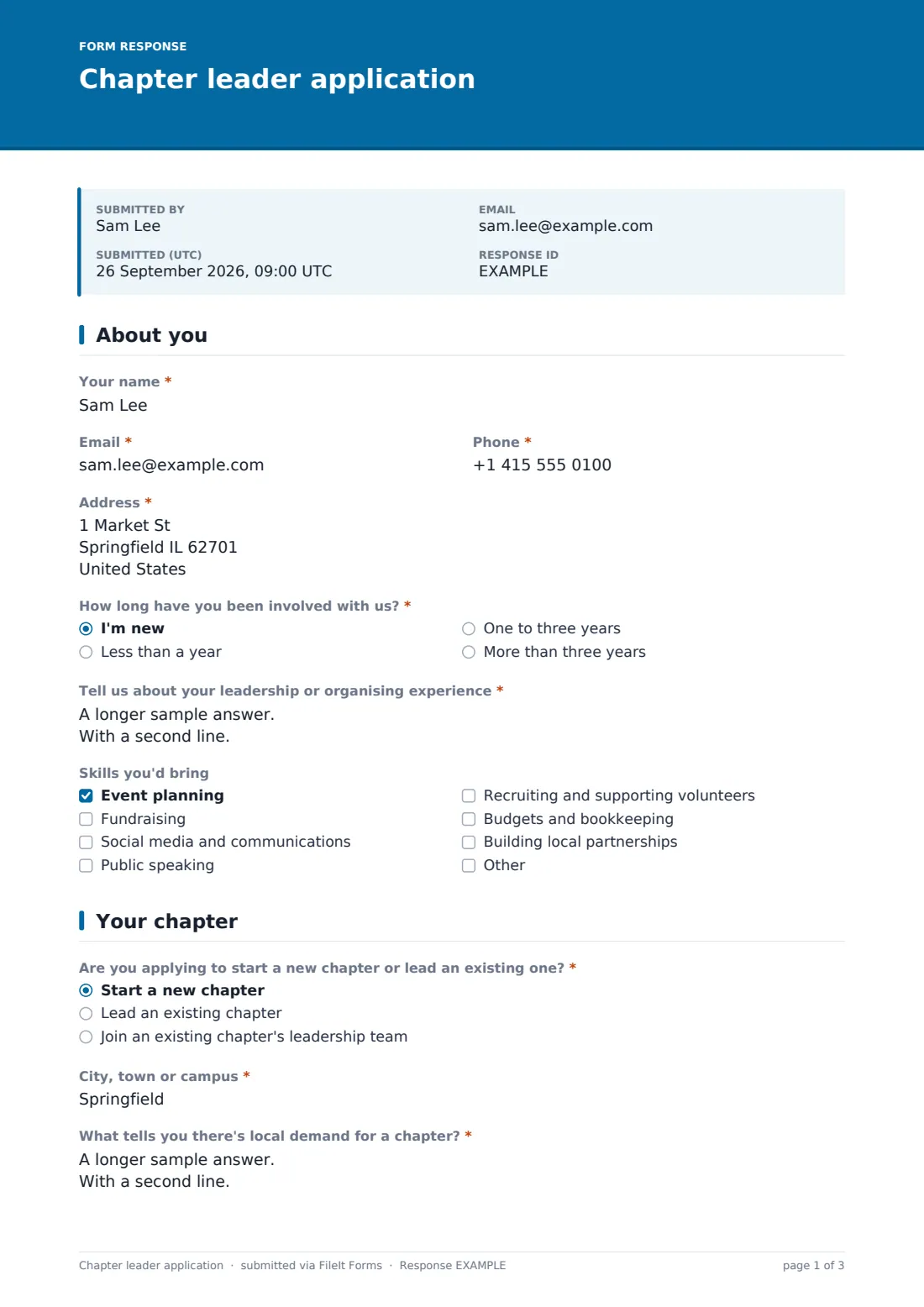
This three-page application starts with the volunteer: contact details, "How long have you been involved with us?" (anyone not new is asked how), a required question about leadership or organising experience, and a skills checklist. Page two is about the chapter. "Are you applying to start a new chapter or lead an existing one?" changes the questions that follow. Applicants starting from scratch are asked "What tells you there's local demand for a chapter?" and how many people have said they'd get involved; those joining an existing chapter name it.
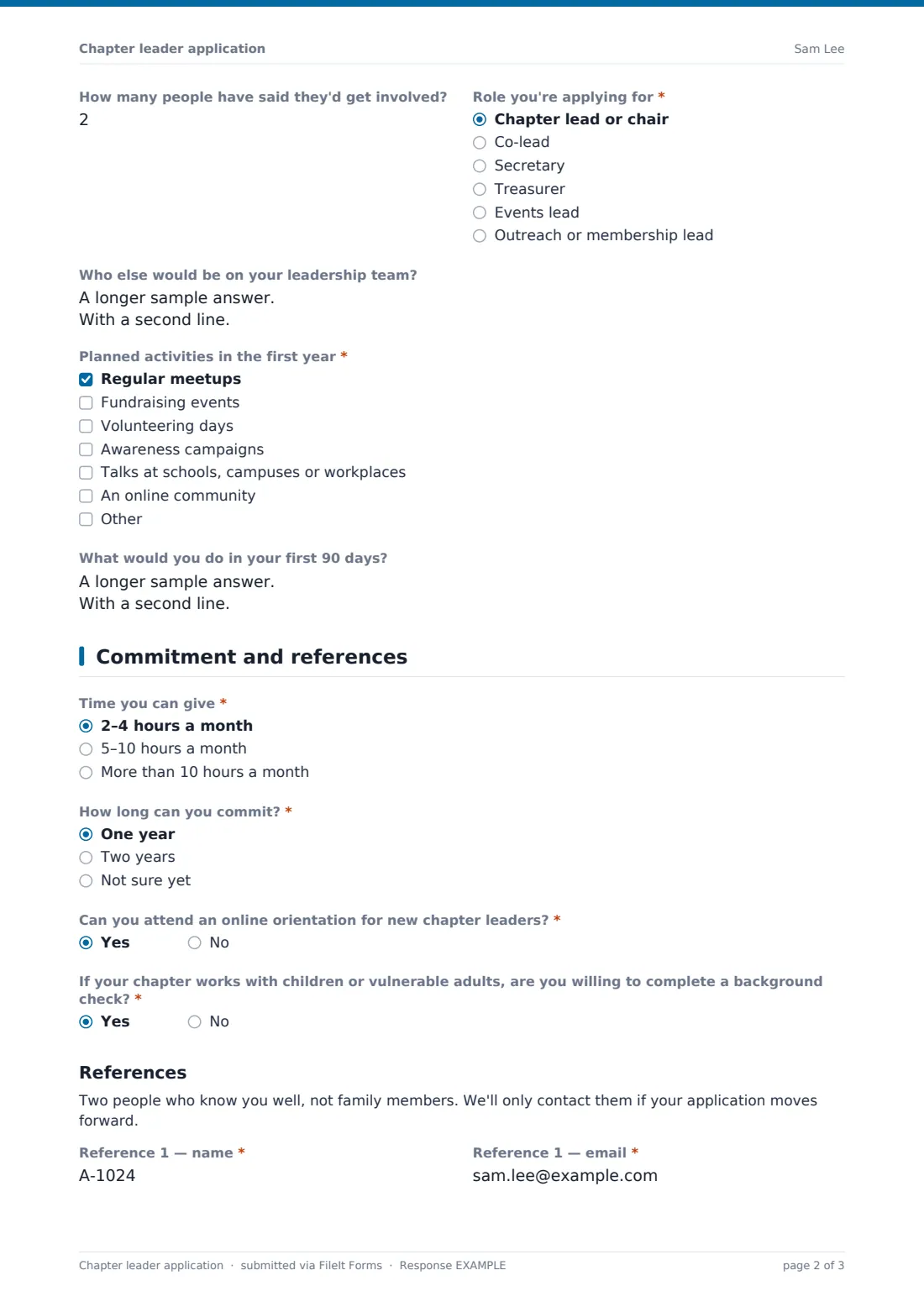
Everyone picks a role, names any team members they have in mind, ticks planned activities and can sketch their first 90 days. Page three covers time per month, length of commitment, orientation, a background check question for chapters working with children or vulnerable adults, and two references. Applications are filed as PDFs in your FileIt vault, ready for your chapters team to review.
- Best for
- Charities, alumni networks, advocacy groups, professional associations and student organisations with local chapters
- Filled in by
- Volunteers who want to start or lead a chapter
- Time to complete
- About 15 minutes
- Includes
- Experience, skills, new-chapter demand, role, team, planned activities, 90-day plan, time commitment, two references, signature
Who uses a chapter leader application form?
- Recruiting volunteers to open chapters in new cities
- Replacing a chapter lead who's stepping down
- Building leadership teams for existing chapters
- Campus chapters for a national student organisation
- Alumni associations appointing regional chairs
- Professional bodies recruiting local branch officers
Questions on this chapter leader application form
31 questions over 3 pages · includes signature, conditional questions, multiple pages, consent checkbox.
1 About you
- Your name*
- Email*
- Phone*
- Address*
- How long have you been involved with us?* I'm new · Less than a year · One to three years · More than three years
- How have you been involved so far? asked only when it applies
- Tell us about your leadership or organising experience*
- Skills you'd bring Event planning · Fundraising · Social media and communications · Public speaking · Recruiting and supporting volunteers · Budgets and bookkeeping · Building local partnerships
2 Your chapter
- Are you applying to start a new chapter or lead an existing one?* Start a new chapter · Lead an existing chapter · Join an existing chapter's leadership team
- City, town or campus*
- Which chapter?* asked only when it applies
- What tells you there's local demand for a chapter?* asked only when it applies
- How many people have said they'd get involved? asked only when it applies
- Role you're applying for* Chapter lead or chair · Co-lead · Secretary · Treasurer · Events lead · Outreach or membership lead
- Who else would be on your leadership team?
- Planned activities in the first year* Regular meetups · Fundraising events · Volunteering days · Awareness campaigns · Talks at schools, campuses or workplaces · An online community
- What would you do in your first 90 days?
3 Commitment and references
- Time you can give* 2–4 hours a month · 5–10 hours a month · More than 10 hours a month
- How long can you commit?* One year · Two years · Not sure yet
- Can you attend an online orientation for new chapter leaders?*
- If your chapter works with children or vulnerable adults, are you willing to complete a background check?*
- Reference 1 — name*
- Reference 1 — email*
- Reference 1 — how they know you*
- Reference 2 — name*
- Reference 2 — email*
- Reference 2 — how they know you*
- Leader guidelines*
- References*
- Signature*
- Date*
The chapter leader application form, page by page
1 About you
Name, email, phone and address are required. Unless the applicant is new, "How have you been involved so far?" follows the involvement question. The experience question has help text making clear voluntary leadership counts. "Skills you'd bring" lists event planning, fundraising, communications, speaking, volunteer support, bookkeeping and partnerships.
2 Your chapter
The chapter question has three answers: start new, lead existing, or join an existing leadership team. Everyone gives a "City, town or campus"; new chapters explain local demand and give a headcount of interested people, while the others answer "Which chapter?". "Role you're applying for", an optional team question, "Planned activities in the first year" and "What would you do in your first 90 days?" complete the page.
3 Commitment and references
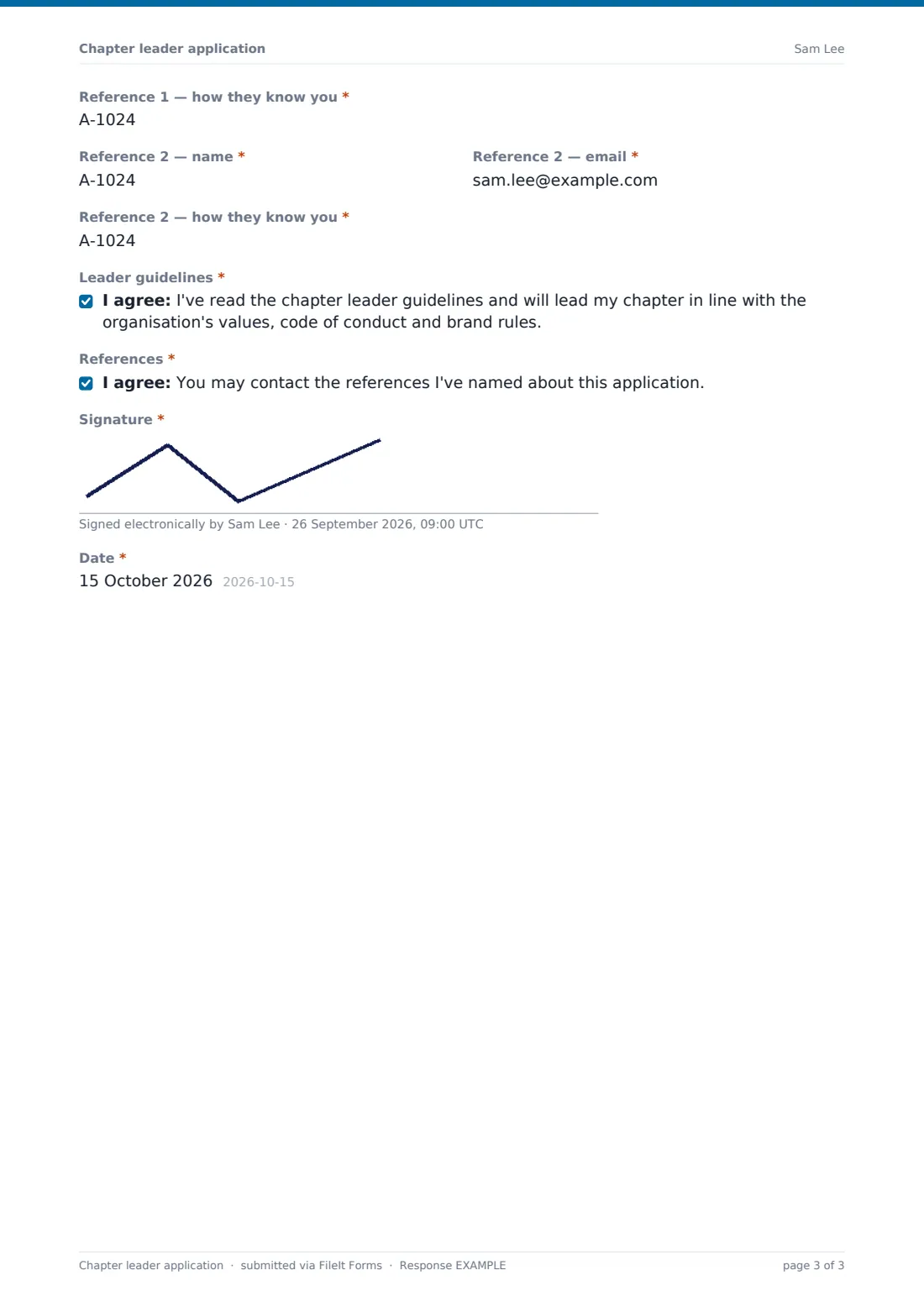
"Time you can give" and "How long can you commit?" are short choices. Two yes/no questions cover orientation and a background check where relevant. Under a References heading, a note asks for two non-family referees, each with name, email and how they know the applicant. The applicant agrees to your leader guidelines, agrees to references being contacted, signs and dates.
Make the template yours
- Rename "chapter" to branch, club, group or circle throughout
- Link your leader guidelines in the cover text or a paragraph
- Replace the role list with the officer positions your chapters have
- Remove the background check question if no chapter works with young or vulnerable people
- Add a dropdown of existing chapters instead of the free-text question
- Send applications to your chapters team with the notification emails setting
Tips for a better chapter leader application form
- Value the local-demand answer — enthusiasm alone rarely sustains a chapter
- Be realistic about hours; a lead who can give 2–4 a month needs a strong team
- Talk to applicants for an existing chapter alongside the outgoing leader
- Contact references before announcing anyone publicly
- Keep good applications on file even if the timing isn't right yet
Every response becomes a PDF in your vault
Each application is filed as a PDF in the vault folder you choose, and you're emailed when one arrives. Applicants can receive a copy of what they submitted.
In the Responses table, filter by chapter type, role or area, and export to CSV to build a shortlist or see where interest is growing.
- Start from this template. It opens in the FileIt Forms designer — change any question, add pages, set the rules for when questions appear.
- Share it. Turn on a public link, or send it to people by email, each with their own link. They don’t need a FileIt account.
- Get the answers as PDFs. Each response is saved as a PDF in the vault folder you choose, with uploaded files attached — and listed in a Responses table you can export to CSV.
Chapter leader application form: frequently asked questions
Is this chapter leader application template free?
Yes. It's included in the Forms app on every FileIt plan, including free.
Does the form change for new chapters?
Yes. Choosing "Start a new chapter" asks about local demand and how many people are interested; the other choices ask which chapter instead.
Does FileIt contact the references?
No. The form collects their details and the applicant's permission; your team makes contact.
Does FileIt run background checks?
No. The form only asks whether the applicant is willing. Arrange any check through your usual provider.
Can applicants save and return later?
Yes, on the same device. Answers are kept as a draft in the applicant's browser, and reopening the link offers to restore them. The cover text says it takes about 15 minutes, so they can plan.
Do applicants need a FileIt account?
No. They open your link on any phone or computer.