What is the monthly household budget form template?
A budget works best when it's quick enough to redo every month. This monthly household budget template keeps it to two pages: income on the first, spending and goals on the second. It's designed for a household sitting down with last month's bank statement, and for the people who help households do that, like financial coaches, credit counselors, community programs and employers running financial wellbeing schemes.
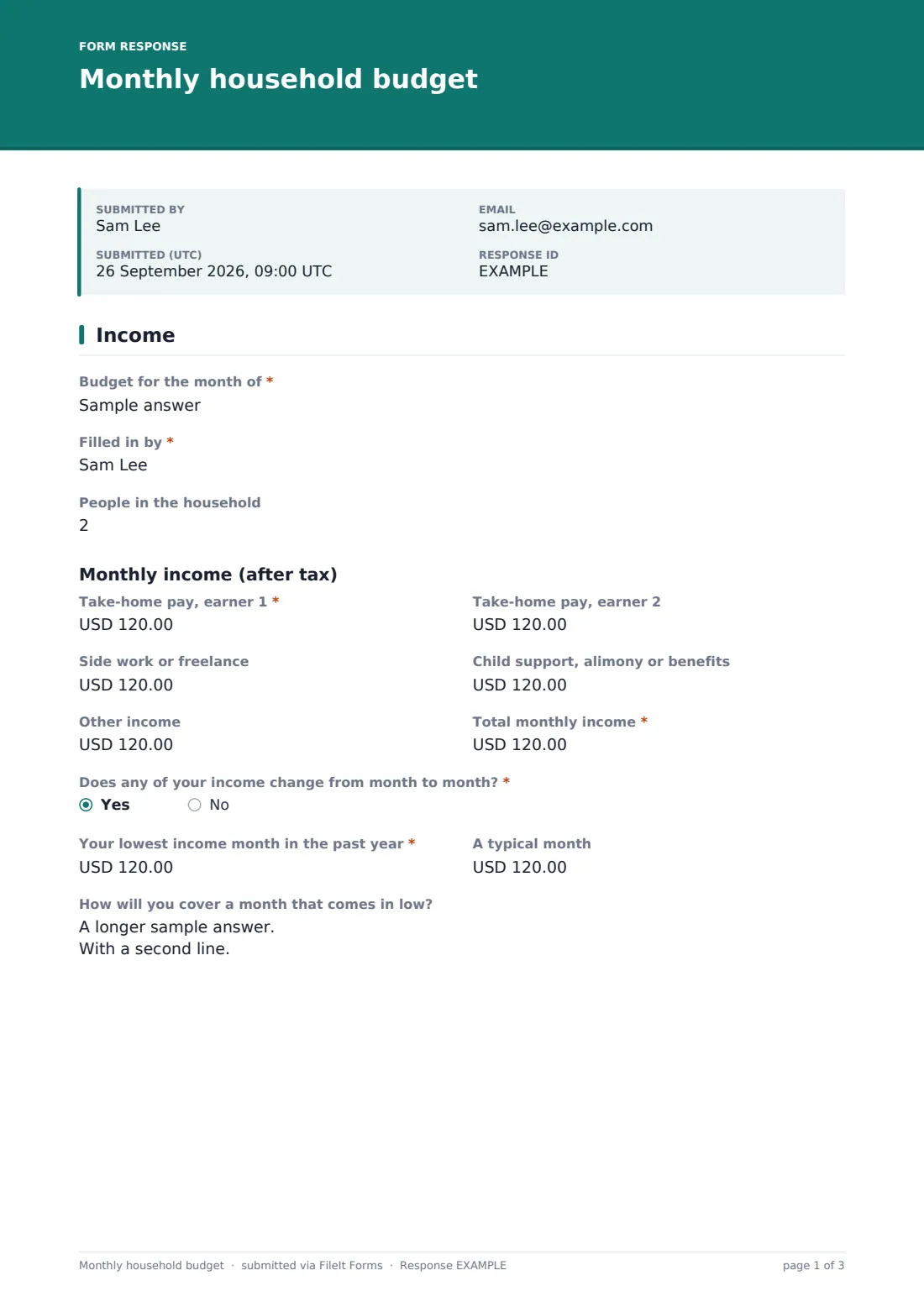
Income is broken down by source, from each earner's take-home pay to side work, support payments and other income, then totaled. Households whose income moves around aren't left out. Answering yes to Does any of your income change from month to month? asks for the lowest income month in the past year, a typical month, and how a low month will be covered, so the plan is built on numbers that hold up.
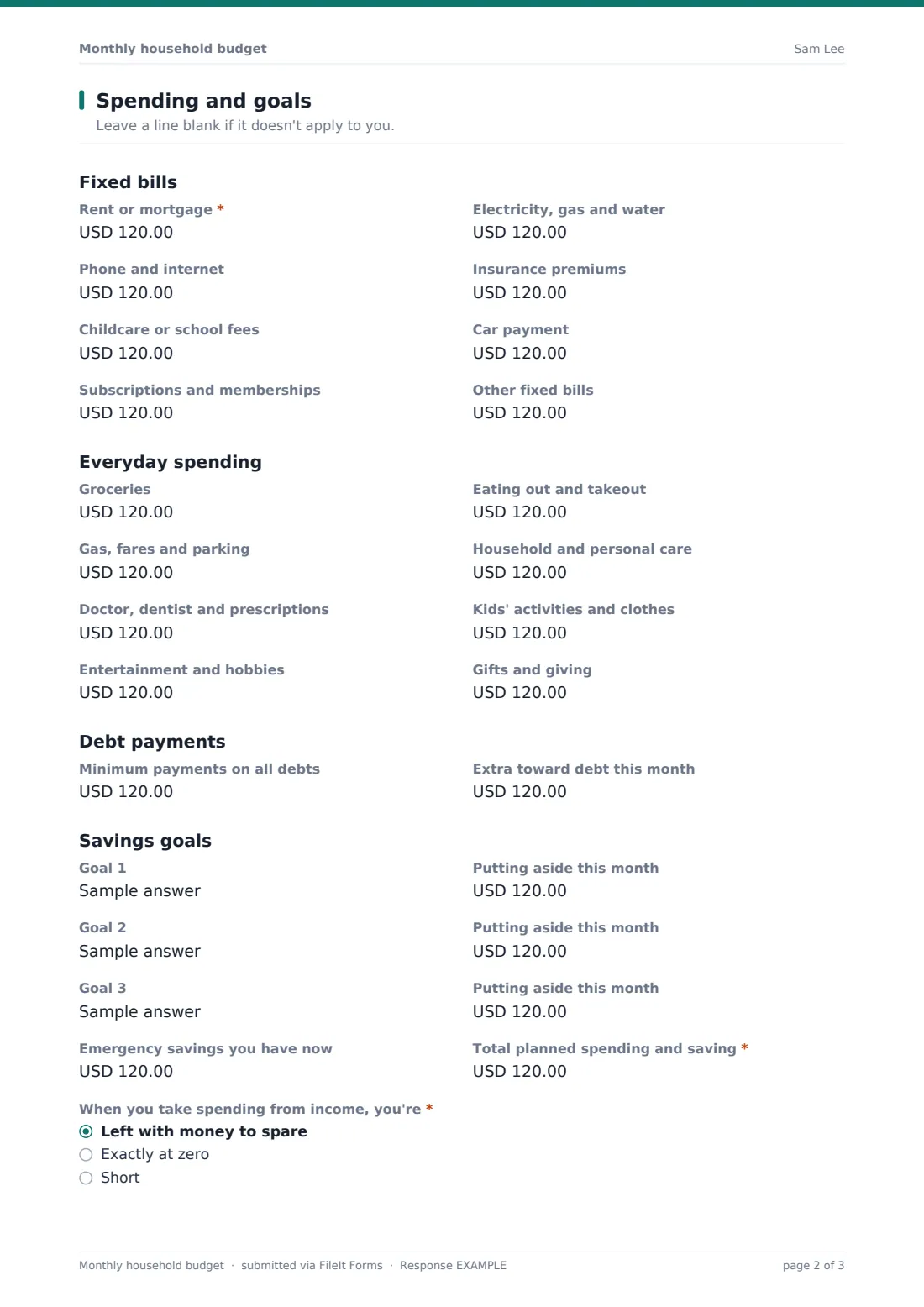
Spending is split into fixed bills, everyday spending, debt payments and up to three savings goals. At the end, the household says whether they're left with money to spare, exactly at zero or short, and the form asks what happens next in each case. Every budget is saved as a PDF in your FileIt vault, so this month's plan sits next to last month's.
- Best for
- Households, financial coaches, credit counselors, community and employee wellbeing programs
- Filled in by
- Anyone in the household, ideally with a recent bank statement
- Time to complete
- About 15 minutes
- Includes
- Income by source, an irregular income plan, 16 spending lines, debt payments, savings goals and an end-of-month result
Who uses a monthly household budget form?
- A couple planning the month together at the kitchen table
- A financial coach asking clients to bring a completed budget to their first session
- A credit counseling service collecting a budget before reviewing a client's debts
- A freelancer or gig worker planning around a month that may come in low
- An employer's financial wellbeing program offering staff a simple planning tool
- Comparing month-by-month budgets to see where spending is creeping up
Questions on this monthly household budget form
43 questions over 2 pages · includes conditional questions, multiple pages.
1 Income
- Budget for the month of*
- Filled in by*
- People in the household
- Take-home pay, earner 1*
- Take-home pay, earner 2
- Side work or freelance
- Child support, alimony or benefits
- Other income
- Total monthly income*
- Does any of your income change from month to month?*
- Your lowest income month in the past year* asked only when it applies
- A typical month asked only when it applies
- How will you cover a month that comes in low? asked only when it applies
2 Spending and goals
- Rent or mortgage*
- Electricity, gas and water
- Phone and internet
- Insurance premiums
- Childcare or school fees
- Car payment
- Subscriptions and memberships
- Other fixed bills
- Groceries
- Eating out and takeout
- Gas, fares and parking
- Household and personal care
- Doctor, dentist and prescriptions
- Kids' activities and clothes
- Entertainment and hobbies
- Gifts and giving
- Minimum payments on all debts
- Extra toward debt this month
- Goal 1
- Putting aside this month asked only when it applies
- Goal 2 asked only when it applies
- Putting aside this month asked only when it applies
- Goal 3 asked only when it applies
- Putting aside this month asked only when it applies
- Emergency savings you have now
- Total planned spending and saving*
- When you take spending from income, you're* Left with money to spare · Exactly at zero · Short
- Where will the spare money go? asked only when it applies
- What will you trim or move to close the gap?* asked only when it applies
- Notes for next month
The monthly household budget form, page by page
1 Income
The page starts with Budget for the month of, who filled it in, and the number of people in the household. Under Monthly income (after tax), take-home pay for earner 1 is required, followed by earner 2, side work or freelance, child support, alimony or benefits, and other income, such as rent from a lodger or interest. Total monthly income is required.
Does any of your income change from month to month? is required, with help text listing tips, commission, gig work and seasonal or contract work. A yes asks for your lowest income month in the past year, which is then required, a typical month, and How will you cover a month that comes in low?
2 Spending and goals
Fixed bills lists rent or mortgage (required), electricity, gas and water, phone and internet, insurance premiums, childcare or school fees, a car payment, subscriptions and memberships, and other fixed bills. Everyday spending covers groceries, eating out and takeout, gas, fares and parking, household and personal care, doctor, dentist and prescriptions, kids' activities and clothes, entertainment and hobbies, and gifts and giving.
Under Debt payments, the household enters the minimum payments on all debts and any extra toward debt this month. Savings goals start with Goal 1 and the amount put aside this month. A second and third goal appear as each is named. Emergency savings you have now and the total planned spending and saving follow.
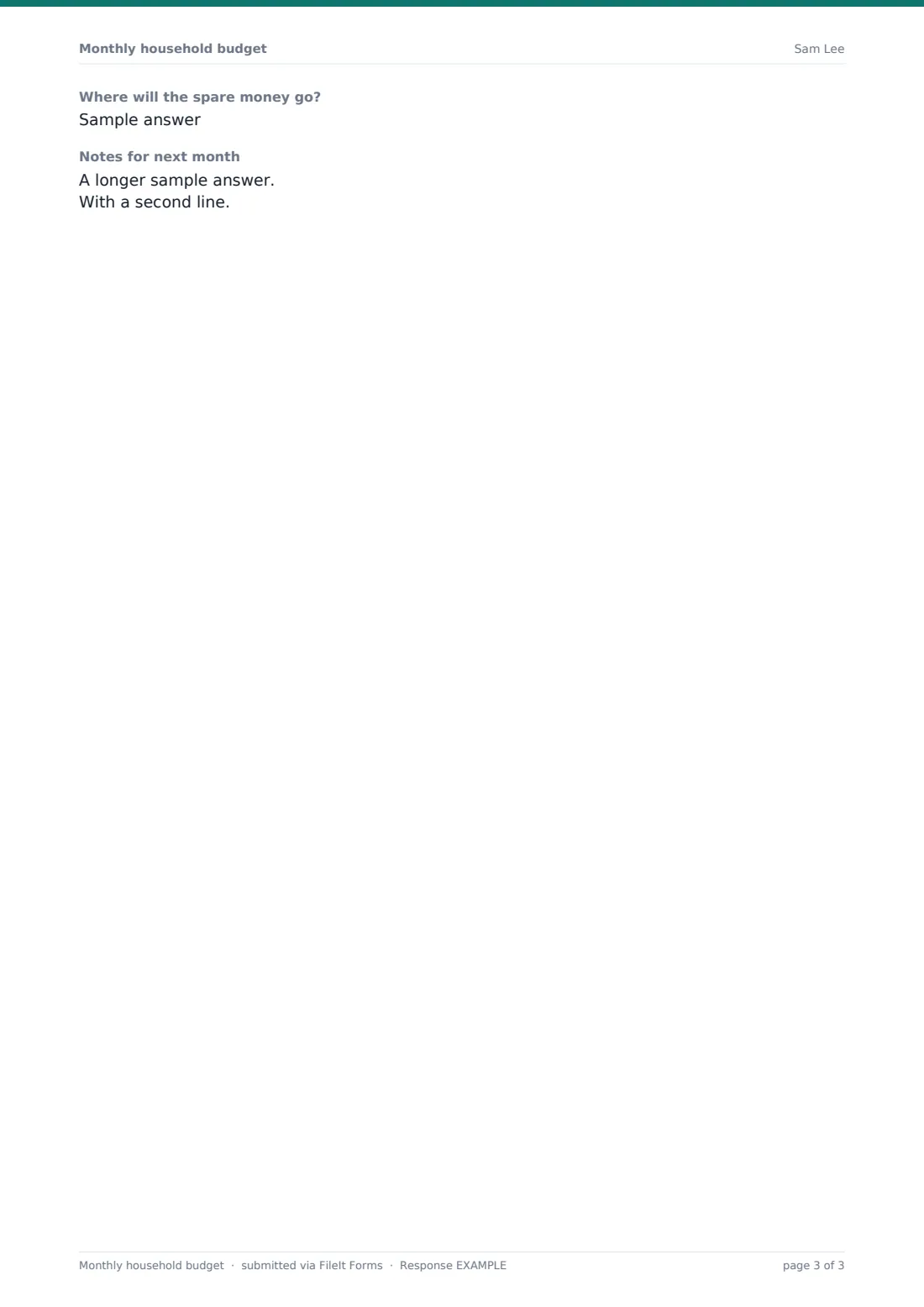
When you take spending from income, you're: Left with money to spare, Exactly at zero, or Short. Money to spare asks where it will go. Short asks, as a required question, what you'll trim or move to close the gap. A notes box picks up anything coming next month, such as an annual bill or a car service.
Make the template yours
- Rename or add spending lines to fit your clients, such as pet care or tithing
- Change the currency if you work outside the US
- Add a question about the household's biggest money worry for coaching sessions
- Remove earner 2 for programs that work with single adults
- Set the vault folder to a Budgets folder, or to each client's own folder
- Send the form as a request each month so the budget becomes a habit
Tips for a better monthly household budget form
- Start from last month's bank and card statements rather than guesses
- If income varies, budget from the lowest month and treat anything above it as a bonus
- Divide yearly bills by twelve and include them as a monthly amount
- Give every spare dollar a job, even if that job is the emergency fund
- Compare this month's budget with last month's, and look at the two or three lines that moved most
Every response becomes a PDF in your vault
Each budget is saved as a PDF in your vault, titled with the date and the name of the person who filled it in, and a copy can be emailed to them. Coaches and counselors receive an email notification for every new budget.
The Responses table lists every budget, and exporting to CSV puts each spending line in its own column, which makes it easy to compare months or chart a client's progress in a spreadsheet.
- Start from this template. It opens in the FileIt Forms designer — change any question, add pages, set the rules for when questions appear.
- Share it. Turn on a public link, or send it to people by email, each with their own link. They don’t need a FileIt account.
- Get the answers as PDFs. Each response is saved as a PDF in the vault folder you choose, with uploaded files attached — and listed in a Responses table you can export to CSV.
Monthly household budget form: frequently asked questions
Is this household budget template free?
Yes. It's a starter template in FileIt's Forms app, on every plan including free.
Does the form add up the totals for me?
No. The total fields are typed in, so the household sees the sums themselves. A calculator or the CSV export can check them.
What happens if my income changes every month?
Answer yes to the irregular income question, and the form asks for your lowest and typical months and how you'll cover a low month.
Is this financial advice?
No. It's a planning worksheet. For advice about your own situation, speak to a qualified professional.
Can I fill it in again next month?
Yes. Multiple responses are allowed, and each month's budget is saved as its own PDF.
Can a coach send it to clients?
Yes. Share the link or send an email request. Clients don't need a FileIt account to fill it in.