What is the home visit report form template?
Home visits are where caseworkers learn the most about how a family or client is really doing. The value of that visit depends on the record: who was there, the state of the home, how people seemed, what was agreed and whether there were safeguarding concerns. Free-text notes vary from worker to worker and make it hard to spot changes over time.
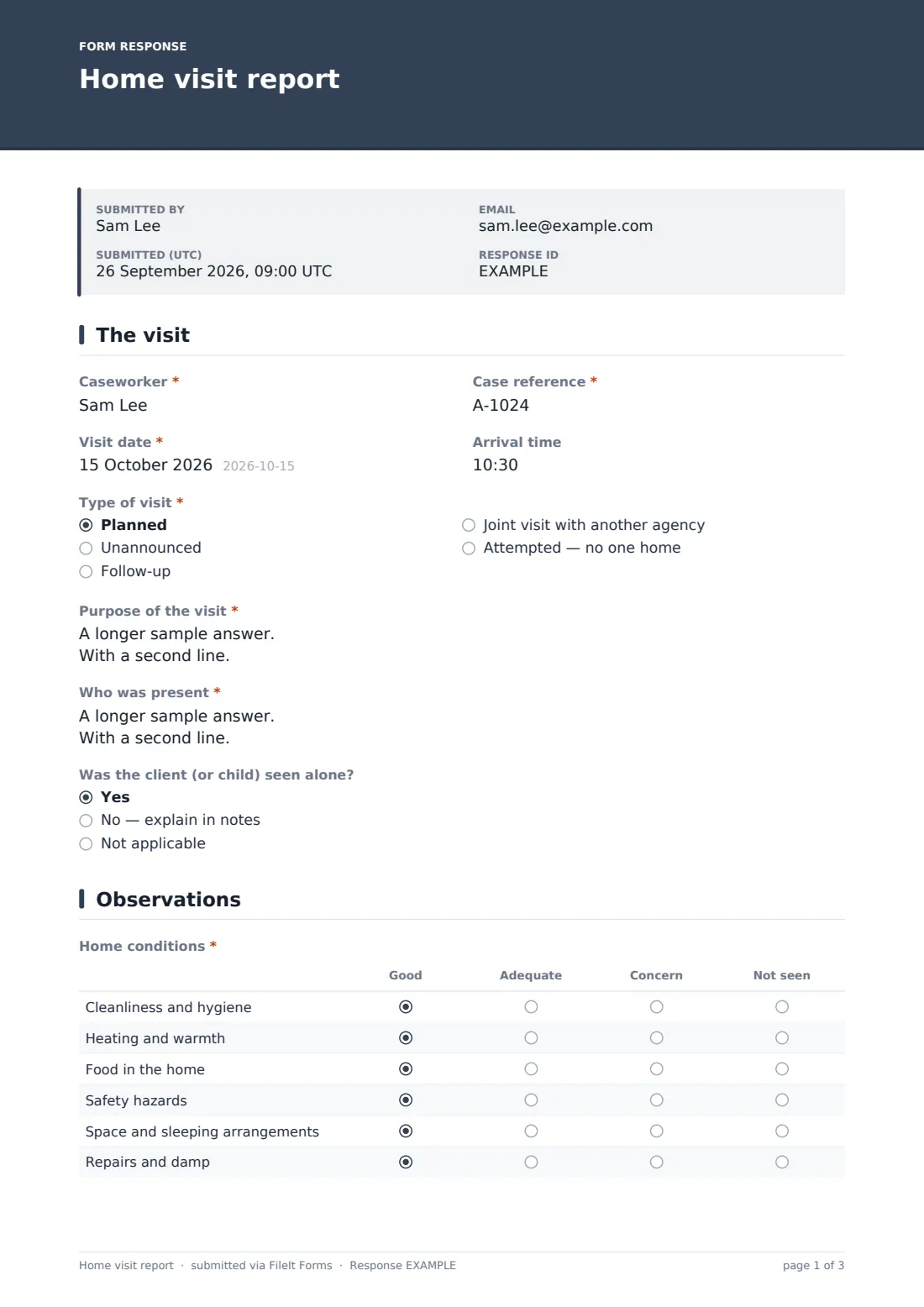
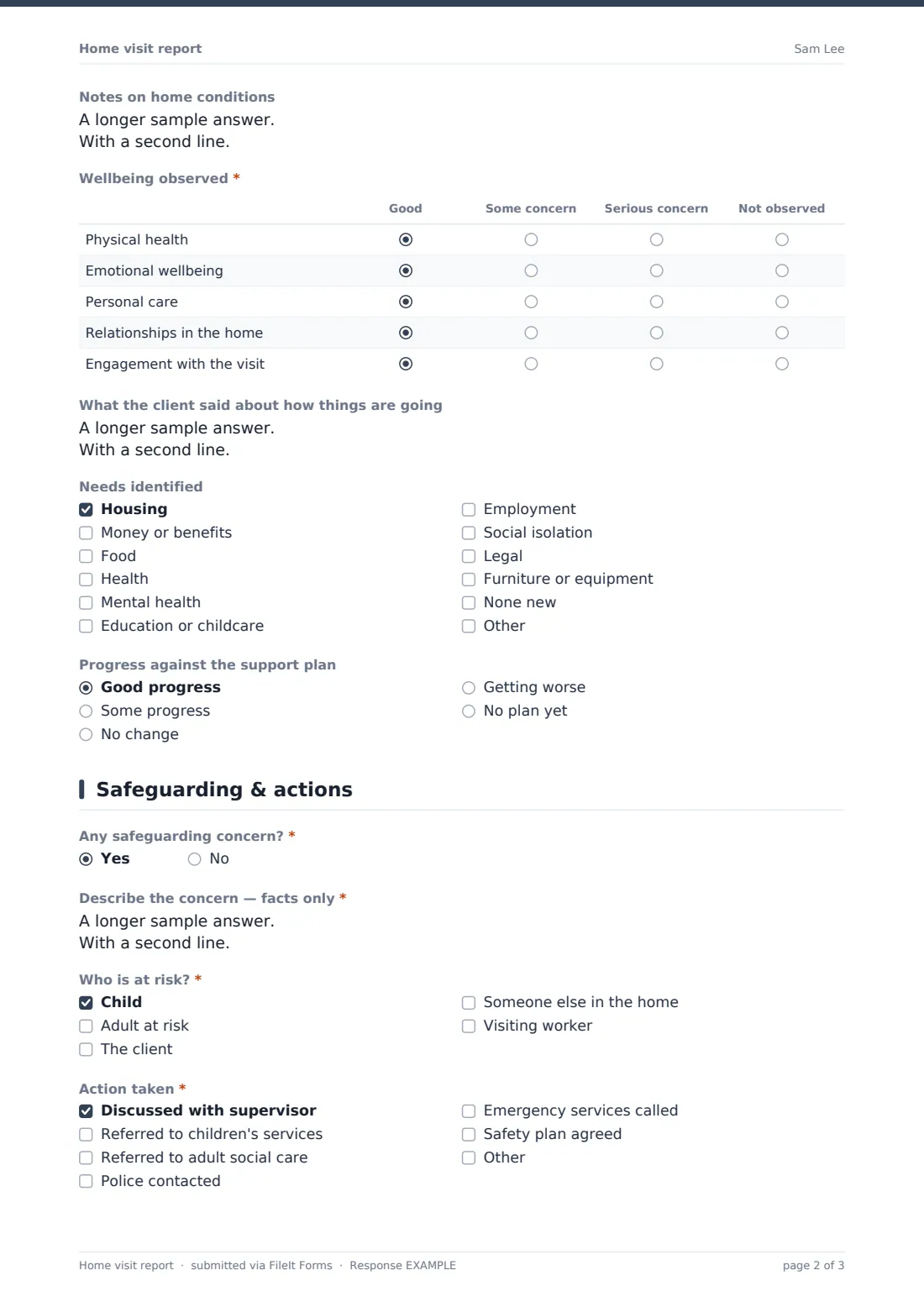
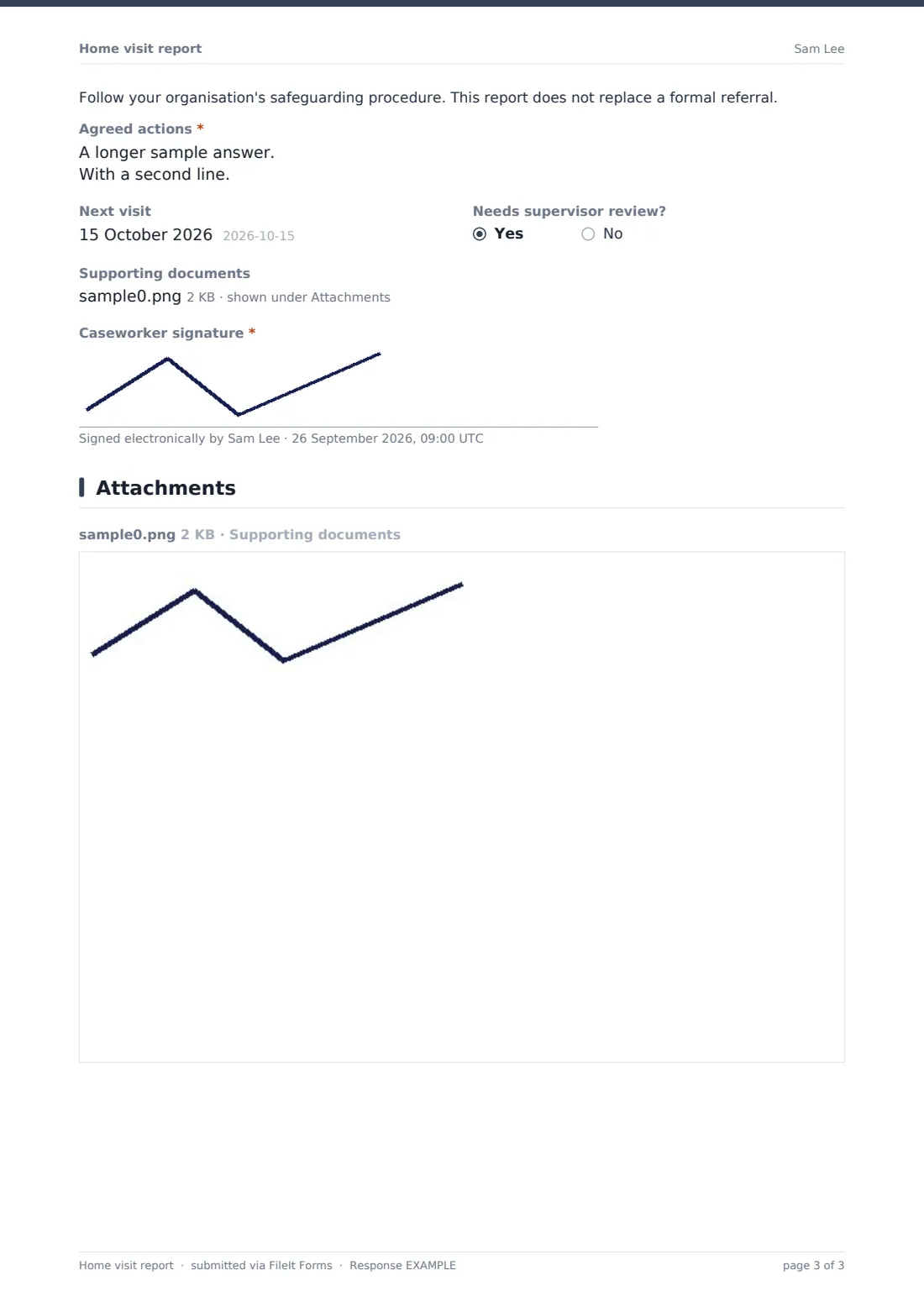
This report gives every visit the same structure. The first page records the caseworker, case reference, date, type and purpose of the visit, who was present and whether the client was seen alone — or, for an attempted visit, what the worker did. The second rates home conditions and observed wellbeing in two grids and records the client's own view, needs identified and progress. The third covers safeguarding, agreed actions, the next visit and a signature.
Every report is filed as a PDF in your FileIt vault, so a client's visits sit together in date order.
- Best for
- Family support charities, housing support, social care teams and community outreach
- Filled in by
- The caseworker after the visit
- Time to complete
- About 10 minutes
- Includes
- Visit details, attempted-visit follow-up, home conditions and wellbeing grids, needs and progress, safeguarding follow-ups, agreed actions and signature
Who uses a home visit report form?
- A family support worker recording a planned visit
- A tenancy sustainment officer checking on a new tenant
- A charity visiting isolated older people
- A joint visit with health or social care
- An unannounced welfare check where no one was home
Questions on this home visit report form
24 questions over 3 pages · includes signature, file upload, conditional questions, multiple pages, ratings.
1 The visit
- Caseworker*
- Case reference*
- Visit date*
- Arrival time
- Type of visit* Planned · Unannounced · Follow-up · Joint visit with another agency · Attempted — no one home
- Purpose of the visit*
- Who was present* asked only when it applies
- Was the client (or child) seen alone? asked only when it applies Yes · No — explain in notes · Not applicable
- What did you do?* asked only when it applies
2 Observations
- Home conditions* asked only when it applies Good · Adequate · Concern · Not seen
- Notes on home conditions asked only when it applies
- Wellbeing observed* asked only when it applies Good · Some concern · Serious concern · Not observed
- What the client said about how things are going asked only when it applies
- Needs identified asked only when it applies Housing · Money or benefits · Food · Health · Mental health · Education or childcare · Employment · Social isolation · Legal · Furniture or equipment · None new
- Progress against the support plan asked only when it applies Good progress · Some progress · No change · Getting worse · No plan yet
3 Safeguarding & actions
- Any safeguarding concern?*
- Describe the concern — facts only* asked only when it applies
- Who is at risk?* asked only when it applies Child · Adult at risk · The client · Someone else in the home · Visiting worker
- Action taken* asked only when it applies Discussed with supervisor · Referred to children's services · Referred to adult social care · Police contacted · Emergency services called · Safety plan agreed
- Agreed actions*
- Next visit
- Needs supervisor review?
- Supporting documents
- Caseworker signature*
The home visit report form, page by page
1 The visit
The caseworker records their name, the case reference, date and arrival time, and the type of visit — planned, unannounced, follow-up, joint or attempted with no one home. They give the purpose of the visit, who was present and whether the client or child was seen alone. For an attempted visit, "What did you do?" replaces the attendee questions.
2 Observations
A "Home conditions" grid rates cleanliness, heating, food, safety hazards, sleeping arrangements and repairs as good, adequate, concern or not seen, with a notes box. A "Wellbeing observed" grid rates physical health, emotional wellbeing, personal care, relationships and engagement. The worker records what the client said, ticks needs identified and rates progress against the support plan. For an attempted visit with no one home, these observation questions are skipped.
3 Safeguarding & actions
"Any safeguarding concern?" is required. A yes asks for the facts, who is at risk, the action taken — from discussing with a supervisor to calling emergency services — and shows a reminder that the report doesn't replace a formal referral. The worker then records agreed actions, the next visit date, whether a supervisor review is needed, any supporting documents and their signature.
Make the template yours
- Edit the grids to match your service's assessment framework
- Name your safeguarding lead in the reminder paragraph
- Add a dropdown of your caseworkers or teams
- Send each caseworker a personal link with their name filled in
- Notify supervisors by email whenever a report is submitted
- File each report into the client's own folder in your vault
Tips for a better home visit report form
- Write the report the same day as the visit
- Record what you saw and heard, not interpretations
- Use the client's own words in the client-view box
- Make agreed actions specific — who, what and by when
- Escalate safeguarding concerns through your procedure first, then complete the report
Every response becomes a PDF in your vault
Each report is saved as a PDF in your FileIt vault with any supporting documents, and the case lead is emailed. Workers don't get a copy by default, so client details stay out of personal inboxes.
The Responses table lists every visit. Filter by case reference or safeguarding answer and export to a CSV for supervision or reporting.
- Start from this template. It opens in the FileIt Forms designer — change any question, add pages, set the rules for when questions appear.
- Share it. Turn on a public link, or send it to people by email, each with their own link. They don’t need a FileIt account.
- Get the answers as PDFs. Each response is saved as a PDF in the vault folder you choose, with uploaded files attached — and listed in a Responses table you can export to CSV.
Home visit report form: frequently asked questions
Is the home visit report template free?
Yes. It's a FileIt Forms starter template, available on every plan.
Can caseworkers fill it in on a phone?
Yes. The form works on phones and tablets, and the caseworker can sign with a finger.
Does it make a safeguarding referral?
No. It records the concern and action taken. Make referrals through your organisation's procedure.
How do I keep each client's visits together?
Use the case reference to filter the Responses table, or file reports into a folder per client.
Does it work for welfare checks where nobody answers?
Yes. Choosing an attempted visit asks what the worker did instead of who was present, and skips the home conditions and wellbeing questions.
Who can see these reports?
Only people you give access to your FileIt vault or the form's responses.