





What is the home inventory for insurance form template?
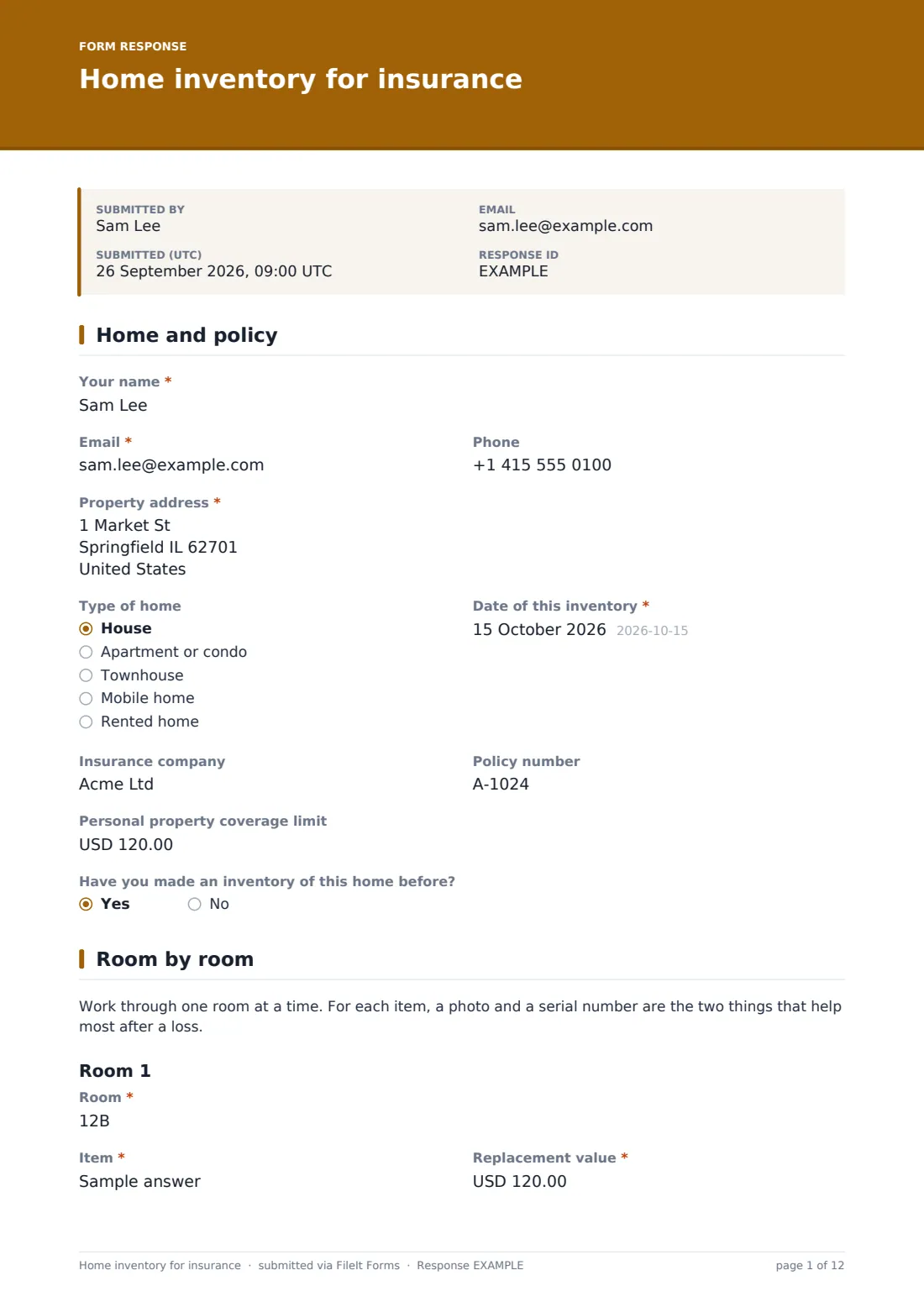
After a fire, a flood or a break-in, the hardest part of a contents claim is remembering everything you owned and proving what it was worth. A home inventory made beforehand turns that into a list you already have. This home inventory for insurance template walks a homeowner or renter through the home one room at a time, with a photo or receipt for each item.
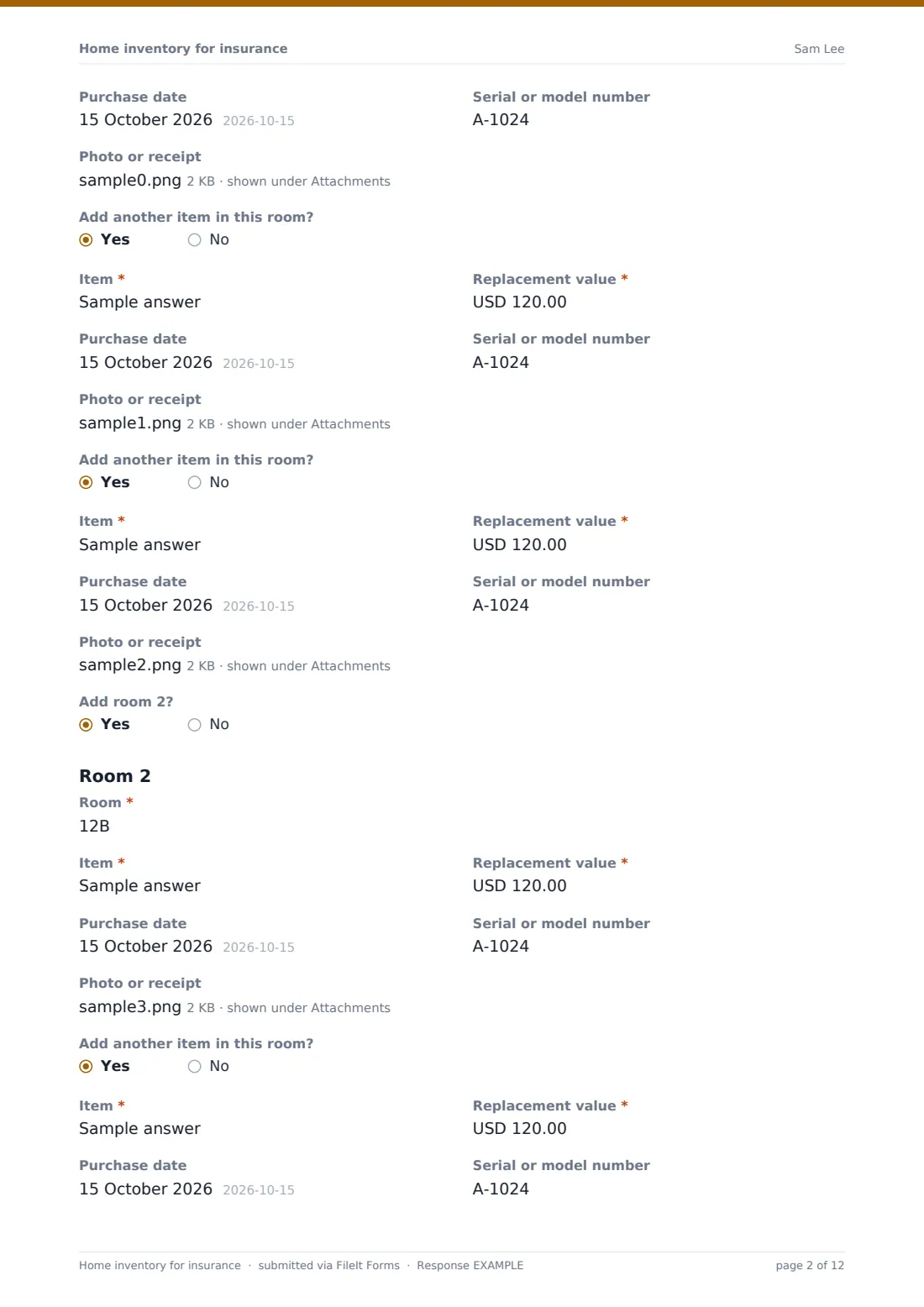
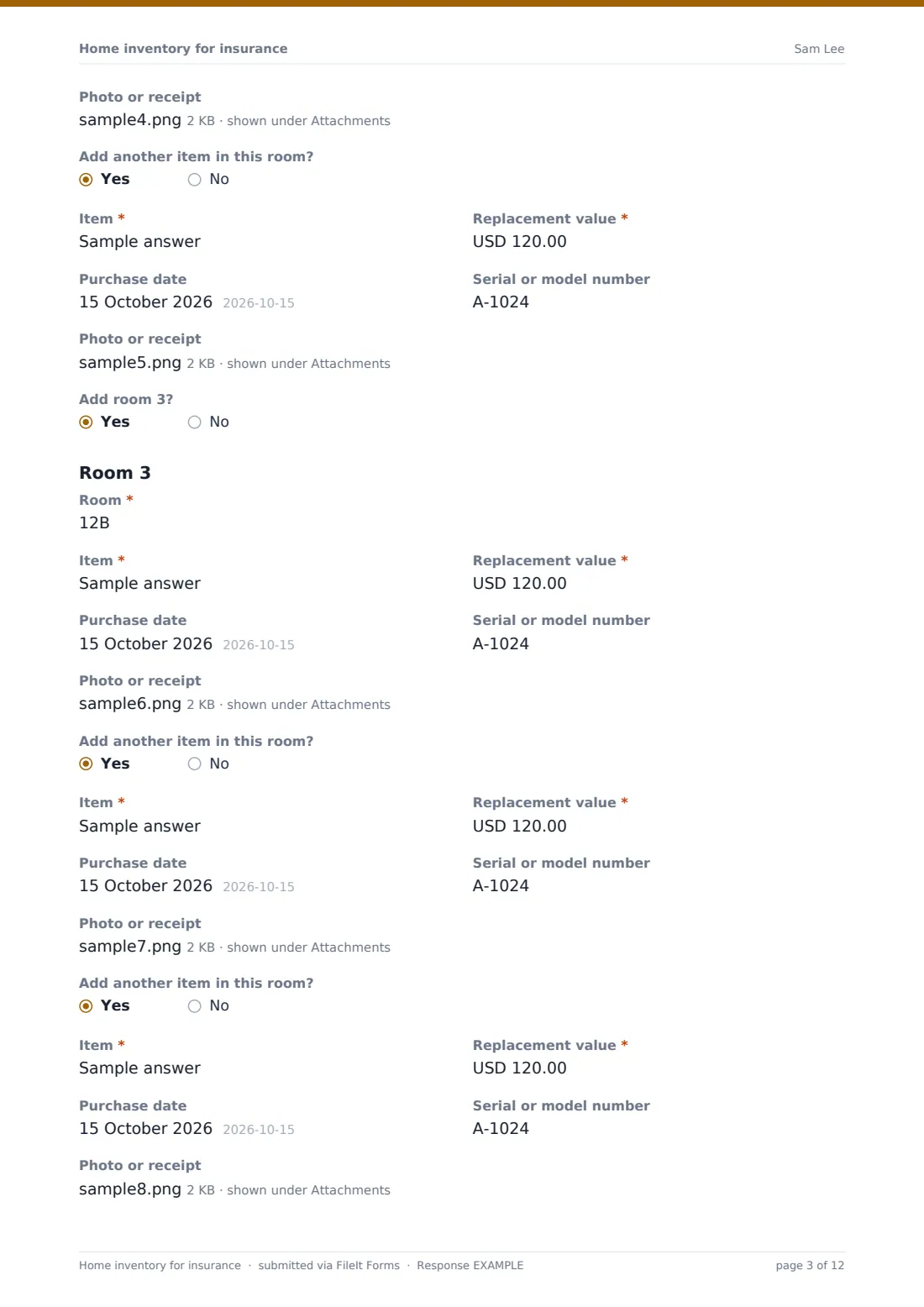
Each room has its own section. The person names the room and records an item with its replacement value, purchase date, serial or model number, and a photo or receipt. Add another item in this room? repeats the item section, up to three items per room, and Add room 2? starts the next room, up to four. That covers the things that matter most in a claim, and the designer makes it easy to copy more rooms or items in.
The last page covers high-value items that may be worth more than a policy's limit for a single item, belongings kept somewhere else, wide photos of each room and a total. Every inventory is saved as a PDF in your FileIt vault, with every photo and receipt attached, and it's stored away from the home it describes.
- Best for
- Homeowners, renters, insurance agents and brokers, landlords furnishing rentals
- Filled in by
- The person who owns the belongings
- Time to complete
- About 30 minutes for the main rooms, longer for a whole house
- Includes
- Policy details, a repeating room and item section, photo and receipt uploads, high-value items, appraisals, a total
Who uses a home inventory for insurance form?
- A homeowner making an inventory before hurricane or wildfire season
- A renter recording belongings when taking out renters insurance
- An insurance agent sending new clients an inventory link at renewal
- A landlord recording the contents of a furnished rental
- Recording new purchases after a renovation or a move
- Gathering appraisals for jewelry, art or collections in one place
Questions on this home inventory for insurance form
94 questions over 3 pages · includes file upload, conditional questions, multiple pages, consent checkbox.
1 Home and policy
- Your name*
- Email*
- Phone
- Property address*
- Type of home House · Apartment or condo · Townhouse · Mobile home · Rented home
- Date of this inventory*
- Insurance company
- Policy number
- Personal property coverage limit
- Have you made an inventory of this home before?
2 Room by room
- Room*
- Item*
- Replacement value*
- Purchase date
- Serial or model number
- Photo or receipt
- Add another item in this room?
- Item* asked only when it applies
- Replacement value* asked only when it applies
- Purchase date asked only when it applies
- Serial or model number asked only when it applies
- Photo or receipt asked only when it applies
- Add another item in this room? asked only when it applies
- Item* asked only when it applies
- Replacement value* asked only when it applies
- Purchase date asked only when it applies
- Serial or model number asked only when it applies
- Photo or receipt asked only when it applies
- Add room 2?
- Room* asked only when it applies
- Item* asked only when it applies
- Replacement value* asked only when it applies
- Purchase date asked only when it applies
- Serial or model number asked only when it applies
- Photo or receipt asked only when it applies
- Add another item in this room? asked only when it applies
- Item* asked only when it applies
- Replacement value* asked only when it applies
- Purchase date asked only when it applies
- Serial or model number asked only when it applies
- Photo or receipt asked only when it applies
- Add another item in this room? asked only when it applies
- Item* asked only when it applies
- Replacement value* asked only when it applies
- Purchase date asked only when it applies
- Serial or model number asked only when it applies
- Photo or receipt asked only when it applies
- Add room 3? asked only when it applies
- Room* asked only when it applies
- Item* asked only when it applies
- Replacement value* asked only when it applies
- Purchase date asked only when it applies
- Serial or model number asked only when it applies
- Photo or receipt asked only when it applies
- Add another item in this room? asked only when it applies
- Item* asked only when it applies
- Replacement value* asked only when it applies
- Purchase date asked only when it applies
- Serial or model number asked only when it applies
- Photo or receipt asked only when it applies
- Add another item in this room? asked only when it applies
- Item* asked only when it applies
- Replacement value* asked only when it applies
- Purchase date asked only when it applies
- Serial or model number asked only when it applies
- Photo or receipt asked only when it applies
- Add room 4? asked only when it applies
- Room* asked only when it applies
- Item* asked only when it applies
- Replacement value* asked only when it applies
- Purchase date asked only when it applies
- Serial or model number asked only when it applies
- Photo or receipt asked only when it applies
- Add another item in this room? asked only when it applies
- Item* asked only when it applies
- Replacement value* asked only when it applies
- Purchase date asked only when it applies
- Serial or model number asked only when it applies
- Photo or receipt asked only when it applies
- Add another item in this room? asked only when it applies
- Item* asked only when it applies
- Replacement value* asked only when it applies
- Purchase date asked only when it applies
- Serial or model number asked only when it applies
- Photo or receipt asked only when it applies
3 Valuables and sign-off
- Do you own jewelry, art, collections or other items that may be worth more than your policy's limit for a single item?*
- List them with an estimated value* asked only when it applies
- Appraisals or certificates asked only when it applies
- Belongings kept somewhere else
- Wide photos of each room
- Estimated total value of everything listed
- When you'll next update this inventory
- Notes
- Confirmation*
The home inventory for insurance form, page by page
1 Home and policy
The person gives their name, email and phone, then the property address and type of home, from a house or apartment to a mobile home or a rented home. Date of this inventory is required. The insurance company, policy number and personal property coverage limit follow, with help text noting it's often called Coverage C on a homeowners policy. A last question asks whether they've made an inventory of this home before.
2 Room by room
A short note suggests working one room at a time and points out that a photo and a serial number are the two things that help most after a loss.
Room 1 starts with the room's name, such as Living room, then the first item: Item, Replacement value, Purchase date (with help text saying approximate is fine), Serial or model number, and Photo or receipt, which takes up to three images or PDFs. Add another item in this room? repeats the item section, up to three items.
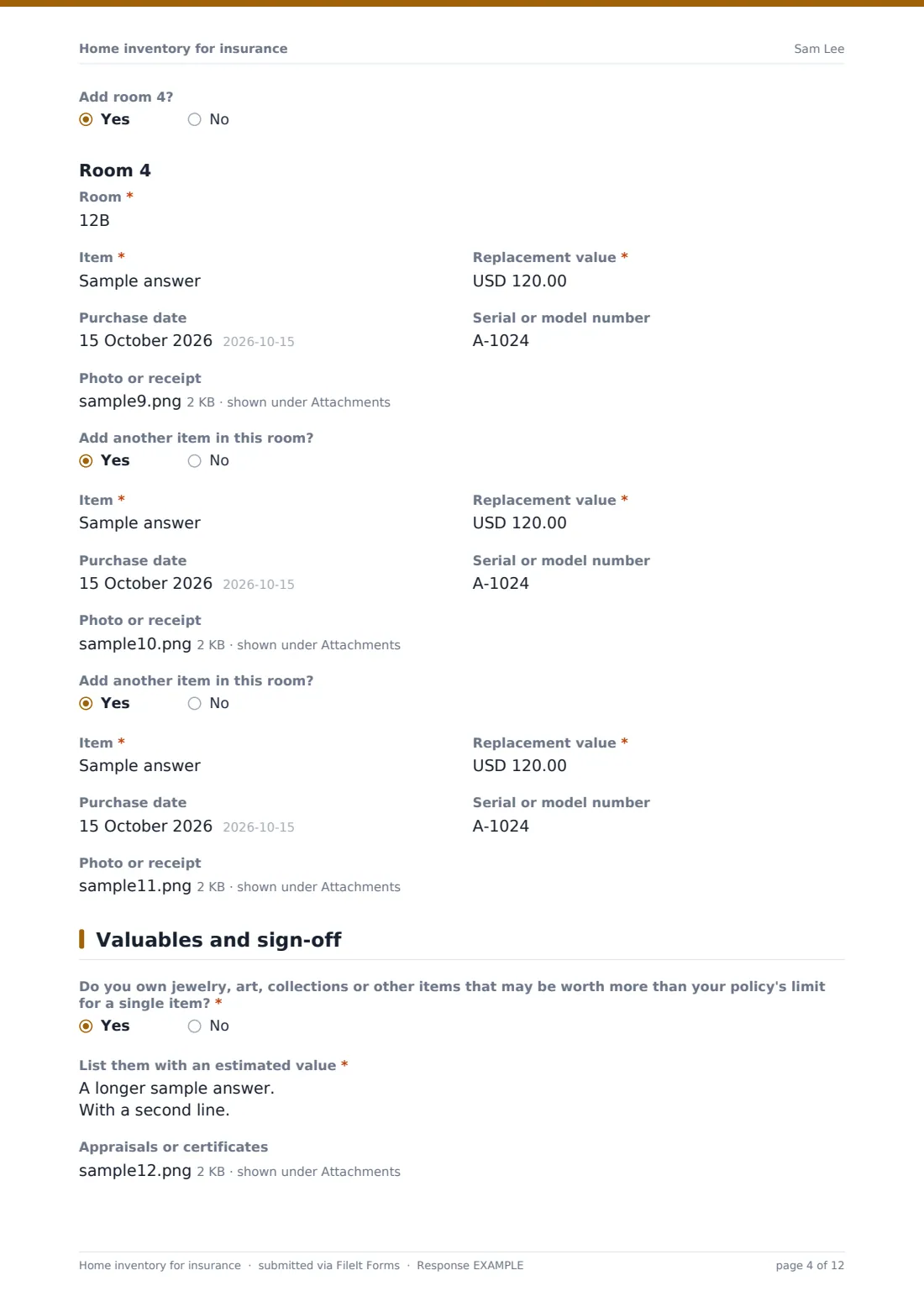
Add room 2? opens a new room with the same layout, and the chain continues to room 4.
3 Valuables and sign-off
Do you own jewelry, art, collections or other items that may be worth more than your policy's limit for a single item? is required. A yes asks for a list with estimated values, which is then required, and an upload for appraisals or certificates.
Belongings kept somewhere else covers the garage, a shed, a storage unit or a college dorm. Wide photos of each room can be uploaded, up to ten. The person enters an estimated total value of everything listed, when they'll next update the inventory, and any notes, then confirms that the items and values are their own record.
Make the template yours
- Copy the room and item questions in the designer to add more rooms or items per room
- Add a condition dropdown, such as new, good or worn, to each item
- Rename the coverage limit question to match the policy wording your clients see
- Add a question for the brand of each item if your clients want it
- Set the vault folder to Insurance, so the inventory sits with the policy documents
- Send the form as a yearly request so the inventory stays current
Tips for a better home inventory for insurance form
- Start with the most valuable rooms, such as the living room, the main bedroom and the home office
- Photograph serial numbers on electronics and appliances, as well as the item itself
- Open closets and drawers for the wide room photos
- Keep receipts for big purchases and upload them as you go
- Update the inventory after big purchases, and once a year at renewal
Every response becomes a PDF in your vault
The inventory is saved as a PDF in your vault, titled with the date, with every item photo, receipt and appraisal attached. Because it lives in FileIt rather than in the house, it's still there if the home is damaged. You're emailed when it's submitted and can get a copy as well.
Agents using the template with clients can see every inventory in the Responses table, and export to CSV for a list of items and values that's easy to sort.
- Start from this template. It opens in the FileIt Forms designer — change any question, add pages, set the rules for when questions appear.
- Share it. Turn on a public link, or send it to people by email, each with their own link. They don’t need a FileIt account.
- Get the answers as PDFs. Each response is saved as a PDF in the vault folder you choose, with uploaded files attached — and listed in a Responses table you can export to CSV.
Home inventory for insurance form: frequently asked questions
Is this home inventory template free?
Yes. It's a starter template in FileIt's Forms app, available on every plan, including free.
How many rooms and items can I add?
The template has four rooms with up to three items each. Each room and item opens with an Add question, and you can copy more in the form designer.
Can I upload photos of each item?
Yes. Every item has a Photo or receipt upload that takes up to three files, and there's a separate upload for wide room photos.
Will my insurer accept this inventory?
Insurers decide what they need for a claim. A dated inventory with photos and receipts is a useful record to show them, but it doesn't change what the policy covers.
Is it useful for renters too?
Yes. Choose Rented home as the type of home, and record the belongings you'd claim for under renters insurance.
Can I update it later?
Yes. Fill in the form again whenever things change, and each version is saved as its own PDF.