What is the hOA resale certificate request form template?
When a home in a homeowners or condo association is sold, someone has to ask the association for paperwork: a resale certificate or estoppel letter, the governing documents, the budget, recent minutes, an insurance certificate, sometimes a lender's questionnaire. The requests come from sellers, agents, title companies and attorneys, by phone and email, each missing a different detail. Managers then chase the closing date, the buyer's name and who's paying.
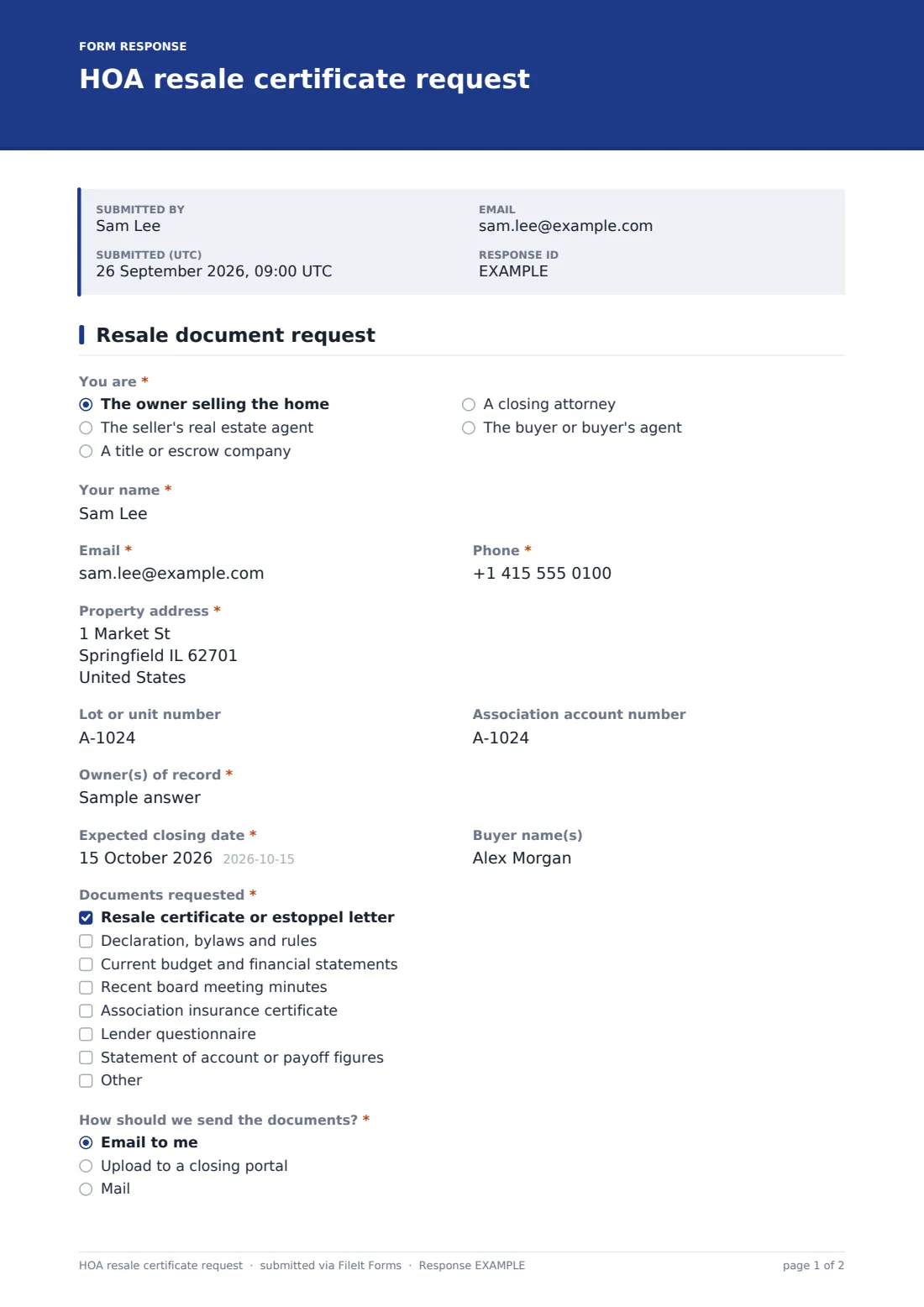
This one-page template asks the same things every time. It opens with "You are" — owner, seller's agent, title or escrow company, closing attorney, or buyer side — and anyone other than the owner gives their company. The property address, lot or unit, account number, "Owner(s) of record", "Expected closing date" and buyer names follow.
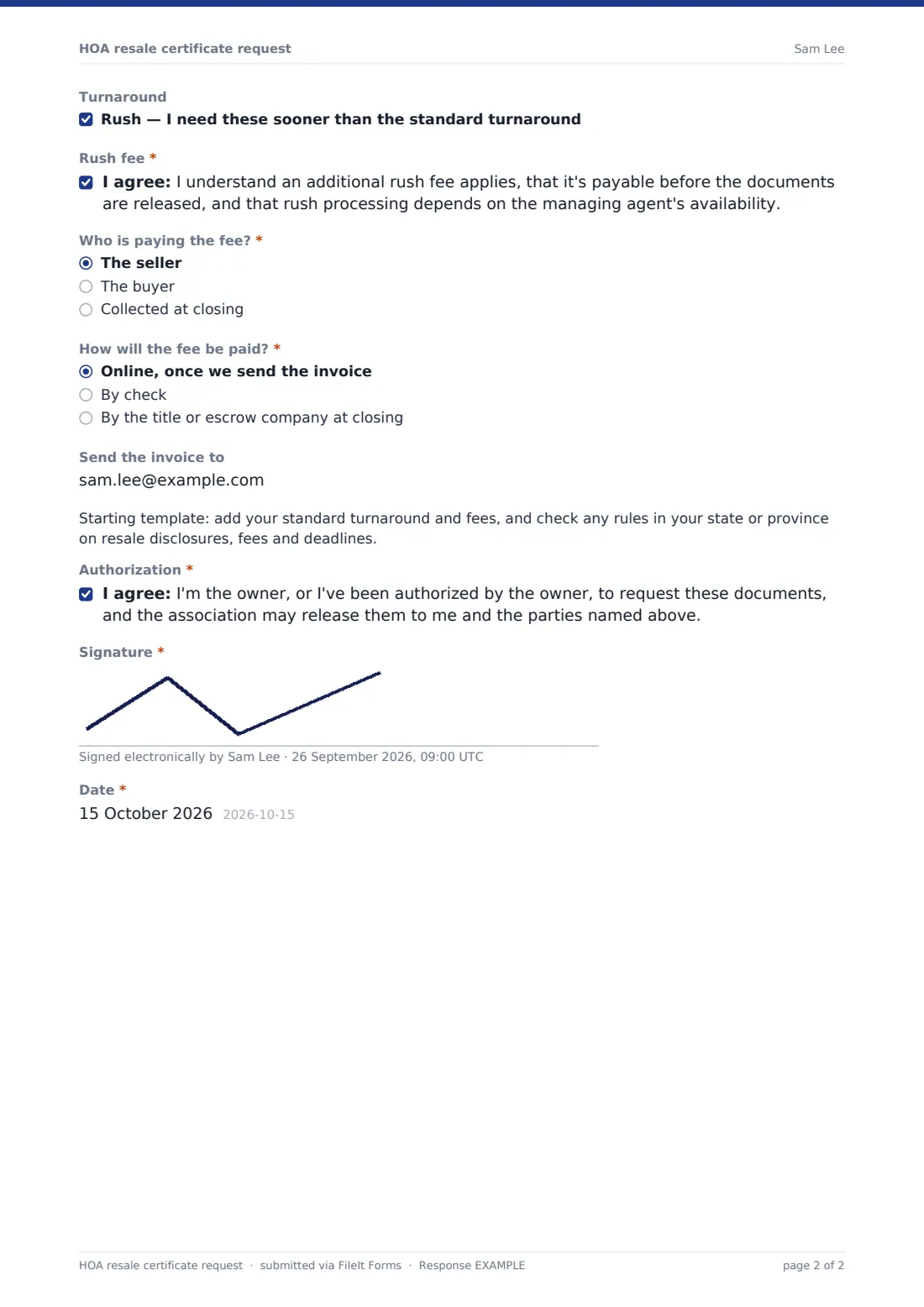
"Documents requested" is a checklist; ticking the lender questionnaire offers an upload for the lender's own form. "How should we send the documents?" asks for a portal link or mailing address unless email is chosen. Under "Turnaround", ticking rush brings up a required rush-fee acknowledgement. The requester says who pays the fee and how, can name an invoice email, and signs an authorization. Each request is filed as a PDF in your FileIt vault.
- Best for
- HOA and condo managers, self-managed associations and community management companies
- Filled in by
- Sellers, listing agents, title and escrow officers, closing attorneys
- Time to complete
- About 4 minutes
- Includes
- Requester role, property and owner, closing date, document checklist, lender form upload, delivery, rush acknowledgement, fee payment, signature
Who uses a hOA resale certificate request form?
- A resale request link on the association's website
- Title companies ordering estoppel letters before closing
- Listing agents requesting disclosure packages early
- Collecting lender condo questionnaires in the same request
- Self-managed associations without a management portal
- Tracking rush requests separately from standard ones
Questions on this hOA resale certificate request form
23 questions · includes signature, file upload, conditional questions, consent checkbox.
1 Resale document request
- You are* The owner selling the home · The seller's real estate agent · A title or escrow company · A closing attorney · The buyer or buyer's agent
- Your name*
- Company* asked only when it applies
- Email*
- Phone*
- Property address*
- Lot or unit number
- Association account number
- Owner(s) of record*
- Expected closing date*
- Buyer name(s)
- Documents requested* Resale certificate or estoppel letter · Declaration, bylaws and rules · Current budget and financial statements · Recent board meeting minutes · Association insurance certificate · Lender questionnaire · Statement of account or payoff figures
- Lender's questionnaire asked only when it applies
- How should we send the documents?* Email to me · Upload to a closing portal · Mail
- Portal link or mailing address* asked only when it applies
- Turnaround Rush — I need these sooner than the standard turnaround
- Rush fee* asked only when it applies
- Who is paying the fee?* The seller · The buyer · Collected at closing
- How will the fee be paid?* Online, once we send the invoice · By check · By the title or escrow company at closing
- Send the invoice to
- Authorization*
- Signature*
- Date*
The hOA resale certificate request form, page by page
1 Resale document request
"You are" decides whether "Company" appears. Name, email, phone, property address, owners and closing date are required; lot, account number and buyer are optional. "Documents requested" has seven common items and an Other box. Choosing "Lender questionnaire" offers "Lender's questionnaire" for up to two files. Mail or portal delivery asks "Portal link or mailing address". Ticking rush under "Turnaround" reveals the required "Rush fee" statement. "Who is paying the fee?", "How will the fee be paid?" and an optional invoice email follow, then a note for your own fees and rules, the authorization, signature and date.
Make the template yours
- Write your standard turnaround and fees into the template note and cover text
- Edit the rush statement with the actual rush fee and timeframe
- Rename documents to match your state's terms, such as resale disclosure package
- Remove documents you don't provide
- Notify your accounting team so invoices go out promptly
- File requests in a vault folder per community if you manage several
Tips for a better hOA resale certificate request form
- Work to the closing date, not the request date
- Confirm the owner of record before releasing anything
- Invoice as soon as a request arrives so payment doesn't hold up the documents
- Keep rush requests visible — filter by the turnaround answer
- Check your state or province's rules on what must be disclosed and by when
Every response becomes a PDF in your vault
Each request is filed as a signed PDF in the vault folder you choose, with any lender form attached, and you're notified by email. The requester can receive a copy of what they submitted.
In the Responses table, sort by closing date and filter rush requests, then export to CSV to track open orders. FileIt doesn't take payment; send your invoice the way you normally do.
- Start from this template. It opens in the FileIt Forms designer — change any question, add pages, set the rules for when questions appear.
- Share it. Turn on a public link, or send it to people by email, each with their own link. They don’t need a FileIt account.
- Get the answers as PDFs. Each response is saved as a PDF in the vault folder you choose, with uploaded files attached — and listed in a Responses table you can export to CSV.
HOA resale certificate request form: frequently asked questions
Is this HOA resale certificate request template free?
Yes. It's one of the starter templates in FileIt's Forms app, on the free plan too.
How does the rush option work?
Ticking rush under "Turnaround" shows a rush-fee statement the requester must accept before submitting.
Can requesters send a lender's questionnaire?
Yes. Ticking the lender questionnaire offers an upload for up to two files.
Does FileIt collect the fee?
No. The form records who pays and how; you invoice and collect the fee yourself.
Does FileIt prepare the resale certificate?
No. The form collects the request. You prepare the documents from your own records.
Do title companies need a FileIt account?
No. Anyone with the link can submit a request.