What is the gym equipment fault report form template?
A broken treadmill or a frayed cable can go unreported for days because members assume someone else has mentioned it. A short fault form, linked from a QR code on each machine or at reception, makes reporting quick and gives staff the details to arrange a repair.
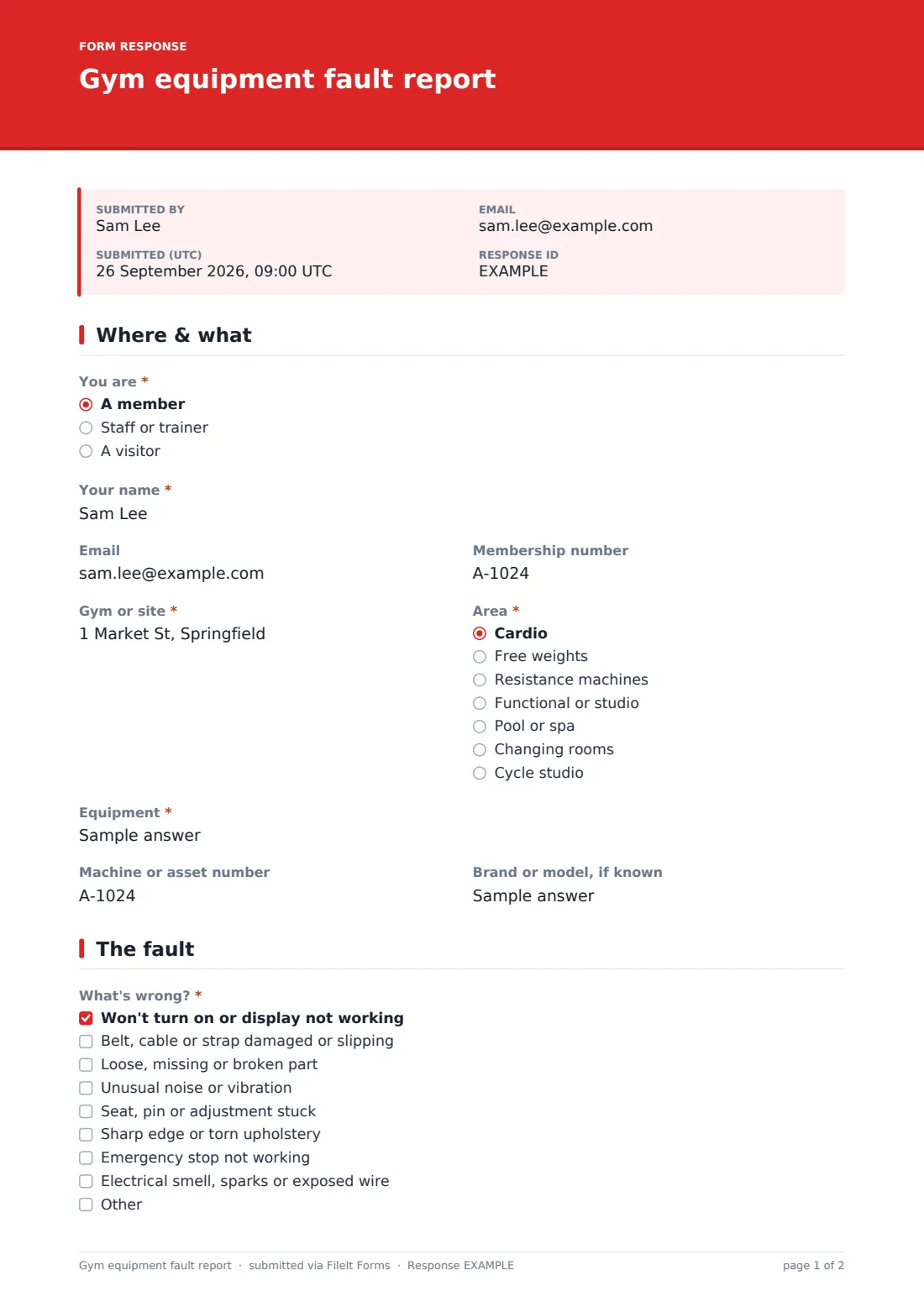
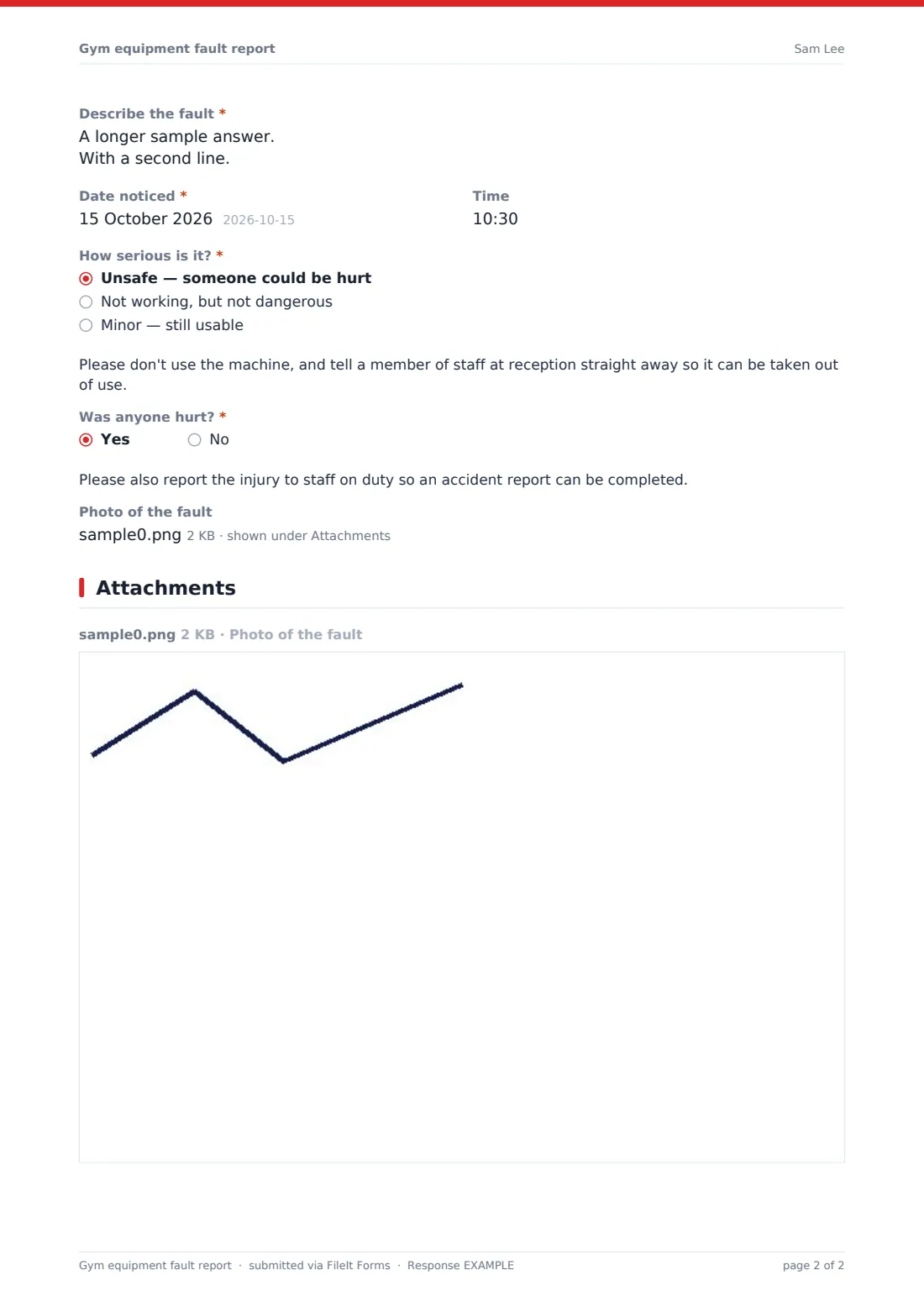
This template asks who's reporting, where the equipment is, what it is and its asset number, then what's wrong from a checklist of common faults, a description, the date and time, and how serious it is. Marking it unsafe shows a note not to use it and to tell reception; an injury shows a note to report it to staff. Photos can be attached. Staff see an extra page to record whether the machine was taken out of use, the out-of-order tag number, and whether the supplier was called.
Each report is saved as a PDF in your FileIt vault, giving you a maintenance history for every machine.
- Best for
- Gyms, leisure centres, hotel and workplace gyms, school fitness suites
- Filled in by
- Members, visitors or staff
- Time to complete
- About 2 minutes
- Includes
- Fault checklist, severity with safety note, photo upload, staff-only out-of-use record
Who uses a gym equipment fault report form?
- A member reports a treadmill belt slipping
- A trainer tags a cable machine with a frayed cable
- A hotel gym collects reports from guests
- A leisure centre logs repeat faults on the same bike
- A manager checks which faults are waiting for an engineer
- A school fitness suite records faults for its supplier
Questions on this gym equipment fault report form
21 questions over 3 pages · includes file upload, conditional questions, multiple pages.
1 Where & what
- You are* A member · Staff or trainer · A visitor
- Your name*
- Membership number asked only when it applies
- Gym or site*
- Area* Cardio · Free weights · Resistance machines · Functional or studio · Pool or spa · Changing rooms · Cycle studio
- Equipment*
- Machine or asset number
- Brand or model, if known
2 The fault
- What's wrong?* Won't turn on or display not working · Belt, cable or strap damaged or slipping · Loose, missing or broken part · Unusual noise or vibration · Seat, pin or adjustment stuck · Sharp edge or torn upholstery · Emergency stop not working · Electrical smell, sparks or exposed wire
- Describe the fault*
- Date noticed*
- Time
- How serious is it?* Unsafe — someone could be hurt · Not working, but not dangerous · Minor — still usable
- Was anyone hurt?*
- Photo of the fault
3 Staff action
- Was it taken out of use?* asked only when it applies Yes — tagged and signed out of order · Yes — power isolated or cordoned off · No — still safe to use · No — waiting for a decision
- Out-of-order tag number asked only when it applies
- Has the service engineer or supplier been contacted? asked only when it applies
- Service job reference asked only when it applies
- Notes asked only when it applies
The gym equipment fault report form, page by page
1 Where & what
Whether you're a member, staff or visitor, your name and optional email; members can give their membership number. Then the gym or site, area, the equipment, and optional asset number and brand.
2 The fault
A required checklist of faults, from power and display problems to damaged belts or cables, loose parts, noise, stuck adjustments, sharp edges, emergency stops or electrical smells. A description, date noticed and optional time, and severity: unsafe shows a note not to use it. Whether anyone was hurt, with a note to report injuries, and up to three photos.
3 Staff action
For staff reports: whether the equipment was taken out of use and how, the out-of-order tag number, whether the supplier was contacted and their job reference, and notes.
Make the template yours
- Replace the area list with your gym's zones
- Make the site a dropdown if you run several locations
- Print a QR code with the form link on each machine
- Pre-fill the asset number in each machine's link
- Add your supplier's service number to the staff page
- Notify your maintenance lead's email on every report
Tips for a better gym equipment fault report form
- Take unsafe machines out of use before waiting for the form
- Thank members who report faults and tell them when it's fixed
- Look for repeat faults on the same asset number in the Responses table
- Keep engineer reports in the same vault folder
- Check equipment daily as well as relying on reports
Every response becomes a PDF in your vault
Each report is saved as a PDF in your vault with the photos attached, and staff are emailed. The reporter receives a copy when they give an email.
From the Responses table you can filter by severity or area and export a CSV of faults for your supplier.
- Start from this template. It opens in the FileIt Forms designer — change any question, add pages, set the rules for when questions appear.
- Share it. Turn on a public link, or send it to people by email, each with their own link. They don’t need a FileIt account.
- Get the answers as PDFs. Each response is saved as a PDF in the vault folder you choose, with uploaded files attached — and listed in a Responses table you can export to CSV.
Gym equipment fault report form: frequently asked questions
Is this gym equipment fault report template free?
Yes. It's one of the Forms app's starter templates, available on every FileIt account, including the free plan.
Can members report anonymously?
Members give their name, but email is optional. You can make the name optional in the designer.
What does the staff page do?
When staff report a fault, they record whether the machine was taken out of use, the tag number and whether the supplier was called.
Can people attach photos?
Yes. Up to three photos from a phone.
Does it notify our engineer?
FileIt emails you or any addresses you add. It doesn't connect to maintenance systems.
Do members need a FileIt account?
No. They report from a link or QR code.