What is the final walk-through checklist form template?
The final walk-through is often the last time a buyer is inside the house before it becomes theirs, and it usually happens in a rush, a day or two before closing, with agents waiting in the hallway. That's exactly when it's easy to forget to run the dishwasher or count the garage remotes. A checklist slows you down just enough to catch the things that are much harder to raise after the keys change hands.
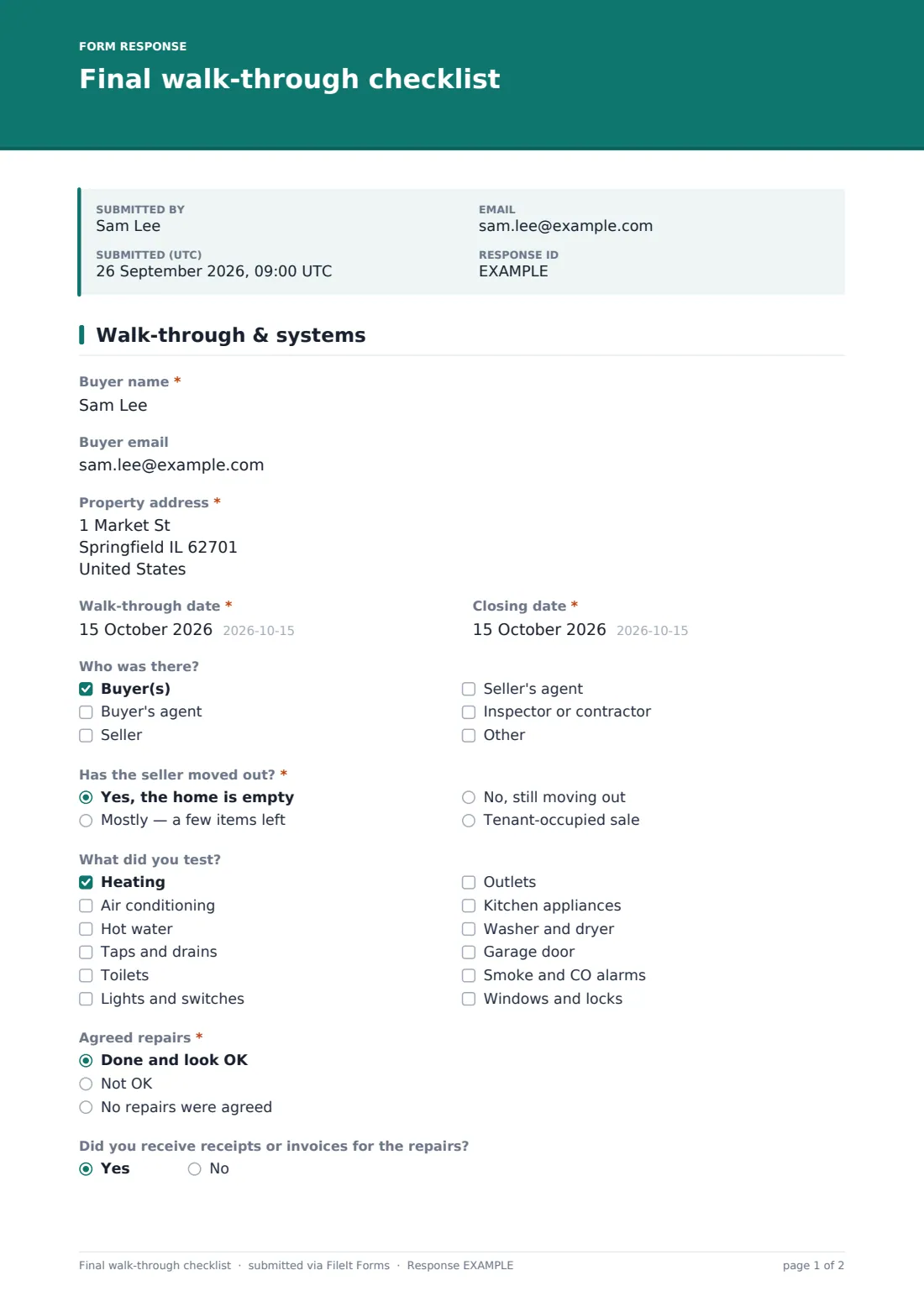
This template follows the order most buyers walk the house. Page one records who was there and asks "Has the seller moved out?", then a "What did you test?" list covering heating, hot water, taps, outlets, appliances, the garage door and alarms. Five checks follow: "Agreed repairs", "Appliances and systems", "Fixtures and items included in the sale", "Cleanliness and left-behind items", and "Keys, remotes and codes". Each one is marked OK, not OK or not applicable. Choose not OK and the form opens "What's not OK?" and a photo upload for that check only, so your notes stay tied to the right problem.
It ends with a plain answer to "Ready to close?" and, if the answer isn't a simple yes, what has to happen first. The completed checklist is filed as a PDF in your FileIt vault next to your other purchase documents, ready to forward to your agent.
- Best for
- Home buyers, and buyer's agents who walk through with them
- Filled in by
- The buyer, during the walk-through
- Time to complete
- About 15 minutes alongside the walk-through
- Includes
- A test list, five OK / not OK checks with notes and photos, a ready-to-close answer and signature
Who uses a final walk-through checklist form?
- A first-time buyer who wants a structured list for the walk-through
- Buyer's agents handing clients a consistent checklist on their phone
- Checking repairs the seller agreed to after the home inspection
- Confirming that appliances and fittings named in the contract are still there
- Recording the condition of a tenant-occupied home before closing
- Keeping a dated record in case something is disputed after closing
Questions on this final walk-through checklist form
27 questions over 2 pages · includes signature, file upload, conditional questions, multiple pages.
1 Walk-through & systems
- Buyer name*
- Buyer email
- Property address*
- Walk-through date*
- Closing date*
- Who was there? Buyer(s) · Buyer's agent · Seller · Seller's agent · Inspector or contractor
- Has the seller moved out?* Yes, the home is empty · Mostly — a few items left · No, still moving out · Tenant-occupied sale
- What did you test? Heating · Air conditioning · Hot water · Taps and drains · Toilets · Lights and switches · Outlets · Kitchen appliances · Washer and dryer · Garage door · Smoke and CO alarms · Windows and locks
- Agreed repairs* Done and look OK · Not OK · No repairs were agreed
- What's not OK?* asked only when it applies
- Photos asked only when it applies
- Did you receive receipts or invoices for the repairs? asked only when it applies
- Appliances and systems* OK · Not OK · Not applicable
- What's not OK?* asked only when it applies
- Photos asked only when it applies
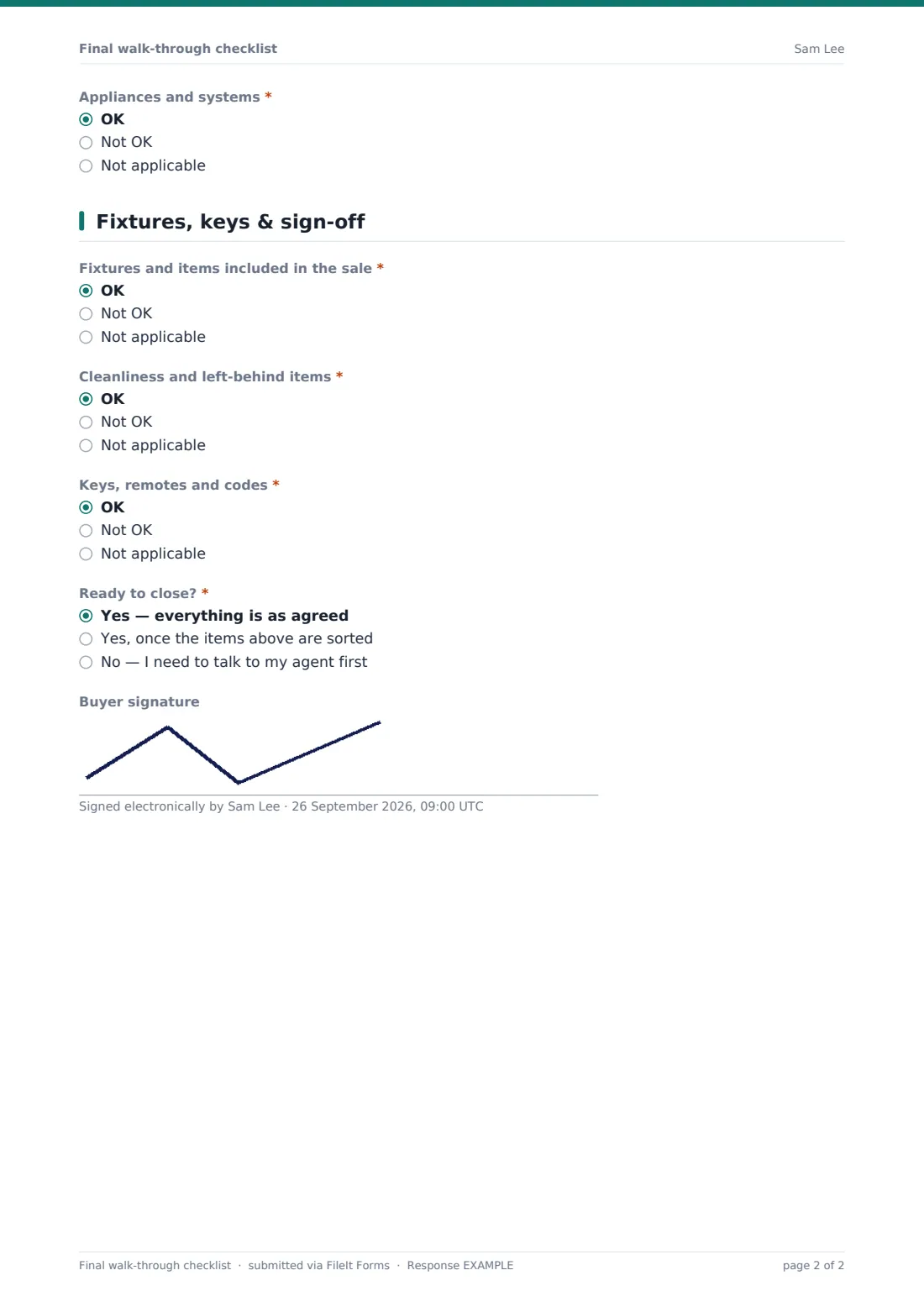
2 Fixtures, keys & sign-off
- Fixtures and items included in the sale* OK · Not OK · Not applicable
- What's not OK?* asked only when it applies
- Photos asked only when it applies
- Cleanliness and left-behind items* OK · Not OK · Not applicable
- What's not OK?* asked only when it applies
- Photos asked only when it applies
- Keys, remotes and codes* OK · Not OK · Not applicable
- What's not OK?* asked only when it applies
- Photos asked only when it applies
- Ready to close?* Yes — everything is as agreed · Yes, once the items above are sorted · No — I need to talk to my agent first
- What needs to happen before closing?* asked only when it applies
- Buyer signature
The final walk-through checklist form, page by page
1 Walk-through & systems
Buyer name and email, the property address, the walk-through and closing dates, and "Who was there?". "Has the seller moved out?" allows for a home that's empty, mostly empty, still being packed up or tenant-occupied. "What did you test?" is a tick list of twelve systems and appliances. "Agreed repairs" can be marked done and OK, not OK, or no repairs agreed. When the repairs look OK you're asked whether you received receipts or invoices. "Appliances and systems" covers everything you tested. Either check marked not OK opens notes and up to five photos.
2 Fixtures, keys & sign-off
"Fixtures and items included in the sale" is a reminder to look for light fittings, blinds, mounted TVs and anything else the contract says stays. "Cleanliness and left-behind items" catches trash and belongings left in the garage or yard. "Keys, remotes and codes" covers house and mailbox keys, garage remotes and alarm or gate codes. Each one works like the first page: not OK opens notes and photos. Last comes "Ready to close?": yes, yes once the items above are sorted, or no and talk to your agent first. Anything but a straight yes asks what needs to happen before closing. The buyer signature is optional.
Make the template yours
- Add rows to "What did you test?" for a pool, sprinklers, solar panels or a well
- Paste the list of agreed repairs into the help text so the buyer checks each one
- Add your agent's email to notifications so they see the result straight away
- File checklists into the vault folder where you keep the purchase contract
- Make the buyer signature required if your brokerage wants a signed record
Tips for a better final walk-through checklist form
- Bring the contract and repair addendum so you know exactly what was promised
- Run water in every tap and flush every toilet — leaks show up within minutes
- Open and close the garage door with each remote you're handed
- Photograph anything not OK with something for scale, and note which room it's in
- Raise problems with your agent before closing, not after
Every response becomes a PDF in your vault
The checklist, with any photos, is saved as a PDF in your FileIt vault and a copy goes to the email you gave. Forward it to your agent if anything needs fixing before closing.
If you're an agent sending the form to several buyers, the Responses table shows every walk-through with its date, and the CSV export makes it easy to see which ones still had open items.
- Start from this template. It opens in the FileIt Forms designer — change any question, add pages, set the rules for when questions appear.
- Share it. Turn on a public link, or send it to people by email, each with their own link. They don’t need a FileIt account.
- Get the answers as PDFs. Each response is saved as a PDF in the vault folder you choose, with uploaded files attached — and listed in a Responses table you can export to CSV.
Final walk-through checklist form: frequently asked questions
Is the final walk-through checklist free?
Yes. It's a starter template in FileIt's Forms app, available on every plan including free.
Is a final walk-through the same as a home inspection?
No. An inspection looks for defects before you commit. The walk-through confirms the home is in the condition you agreed to, just before closing.
What happens if I mark something not OK?
A notes box and a photo upload appear for that check, so each problem is recorded where it belongs.
Can my agent fill it in for me?
Yes. Anyone with the link can fill it in. Agents often complete it with the buyer on a tablet.
Can I use it on my phone?
Yes. It's built for phones, with photos straight from the camera.