What is the filming permit application form template?
A film office, parks department or venue reviewing a shoot needs to know quickly whether it's three people with a handheld camera or forty crew with a generator, a crane and a closed road. The answer decides who else has to sign off, from police and highways to the parks team, and how much notice the neighbours need.
This filming permit application template gathers those facts in four short pages. It starts with the production and the location manager's contact details, then the locations, dates and times, then crew, cast, vehicles, equipment and anything that could alarm the public, like stunts, prop weapons, uniforms or special effects. Traffic control runs from no disruption to a full road closure, and anything beyond the first asks for the roads, times and a traffic management plan. The last page collects insurance, a risk assessment and a signed declaration.
Each application is saved as a PDF in your FileIt vault, with the location map, traffic plan, insurance certificate and risk assessment attached.
- Best for
- Film offices, city and county permit desks, parks departments, universities and venue managers
- Filled in by
- Location managers, producers, photographers and student filmmakers
- Time to complete
- About 15 minutes with locations and insurance details ready
- Includes
- Production, locations and dates, crew and vehicles, equipment, drones, stunts and effects, parking, road closures, insurance, risk assessment, signature
Who uses a filming permit application form?
- A city film office taking applications for street shoots
- A parks department handling photo and video requests in its parks
- A university controlling filming on campus
- A county processing a commercial that needs a lane closure
- A small town receiving its first requests from a TV series
- A transit authority reviewing filming on its property
Questions on this filming permit application form
40 questions over 4 pages · includes signature, file upload, conditional questions, multiple pages, consent checkbox.
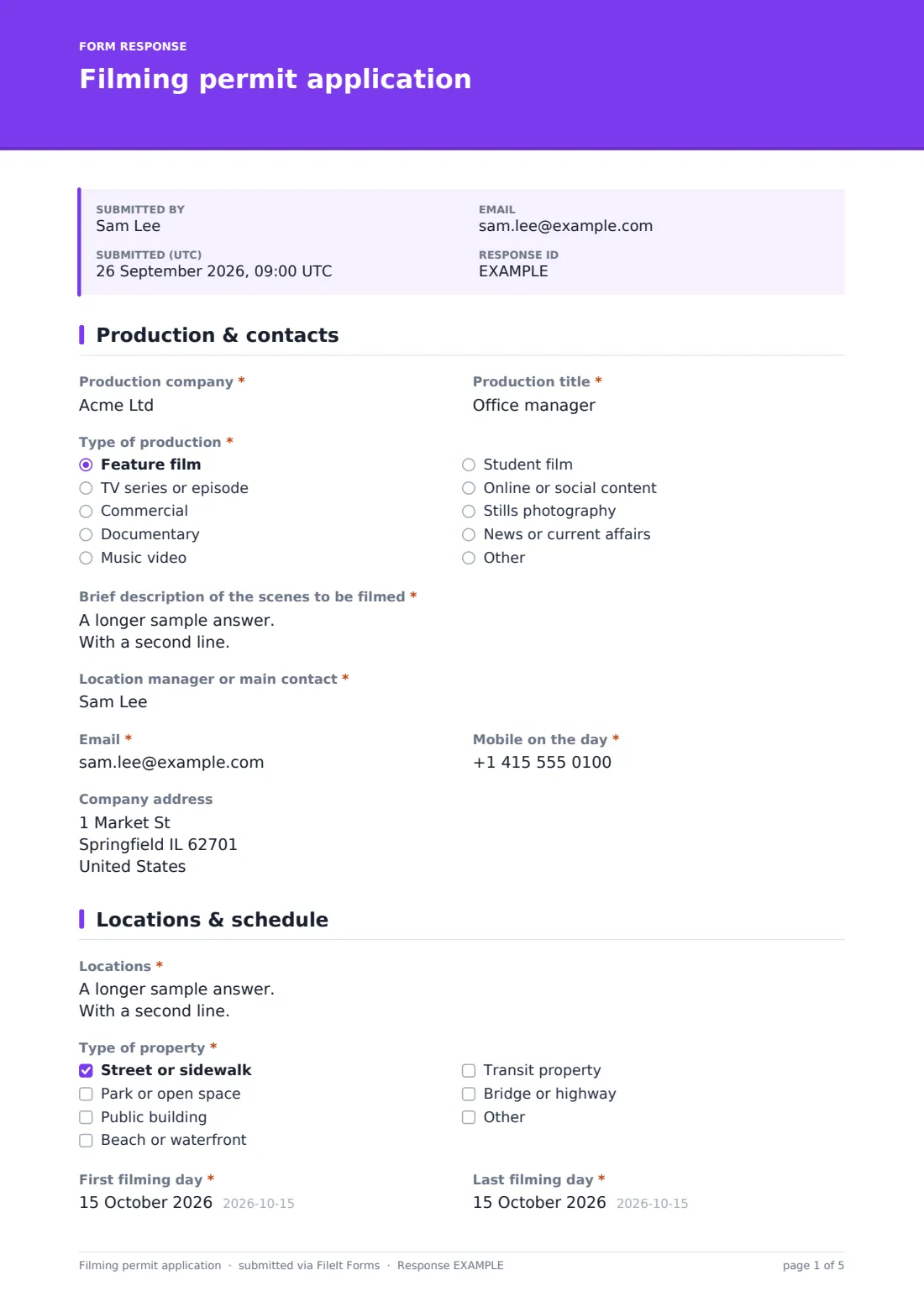
1 Production & contacts
- Production company*
- Production title*
- Type of production* Feature film · TV series or episode · Commercial · Documentary · Music video · Student film · Online or social content · Stills photography · News or current affairs · Other
- Letter from your school or college asked only when it applies
- Brief description of the scenes to be filmed*
- Location manager or main contact*
- Email*
- Mobile on the day*
- Company address
2 Locations & schedule
- Locations*
- Type of property* Street or sidewalk · Park or open space · Public building · Beach or waterfront · Transit property · Bridge or highway
- First filming day*
- Last filming day*
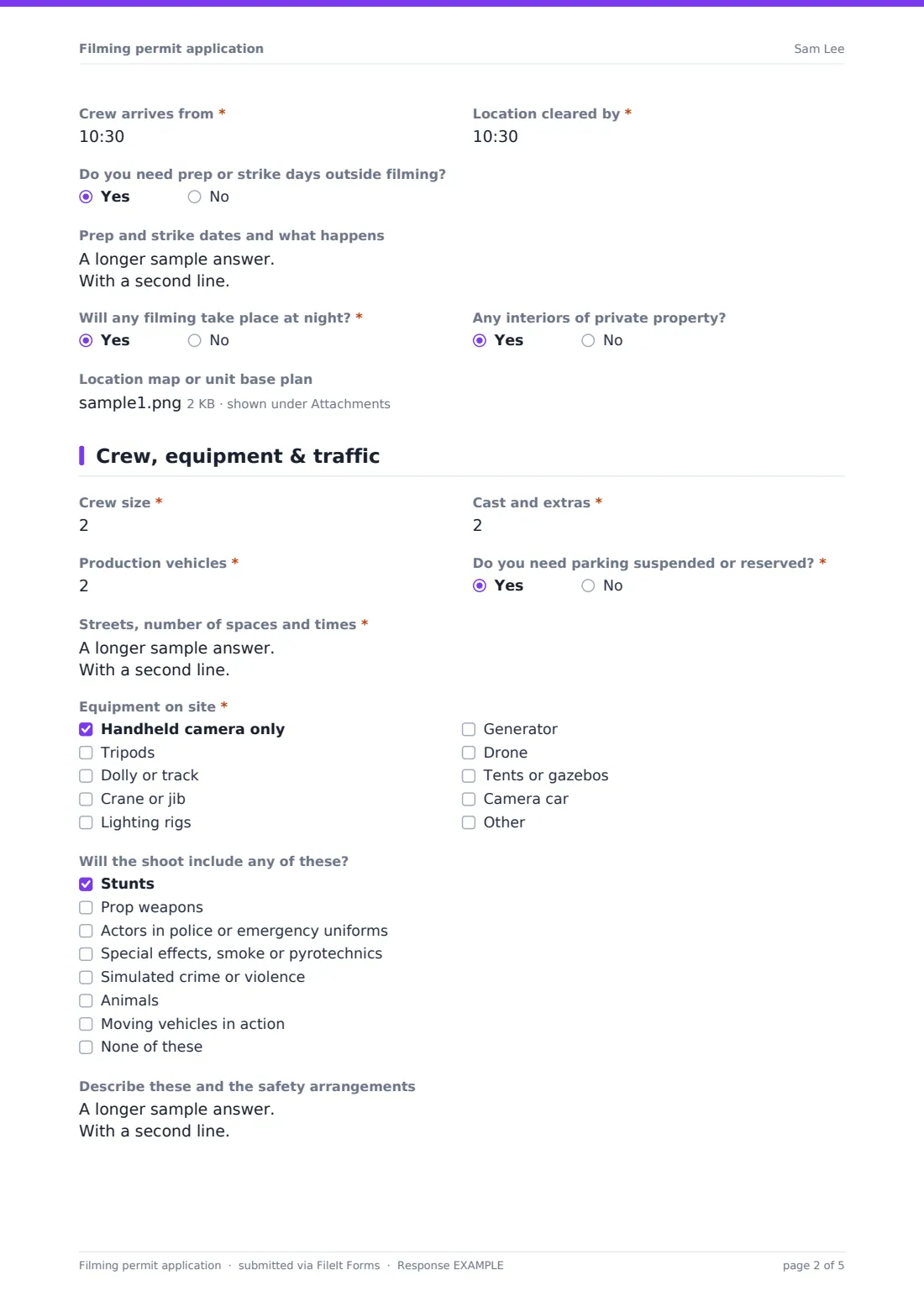
- Crew arrives from*
- Location cleared by*
- Do you need prep or strike days outside filming?
- Prep and strike dates and what happens asked only when it applies
- Will any filming take place at night?*
- Any interiors of private property?
- Location map or unit base plan
3 Crew, equipment & traffic
- Crew size*
- Cast and extras*
- Production vehicles*
- Do you need parking suspended or reserved?*
- Streets, number of spaces and times* asked only when it applies
- Equipment on site* Handheld camera only · Tripods · Dolly or track · Crane or jib · Lighting rigs · Generator · Drone · Tents or gazebos · Camera car
- Drone operator, licence or certification, and flight area* asked only when it applies
- Will the shoot include any of these? Stunts · Prop weapons · Actors in police or emergency uniforms · Special effects, smoke or pyrotechnics · Simulated crime or violence · Animals · Moving vehicles in action · None of these
- Describe these and the safety arrangements asked only when it applies
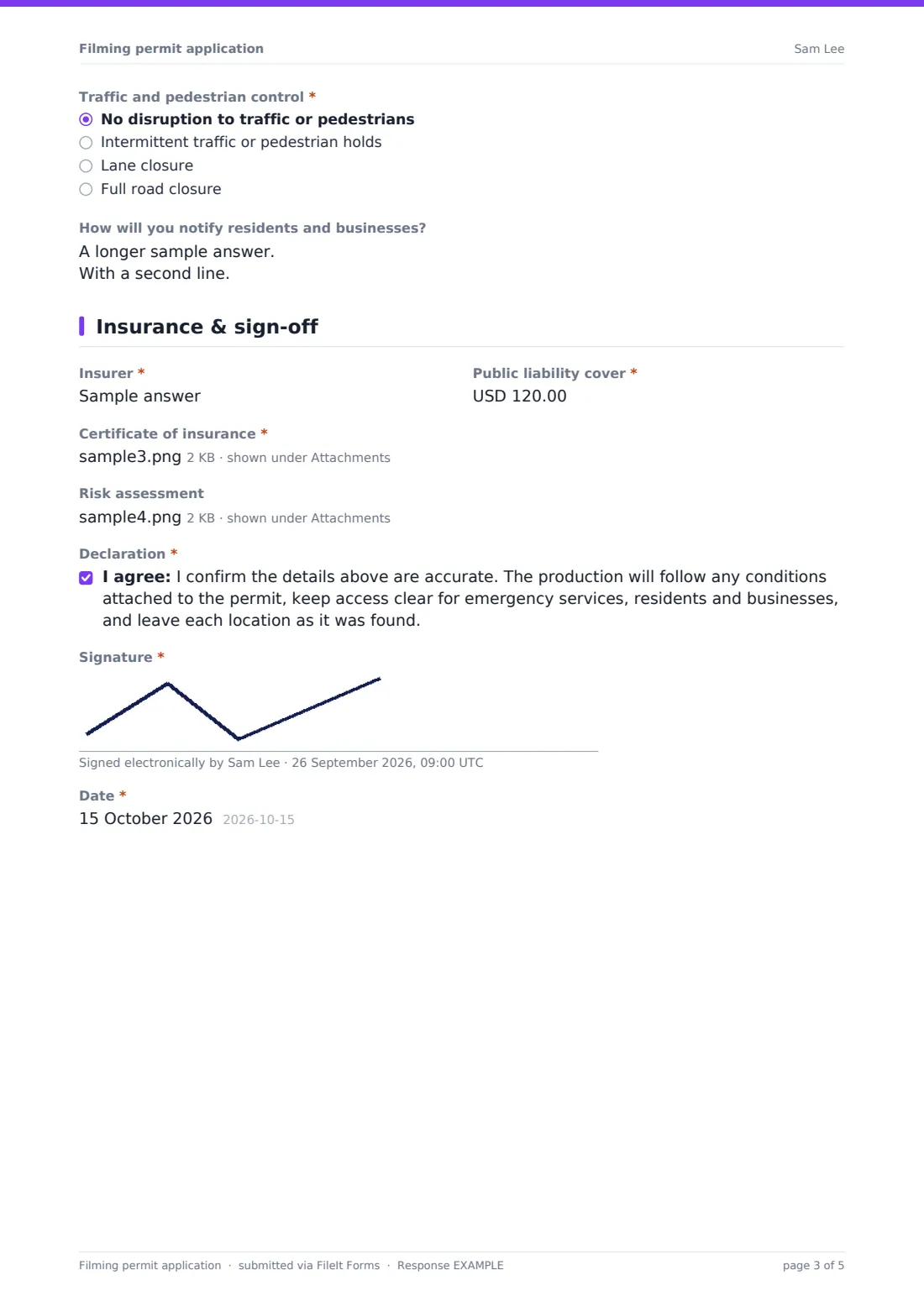
- Traffic and pedestrian control* No disruption to traffic or pedestrians · Intermittent traffic or pedestrian holds · Lane closure · Full road closure
- Roads, times and traffic management plan* asked only when it applies
- Traffic management plan asked only when it applies
- How will you notify residents and businesses?
4 Insurance & sign-off
- Insurer*
- Public liability cover*
- Certificate of insurance*
- Risk assessment
- Declaration*
- Signature*
- Date*
The filming permit application form, page by page
1 Production & contacts
The applicant names the production company and title, chooses the type of production and describes the scenes, flagging anything that could alarm the public. Student films see a note and can attach a letter from their school or college. The location manager's name, email, mobile for the day and the company address complete the page.
2 Locations & schedule
Locations are listed one per line with the exact part used, and a checklist records the type of property, from streets and parks to transit property and bridges. The first and last filming days, crew arrival and clear-by times follow, with an optional section for prep and strike days. Two questions flag night filming and private interiors, and a map or unit base plan can be uploaded.
3 Crew, equipment & traffic
The applicant gives crew size, cast and extras, and the number of production vehicles, and can request suspended or reserved parking with streets and times. An equipment checklist covers tripods, dollies, cranes, lighting, generators, drones, tents and camera cars; a drone asks for the operator, certification and flight area. Stunts, prop weapons, uniforms, effects, animals or vehicle action can be described with the safety arrangements. Traffic control from none to a full road closure opens the roads, times and a traffic management plan upload when needed, followed by how residents and businesses will be notified.
4 Insurance & sign-off
The insurer and public liability cover come with a required certificate of insurance upload and an optional risk assessment. A declaration covers permit conditions, emergency access and leaving locations as found, followed by a signature and date.
Make the template yours
- Put your notice periods, fees and the film office contact in the cover text
- Add police, highways and parks contacts to the notification list
- Make the risk assessment required for shoots with stunts, effects or road closures
- Add your own location list as a dropdown if you manage a fixed set of sites
- Change the cover help text to the insurance amount your authority requires
Tips for a better filming permit application form
- Read the special-items answers first: prop weapons and uniforms usually need a police notification
- Check the parking and closure requests against other permits on the same street and date
- Ask for the drone operator's certification before the shoot, not on the day
- Keep the PDF to hand on the shoot day in case a resident or officer asks what's permitted
- Export responses to CSV to keep a calendar of upcoming shoots
Every response becomes a PDF in your vault
Each signed application becomes a PDF in your chosen vault folder with all uploads attached. You and the people on your notification list get an email, and the production can get a copy for its own records.
The Responses table lists applications by production, date and location, and exports to CSV for a shared shoot calendar.
- Start from this template. It opens in the FileIt Forms designer — change any question, add pages, set the rules for when questions appear.
- Share it. Turn on a public link, or send it to people by email, each with their own link. They don’t need a FileIt account.
- Get the answers as PDFs. Each response is saved as a PDF in the vault folder you choose, with uploaded files attached — and listed in a Responses table you can export to CSV.
Filming permit application form: frequently asked questions
Is this filming permit template free?
Yes. It's included in the FileIt Forms app on every account, and you can change any question.
Does the form issue the permit?
No. It collects the application; your office reviews it and issues the permit, conditions or refusal as usual.
Is this an official government form?
No. It's a general template to adapt to your own rules on notice, fees, insurance and approvals.
Can it handle drone filming?
Ticking drone in the equipment list asks for the operator, their licence or certification and the flight area. Aviation rules still apply separately.
Can we take the permit fee online?
The form doesn't collect payments. Explain fees and how to pay in the cover text or confirmation message.
Do production companies need a FileIt account?
No. Anyone with the link can apply and upload documents.
Can one application cover several locations?
Yes. The locations box takes one location per line, and a map upload can show them all.