What is the family screen time agreement form template?
Rules about screens tend to work better when children help write them. This template walks a parent and child through the conversation one topic at a time — which devices are covered, how much free screen time there is on school days and weekends, when devices are put away, which apps and games are fine, how to stay safe online, and what happens when things go wrong — then records what you agreed with both signatures.
It suits a first phone, a new console, the start of a school year or simply a reset when arguments about screens have become a daily event. The questions are choices rather than prescriptions: limits range from none to no fixed limit, devices can charge in the kitchen or the child's room, and chat can be limited to real-life friends, parent-approved contacts or switched off. Social media details appear only if the child will use it, and a monthly spending amount appears only if purchases come from an allowance.
There are promises on both sides — the child's "I agree to…" list and a "We (the parents) agree to…" list — and a review date so the plan grows with your child. The signed agreement is saved as a PDF in your FileIt vault, filed with the rest of your family's documents.
- Best for
- Families with children from preschool to late teens
- Filled in by
- A parent and child together
- Time to complete
- About 15 minutes, plus the conversation
- Includes
- Daily limits, device-free times, apps and age ratings, promises on both sides, two signatures
Who uses a family screen time agreement form?
- Parents set expectations before giving a child their first phone
- A family agrees console rules after a new games system arrives
- Parents of two children fill in one agreement each, suited to their ages
- A school shares the form with families as part of an online safety evening
- A family reviews and re-signs its agreement every birthday
Questions on this family screen time agreement form
26 questions over 4 pages · includes signature, conditional questions, multiple pages.
1 Who's agreeing
- Child's name*
- Child's age*
- Parent or carer's name*
- Parent's email*
- Devices this agreement covers* Phone · Tablet · Laptop or computer · Games console · TV and streaming · Smartwatch
- Does the child have their own phone?
2 Time & places
- Free screen time on school days* None · Up to 30 minutes · Up to 1 hour · Up to 2 hours · Up to 3 hours · No fixed limit
- Free screen time on weekends and holidays* None · Up to 1 hour · Up to 2 hours · Up to 3 hours · Up to 4 hours · No fixed limit
- Device-free times* At meals · During homework (unless it's needed) · The hour before bed · Car journeys under an hour · Family outings · Before school
- Devices off by*
- Where devices charge overnight* In the kitchen or living room · In a parent's room · In the child's room
- Where devices can be used Anywhere at home · In shared rooms only · Shared rooms, and the bedroom in the daytime
3 Apps & staying safe
- Apps, games and sites we've agreed on*
- Age ratings* We stick to the age ratings · Anything above the rating needs a parent's OK first · We decide case by case
- Will the child use social media?*
- Which accounts, and the privacy settings we've agreed* asked only when it applies
- Chatting and playing online with others* Only with people I know in real life · With people a parent has approved · Chat is switched off
- Downloads and in-app purchases* Always ask a parent first · From my own allowance, up to an agreed amount · No purchases
- Monthly amount agreed asked only when it applies
- I agree to…* Tell a grown-up if anything online upsets or worries me · Never share my address, school or passwords · Not meet up with anyone I only know online · Be kind online, the way I would face to face · Ask before posting photos of other people · Hand over devices when time's up without arguing
- We (the parents) agree to… Put our own phones away at meals too · Listen without overreacting if something goes wrong · Give warning before screen time ends · Explain the reasons for any rule · Respect the child's privacy as they get older
4 If things go wrong & review
- Ways to earn extra screen time
- What happens if the agreement is broken?*
- We'll review this agreement on*
- Child's signature*
- Parent or carer's signature*
The family screen time agreement form, page by page
1 Who's agreeing
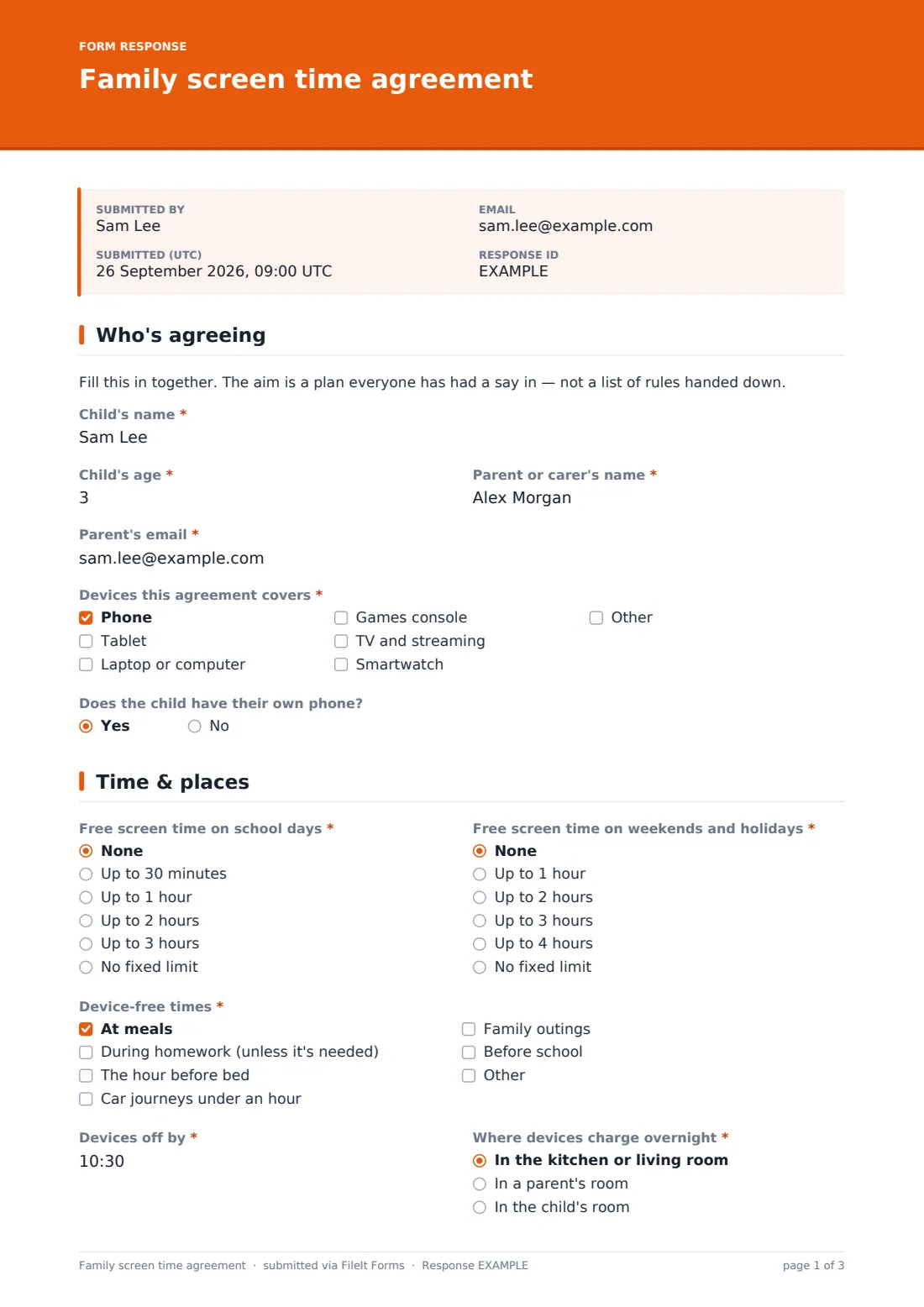
A short note that this is meant to be filled in together, then the child's name and age, the parent or carer's name and email, the devices the agreement covers (phone, tablet, laptop, console, TV and streaming, smartwatch or other), and whether the child has their own phone.
2 Time & places
Free screen time on school days (not counting homework) and on weekends and holidays, the device-free times you choose — meals, homework, the hour before bed, short car journeys, family outings, before school — the time devices go off, where they charge overnight and where in the home they can be used.
3 Apps & staying safe
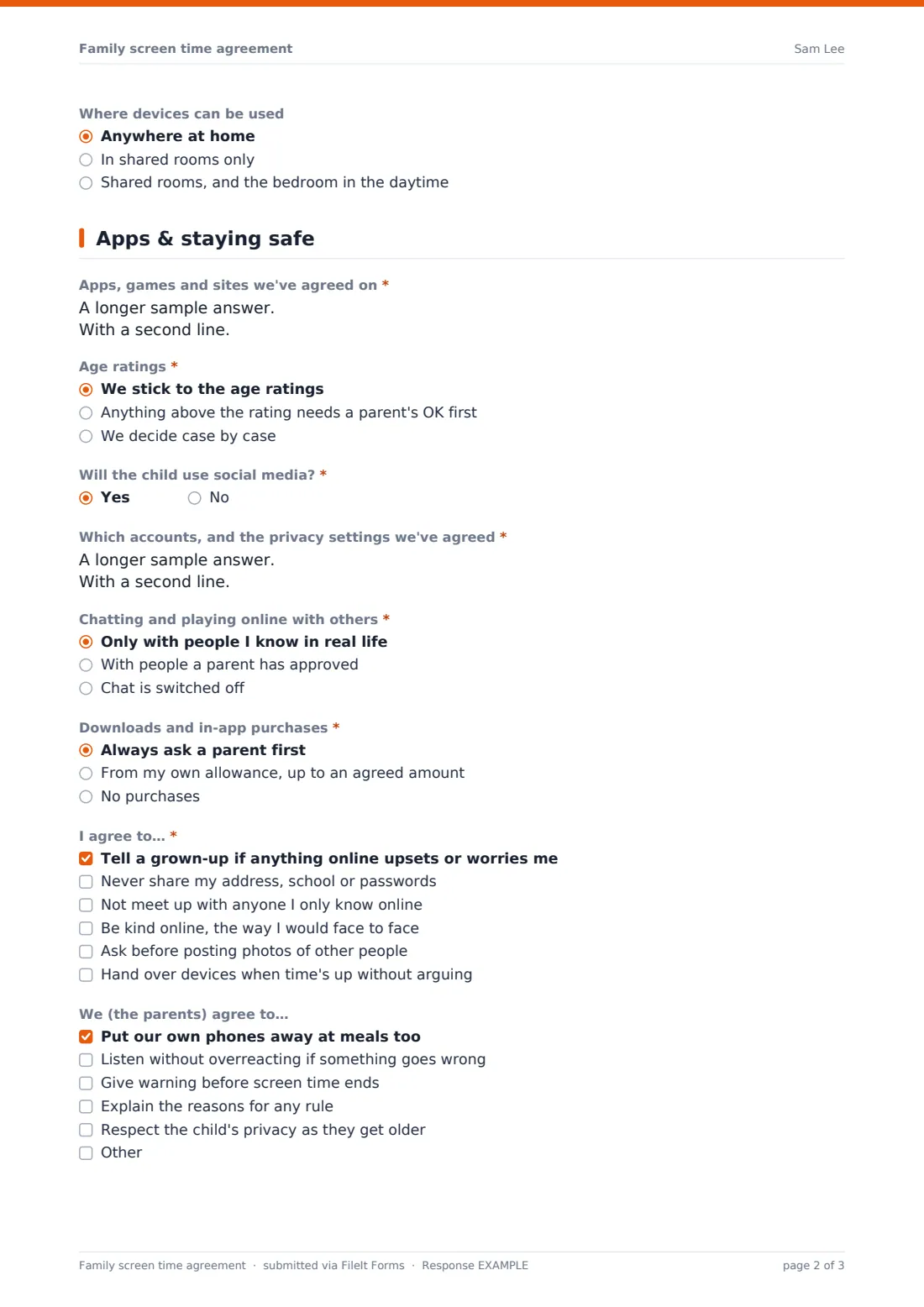
The apps, games and sites you've agreed on and how you handle age ratings. "Will the child use social media?" asks for the accounts and privacy settings on a yes. Then who the child can chat or play with online, how downloads and in-app purchases work — an allowance asks for the monthly amount — the child's "I agree to…" promises and the parents' own commitments.
4 If things go wrong & review
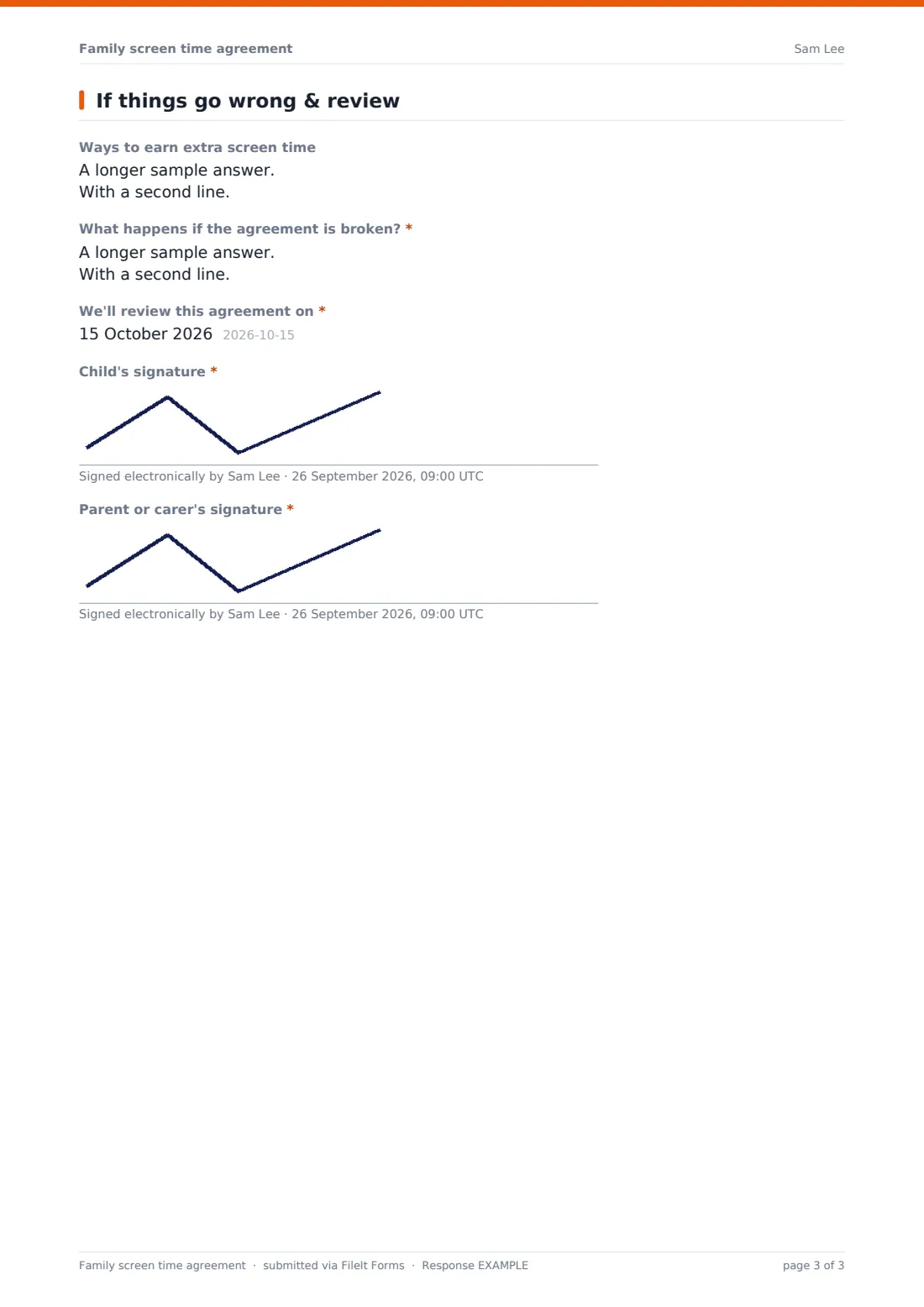
Optional ways to earn extra screen time, a required answer to "What happens if the agreement is broken?", the date you'll review the agreement, and signatures from the child and the parent or carer.
Make the template yours
- Change the time options to the limits your family actually uses
- Add a device to the list, such as a VR headset or e-reader
- Simplify the promises for younger children or add more for teenagers
- Change the currency of the monthly purchase amount
- Make one copy of the form per child so each agreement suits their age
Tips for a better family screen time agreement form
- Let the child suggest the limits first — you can always meet in the middle
- Keep the consequences short and specific so everyone remembers them
- Include your own promises; children notice when rules only go one way
- Print the PDF and put it somewhere visible, like the fridge
- Pick a review date that's close enough to matter, such as the next school holiday
Every response becomes a PDF in your vault
The signed agreement is saved as a PDF in the vault folder you choose and a copy is emailed to the parent's address. Owner notifications are off by default because this is usually a family's own form; switch them on in Settings if a school or club is collecting agreements.
When the review date comes round, open the old PDF, talk through what worked, and fill in a fresh copy — previous versions stay in the vault so you can see how the rules have changed.
- Start from this template. It opens in the FileIt Forms designer — change any question, add pages, set the rules for when questions appear.
- Share it. Turn on a public link, or send it to people by email, each with their own link. They don’t need a FileIt account.
- Get the answers as PDFs. Each response is saved as a PDF in the vault folder you choose, with uploaded files attached — and listed in a Responses table you can export to CSV.
Family screen time agreement form: frequently asked questions
Is this screen time agreement template free?
Yes. It's part of the Forms app on every FileIt account, and you can change any question or option.
Does the form recommend how much screen time is right?
No. It gives a range of options and leaves the decision to your family. Every answer is a choice you make together.
Can my child sign on a phone or tablet?
Yes. The signature pad works with a finger or stylus, and there's a separate signature for the parent.
Can a school use it with parents?
Yes. Share the public link with families and turn on notifications if you'd like to see each completed agreement.
Do we need a FileIt account to fill it in?
No. Anyone with the link can fill it in. The account holder who shares it gets the signed PDF in their vault.