What is the evacuation drill record form template?
A fire drill teaches you something only if someone writes down what happened. How long did it take to clear the building? Did everyone hear the alarm? Did the visitor in meeting room four get out? Without a record, the same problems turn up at every drill.
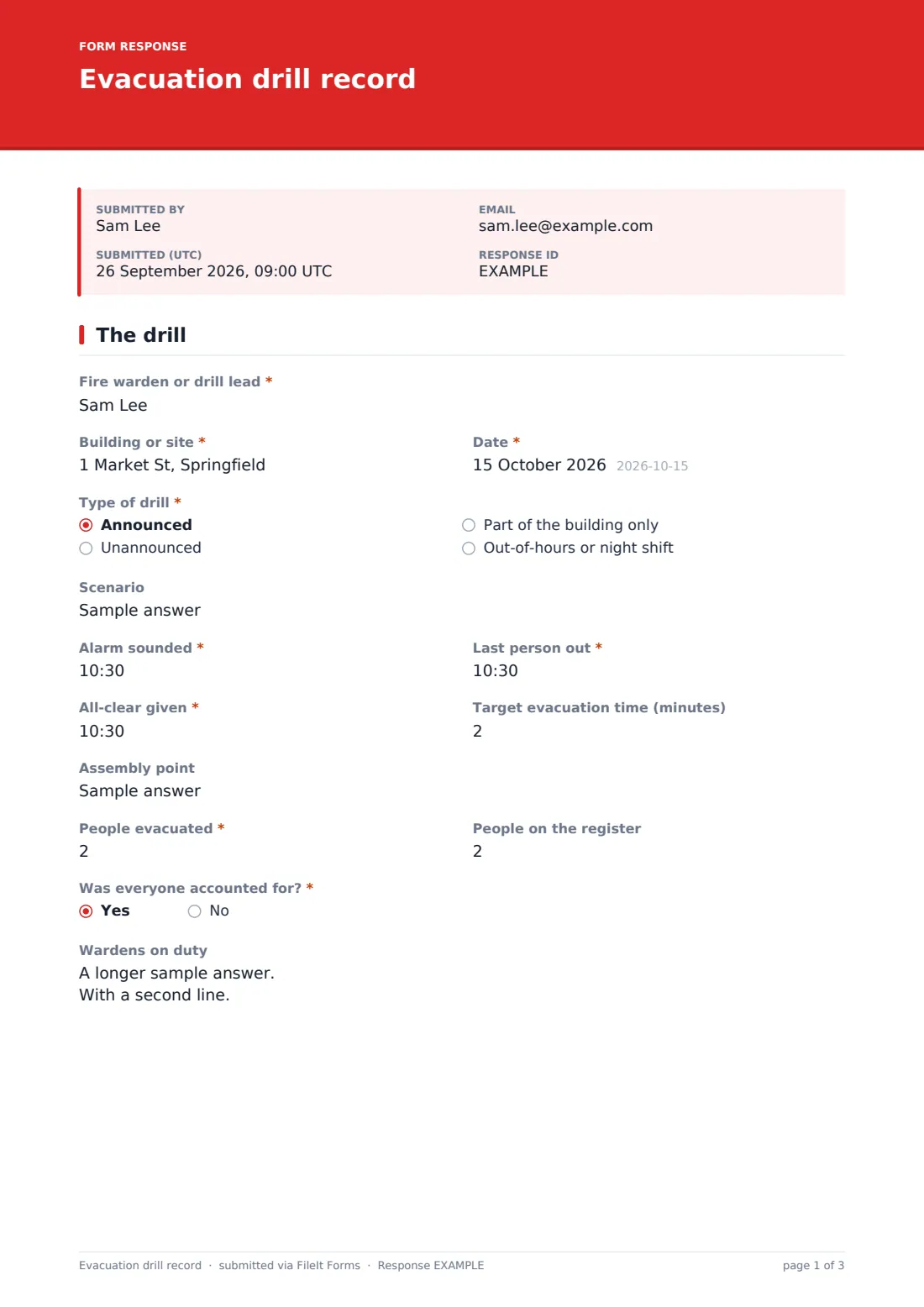
This two-page record starts with the drill itself: who led it, the building, the date, the type of drill and the scenario. Three times anchor it: when the alarm sounded, when the last person was out and when the all-clear was given, with a target evacuation time to compare against. The warden records the assembly point, the number of people evacuated and the number on the register, and whether everyone was accounted for. A no asks who wasn't and why.
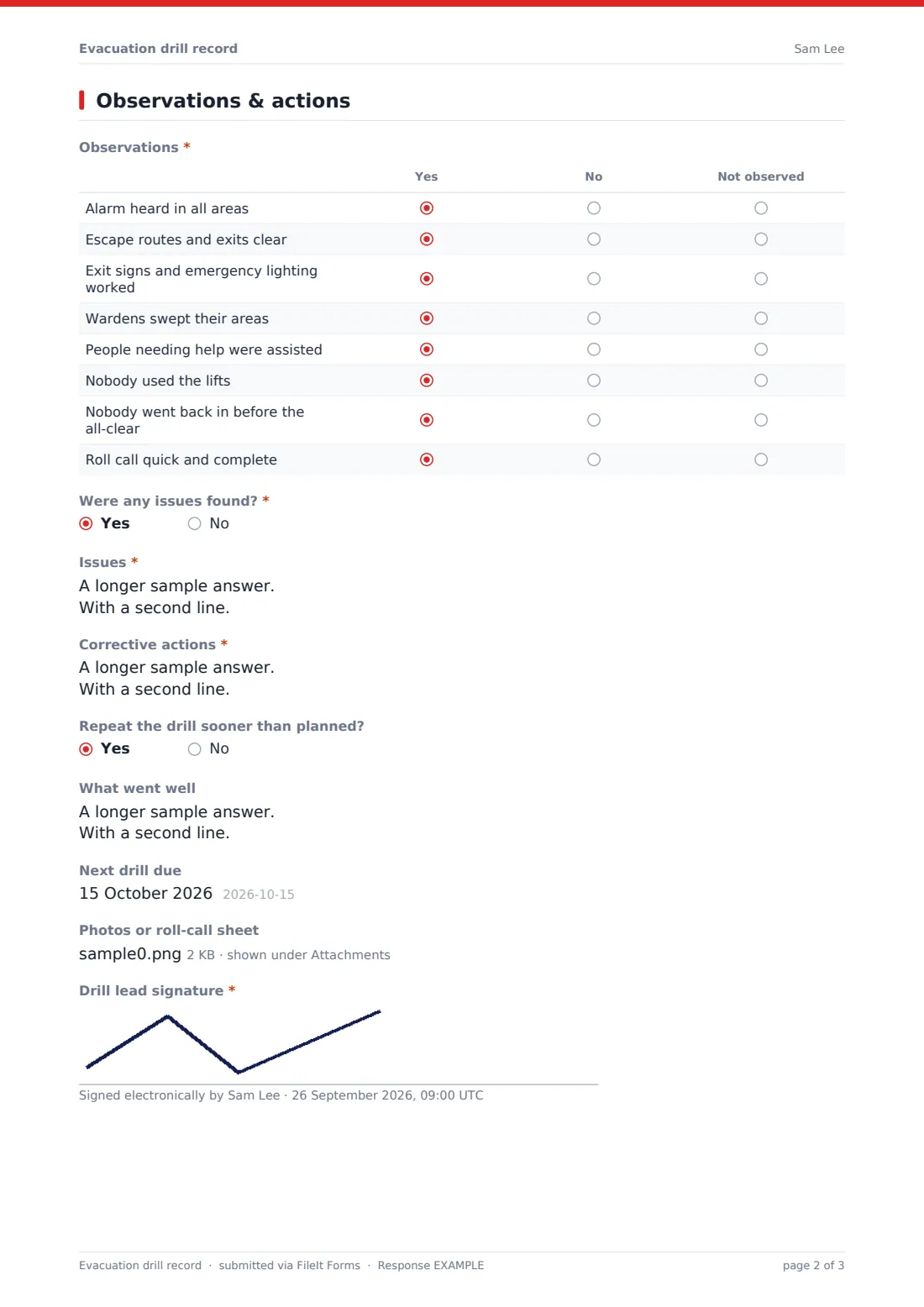
The second page has an observations grid covering alarms, routes, signs and lighting, warden sweeps, assistance for people who need it, lifts, re-entry and roll call. Answering yes to Were any issues found? asks for the issues and the corrective actions. Each drill is signed and filed as a PDF in your FileIt vault.
- Best for
- Fire wardens, facilities managers, schools and office managers
- Filled in by
- The fire warden or drill lead
- Time to complete
- About 5–10 minutes after the drill
- Includes
- Alarm, last-out and all-clear times, headcount, an eight-row observations grid, issues and corrective actions
Who uses a evacuation drill record form?
- Termly fire drills in a school
- Unannounced evacuation drills in an office building
- Night-shift drills in a care home or factory
- Partial evacuations of one floor or wing
- Multi-tenant buildings where each tenant's warden records their area
- Keeping drill evidence for an insurer or a fire safety audit
Questions on this evacuation drill record form
24 questions over 2 pages · includes signature, file upload, conditional questions, multiple pages, ratings.
1 The drill
- Fire warden or drill lead*
- Building or site*
- Date*
- Type of drill* Announced · Unannounced · Part of the building only · Out-of-hours or night shift
- Scenario
- Alarm sounded*
- Last person out*
- All-clear given*
- Target evacuation time (minutes)
- Assembly point
- People evacuated*
- People on the register
- Was everyone accounted for?*
- Who wasn't, and why?* asked only when it applies
- Wardens on duty
2 Observations & actions
- Observations* Yes · No · Not observed
- Were any issues found?*
- Issues* asked only when it applies
- Corrective actions* asked only when it applies
- Repeat the drill sooner than planned? asked only when it applies
- What went well
- Next drill due
- Photos or roll-call sheet
- Drill lead signature*
The evacuation drill record form, page by page
1 The drill
The fire warden or drill lead, the building or site and the date are required. Type of drill is announced, unannounced, part of the building only, or out-of-hours. Scenario describes what was simulated. Alarm sounded, Last person out and All-clear given are time fields, with a target evacuation time in minutes. The assembly point, People evacuated and People on the register follow. Was everyone accounted for? asks a no for details. Wardens on duty is optional.
2 Observations & actions
The Observations grid marks eight statements yes, no or not observed, from the alarm being heard in all areas to escape routes, emergency lighting, warden sweeps, help for people who need it, nobody using the lifts, nobody going back in, and a quick, complete roll call. A yes to Were any issues found? asks for the issues, the corrective actions with an owner and due date for each, and whether to repeat the drill sooner. What went well, the next drill date, photos or a roll-call sheet and the lead's signature finish the record.
Make the template yours
- Add your buildings or floors as a dropdown
- Add rows to the observations grid for your own procedures, such as refuge points
- Add the facilities manager as a notification email
- File drills into a vault folder per building
- Change the target evacuation time help text to your own target
Tips for a better evacuation drill record form
- Have one person time the drill and another watch the routes
- Compare the headcount with the sign-in or visitor log, not memory
- Vary the scenario so different exits get tested
- Give each corrective action an owner and a date
- Hold a short debrief with wardens straight after
Every response becomes a PDF in your vault
Each drill is filed as a signed PDF in the vault folder you choose, with photos or the roll-call sheet attached, and the form owner is emailed.
Export responses to CSV to compare evacuation times and open actions across drills and buildings.
- Start from this template. It opens in the FileIt Forms designer — change any question, add pages, set the rules for when questions appear.
- Share it. Turn on a public link, or send it to people by email, each with their own link. They don’t need a FileIt account.
- Get the answers as PDFs. Each response is saved as a PDF in the vault folder you choose, with uploaded files attached — and listed in a Responses table you can export to CSV.
Evacuation drill record form: frequently asked questions
Is this fire drill record free?
Yes. It's a starter template in FileIt Forms, and every question can be edited.
How often should we run drills?
That depends on your building, your fire risk assessment and local rules. The next drill due date helps you keep to whatever schedule you set.
Does the form calculate the evacuation time?
No. It records the alarm, last-out and all-clear times you enter, alongside your target.
When are corrective actions asked for?
Whenever the warden answers yes to Were any issues found? The form then asks for the issues and the actions.
Can wardens complete it on a phone?
Yes. The form works in any phone browser, and wardens don't need a FileIt account.