
What is the directory information opt-out form template?
Most schools publish a handful of student details as a matter of routine: names in the yearbook, heights and weights in the football program, grade levels on honor rolls, photos on the website. These details are usually called directory information, and many schools give families a chance at the start of each year to say which of them they'd rather keep back.
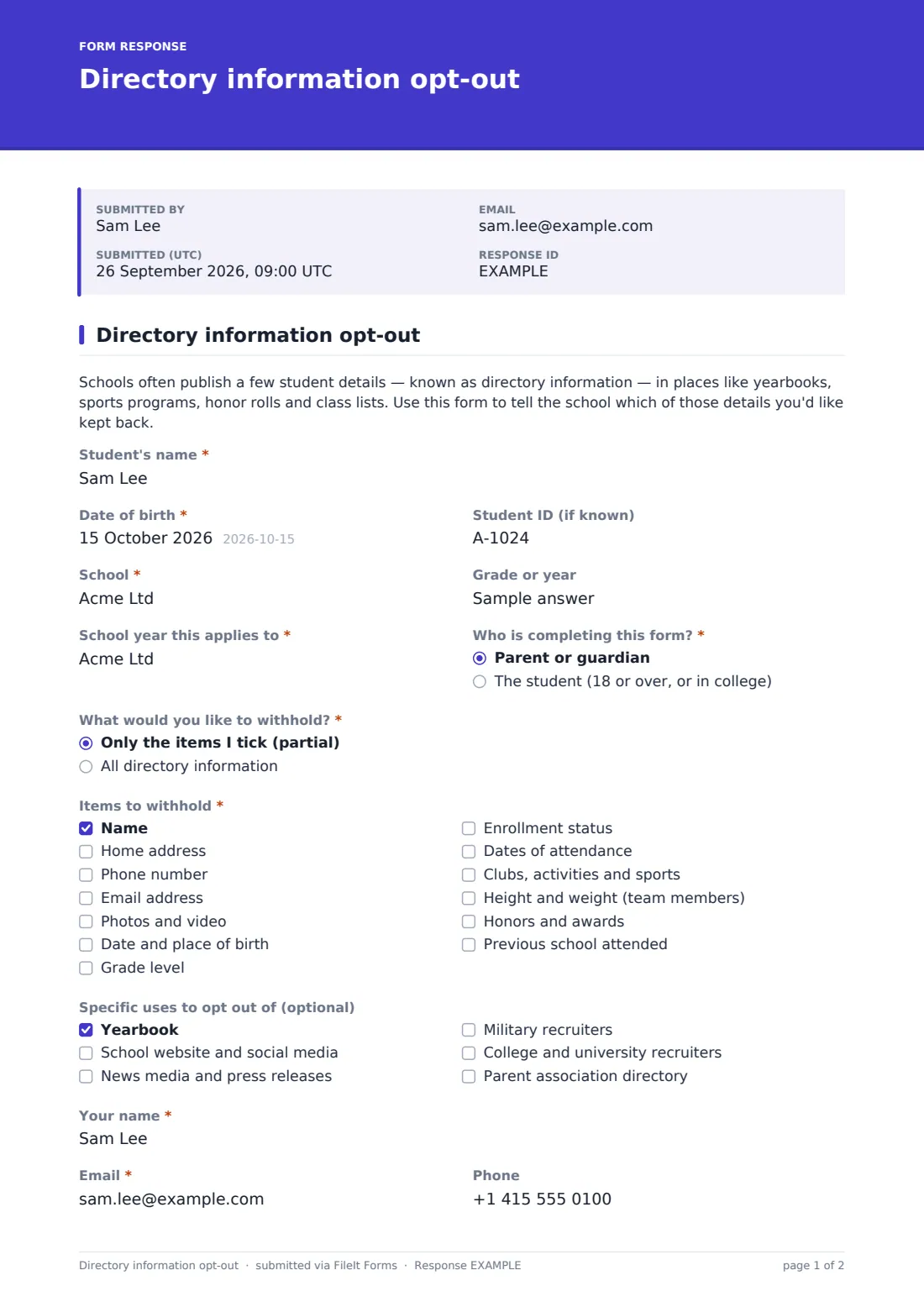
This template turns that choice into a single page. A short introduction explains what directory information is, then the family identifies the student, the school and the school year, and says whether they're a parent or guardian or the student themselves. The key question is "What would you like to withhold?". Choosing the partial option opens a list of thirteen items to tick; choosing everything shows a gentle note about what that can mean in practice. An optional list covers specific uses, from the yearbook to recruiters and the parent association directory.
Every completed form is saved as a PDF in your FileIt vault, and the family receives their own copy by email, so both sides have the same record.
- Best for
- Schools, districts, charter schools and private schools
- Filled in by
- A parent or guardian, or a student aged 18 or over
- Time to complete
- About 2 minutes
- Includes
- Full or partial opt-out, 13 directory items, specific uses, signature and date
Who uses a directory information opt-out form?
- Sending the opt-out link with the back-to-school packet each fall
- A family who's happy with the yearbook but not the school's social media
- A parent who wants a child's address and phone kept out of the class directory
- A student who turns 18 and makes the choice for themselves
- An athlete's family who'd rather not have height and weight in the program
- A front office replacing paper slips that go missing in backpacks
Questions on this directory information opt-out form
16 questions · includes signature, conditional questions, consent checkbox.
1 Directory information opt-out
- Student's name*
- Date of birth*
- Student ID (if known)
- School*
- Grade or year
- School year this applies to*
- Who is completing this form?* Parent or guardian · The student (18 or over, or in college)
- What would you like to withhold?* Only the items I tick (partial) · All directory information
- Items to withhold* asked only when it applies Name · Home address · Phone number · Email address · Photos and video · Date and place of birth · Grade level · Enrollment status · Dates of attendance · Clubs, activities and sports · Height and weight (team members) · Honors and awards
- Specific uses to opt out of (optional) Yearbook · School website and social media · News media and press releases · Military recruiters · College and university recruiters · Parent association directory
- Your name*
- Email*
- Phone
- Request*
- Signature*
- Date*
The directory information opt-out form, page by page
1 Directory information opt-out
After the introduction, the form asks for the Student's name, Date of birth, Student ID (if known), School, Grade or year and the School year this applies to. "Who is completing this form?" is a parent or guardian, or the student if they're 18 or over or in college.
"What would you like to withhold?" has two answers. "Only the items I tick (partial)" opens Items to withhold: name, home address, phone number, email, photos and video, date and place of birth, grade level, enrollment status, dates of attendance, clubs and sports, height and weight for team members, honors and awards, and previous school. "All directory information" shows a short note instead.
Specific uses to opt out of is optional and covers the yearbook, the website and social media, news media, military and college recruiters, and the parent association directory. The person completing it gives their name, email and phone, confirms the request, signs and dates it.
Make the template yours
- Replace the item list with exactly what your school's annual notice calls directory information
- Add a link to your school's notice in the introduction
- Remove the specific uses that don't apply at your school
- Set a close date so opt-outs come in before the yearbook goes to print
- Point PDFs at a folder for the school year so records are easy to find later
- Add a dropdown of your schools if a district uses one form for all of them
Tips for a better directory information opt-out form
- Send the form at the start of the year, before photos and programs are produced
- Explain the trade-offs plainly — families often don't realize what "all" leaves out
- Share the list with the yearbook, athletics and communications teams, not just the office
- Ask families to complete a new form each year so records stay current
- Keep the language friendly; it's a choice, not a complaint
- Check with your district or legal adviser about what your notice must include
Every response becomes a PDF in your vault
The form is filed in your FileIt vault as a PDF named with the student's name, and the family receives a copy at the email they entered. The account owner is notified of each new opt-out.
Schools usually export the Responses table to CSV and share the list of withheld items with the people who produce yearbooks, programs, rosters and the website.
- Start from this template. It opens in the FileIt Forms designer — change any question, add pages, set the rules for when questions appear.
- Share it. Turn on a public link, or send it to people by email, each with their own link. They don’t need a FileIt account.
- Get the answers as PDFs. Each response is saved as a PDF in the vault folder you choose, with uploaded files attached — and listed in a Responses table you can export to CSV.
Directory information opt-out form: frequently asked questions
Is this directory information opt-out form free?
Yes. It's included in the Forms app on every FileIt account, including the free plan.
Does this form meet our legal requirements?
FileIt doesn't give legal advice. The template is a starting point; check with your district or adviser what your notice and opt-out need to cover, and edit the items to match.
What happens when a parent chooses partial?
The form shows a list of directory items and asks them to tick at least one to withhold.
Can a student fill it in themselves?
Yes. "Who is completing this form?" includes students aged 18 or over or in college.
Do parents need a FileIt account?
No. They use the link you share and sign on screen.
Can families change their minds later?
Yes. They can submit a new form, and each one is kept as its own dated PDF.