What is the consent withdrawal form template?
Giving consent is usually easy: a tick box, a signature on a registration form. Taking it back is often harder. People don't know who to write to, organisations receive vague emails they can't match to a record, and nobody keeps a clear note of when the withdrawal arrived.
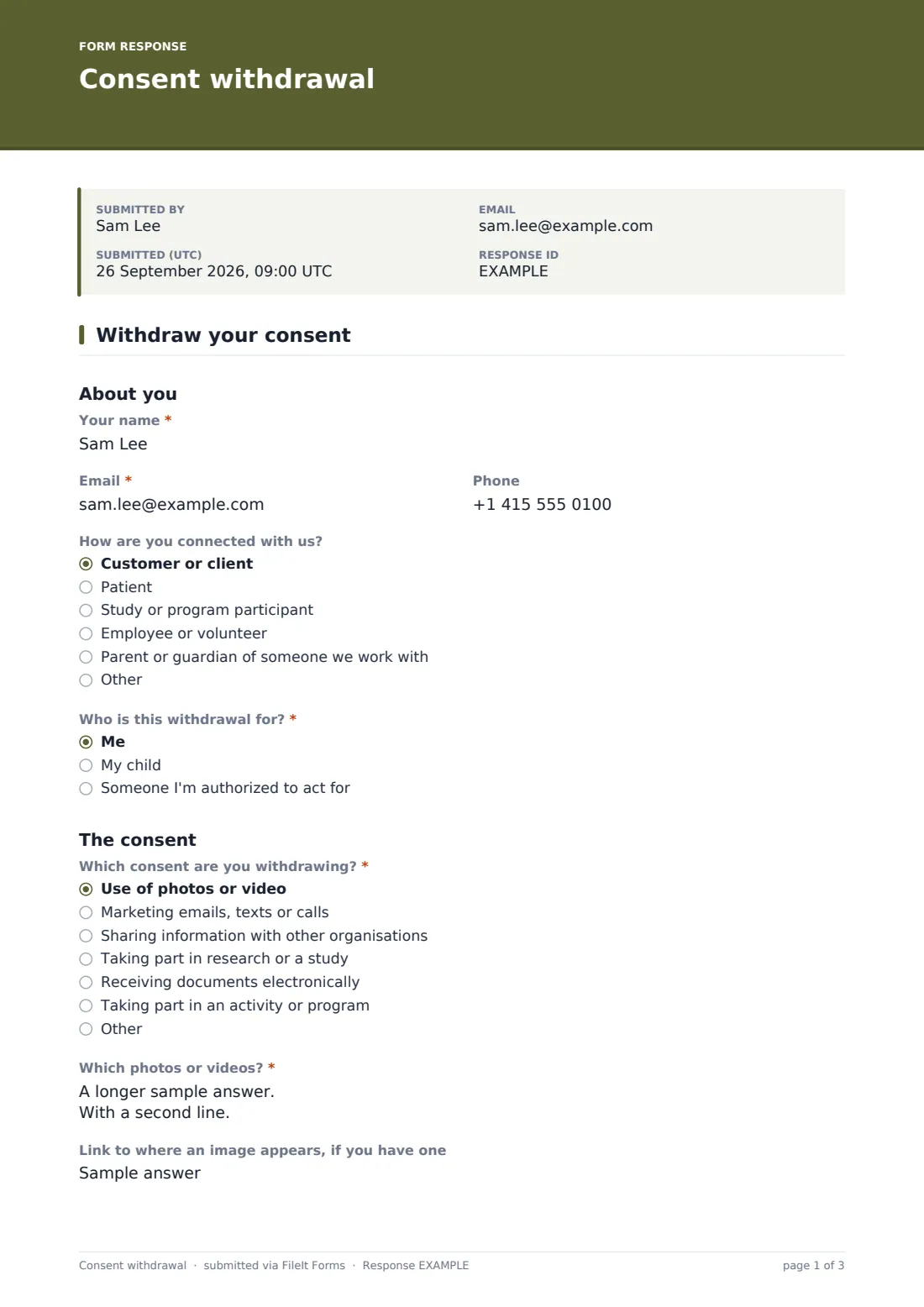
This one-page template gives withdrawals a proper front door. The person says who they are and who the withdrawal is for, which consent they're withdrawing, roughly when and how it was given, and when the withdrawal should take effect. They choose how they'd like you to confirm you've acted on it.
Photos and video get extra care. Choosing that option asks which images are meant, where they've been seen, an optional link or screenshot, and whether they'd like them removed where possible or just not used again. Every withdrawal is signed and filed as a dated PDF in your FileIt vault, so there's a record of when it arrived.
- Best for
- Schools, clubs, clinics, charities, research teams and businesses that collect consents
- Filled in by
- The person who gave consent, or a parent or authorized representative
- Time to complete
- About 3 minutes
- Includes
- Who it's for, consent type, photo and video follow-ups, date given, effective date, confirmation preference, signature
Who uses a consent withdrawal form?
- Parents asking a school or club to stop using their child's photo
- Research participants leaving a study
- Customers withdrawing permission to share their details with partners
- Clients switching back from electronic to paper documents
- Volunteers asking for their image to come off a website
- Linking from a privacy notice as the way to withdraw consent
Questions on this consent withdrawal form
22 questions · includes signature, file upload, conditional questions, consent checkbox.
1 Withdraw your consent
- Your name*
- Email*
- Phone
- How are you connected with us? Customer or client · Patient · Study or program participant · Employee or volunteer · Parent or guardian of someone we work with
- Who is this withdrawal for?* Me · My child · Someone I'm authorized to act for
- Their full name* asked only when it applies
- Which consent are you withdrawing?* Use of photos or video · Marketing emails, texts or calls · Sharing information with other organisations · Taking part in research or a study · Receiving documents electronically · Taking part in an activity or program
- Which photos or videos?* asked only when it applies
- Link to where an image appears, if you have one asked only when it applies
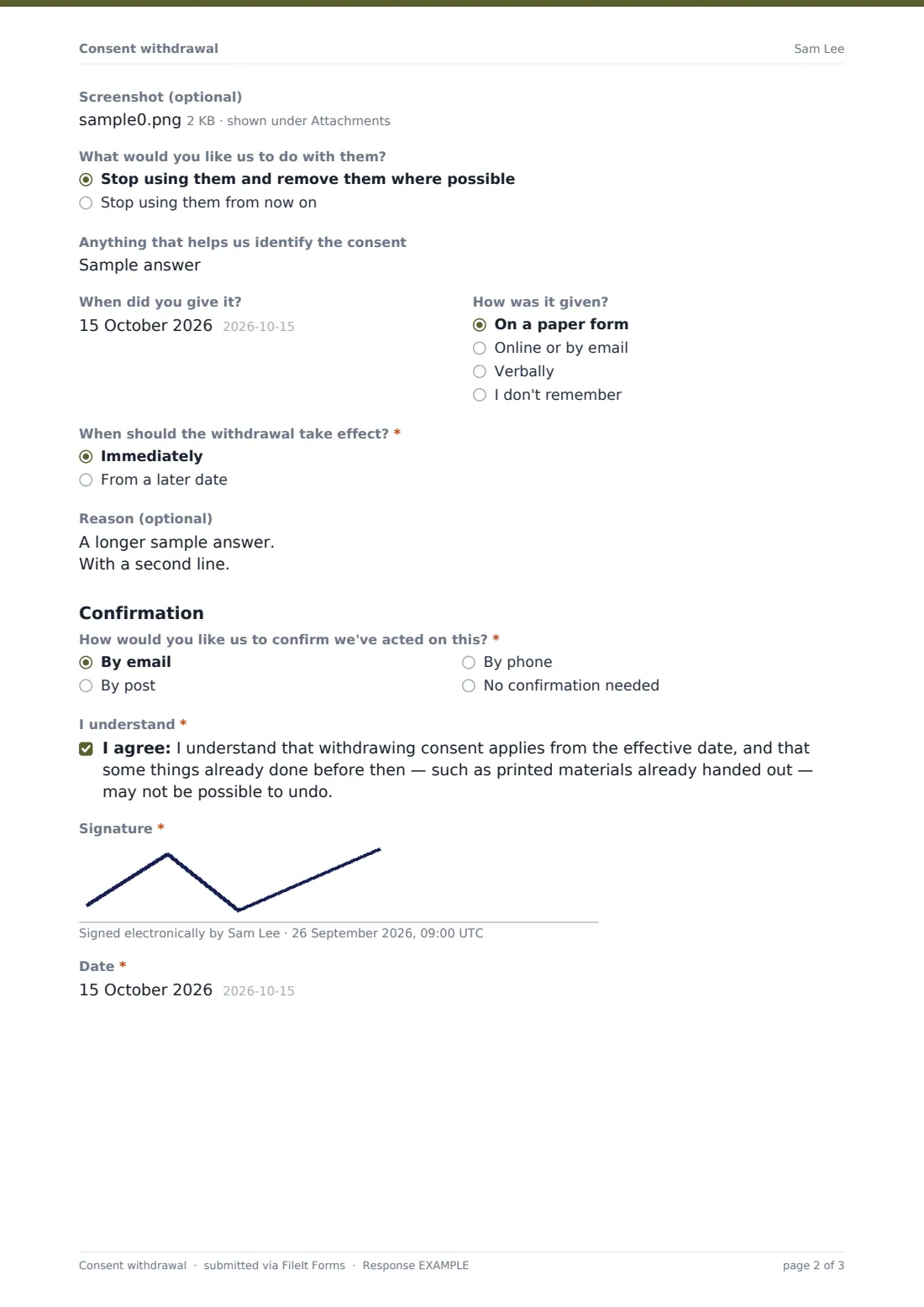
- Screenshot (optional) asked only when it applies
- What would you like us to do with them? asked only when it applies Stop using them and remove them where possible · Stop using them from now on
- Anything that helps us identify the consent
- When did you give it?
- How was it given? On a paper form · Online or by email · Verbally · I don't remember
- When should the withdrawal take effect?* Immediately · From a later date
- Effective date* asked only when it applies
- Reason (optional)
- How would you like us to confirm we've acted on this?* By email · By post · By phone · No confirmation needed
- Postal address* asked only when it applies
- I understand*
- Signature*
- Date*
The consent withdrawal form, page by page
1 About you
Name, email, optional phone and how they're connected with you. "Who is this withdrawal for?" — themselves, their child, or someone they're authorized to act for, which asks for that person's name.
2 The consent
"Which consent are you withdrawing?" lists photos or video, marketing, sharing information, research, electronic documents and taking part in a program, with an Other option. Choosing photos or video reveals "Which photos or videos?", a link, a screenshot upload and what they'd like done with them. Everyone can add a reference, says when and how the consent was given, picks when the withdrawal should take effect (a later date asks for it), and can give a reason, though they don't have to.
3 Confirmation
How they'd like you to confirm — email, post (which asks for an address), phone or not at all — an acknowledgement that some things already done may not be reversible, a signature and the date.
Make the template yours
- Replace the consent types with the consents you actually collect
- Add your privacy contact's details to the cover text
- Link to the form from the same places you collect consent
- Route withdrawals to the person who maintains your consent records
- Remove the signature if you'd rather keep it to a few clicks
- Add a follow-up for research withdrawals asking whether data already collected may be kept
Tips for a better consent withdrawal form
- Act on withdrawals quickly and update every list or system that holds the consent
- Tell people plainly if something can't be undone, such as a printed yearbook
- Keep the withdrawal with the original consent so the history is clear
- Don't ask people to justify their decision
- Check the rules that apply to you, such as data protection or research ethics requirements
Every response becomes a PDF in your vault
Each withdrawal is filed as a PDF in the vault folder you choose, with any screenshots attached, and you get an email. The person receives a copy for their records.
Use the Responses table to see which withdrawals have arrived and export them to CSV to update your other systems. FileIt records the withdrawal; acting on it is up to your team.
- Start from this template. It opens in the FileIt Forms designer — change any question, add pages, set the rules for when questions appear.
- Share it. Turn on a public link, or send it to people by email, each with their own link. They don’t need a FileIt account.
- Get the answers as PDFs. Each response is saved as a PDF in the vault folder you choose, with uploaded files attached — and listed in a Responses table you can export to CSV.
Consent withdrawal form: frequently asked questions
Is this consent withdrawal template free?
Yes. Every FileIt plan, including free, includes the Forms app and this template.
Does the person need a FileIt account?
No. They can fill in and sign the form from the link.
Why are there extra questions for photos?
Images are hard to find without details. Knowing the event, where they appeared and who's in them makes it practical to act.
Can a parent withdraw consent for their child?
Yes. Choosing "My child" asks for the child's name.
Does withdrawing consent undo what's already happened?
Not always. The form tells people that some things done before the withdrawal may not be reversible.
Is this legal advice?
No. It's a starting template. Check what the rules that apply to you require.