What is the device repair intake form template?
Most arguments in a repair shop start at collection: a scratch nobody remembers, a bill bigger than expected, photos that vanished after a reset. Nearly all of them can be avoided by writing the right things down at drop-off, while the customer is still standing at the counter.
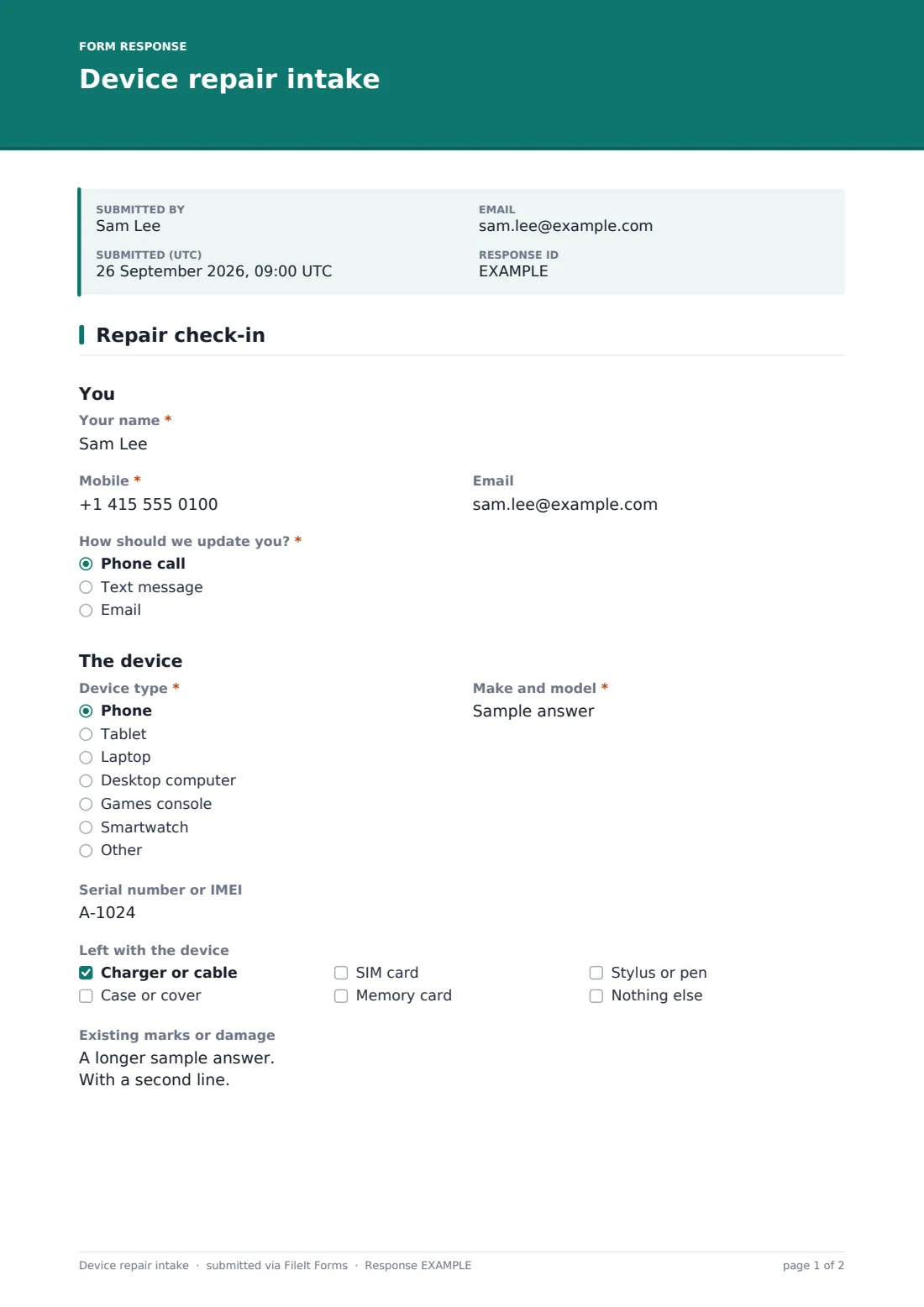
This intake form fits on one page. It records who the customer is and how they want updates, the device type, make and model, serial number or IMEI, what was left with it and any existing marks. The customer ticks what they need, from a cracked screen to a battery problem, and describes the fault in their own words. Ticking Data recovery asks Which files matter most? so your technician knows where to start, and where recovered files should go.
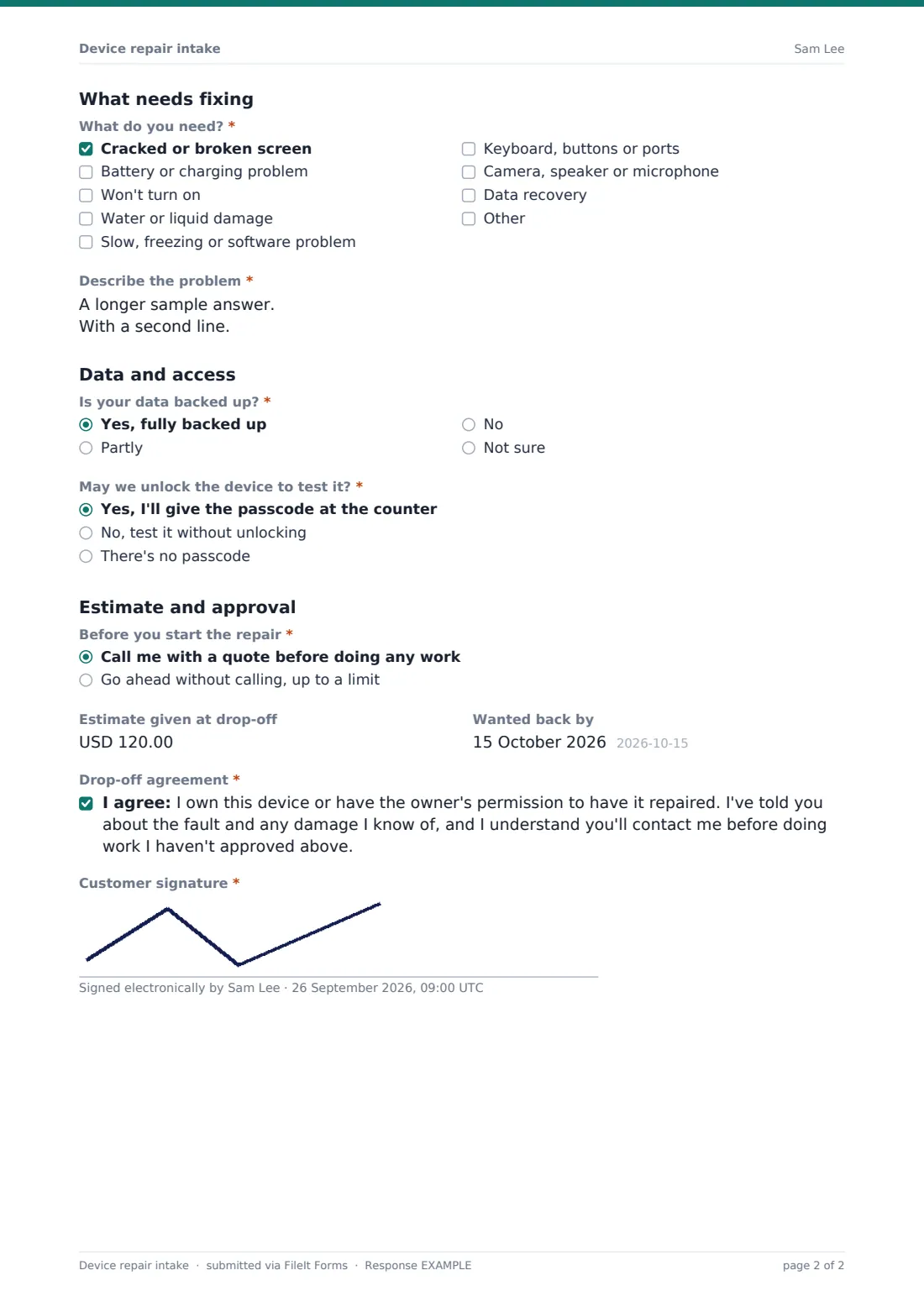
The last part covers the questions that protect both sides: whether the data is backed up, whether you may unlock the device to test it (without the passcode ever being typed into the form), and whether to call with a quote or go ahead up to an approved limit. The customer signs, and the ticket is filed as a PDF in your FileIt vault.
- Best for
- Phone, computer and electronics repair shops, and IT help desks
- Filled in by
- The customer, or staff at the counter with the customer
- Time to complete
- About 3–5 minutes
- Includes
- Fault checklist, data recovery follow-up, backup warning, unlock consent, approved limit and signature
Who uses a device repair intake form?
- Booking in a cracked phone screen or a failing battery
- Checking in a laptop that won't power on
- A liquid-damaged tablet where the customer mostly wants their photos back
- School or office IT desks logging devices handed in for repair
- Games console and smartwatch repairs
- Tablets at the counter, so customers fill in their own ticket
Questions on this device repair intake form
21 questions · includes signature, conditional questions, consent checkbox.
1 Repair check-in
- Your name*
- Mobile*
- How should we update you?* Phone call · Text message · Email
- Device type* Phone · Tablet · Laptop · Desktop computer · Games console · Smartwatch · Other
- Make and model*
- Serial number or IMEI
- Left with the device Charger or cable · Case or cover · SIM card · Memory card · Stylus or pen · Nothing else
- Existing marks or damage
- What do you need?* Cracked or broken screen · Battery or charging problem · Won't turn on · Water or liquid damage · Slow, freezing or software problem · Keyboard, buttons or ports · Camera, speaker or microphone · Data recovery
- Describe the problem*
- Which files matter most?* asked only when it applies
- Where should recovered files go? asked only when it applies I'll bring my own drive · Supply a drive and add it to the bill · Upload to my cloud account
- Is your data backed up?* Yes, fully backed up · Partly · No · Not sure
- May we unlock the device to test it?* Yes, I'll give the passcode at the counter · No, test it without unlocking · There's no passcode
- Before you start the repair* Call me with a quote before doing any work · Go ahead without calling, up to a limit
- Approved limit* asked only when it applies
- Estimate given at drop-off
- Wanted back by
- Drop-off agreement*
- Customer signature*
The device repair intake form, page by page
1 You and the device
The customer gives their name, mobile and email, and picks how to be updated: phone call, text or email. Device type is a short dropdown, with make and model and serial number or IMEI beside it. Left with the device lists the charger, case, SIM, memory card and stylus, and Existing marks or damage records scratches and dents before work starts.
2 What needs fixing
What do you need? offers the common faults, from a broken screen or charging problem to liquid damage, software trouble, ports, cameras and speakers, plus Data recovery and an Other box. Describe the problem is required and prompts for when it started and whether the device was dropped or got wet. Choosing data recovery adds Which files matter most? and Where should recovered files go?
3 Data, access and approval
Is your data backed up? shows a short warning about data loss to anyone who isn't fully backed up. May we unlock the device to test it? lets the customer agree to give the passcode at the counter, ask for testing without unlocking, or say there's none. Before you start the repair offers a quote call first or a go-ahead up to an Approved limit. An estimate, a wanted-back date, the drop-off agreement and a signature finish the ticket.
Make the template yours
- Change the currency and add your diagnostic fee to the agreement text
- Replace the fault list with the repairs you actually offer
- Add a ticket number question if your till or repair software issues one
- Turn on name and email collection on the public link if customers book online first
- Send intake PDFs to a vault folder per month or per technician
Tips for a better device repair intake form
- Photograph the device on the counter and attach it to the ticket afterwards
- Never take passcodes in writing; ask for them in person and only when needed
- Read the approved limit back to the customer before they sign
- Ask about backups before any repair that touches storage
- Note accessories even when it's just the cable; they're the easiest thing to lose
Every response becomes a PDF in your vault
Each ticket is filed as a signed PDF in your FileIt vault, titled with the customer's name and the date, and you get an email for every new one. When the customer gives an email address, they can be sent a copy of their ticket too.
The Responses table lets you search by customer, device or serial number, and the CSV export gives you a list of devices booked in for any period.
- Start from this template. It opens in the FileIt Forms designer — change any question, add pages, set the rules for when questions appear.
- Share it. Turn on a public link, or send it to people by email, each with their own link. They don’t need a FileIt account.
- Get the answers as PDFs. Each response is saved as a PDF in the vault folder you choose, with uploaded files attached — and listed in a Responses table you can export to CSV.
Device repair intake form: frequently asked questions
Is this repair intake form free?
Yes. It's a starter template in the FileIt Forms app, and every question can be edited.
Why doesn't the form ask for the passcode?
Anyone who can see responses could read it. The form records whether the customer agrees to unlock the device and leaves the passcode itself for the counter.
Can customers fill it in on their own phone?
Yes. Share the form's link or a QR code at the counter, and the customer completes and signs it on any device.
What happens if they tick data recovery?
Two extra questions appear, asking which files matter most and where recovered files should go.
Does FileIt track repair status or send invoices?
No. The form records the intake and files it in your vault. Repair tracking and billing stay in your own system.