What is the tailoring alteration order form template?
An alteration order is a small promise with a lot of detail in it. Which hem, how short, by when, and for how much? When those details live on a paper tag or in someone's head, the result is a dress hemmed a centimetre too high, or a suit that isn't ready for the interview.
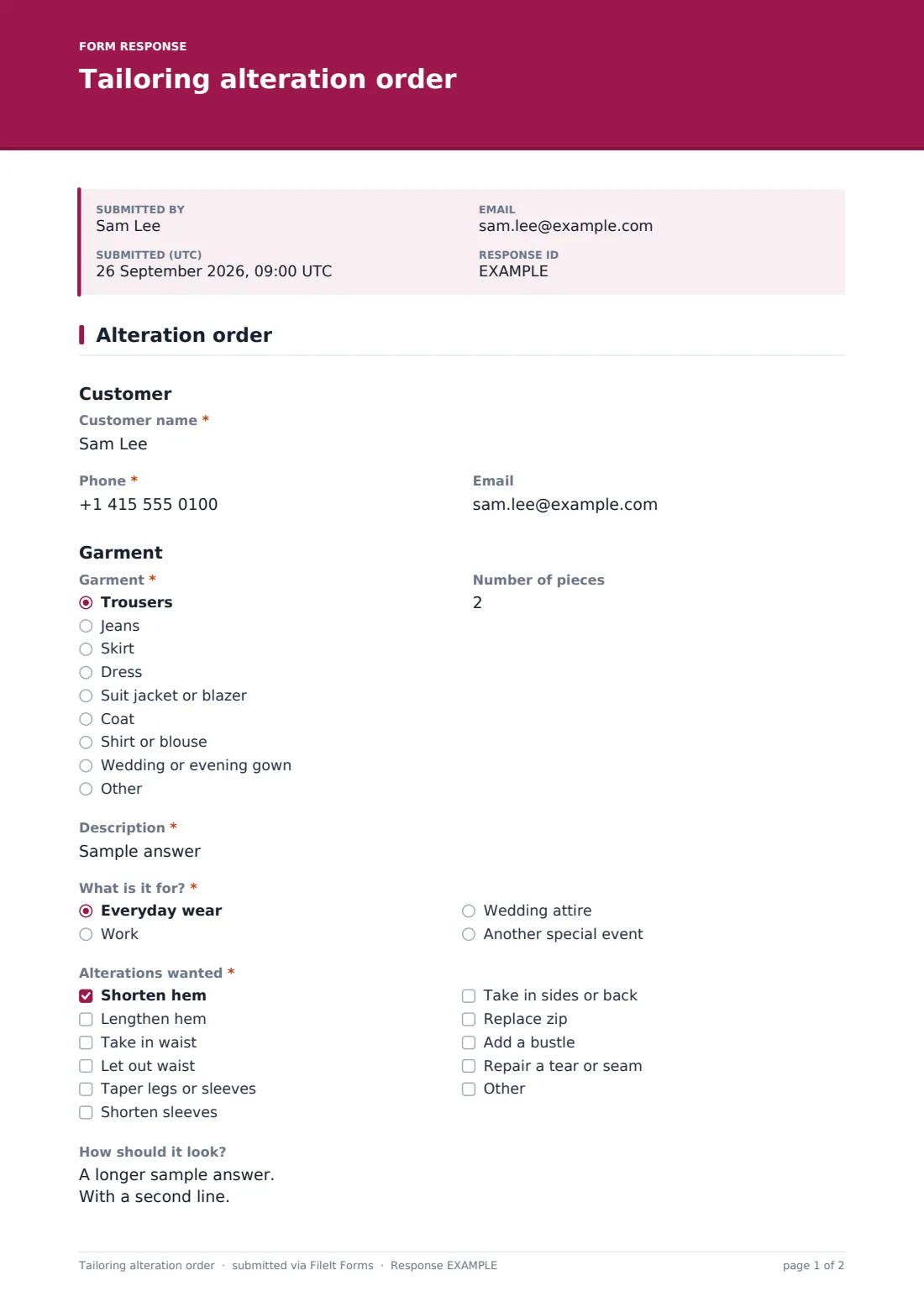
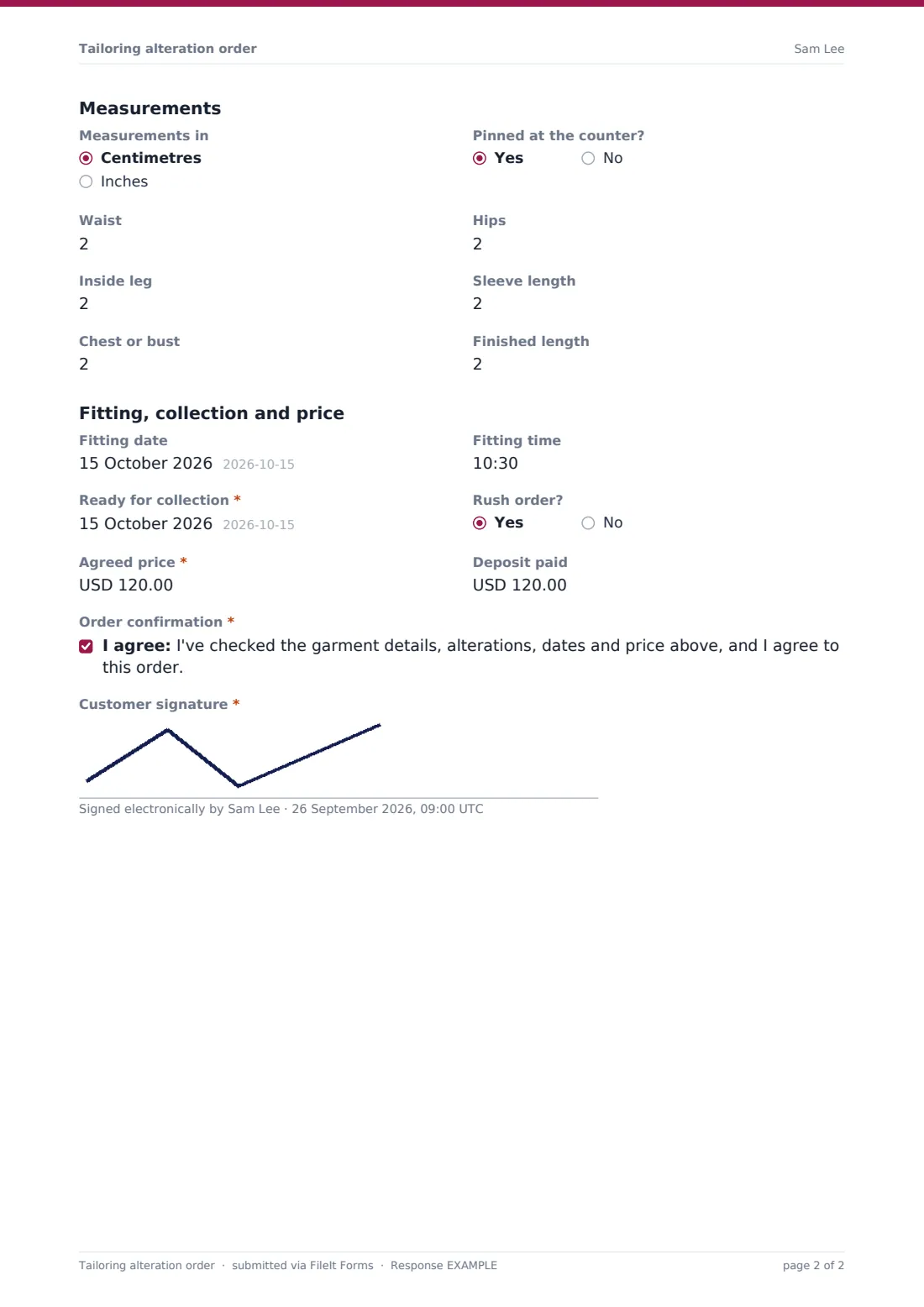
This one-page order covers the customer, the garment and what it's for, the alterations wanted with a free-text box for exactly how it should look, the key measurements, fitting and collection dates, the agreed price and any deposit. When the customer picks Wedding attire, the form asks for the Wedding date and who is wearing it, so the fittings can be planned back from the big day.
The customer confirms the order and signs on screen. You get a clean PDF ticket in your FileIt vault for every garment, and the customer can be sent a copy to bring back at collection.
- Best for
- Tailors, seamstresses, bridal shops and dry cleaners offering alterations
- Filled in by
- Staff at the counter, with the customer
- Time to complete
- About 3 minutes
- Includes
- Alterations checklist, six measurements, fitting and collection dates, price and deposit, wedding date follow-up
Who uses a tailoring alteration order form?
- Hemming trousers or jeans while the customer waits
- Bridal gown alterations with two or three fittings before the wedding
- Taking in a suit for a groom or the wedding party
- Dry cleaners passing alteration jobs to an in-house or outside seamstress
- Repairs such as a replaced zip or a torn seam
- Rush orders for an interview or event
Questions on this tailoring alteration order form
27 questions · includes signature, conditional questions, consent checkbox.
1 Alteration order
- Customer name*
- Phone*
- Garment* Trousers · Jeans · Skirt · Dress · Suit jacket or blazer · Coat · Shirt or blouse · Wedding or evening gown · Other
- Number of pieces
- Description*
- What is it for?* Everyday wear · Work · Wedding attire · Another special event
- Wedding date* asked only when it applies
- Who is wearing it? asked only when it applies Bride · Groom · Wedding party · Guest
- Alterations wanted* Shorten hem · Lengthen hem · Take in waist · Let out waist · Taper legs or sleeves · Shorten sleeves · Take in sides or back · Replace zip · Add a bustle · Repair a tear or seam
- How should it look?
- Measurements in Centimetres · Inches
- Pinned at the counter?
- Waist
- Hips
- Inside leg
- Sleeve length
- Chest or bust
- Finished length
- Fitting date
- Fitting time
- Ready for collection*
- Rush order?
- Agreed price*
- Deposit paid
- Order confirmation*
- Customer signature*
The tailoring alteration order form, page by page
1 Customer and garment
Customer name and phone are required, with an optional email. The Garment dropdown runs from trousers and jeans to suit jackets, coats and wedding or evening gowns, with a number of pieces and a short Description such as the colour, fabric and label. What is it for? offers everyday wear, work, wedding attire or another special event; choosing wedding attire adds the wedding date and Who is wearing it?
2 Alterations and measurements
Alterations wanted lists ten common jobs, including shortening or lengthening a hem, taking in or letting out a waist, tapering, shortening sleeves, replacing a zip, adding a bustle and repairing a seam, plus Other. How should it look? captures the finer points. Measurements can be in centimetres or inches: waist, hips, inside leg, sleeve length, chest or bust and finished length, with a note of whether it was pinned at the counter.
3 Dates and price
A fitting date and time are optional; Ready for collection is required. Rush order? flags urgent jobs. The agreed price and deposit paid are recorded, then the customer ticks the order confirmation and signs.
Make the template yours
- Set the currency and add your standard prices to the alteration options
- Add measurements your shop uses, such as back length or rise
- Add a second fitting date for bridal work
- Put your collection and unclaimed-garment terms into the confirmation statement
- File orders into a vault folder per month, or per seamstress
Tips for a better tailoring alteration order form
- Pin the garment on the customer, wearing the shoes they'll wear with it
- Write the finished length rather than how much to take off
- For weddings, aim to finish well before the date to leave room for a final fitting
- Take a deposit on bridal and rush orders
- Hang a printed copy of the ticket with the garment
Every response becomes a PDF in your vault
Each order is filed as a signed PDF in your FileIt vault, titled with the customer's name and the date. You get an email for each one, and if the customer gave their email they can be sent a copy.
The Responses table lets you search orders by customer or garment, and the CSV export makes a simple list of what's due for collection each week.
- Start from this template. It opens in the FileIt Forms designer — change any question, add pages, set the rules for when questions appear.
- Share it. Turn on a public link, or send it to people by email, each with their own link. They don’t need a FileIt account.
- Get the answers as PDFs. Each response is saved as a PDF in the vault folder you choose, with uploaded files attached — and listed in a Responses table you can export to CSV.
Tailoring alteration order form: frequently asked questions
Is this alteration order form free?
Yes. It's one of the starter templates in FileIt Forms, and you can change any question.
Can I use it for several garments?
It's designed as one order per garment, with a number of pieces for matching items such as a two-piece suit. Fill in a new order for anything different.
What changes for wedding orders?
Choosing wedding attire asks for the wedding date and who is wearing the garment, so you can plan fittings.
Does it calculate the price?
No. You enter the agreed price and deposit yourself.
Can the customer sign on a tablet?
Yes. The signature can be drawn on screen, or typed.