What is the credit card authorization form template?
Many businesses still keep paper authorization forms with full card numbers and security codes written on them, filed in a drawer or scanned into a shared folder. That's a lot of risk for a piece of paper. This template takes a different approach: it records the customer's authorization — who they are, which card, how much, how often and why — and leaves the sensitive card details to your payment system.
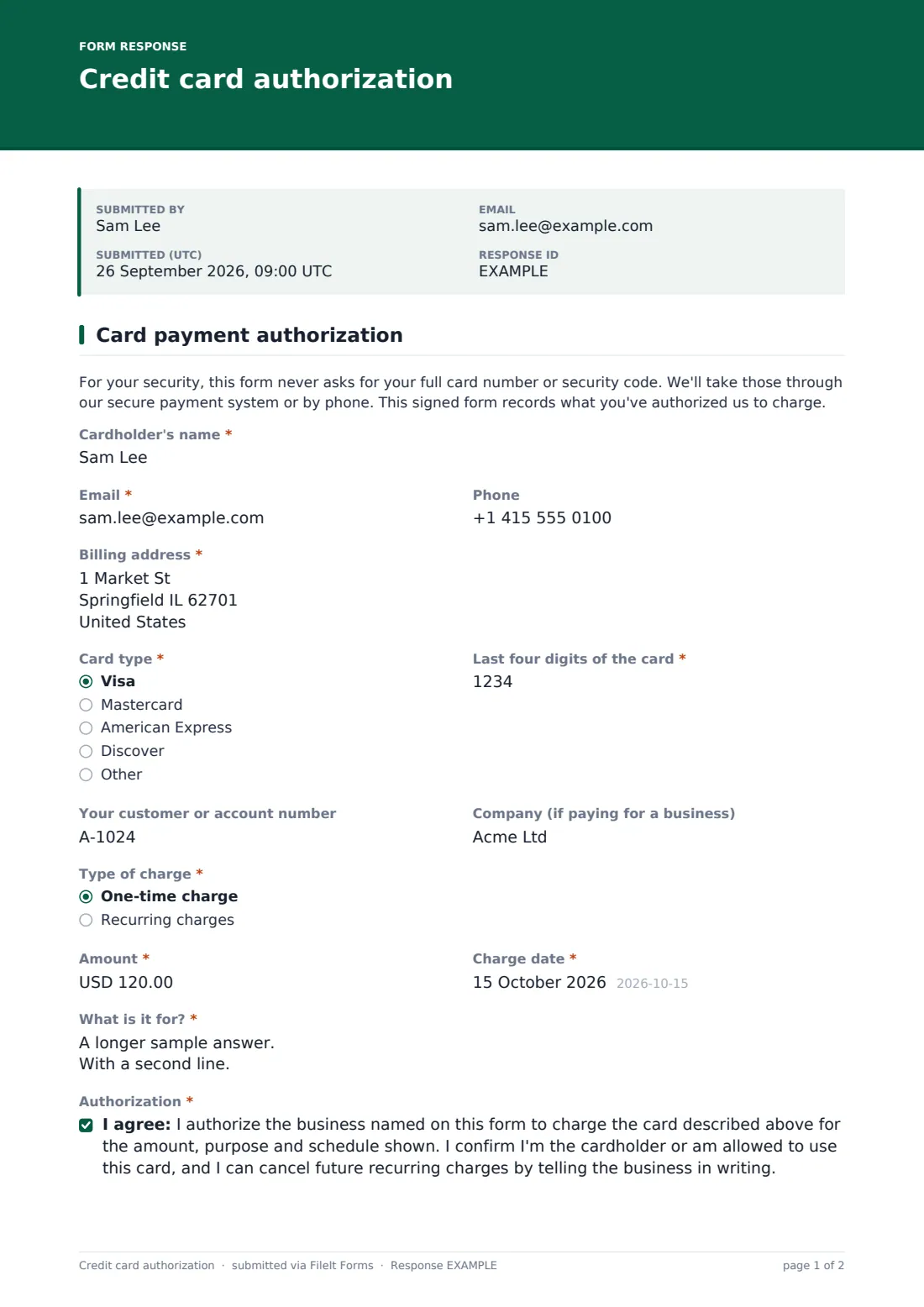
The form opens with a plain note explaining that it never asks for the full card number or security code. Customers give the cardholder's name as it appears on the card, an email and phone, the billing address, the “Card type” and the “Last four digits of the card”. The last-four field only accepts exactly four digits, so nobody can type the whole number in by mistake.
“Type of charge” offers a one-time charge or recurring charges. Recurring charges reveal “How often?” (weekly, monthly, quarterly or yearly) and an optional end date, left blank to continue until the customer cancels in writing. Every authorization is signed and dated and filed as a PDF in your FileIt vault.
- Best for
- Service businesses, agencies, hotels, cleaners, clinics and B2B suppliers that charge cards on file
- Filled in by
- The cardholder
- Time to complete
- About 2 minutes
- Includes
- Cardholder and billing address, card type and last four digits, one-time or recurring schedule, purpose, authorization and signature
Who uses a credit card authorization form?
- A cleaning company setting up a monthly charge for a regular service
- A hotel getting written authorization for a group booking deposit
- A marketing agency charging a retainer every quarter
- A supplier recording permission to charge a trade customer's card for one invoice
- A clinic or studio taking authorization for a package of sessions paid in instalments
Questions on this credit card authorization form
17 questions · includes signature, conditional questions, consent checkbox.
1 Card payment authorization
- Cardholder's name*
- Email*
- Phone
- Billing address*
- Card type* Visa · Mastercard · American Express · Discover · Other
- Last four digits of the card*
- Your customer or account number
- Company (if paying for a business)
- Type of charge* One-time charge · Recurring charges
- Amount*
- Charge date*
- How often?* asked only when it applies Weekly · Monthly · Quarterly · Yearly
- End date asked only when it applies
- What is it for?*
- Authorization*
- Cardholder's signature*
- Date*
The credit card authorization form, page by page
1 Card payment authorization
After the security note, the cardholder fills in their details and billing address. The card type dropdown lists Visa, Mastercard, American Express, Discover and Other. The customer or account number and a company name, for business cards, are optional.
The charge section asks for the “Amount” and “Charge date”. For recurring charges, those are the amount of each charge and the date of the first one, as the help text explains. The recurring choice adds the frequency and end date. “What is it for?” takes a short description, with examples like an invoice number or a booking deposit.
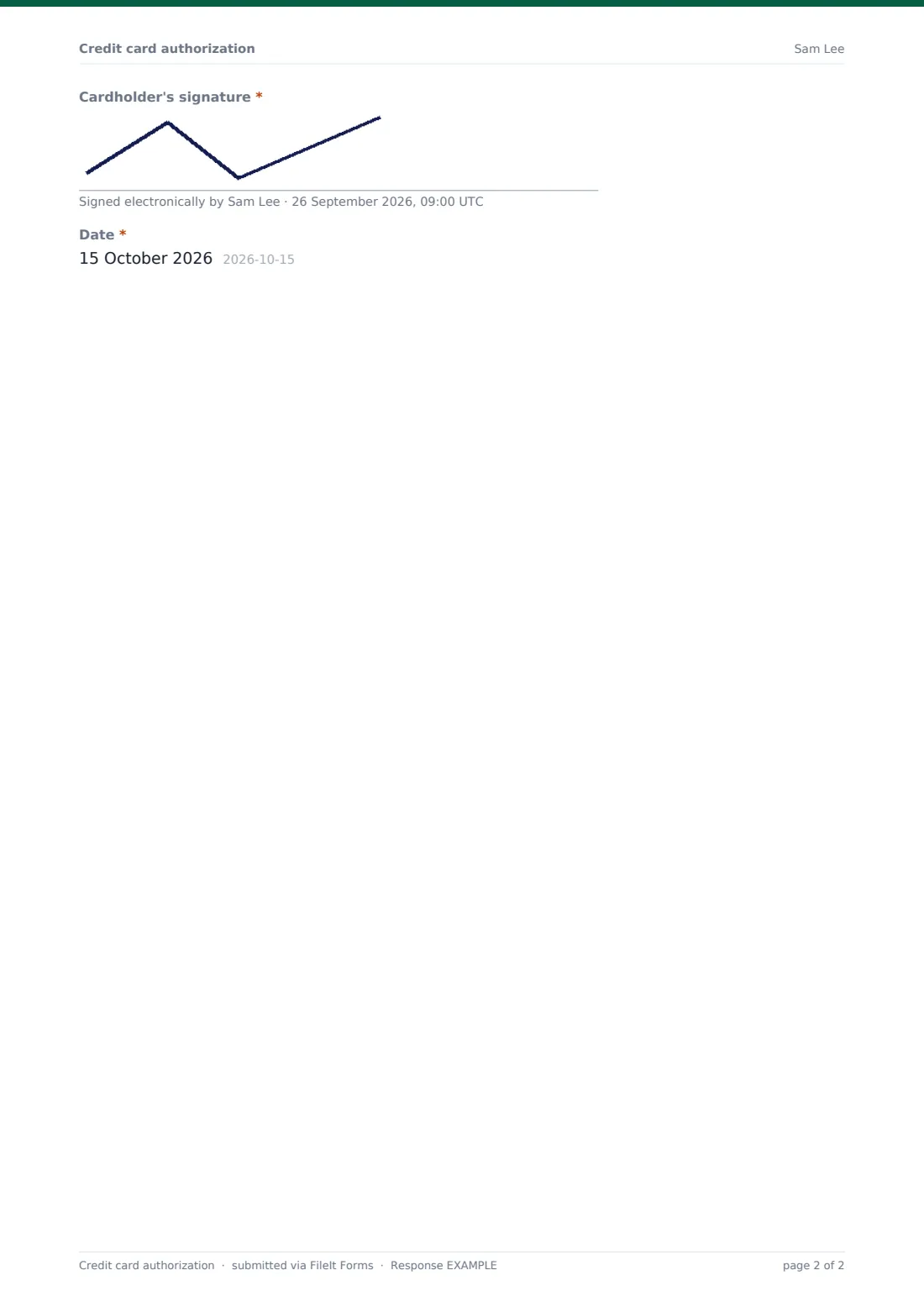
The authorization consent confirms the customer allows the business to charge the card described for the amount, purpose and schedule shown, is the cardholder or allowed to use the card, and can cancel future recurring charges in writing. A signature and date complete the form.
Make the template yours
- Add your business name to the cover text so customers know who they're authorizing
- Change the currency from US dollars to your own
- Add card types you accept, or remove ones you don't
- Explain in the confirmation message how you'll take the card details, such as a secure payment link
- Add a cancellation notice period to the authorization wording if your terms have one
Tips for a better credit card authorization form
- Never ask customers to add their full card number in a free-text box
- Take the full card details through your payment provider, then match them using the last four digits
- Send customers a reminder before the first recurring charge
- Keep the signed authorization for as long as charges continue, and afterwards as your policy requires
- Ask for a fresh authorization if the amount or schedule changes
Every response becomes a PDF in your vault
Each signed authorization is filed in your vault as a PDF and you're emailed when it arrives. The customer gets a copy for their records, showing exactly what they agreed to.
In the Responses table, search by name or account number to find an authorization when a customer asks about a charge, and export to CSV to review all active recurring authorizations.
- Start from this template. It opens in the FileIt Forms designer — change any question, add pages, set the rules for when questions appear.
- Share it. Turn on a public link, or send it to people by email, each with their own link. They don’t need a FileIt account.
- Get the answers as PDFs. Each response is saved as a PDF in the vault folder you choose, with uploaded files attached — and listed in a Responses table you can export to CSV.
Credit card authorization form: frequently asked questions
Is this credit card authorization form free?
Yes. It's one of the starter templates in FileIt's Forms app, available on every account, including the free plan.
Why doesn't the form collect the full card number?
Storing full card numbers and security codes in documents creates unnecessary risk. The form records the authorization, and you take the card details through your payment system.
Does FileIt charge the card?
No. FileIt doesn't process payments. You charge the card with your own payment provider.
Can it be used for recurring payments?
Yes. Choosing recurring charges asks how often and when they end.
Does this form meet card network or payment rules?
Requirements vary by provider and country, so check with your payment provider. The template is a starting point you can edit.
Can the customer sign on their phone?
Yes. The signature pad works with a finger on a phone or tablet, or a mouse on a computer.