What is the copywriting brief form template?
Most rewrites trace back to the brief, not the writer. If nobody said who the reader was, which one message mattered most, or that legal needed to see it, the first draft is a guess — and the second and third drafts are corrections to the guess.
This copywriting brief template covers the essentials in a clear order. It starts with the piece itself — website page, landing page, blog article, email sequence, ad copy, product descriptions, press release, script and more — then the objective, call to action, length and any format limits. The second page describes the reader, how well they know you, the one key message, supporting proof, tone of voice and anything to avoid, with optional fields for guidelines and SEO keywords.
The final page sets the first-draft and final deadlines, revision rounds, budget and the approvers in review order. Every brief is saved as a PDF in your FileIt vault with its source material attached, so writer and client are working from the same document.
- Best for
- Freelance copywriters, content agencies and in-house marketing teams
- Filled in by
- The client or colleague commissioning the copy
- Time to complete
- About 10 minutes
- Includes
- Piece type and length, audience and key message, tone picker, SEO keywords, deadlines and file uploads
Who uses a copywriting brief form?
- A freelance copywriter sending one brief form to every new client
- A content agency standardising briefs across account managers
- An in-house team commissioning landing page copy from a contractor
- Briefing a writer on a product launch email sequence
- Ordering product descriptions for a new range
- Commissioning SEO blog articles with target keywords
Questions on this copywriting brief form
30 questions over 3 pages · includes file upload, conditional questions, multiple pages.
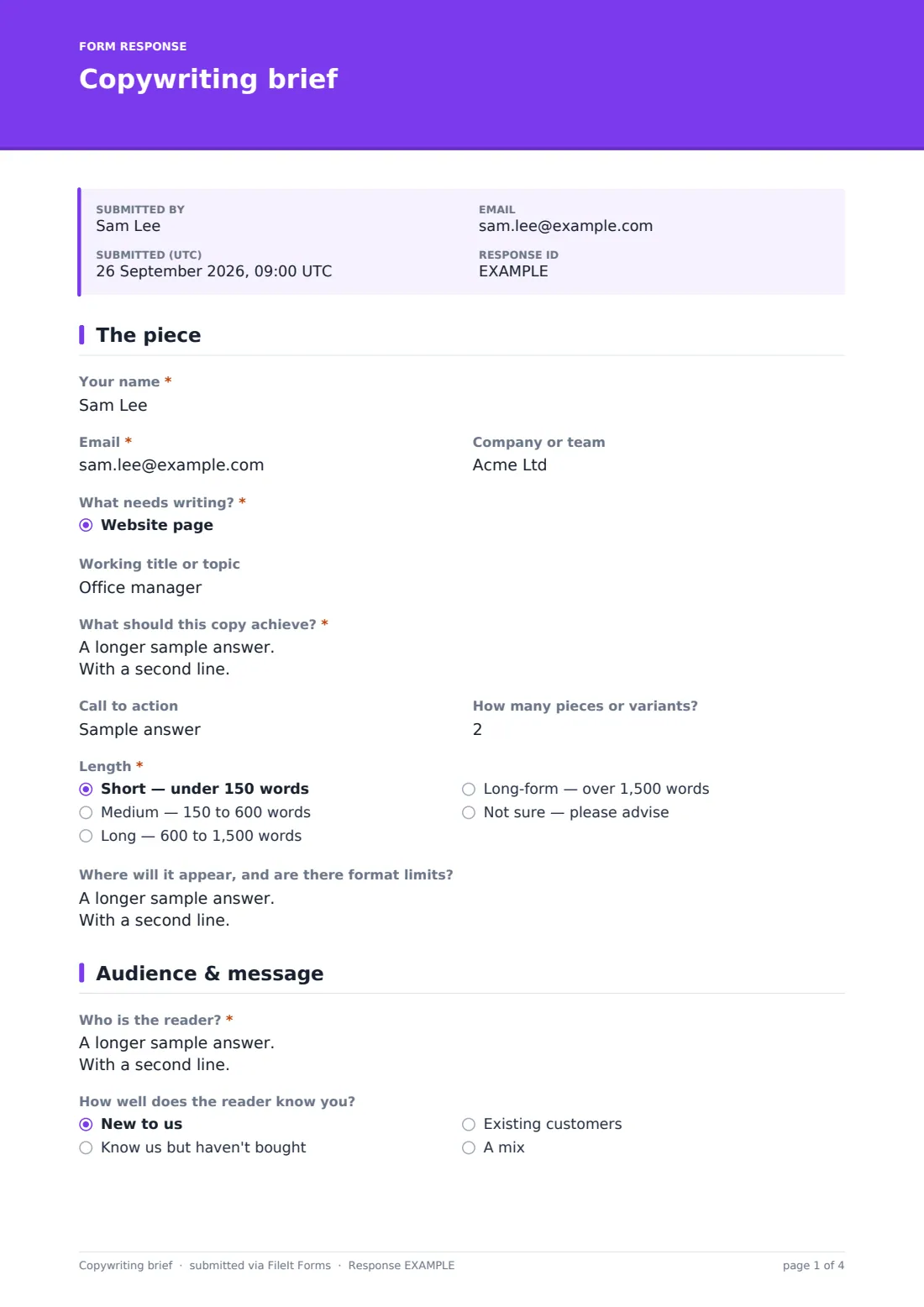
1 The piece
- Your name*
- Email*
- Company or team
- What needs writing?* Website page · Landing page · Blog article · Email or newsletter · Email sequence · Social media posts · Ad copy · Product descriptions · Brochure or print · Press release · Video or audio script · Case study
- Describe the piece asked only when it applies
- Working title or topic
- What should this copy achieve?*
- Call to action
- How many pieces or variants?
- Length* Short — under 150 words · Medium — 150 to 600 words · Long — 600 to 1,500 words · Long-form — over 1,500 words · Not sure — please advise
- Where will it appear, and are there format limits?
2 Audience & message
- Who is the reader?*
- How well does the reader know you? New to us · Know us but haven't bought · Existing customers · A mix
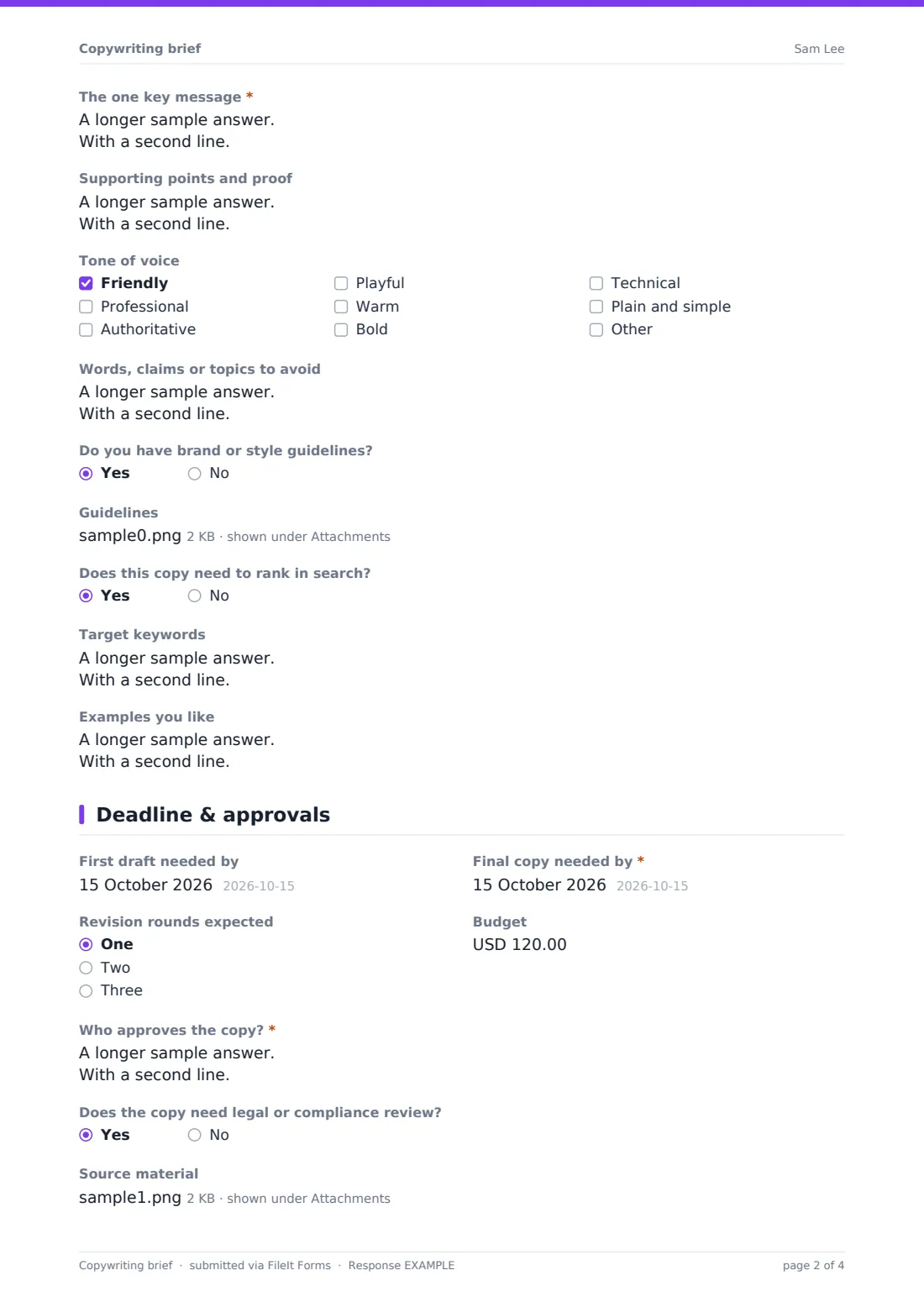
- The one key message*
- Supporting points and proof
- Tone of voice Friendly · Professional · Authoritative · Playful · Warm · Bold · Technical · Plain and simple
- Words, claims or topics to avoid
- Do you have brand or style guidelines?
- Guidelines asked only when it applies
- Does this copy need to rank in search?
- Target keywords asked only when it applies
- Examples you like
3 Deadline & approvals
- First draft needed by
- Final copy needed by*
- Revision rounds expected One · Two · Three
- Budget
- Who approves the copy?*
- Does the copy need legal or compliance review?
- Source material
- Anything else the writer should know?
The copywriting brief form, page by page
1 The piece
After name, email and company, What needs writing? offers a dropdown of common pieces, from website pages and blog articles to press releases and video scripts; choosing Something else opens a box to describe it. A working title, a required What should this copy achieve? question, the call to action and how many pieces or variants are needed follow.
Length is a required choice from short (under 150 words) to long-form (over 1,500 words), with a Not sure option. A last field captures where the copy will appear and any character limits, templates or layouts it must fit.
2 Audience & message
Who is the reader? asks for role, situation and what might stop them acting, and a follow-up records how well they know you — new, aware but not yet a customer, existing customers or a mix. The one key message is required, with a separate box for supporting points and proof, where clients are asked to give sources for any figures.
A tone checklist allows up to three choices, from friendly to technical. There's room for words or claims to avoid, an upload that appears if brand guidelines exist, a Target keywords box that appears if the copy needs to rank in search, and links to examples the client likes.
3 Deadline & approvals
The client sets when the first draft and final copy are needed, how many revision rounds they expect and the budget. Who approves the copy? is required and asks for names and roles in review order, and a yes/no question flags whether legal or compliance review is needed.
Source material — product sheets, earlier copy, research or interview notes — can be uploaded, up to 10 files, before a final box for anything else the writer should know.
Make the template yours
- Trim the piece dropdown to the formats you actually write
- Change the tone options to match the client's own brand voice words
- Add a word-count or rate field if you price per word
- Remove the SEO section if you don't write for search
- Set notifications so new briefs arrive in your inbox as they're submitted
- Add a consent question confirming the client owns the source material they upload
Tips for a better copywriting brief form
- Push for one key message — copy that tries to say five things usually says none of them clearly
- Ask for proof with sources so the writer never has to invent or guess at claims
- Get the approver list before writing; a late new reviewer is the most common cause of extra rounds
- Agree what a revision round includes before the first draft goes out
- If legal review is needed, build its time into the deadline from the start
- Keep the brief with the final copy so future pieces can follow the same direction
Every response becomes a PDF in your vault
The completed brief is saved as a PDF in the vault folder you choose, with guidelines and source files attached. You're notified by email when it arrives, and the client can receive a copy of what they submitted for their own records.
From the Responses table you can open any brief, compare briefs from the same client over time, or export everything to CSV to plan your writing schedule.
- Start from this template. It opens in the FileIt Forms designer — change any question, add pages, set the rules for when questions appear.
- Share it. Turn on a public link, or send it to people by email, each with their own link. They don’t need a FileIt account.
- Get the answers as PDFs. Each response is saved as a PDF in the vault folder you choose, with uploaded files attached — and listed in a Responses table you can export to CSV.
Copywriting brief form: frequently asked questions
Is this template free?
Yes. It's included in the FileIt Forms app on every account, including the free plan, and every question can be edited, removed or added to.
Does the client need a FileIt account?
No. Anyone with the form's link can fill it in without creating a FileIt account.
Can I use this for SEO content?
Yes. Answering yes to Does this copy need to rank in search? opens a Target keywords field, and you can add more SEO questions such as search intent or competing pages.
How many tone options can the client pick?
Up to three, which keeps the direction focused. You can change the limit or the options in the designer.
Can clients upload brand guidelines and source material?
Yes. Guidelines can be uploaded when the client says they have them, and up to 10 source files — PDFs, Word, Excel, text and images — on the last page.
Can I brief several pieces at once?
The How many pieces or variants? field covers multiples of the same piece. For different pieces, it's usually clearer to submit one brief each.
Can internal teams use it instead of clients?
Yes. It works just as well for a marketing team commissioning copy from an in-house writer or contractor.
Can I close the form after a campaign?
Yes. You can set a closing date or a maximum number of responses in the form's settings.