What is the children's ministry check-in form template?
Children's ministry leaders need four things at the door: which class the child belongs in, how to reach a parent in a hurry, who's allowed to collect them and whether there's an allergy. This check-in form asks exactly those, on one page a parent can fill in on their phone in the lobby.
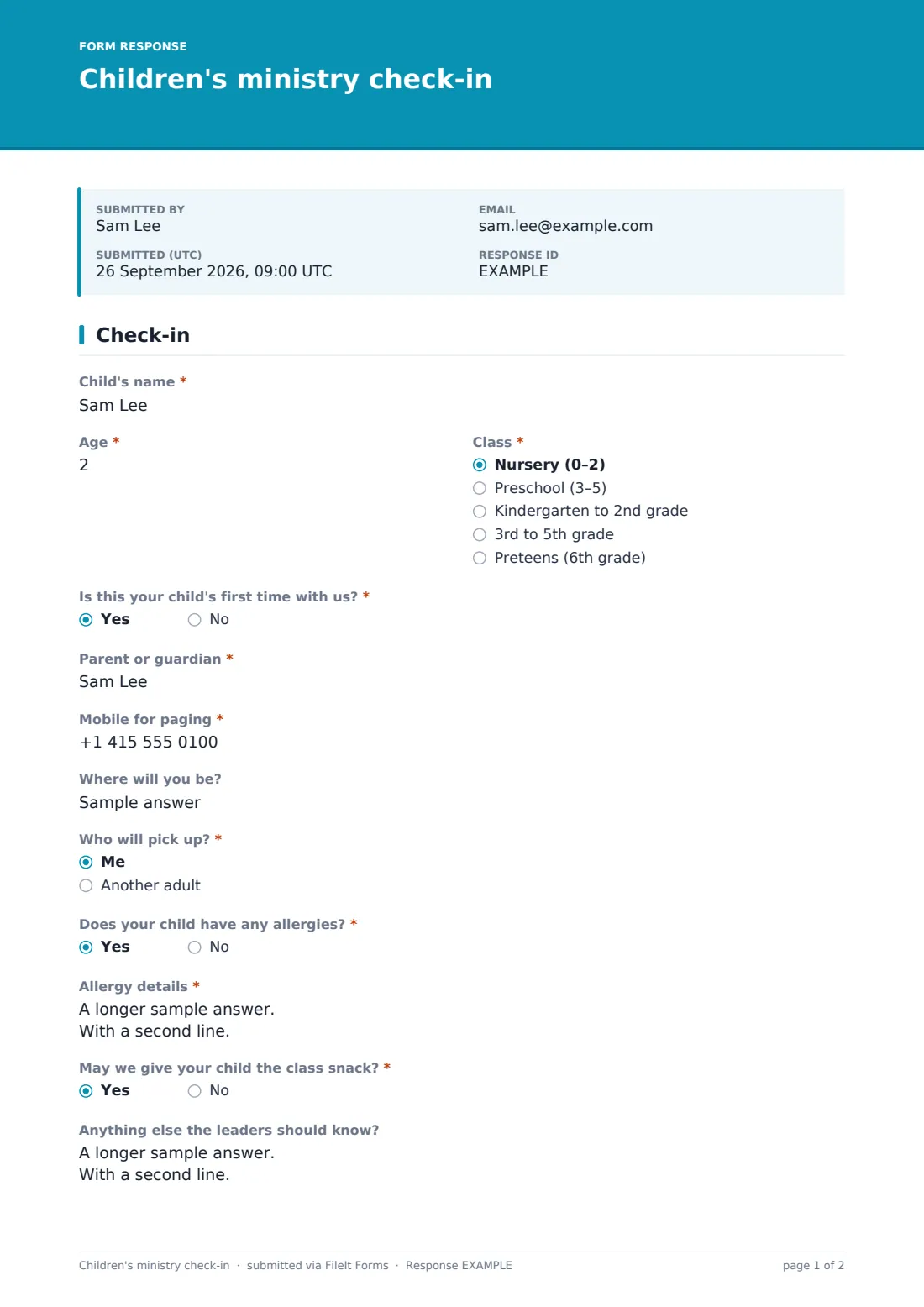
The parent gives the child's name, age and class, from the nursery up to the preteens, and says whether it's the child's first time. They add a mobile for paging, with a friendly reminder to keep it on silent rather than off, and where they'll be sitting. If someone other than the parent will collect the child, the form asks for that adult's name and relationship. Answering yes to "Does your child have any allergies?" opens a required details box, so a leader never sees an unexplained yes.
There's a short question about the class snack, a space for anything that helps the child settle, and a pick-up promise to finish. Each check-in is filed as a PDF in your FileIt vault, dated, so you have a record of who was in each room.
- Best for
- Churches, parishes and faith communities with Sunday school, kids' church or a crèche
- Filled in by
- Parents or guardians at drop-off
- Time to complete
- About 2 minutes
- Includes
- Child's name, age and class, first visit, paging mobile, seat, pickup adult, allergy details, snack permission, notes for leaders, pick-up promise
Who uses a children's ministry check-in form?
- Weekly Sunday school and nursery drop-off
- Kids' church during a midweek service
- A crèche during a wedding, funeral or special service
- A holiday club or vacation Bible school day
- Visiting families who aren't in your children's database yet
Questions on this children's ministry check-in form
15 questions · includes conditional questions, consent checkbox.
1 Check-in
- Child's name*
- Age*
- Class* Nursery (0–2) · Preschool (3–5) · Kindergarten to 2nd grade · 3rd to 5th grade · Preteens (6th grade)
- Is this your child's first time with us?*
- Parent or guardian*
- Mobile for paging*
- Where will you be?
- Who will pick up?* Me · Another adult
- Name of the adult picking up* asked only when it applies
- Their relationship to the child* asked only when it applies
- Does your child have any allergies?*
- Allergy details* asked only when it applies
- May we give your child the class snack?*
- Anything else the leaders should know?
- Pick-up*
The children's ministry check-in form, page by page
1 Check-in
The parent gives "Child's name", "Age" and "Class" — Nursery (0–2), Preschool (3–5), Kindergarten to 2nd grade, 3rd to 5th grade or Preteens — and answers "Is this your child's first time with us?". They give their own name, a "Mobile for paging" and "Where will you be?".
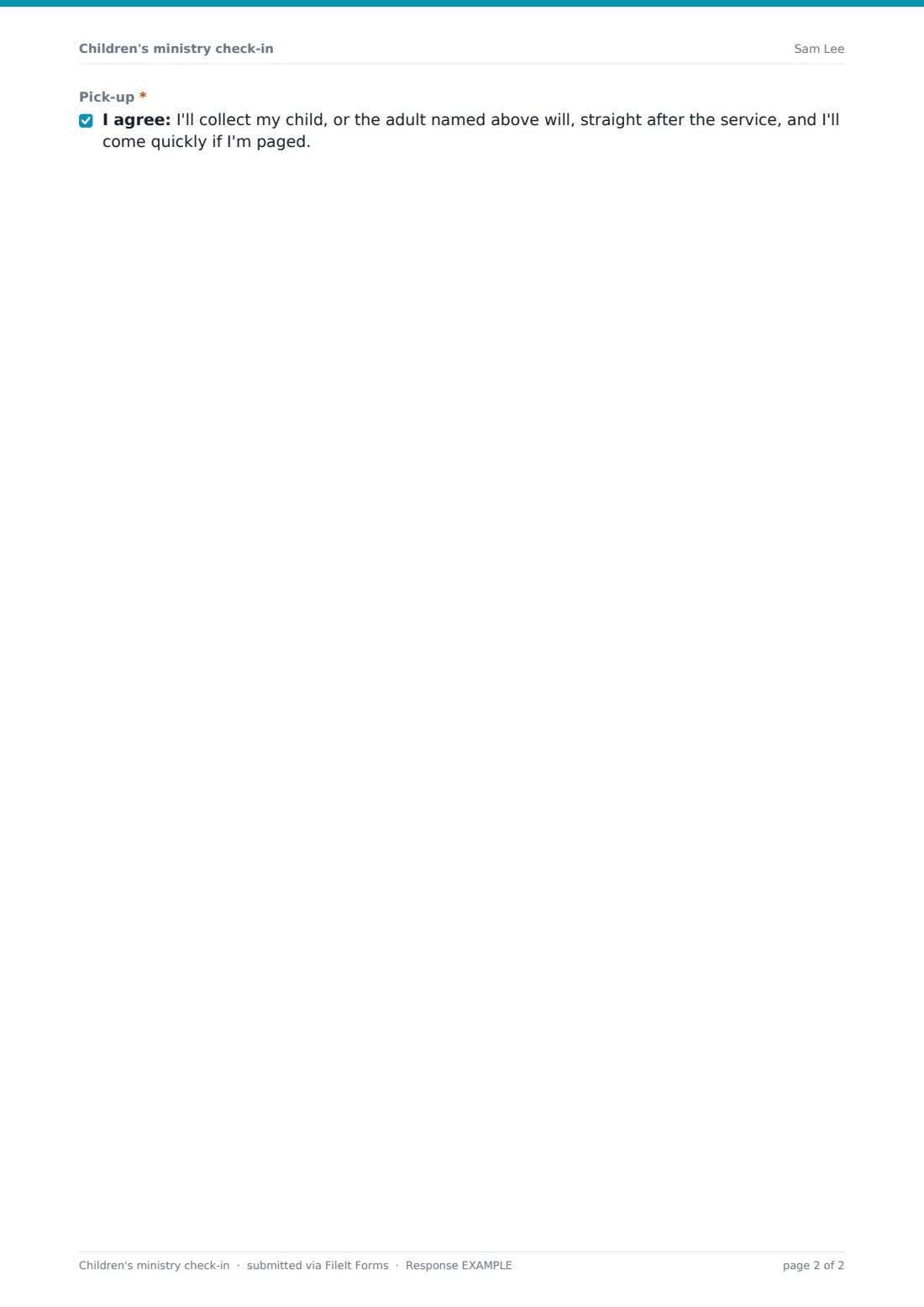
"Who will pick up?" is "Me" or "Another adult"; the second asks for that adult's name and relationship to the child. "Does your child have any allergies?" opens a required "Allergy details" box covering what they react to, what a reaction looks like and any medication. "May we give your child the class snack?" and "Anything else the leaders should know?" — toilet training, a comfort toy, additional needs — come next. The parent finishes by agreeing to collect the child, or have the named adult collect them, straight after the service.
Make the template yours
- Change the classes to match your rooms and age groups
- Add a security code question if you use matching pickup tags
- Add a photo consent if you share pictures from children's activities
- Put a QR code for the form at the welcome desk and outside each room
- Add your children's ministry leader to the notification list
Tips for a better children's ministry check-in form
- Have leaders check the Responses table on a tablet at the classroom door
- Look at allergy answers before the snack goes out, every week
- Welcome first-time families personally — the first-time answer tells you who they are
- Release children only to the parent or the adult named on the check-in
- Use the visitor connect card alongside this for new families who want to hear more
Every response becomes a PDF in your vault
Each check-in becomes a dated PDF in the vault folder you choose, and notifications go to whoever you set. Copies go to the parent only if an email is collected, which this template doesn't ask for by default.
The Responses table shows the day's check-ins with search by child or class. Export to CSV for attendance records.
- Start from this template. It opens in the FileIt Forms designer — change any question, add pages, set the rules for when questions appear.
- Share it. Turn on a public link, or send it to people by email, each with their own link. They don’t need a FileIt account.
- Get the answers as PDFs. Each response is saved as a PDF in the vault folder you choose, with uploaded files attached — and listed in a Responses table you can export to CSV.
Children's ministry check-in form: frequently asked questions
Is this children's check-in template free?
Yes. It's one of the ready-made templates in the Forms app on every FileIt account.
Does FileIt print name tags or send pages?
No. The form records the check-in. Page parents with your usual method using the mobile number they gave.
Do parents fill it in every week?
As set up, yes — it's one check-in per child per service, so allergies and pickup arrangements are current each time.
Do parents need a FileIt account?
No. They scan a QR code or open the link on their phone.
Can I check in two siblings at once?
Each child gets their own check-in. Parents can submit the form again straight away for a brother or sister.