

What is the cCTV footage request form template?
Any business or building with cameras will be asked for footage sooner or later: a customer whose car was scratched, a person asking for their own recording, police investigating a theft, an insurer handling a claim. Each request needs the same things — when and where, who's asking, on what basis and how to hand it over — and footage is often overwritten within days.
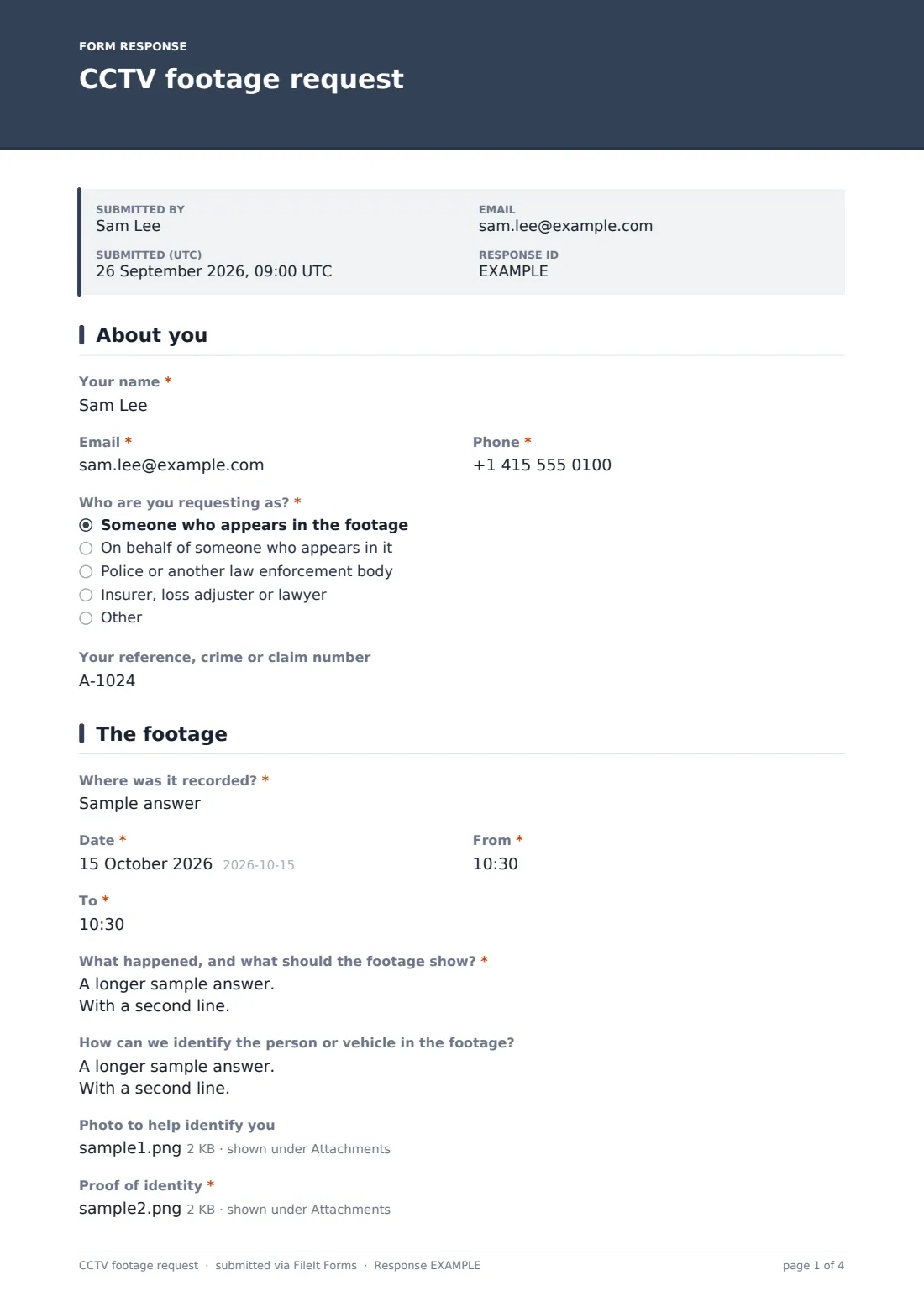
This three-page form captures them. The requester says who they're asking as: someone in the footage, someone acting for them, police, an insurer or lawyer, or other. Organisations give their name and reference; police give an officer name and number; representatives upload their authority. The footage page asks where, the date and time window, what it should show, and for people requesting their own footage, how to identify them, an optional photo and proof of identity.
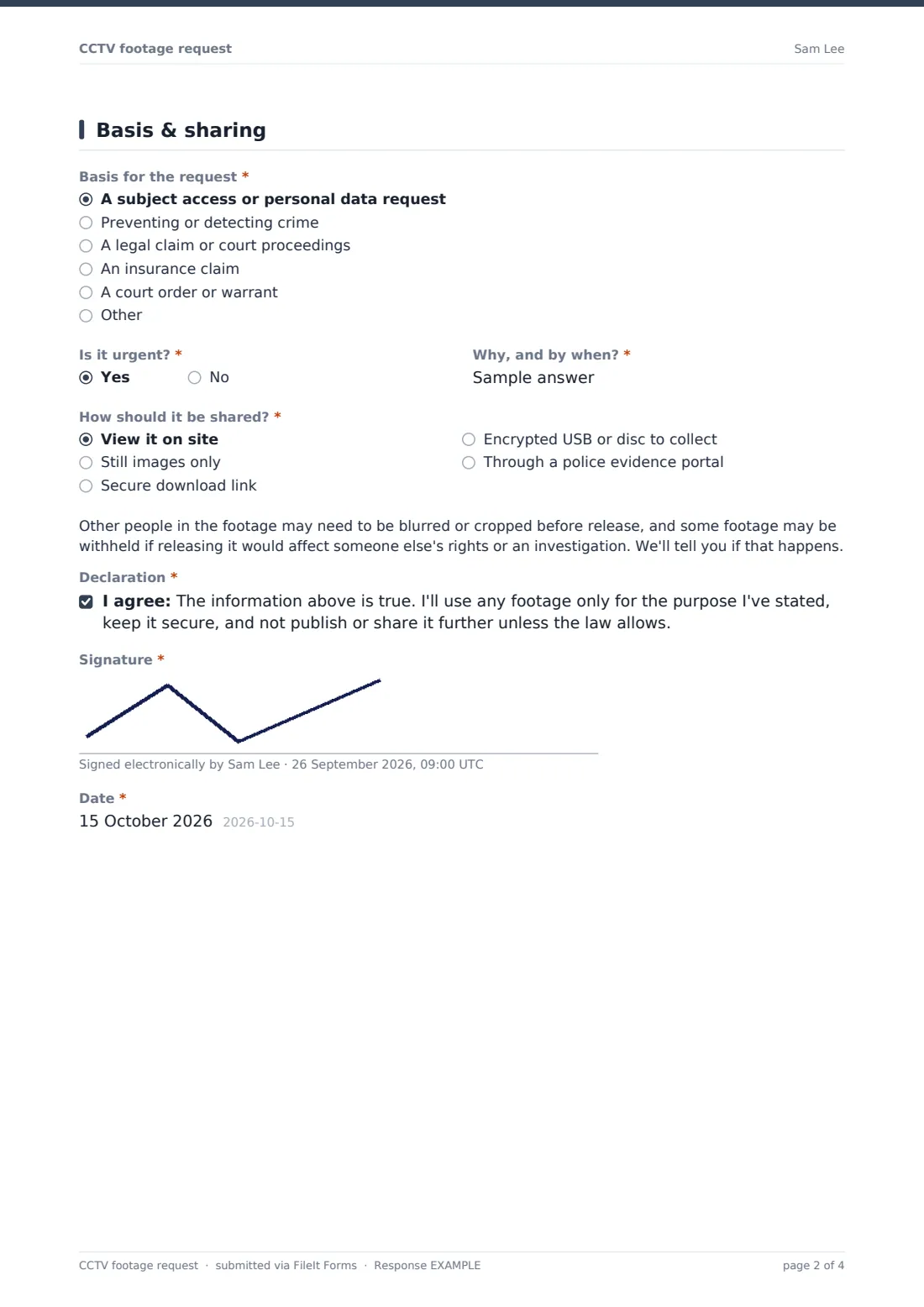
The last page records the basis for the request, why it's needed, any court order, urgency and how the footage should be shared, with a note about blurring others and a signed declaration on use. Each request is saved as a PDF in your FileIt vault.
- Best for
- Shops, offices, building managers, car parks, schools and venues with CCTV
- Filled in by
- Individuals, their representatives, police, insurers and lawyers
- Time to complete
- About 5 minutes
- Includes
- Requester type, time window, ID upload, legal basis, urgency, sharing method, signature
Who uses a cCTV footage request form?
- A customer asking for footage of their own visit
- Police requesting footage after a break-in nearby
- An insurer asking for footage of a car park collision
- A parent asking for footage of an incident involving their child
- A lawyer requesting footage for a personal injury claim
- A building manager standardising how footage requests are logged
Questions on this cCTV footage request form
25 questions over 3 pages · includes signature, file upload, conditional questions, multiple pages, consent checkbox.
1 About you
- Your name*
- Email*
- Phone*
- Who are you requesting as?* Someone who appears in the footage · On behalf of someone who appears in it · Police or another law enforcement body · Insurer, loss adjuster or lawyer · Other
- Organisation, if any asked only when it applies
- Your reference, crime or claim number
- Officer name and badge or collar number* asked only when it applies
- Authority to act* asked only when it applies
2 The footage
- Where was it recorded?*
- Date*
- From*
- To*
- What happened, and what should the footage show?*
- How can we identify the person or vehicle in the footage?
- Photo to help identify you asked only when it applies
- Proof of identity* asked only when it applies
3 Basis & sharing
- Basis for the request* A subject access or personal data request · Preventing or detecting crime · A legal claim or court proceedings · An insurance claim · A court order or warrant · Other
- Explain why the footage is needed* asked only when it applies
- Court order, warrant or formal request* asked only when it applies
- Is it urgent?*
- Why, and by when?* asked only when it applies
- How should it be shared?* View it on site · Still images only · Secure download link · Encrypted USB or disc to collect · Through a police evidence portal
- Declaration*
- Signature*
- Date*
The cCTV footage request form, page by page
1 About you
The requester gives Your name, Email and Phone, and Who are you requesting as? — the person in the footage, a representative, police or law enforcement, an insurer, loss adjuster or lawyer, or other. Anyone other than the person in the footage can give an organisation, and everyone can give a reference. Police add an officer name and number. Representatives upload their authority to act.
2 The footage
Where was it recorded?, Date, From and To are required, with a reminder to keep the window narrow. What happened, and what should the footage show? is required, and an optional question asks how to identify the person or vehicle. Those asking for their own footage can add a photo and must upload proof of identity.
3 Basis & sharing
Basis for the request covers subject access, crime prevention or detection, legal claims, insurance claims, court orders and other. Anything but subject access asks why the footage is needed, and court orders require the document. Is it urgent? asks why and by when. How should it be shared? offers viewing on site, stills, a secure link, encrypted media or a police evidence portal. A note explains other people may be blurred, and the requester signs and dates a declaration on how they'll use the footage.
Make the template yours
- Add your camera locations as a dropdown so requesters can choose one
- State your retention period in the cover text so people know how quickly to ask
- Remove sharing methods you don't support
- Add a fee paragraph if you're allowed to charge for some requests
- Route police requests to a separate notification email
- Link your CCTV policy or privacy notice in the opening paragraph
Tips for a better cCTV footage request form
- Preserve the footage as soon as a request arrives, before it's overwritten
- Verify identity before releasing footage of a person to them
- Release only what's needed, and blur or crop other people where appropriate
- Keep a record of what you released, to whom and why
- Check the deadlines and rules for personal data requests where you operate
Every response becomes a PDF in your vault
Each request is saved as a PDF in the vault folder you choose, with any ID, authority or court order attached. You're emailed straight away so footage can be preserved.
Your team reviews the footage, decides what can be released and records the outcome. The Responses table gives a log of requests for audits or regulators.
- Start from this template. It opens in the FileIt Forms designer — change any question, add pages, set the rules for when questions appear.
- Share it. Turn on a public link, or send it to people by email, each with their own link. They don’t need a FileIt account.
- Get the answers as PDFs. Each response is saved as a PDF in the vault folder you choose, with uploaded files attached — and listed in a Responses table you can export to CSV.
CCTV footage request form: frequently asked questions
Is this CCTV footage request form free?
Yes. It's a starter template in the FileIt Forms app on every account.
Do we have to release footage to everyone who asks?
Not necessarily. It depends on who is asking, why, and the privacy laws where you operate. The form records the basis so you can decide; get advice if unsure.
Can people upload ID safely?
Uploads go to the vault folder you choose and are visible only to people with access to the form's responses.
Does FileIt store or share the footage?
No. The form handles the request. You share footage through your own secure method.
How should police requests be handled?
The form asks for the officer's details and reference. Many organisations confirm a police request through an official channel before releasing footage.
Is this the same as a subject access request?
A person asking for their own footage is one kind of personal data request. For other personal data, you may also want a general data subject access request form.