What is the beehive inspection log form template?
Good hive records are how beekeepers spot a colony heading for a swarm, a failing queen or a varroa problem before it's too late. Paper record cards in the roof of the hive work until they get wet, and notebooks rarely make it easy to compare one colony with another across a season.
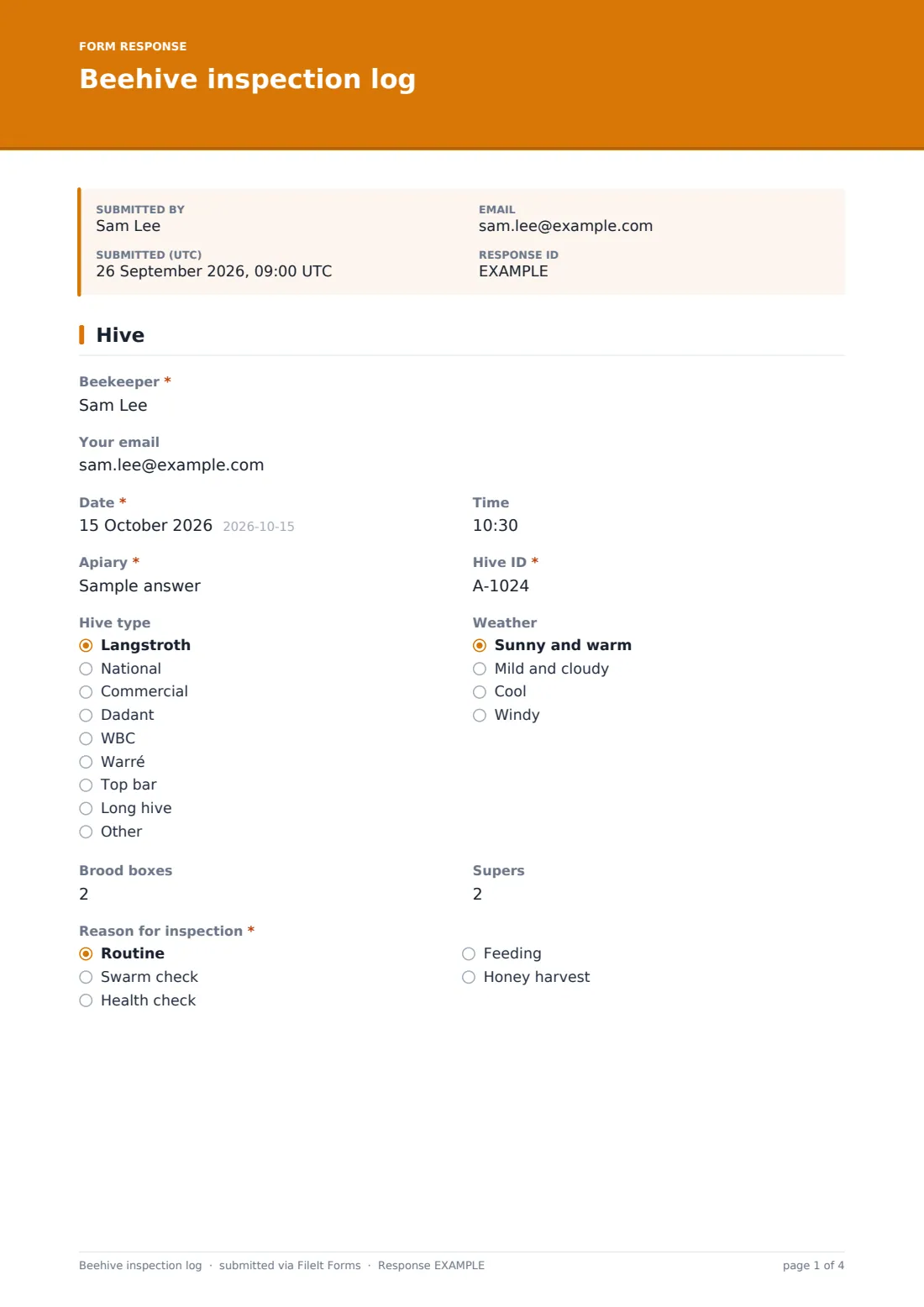
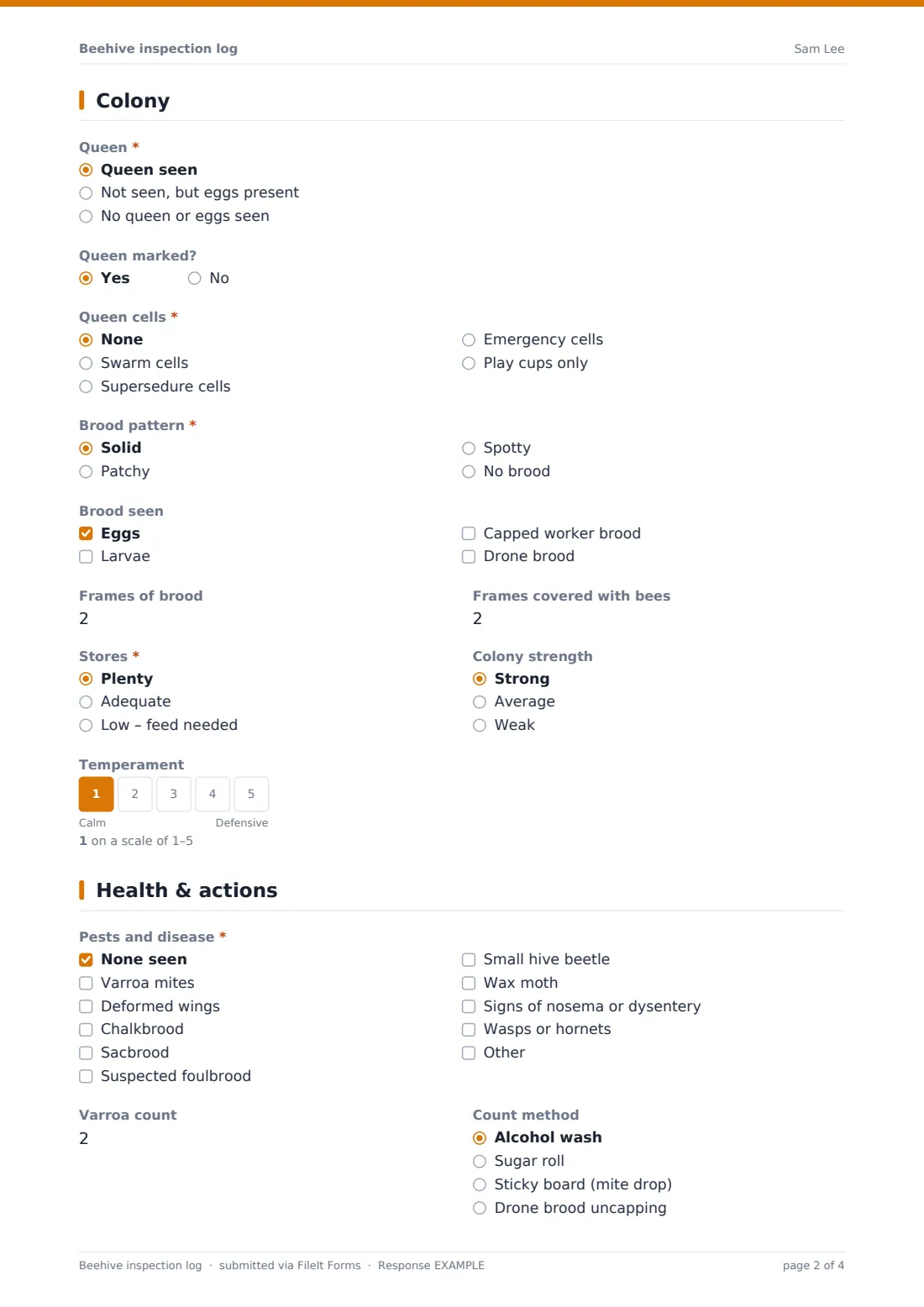
This beehive inspection log keeps the familiar record card format. The first page records the beekeeper, date, apiary, hive ID, hive type, weather, number of brood boxes and supers, and the reason for opening the hive. The colony page records whether the queen or eggs were seen, queen cells and how many, brood pattern and stages, frames of brood and bees, stores, colony strength and temperament on a five-point scale.
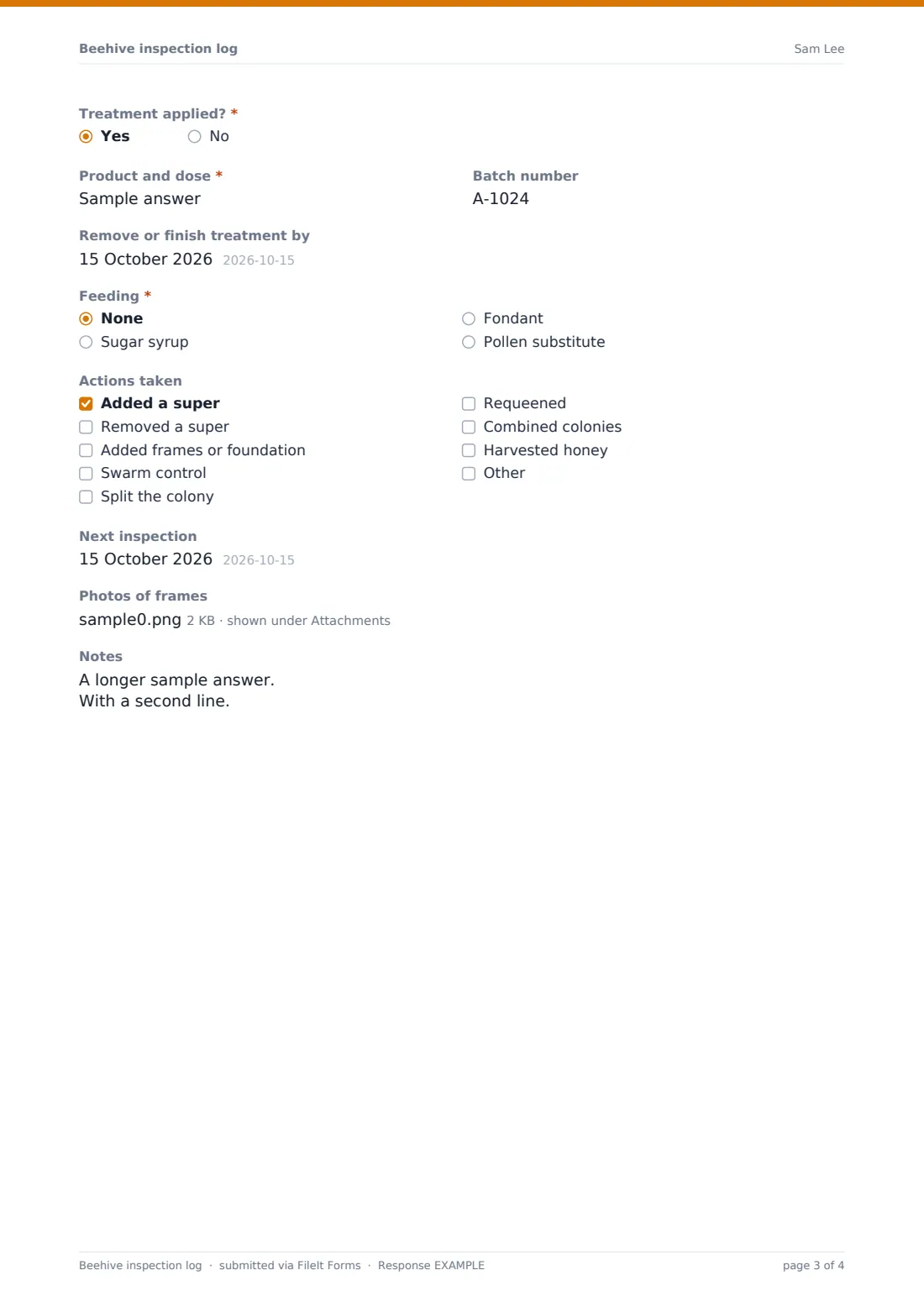
The health page records pests and disease, varroa counts and method, any treatment with product, batch and finish date, feeding, actions taken, honey taken, the next inspection date, photos and notes. Each inspection is filed as a PDF in your FileIt vault.
- Best for
- Hobby and commercial beekeepers, beekeeping associations, teaching apiaries and bee farms
- Filled in by
- The beekeeper at or just after the inspection
- Time to complete
- About 2–3 minutes per hive
- Includes
- Queen and cell record, brood and stores, temperament scale, pest and disease checklist, varroa count, treatment, feeding, photos
Who uses a beehive inspection log form?
- A hobby beekeeper keeping records for two or three hives
- A beekeeping association's teaching apiary logged by several members
- A commercial operation inspecting many colonies across out-apiaries
- Tracking varroa counts and treatments through the season
- Recording swarm control and splits in spring
- Logging honey taken from each colony at harvest
Questions on this beehive inspection log form
36 questions over 3 pages · includes file upload, conditional questions, multiple pages, ratings.
1 Hive
- Beekeeper*
- Your email
- Date*
- Time
- Apiary*
- Hive ID*
- Hive type Langstroth · National · Commercial · Dadant · WBC · Warré · Top bar · Long hive · Other
- Weather Sunny and warm · Mild and cloudy · Cool · Windy
- Brood boxes
- Supers
- Reason for inspection* Routine · Swarm check · Health check · Feeding · Honey harvest
2 Colony
- Queen* Queen seen · Not seen, but eggs present · No queen or eggs seen
- Queen marked? asked only when it applies
- Queen cells* None · Swarm cells · Supersedure cells · Emergency cells · Play cups only
- How many queen cells? asked only when it applies
- Brood pattern* Solid · Patchy · Spotty · No brood
- Brood seen Eggs · Larvae · Capped worker brood · Drone brood
- Frames of brood
- Frames covered with bees
- Stores* Plenty · Adequate · Low – feed needed
- Colony strength Strong · Average · Weak
- Temperament
3 Health & actions
- Pests and disease* None seen · Varroa mites · Deformed wings · Chalkbrood · Sacbrood · Suspected foulbrood · Small hive beetle · Wax moth · Signs of nosema or dysentery · Wasps or hornets
- Varroa count
- Count method asked only when it applies Alcohol wash · Sugar roll · Sticky board (mite drop) · Drone brood uncapping
- Treatment applied?*
- Product and dose* asked only when it applies
- Batch number asked only when it applies
- Remove or finish treatment by asked only when it applies
- Feeding* None · Sugar syrup · Fondant · Pollen substitute
- Amount fed asked only when it applies
- Actions taken Added a super · Removed a super · Added frames or foundation · Swarm control · Split the colony · Requeened · Combined colonies · Harvested honey
- Honey taken (lb or kg) asked only when it applies
- Next inspection
- Photos of frames
- Notes
The beehive inspection log form, page by page
1 Hive
Beekeeper, an optional email for a copy, Date, Time, Apiary and Hive ID come first, then Hive type — Langstroth, National, Commercial, Dadant, WBC, Warré, top bar or long hive. Weather, Brood boxes, Supers and Reason for inspection complete the page.
2 Colony
Queen records whether she was seen, or eggs were present instead, or neither; a queen seen asks whether she's marked. Queen cells covers swarm, supersedure and emergency cells or play cups only, with a count. Brood pattern, Brood seen, Frames of brood, Frames covered with bees, Stores, Colony strength and Temperament on a calm-to-defensive scale follow.
3 Health & actions
Pests and disease lists common problems, or none seen. Choosing suspected foulbrood shows a note that it must be reported in many countries, with advice to close the hive and contact the local bee inspector. Varroa count and its method, Treatment applied? with product, batch and finish date, Feeding and Amount fed come next. Actions taken covers supers, frames, swarm control, splits, requeening, combining and honey harvest, which asks how much. Next inspection, photos and Notes finish the record.
Make the template yours
- Replace Hive ID with a dropdown of your colonies
- Remove hive types you don't use
- Add a question for the queen's year or colour mark
- Edit the notifiable disease note with your local inspector's details
- File inspections into a vault folder per apiary
- Share the link with association members who inspect the teaching apiary
Tips for a better beehive inspection log form
- Inspect on warm, calm days when foragers are out
- Count varroa the same way each time so counts can be compared
- Write down the treatment finish date so strips aren't left in too long
- Take a photo of any brood you're unsure about to show a mentor
- Compare colony strength across hives before deciding which to split
Every response becomes a PDF in your vault
Each inspection is saved as a PDF in the vault folder you choose, with any frame photos attached. You're notified straight away, and the beekeeper can receive a copy.
The Responses table lets you search by hive ID or apiary and export to CSV to chart varroa counts or honey yields across the season.
- Start from this template. It opens in the FileIt Forms designer — change any question, add pages, set the rules for when questions appear.
- Share it. Turn on a public link, or send it to people by email, each with their own link. They don’t need a FileIt account.
- Get the answers as PDFs. Each response is saved as a PDF in the vault folder you choose, with uploaded files attached — and listed in a Responses table you can export to CSV.
Beehive inspection log form: frequently asked questions
Is this beehive inspection log free?
Yes. It's a starter template in FileIt's Forms app, included on the free plan.
Can I use it with gloves on?
Large buttons help, but most beekeepers fill in the form just after closing the hive.
Does it tell me what to do about a disease?
No. It records what you saw. The foulbrood note is general; follow your local bee inspector's advice.
Can several beekeepers share one log?
Yes. Share the link, and each inspection records who did it.
Can I track varroa over time?
Each inspection records the count and method. Export to CSV to see the trend for a hive.
Do I need a FileIt account to fill it in?
No. Anyone with the link can record an inspection.