What is a summer camp enrollment agreement?
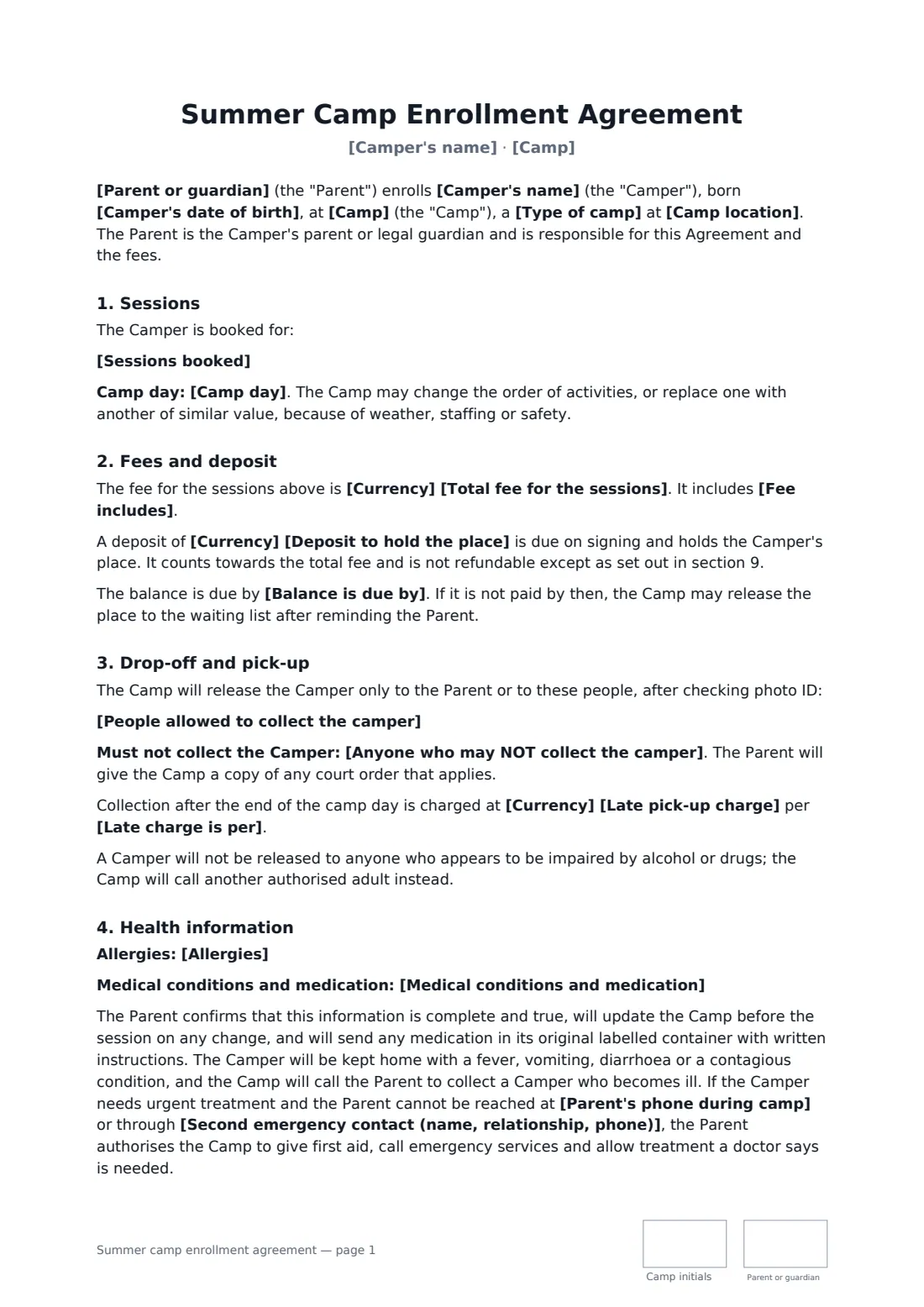
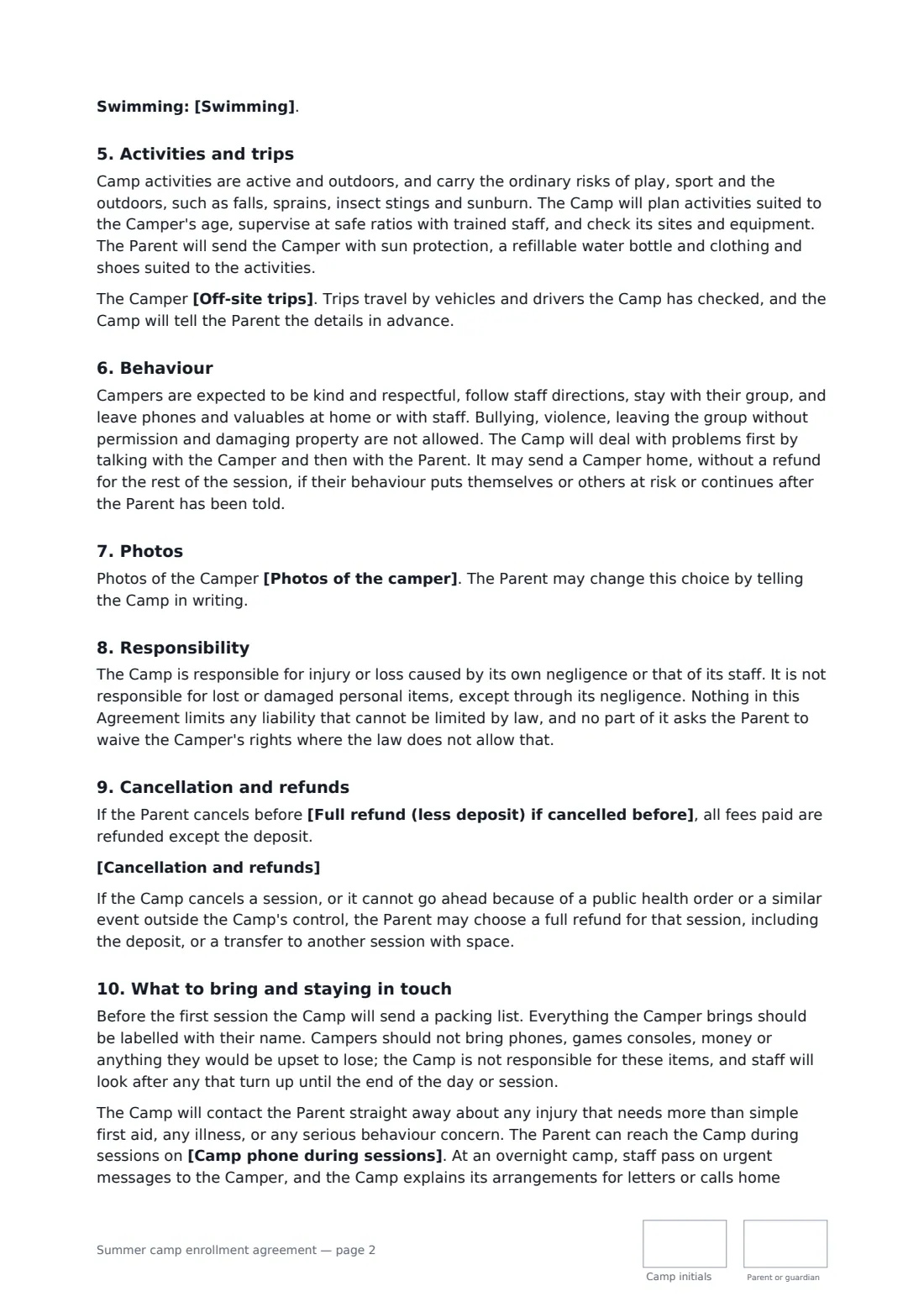
Summer camp registration is a rush of forms in spring: dates, money, medical details, pick-up lists. A summer camp enrollment agreement collects them in one signed document and answers the questions parents ask most — what the fee includes, who can collect their child, whether their child may swim or leave the site, and what they get back if they cancel.
This template works for day camps and overnight camps. It covers the sessions booked and the camp day, the total fee, a deposit and balance due date, what the fee includes, sign-in and sign-out with photo ID, an authorised pick-up list and anyone barred by a court order, a late pick-up charge, allergies, conditions and medication, illness and emergency treatment, a swimming choice, off-site trips, behaviour rules and sending a camper home, photo choices, a full-refund date, your cancellation wording and what happens if the camp itself cancels.
- Best for
- Day camps, overnight camps, sports and holiday clubs
- Signed by
- The camper's parent or guardian and the camp director
- Payments
- Optional deposit, then a balance by a set date
- Length
- About 3-4 pages, initialled on every page
When to use a summer camp enrollment agreement
- Booking two themed weeks at a local day camp
- Registering a child for a one-week overnight camp
- A sports academy running holiday coaching weeks
- A church or community group running a summer program
- A camp re-enrolling returning families with new dates
What you fill in
28 blanks, then the name and email of each person who signs: camp, parent or guardian.
1 The camp
- Camp*
- Camp location*
- Type of camp* day camp · overnight camp
- Camp phone during sessions*
2 The family
- Parent or guardian*
- Parent's phone during camp*
- Camper's name*
- Camper's date of birth*
- Second emergency contact (name, relationship, phone)*
3 Sessions and fees
- Sessions booked*
- Camp day*
- Currency*
- Total fee for the sessions*
- Deposit to hold the place
- Balance is due by*
- Fee includes*
4 Drop-off and pick-up
- People allowed to collect the camper*
- Anyone who may NOT collect the camper
- Late pick-up charge
- Late charge is per
5 Health
- Allergies
- Medical conditions and medication
- Swimming* The camper may swim, after a swim test, in the area matching their ability · The camper may only paddle in shallow water · The camper must not swim
6 Activities
- Off-site trips* may go on the trips listed in the camp schedule · may go on trips only with a separate permission slip for each one · may not go on off-site trips
- Photos of the camper* may appear in the private parent photo gallery and in camp promotion, without the camper's name · may appear only in the private parent photo gallery · may not be taken except in group shots that are not shared
7 Cancellation
- Full refund (less deposit) if cancelled before
- Cancellation and refunds*
- Governing law*
8 Who signs
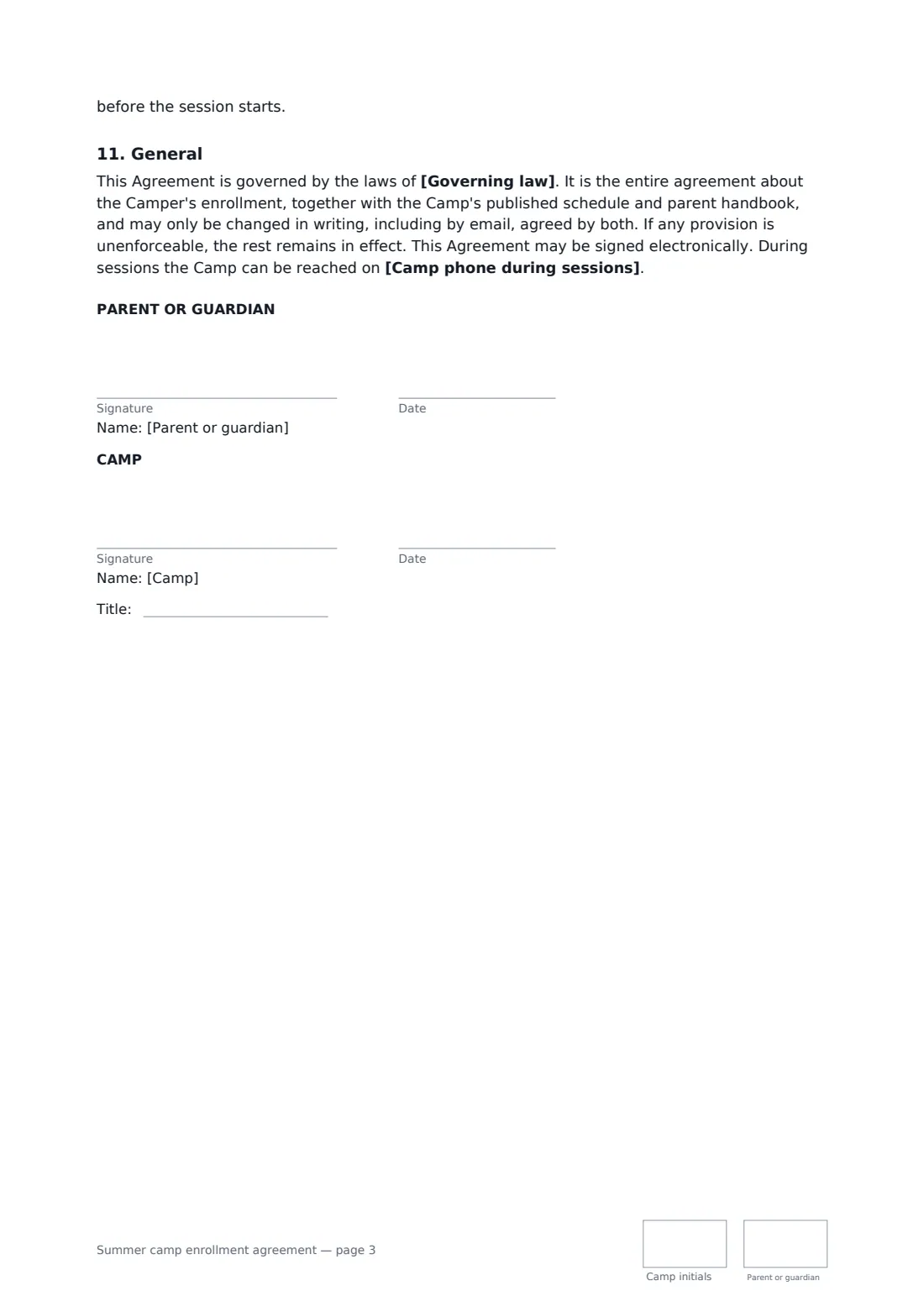
- Camp signature and date, job title, initials on every page · The camp director or registrar.
- Parent or guardian signature and date, initials on every page · The camper's parent or legal guardian.
What the summer camp enrollment agreement covers
- Sessions
- Fees and deposit
- Drop-off and pick-up
- Health information
- Activities and trips
- Behaviour
- Photos
- Responsibility
- Cancellation and refunds
- What to bring and staying in touch
- General
Using the summer camp enrollment agreement, step by step
1 Enter the camp and the family
Pick day or overnight camp and add the location and the phone parents use during sessions. Enter the parent, the camper's name and date of birth, and a second emergency contact.
2 List sessions and fees
List each week or session booked and the camp day hours. Enter the total fee, an optional deposit, the balance due date and what the fee includes.
3 Set pick-up, health and activities
List everyone allowed to collect the camper, and anyone who may not. Add allergies and medication, then choose the swimming, trips and photo options.
4 Cancellation and send
Add a full-refund date if you offer one and edit the cancellation wording. Add the parent as a signer and send — they can sign from a phone.
Tips before you send it
- Ask for the second emergency contact as a must-fill. It's the one parents leave blank and staff need most.
- Check photo ID at pick-up every time, even for familiar faces — the template tells parents you will.
- Day and overnight camps are licensed or regulated in many places. Make sure your ratios, medication handling and records match those rules.
- Use separate permission slips for one-off trips if your schedule isn't fixed when families sign.
Sign it online in minutes
- Fill in the blanks. Names, dates and amounts go straight into the agreement — the preview shows exactly where.
- Name who signs. Tick “This is me” for your own part. FileIt builds the PDF with every signature, date and initials box on the right line, and you can check or move anything before sending.
- Send it. Each signer gets a secure link and signs from any device — no account needed. The signed PDF, with an audit trail and a Certificate of Completion, is filed in your vault and emailed to everyone.
Summer camp enrollment agreement: frequently asked questions
Is the camp deposit refundable?
Under the template the deposit counts towards the fee and is kept if the parent cancels. It is refunded in full if the camp cancels a session or it can't go ahead because of a public health order or similar event.
Who can pick my child up from camp?
Only the parent and the people named on the pick-up list, after showing photo ID. You can name anyone who must not collect the child and give the camp a copy of any court order.
Can a camper be sent home?
Yes, if their behaviour puts themselves or others at risk or carries on after the parent has been told. The camp talks with the child and then the parent first, and the rest of that session isn't refunded.
Is a camp registration form signed online valid?
In most countries, including the US (ESIGN Act and UETA), the UK, the EU (eIDAS) and Canada, an electronic signature is generally valid for an ordinary services contract like this one. FileIt keeps an audit trail and a Certificate of Completion with the signed PDF as evidence of who signed and when.
Can I change the wording?
You fill in the blanks and choose the options on the setup page; optional clauses appear only when you fill them in. If you need different clauses, draft your own document and upload it to FileIt eSignature instead — you can still place the signature boxes in the editor.
Is this template free?
Yes. The template is free to use with the eSignature app in FileIt. Parents don't need a FileIt account to sign.