What is a paintball and airsoft waiver?
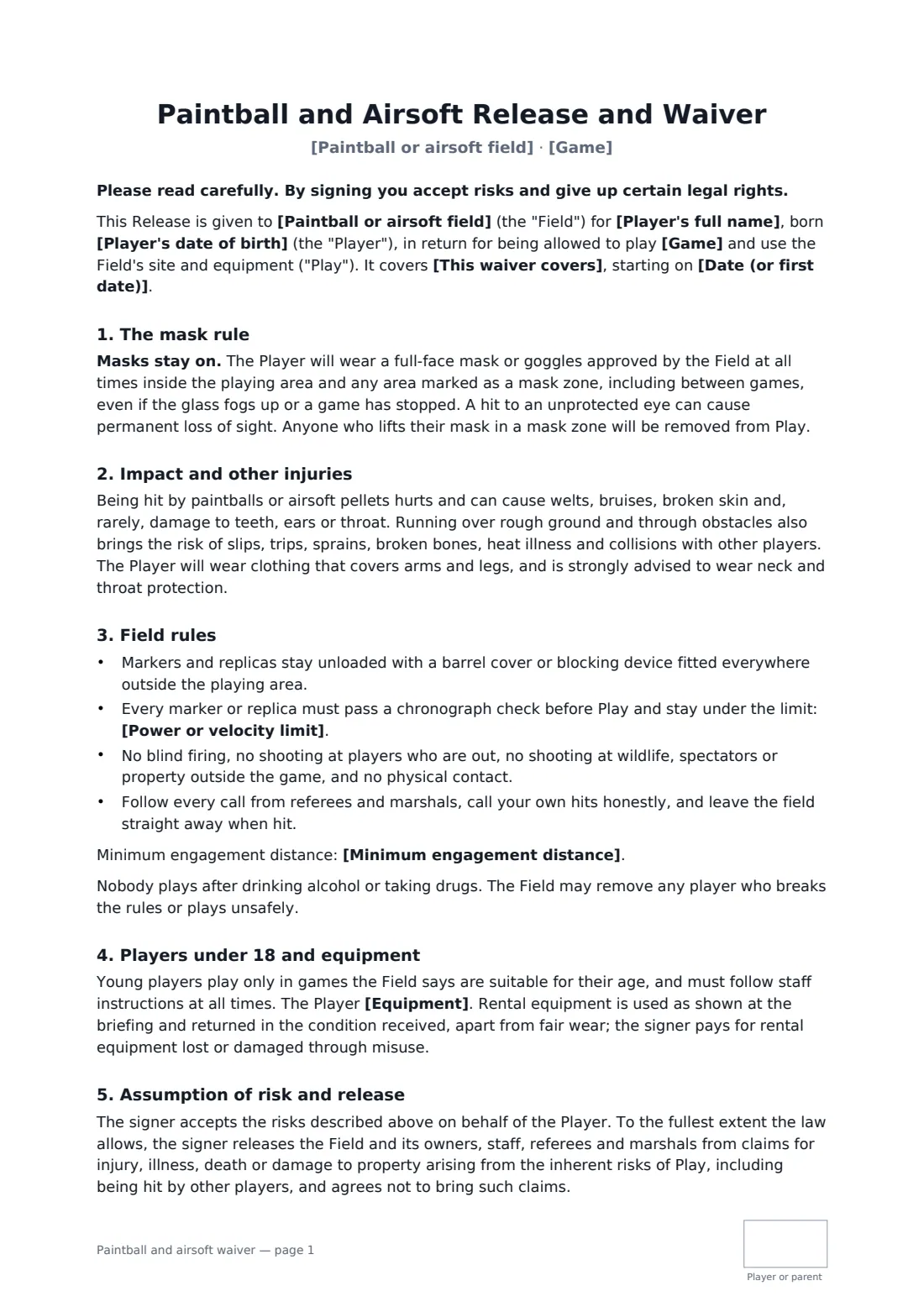
Paintball and airsoft are safe enough when the rules are kept and dangerous when they aren't: almost every serious injury involves someone lifting a mask or a marker firing outside the playing area. Your waiver should put the mask rule first, in bold, and back it with the field rules your marshals enforce every weekend.
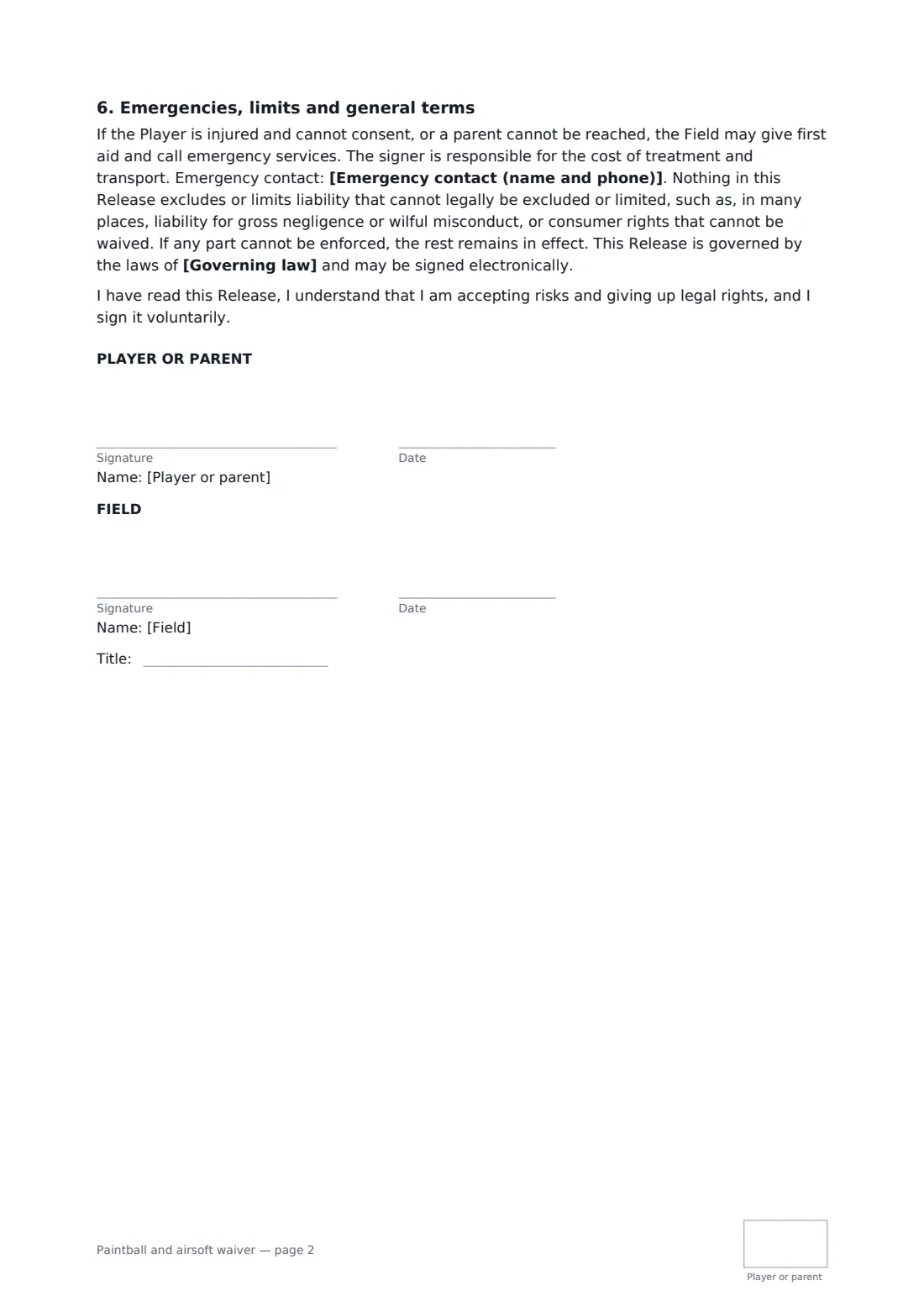
This template covers paintball, airsoft, low-impact paintball or both. You set the power or velocity limit checked by chronograph and an optional minimum engagement distance. The player agrees to keep a full-face mask on in every mask zone, to keep markers unloaded and blocked outside play, not to blind-fire or shoot players who are out, to call hits honestly and follow referees. It's frank about welts, bruises and broken skin and recommends neck protection. Players say whether they're using rental gear or their own, which you check before play. A parent can sign for a young player; every page is initialled, and the release goes as far as the law allows.
- Best for
- Paintball parks, airsoft sites, low-impact kids' paintball, party and event venues
- Signed by
- The player or a parent, and the field
- Includes
- Mask rule, chrono limit, engagement distance, rental gear terms
- Length
- 2 pages, initialled on every page
When to use a paintball and airsoft waiver
- Walk-on players at weekend games
- Birthday parties with low-impact paintball
- Airsoft skirmish days with players' own replicas
- Stag, hen and corporate group bookings
- Regulars signing once for the year
What you fill in
13 blanks, then the name and email of each person who signs: player or parent, field.
1 The field
- Paintball or airsoft field*
- Game* paintball · airsoft · low-impact paintball · paintball and airsoft
- Date (or first date)*
- This waiver covers* the game day on the date above · all game days for 12 months from signing
- Power or velocity limit*
- Minimum engagement distance
2 The player
- Player's full name*
- Player's date of birth*
- Who signs* The player (18 or over) · A parent or guardian of a player under 18
- Parent or guardian's name
- Equipment* will use the field's rental equipment · will use their own equipment, which the field will check before play · will use a mix of their own and rental equipment
- Emergency contact (name and phone)*
3 The field
- Governing law*
4 Who signs
- Player or parent signature and date, initials on every page · The adult player, or a parent or legal guardian signing for a player under 18.
- Field signature and date, job title, initials on every page
What the paintball and airsoft waiver covers
- The mask rule
- Impact and other injuries
- Field rules
- Players under 18 and equipment
- Assumption of risk and release
- Emergencies, limits and general terms
Using the paintball and airsoft waiver, step by step
1 Set your field
Your field name fills in. Choose the game, the date, and whether the waiver covers one day or 12 months.
2 Enter your limits
Add your power or velocity limit and, if you use one, the minimum engagement distance.
3 Players fill in their details
Send the link with the booking. The player, or a parent for an under-18, adds date of birth, gear choice and an emergency contact, then signs and initials.
4 Countersign and play
You countersign, and every waiver is filed in your FileIt vault, so marshals can check names at the safety briefing.
Tips before you send it
- Chronograph every marker and replica, every game day — not just the ones that look suspicious.
- Repeat the mask rule at the briefing and enforce it with removal, every time.
- Set your youth minimum age by game type; low-impact paintball suits younger players.
- Check local rules on airsoft replicas and transport to and from your site.
Sign it online in minutes
- Fill in the blanks. Names, dates and amounts go straight into the agreement — the preview shows exactly where.
- Name who signs. Tick “This is me” for your own part. FileIt builds the PDF with every signature, date and initials box on the right line, and you can check or move anything before sending.
- Send it. Each signer gets a secure link and signs from any device — no account needed. The signed PDF, with an audit trail and a Certificate of Completion, is filed in your vault and emailed to everyone.
Paintball and airsoft waiver: frequently asked questions
Why is the mask rule in bold?
A hit to an unprotected eye can cause permanent loss of sight. The form makes the rule impossible to miss and says anyone who lifts their mask in a mask zone will be removed.
Can players use their own equipment?
Yes. Choose own equipment or a mix. The field checks it before play, and it must pass the chronograph limit.
Can a parent sign for a child?
Yes. Choose the parent option. Young players play only in games you say suit their age.
Do players need a FileIt account?
No. They sign from the link on any device. Each signed PDF has an audit trail and a Certificate of Completion.