What is a end-of-life doula agreement?
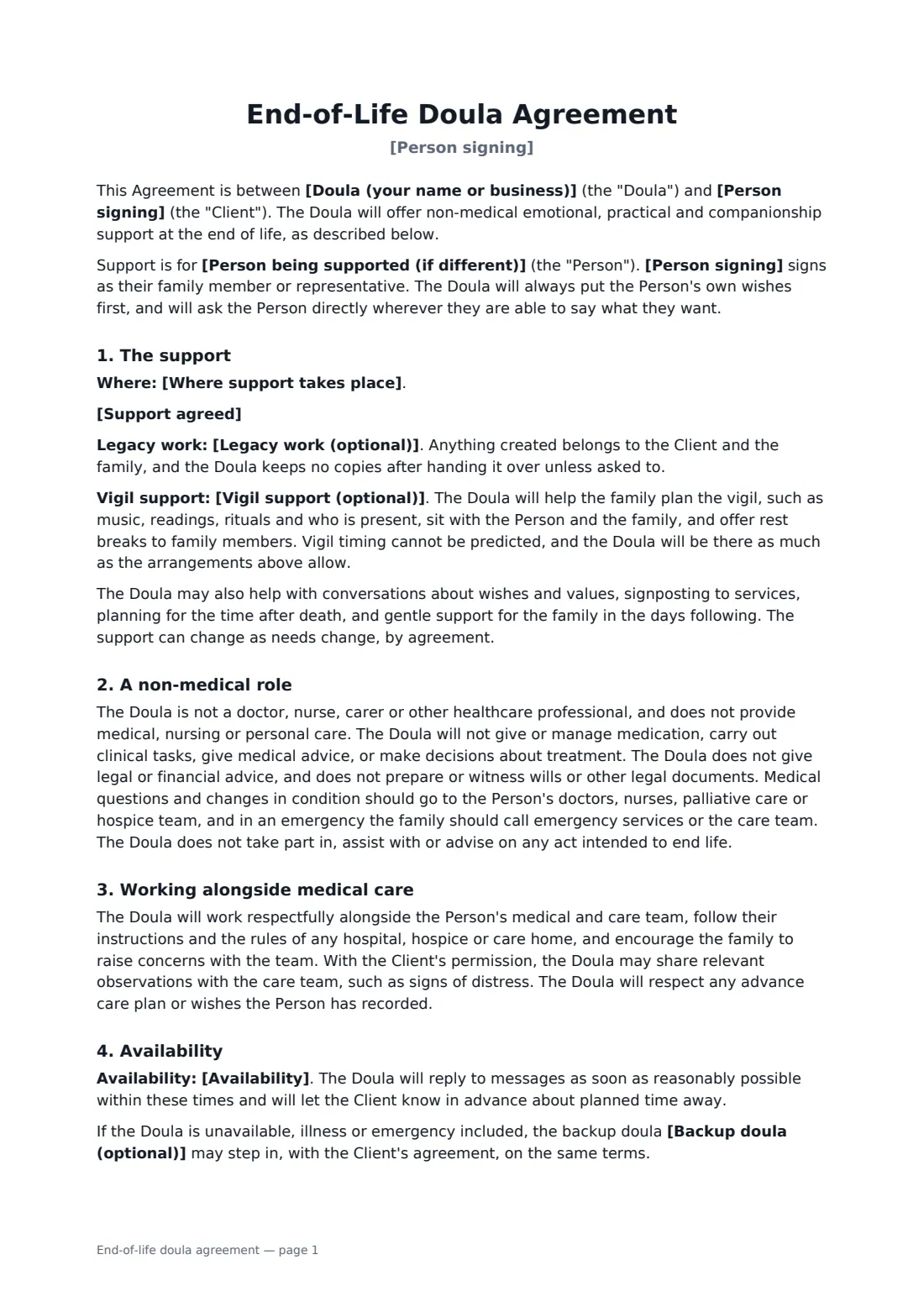
An end-of-life doula agreement makes the doula's role clear from the start: emotional, practical and companionship support for a dying person and their family, working alongside — never instead of — their doctors, nurses and hospice team.
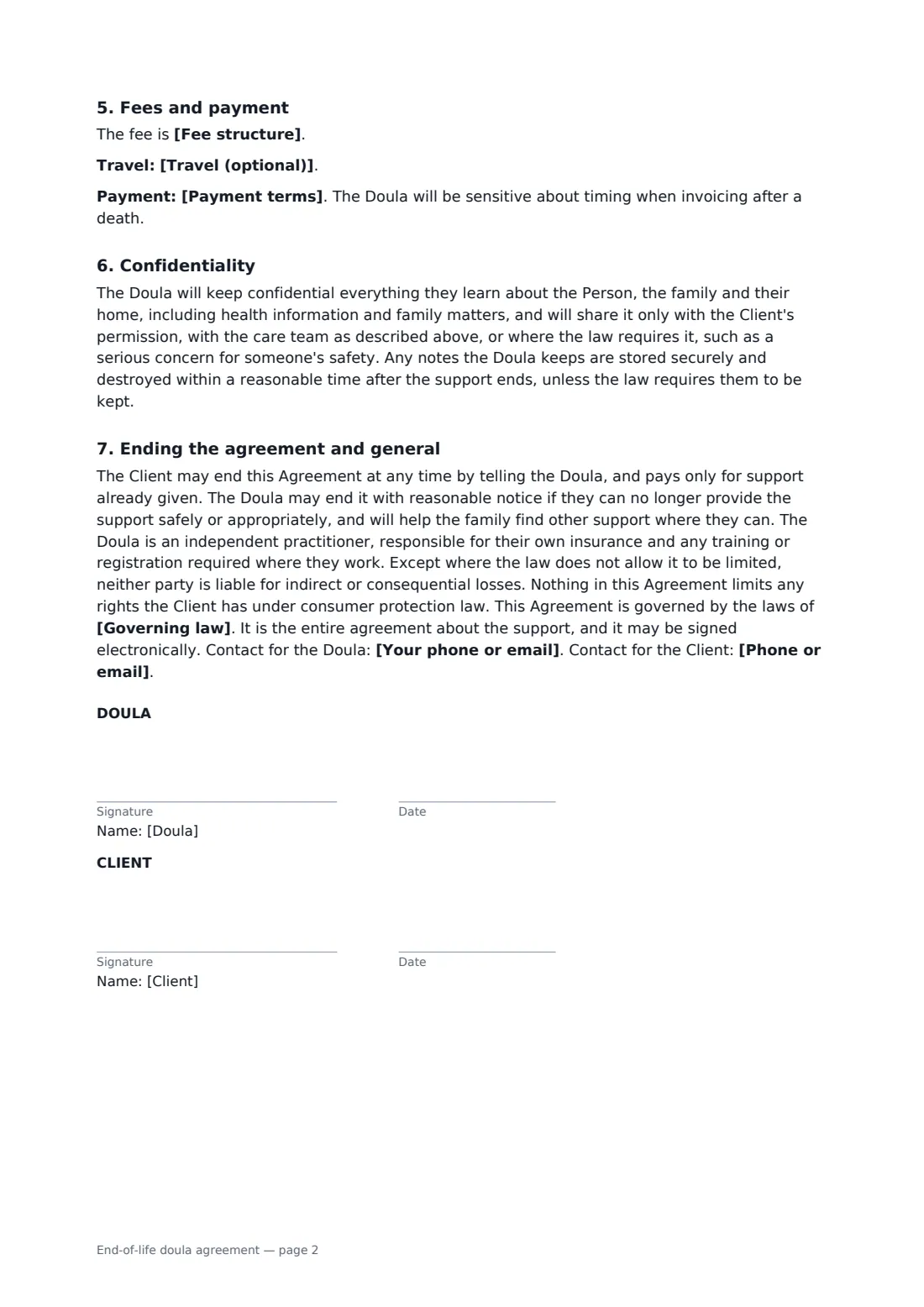
This template covers the person being supported and a family member signing for them, where support takes place, the support agreed, legacy projects, vigil planning and presence, a clear non-medical and non-legal role, working with the care team, availability and a backup doula, package or hourly fees, travel, a fair refund of unused package support after a death, sensitive invoicing, confidentiality of health and family information, and ending the agreement at any time. FileIt places the signature and date boxes for the doula and the client.
- Best for
- End-of-life doulas, death doulas and end-of-life companions
- Signed by
- The doula and the client, or a family member for them
- Fees
- Package, hourly, or a package with extra hours
- Length
- About 2 pages
When to use a end-of-life doula agreement
- Weekly companionship visits for someone receiving palliative care at home
- Vigil planning and presence in the final days
- A legacy project such as a memory book or recorded stories
- Support for a family when a person moves into a hospice
- Help with conversations about wishes and planning for after death
What you fill in
18 blanks, then the name and email of each person who signs: doula, client.
1 The parties
- Doula (your name or business)*
- Your phone or email*
- Person signing*
- Person being supported (if different)
- Phone or email*
2 The support
- Where support takes place*
- Support agreed*
- Legacy work (optional)
- Vigil support (optional)
3 Availability
- Availability*
- Backup doula (optional)
4 Fees
- Currency*
- Fee structure* a package fee · an hourly rate · a package fee with extra hours at an hourly rate
- Package fee
- Hourly rate
- Payment terms*
- Travel (optional)
5 Other terms
- Governing law*
6 Who signs
- Doula signature and date · The end-of-life doula providing support.
- Client signature and date · The person receiving support, or a family member or representative signing on their behalf.
What the end-of-life doula agreement covers
- The support
- A non-medical role
- Working alongside medical care
- Availability
- Fees and payment
- Confidentiality
- Ending the agreement and general
Using the end-of-life doula agreement, step by step
1 Enter who is supported
Add the person signing and, if a family member signs for them, the name of the person being supported, plus where support takes place.
2 Describe the support
Describe the visits and support agreed, and add any legacy work and vigil support.
3 Availability and fees
Enter your availability, any backup doula, the fee structure, package fee or hourly rate, payment terms and travel.
4 Send for signature
Add the client as a signer and send — ideally after talking the agreement through together.
Tips before you send it
- Be clear about what you don't do: medication, clinical tasks, medical advice and legal documents are outside the role.
- Ask the person directly about their wishes whenever they are able to say; the template puts their wishes first.
- Some places have training or registration expectations for doulas or companions. Check what applies where you work.
- Be gentle about timing when invoicing after a death — the template says so.
Sign it online in minutes
- Fill in the blanks. Names, dates and amounts go straight into the agreement — the preview shows exactly where.
- Name who signs. Tick “This is me” for your own part. FileIt builds the PDF with every signature, date box on the right line, and you can check or move anything before sending.
- Send it. Each signer gets a secure link and signs from any device — no account needed. The signed PDF, with an audit trail and a Certificate of Completion, is filed in your vault and emailed to everyone.
End-of-life doula agreement: frequently asked questions
Is an end-of-life doula a medical professional?
No. The template states the doula doesn't provide medical, nursing or personal care, give or manage medication, or give medical, legal or financial advice. Medical questions go to the person's care team.
What if the person dies before the package is used?
The doula refunds the part of the package fee for support not given, less a fair amount for time already spent, and explains how it was worked out.
Can the family end the agreement?
Yes, at any time, by telling the doula. They pay only for support already given.
Is it valid if signed online?
In most countries, including the US (ESIGN Act and UETA), the UK, the EU (eIDAS) and Canada, an electronic signature is generally valid for an ordinary services contract like this one. FileIt keeps an audit trail and a Certificate of Completion with the signed PDF as evidence of who signed and when.
Can I change the wording?
You fill in the blanks and choose the options on the setup page; optional clauses appear only when you fill them in. If you need different clauses, draft your own document and upload it to FileIt eSignature instead — you can still place the signature boxes in the editor.
Is this template free?
Yes. The template is free to use with the eSignature app in FileIt. The person you send it to doesn't need a FileIt account to sign.