What is a funeral celebrant agreement?
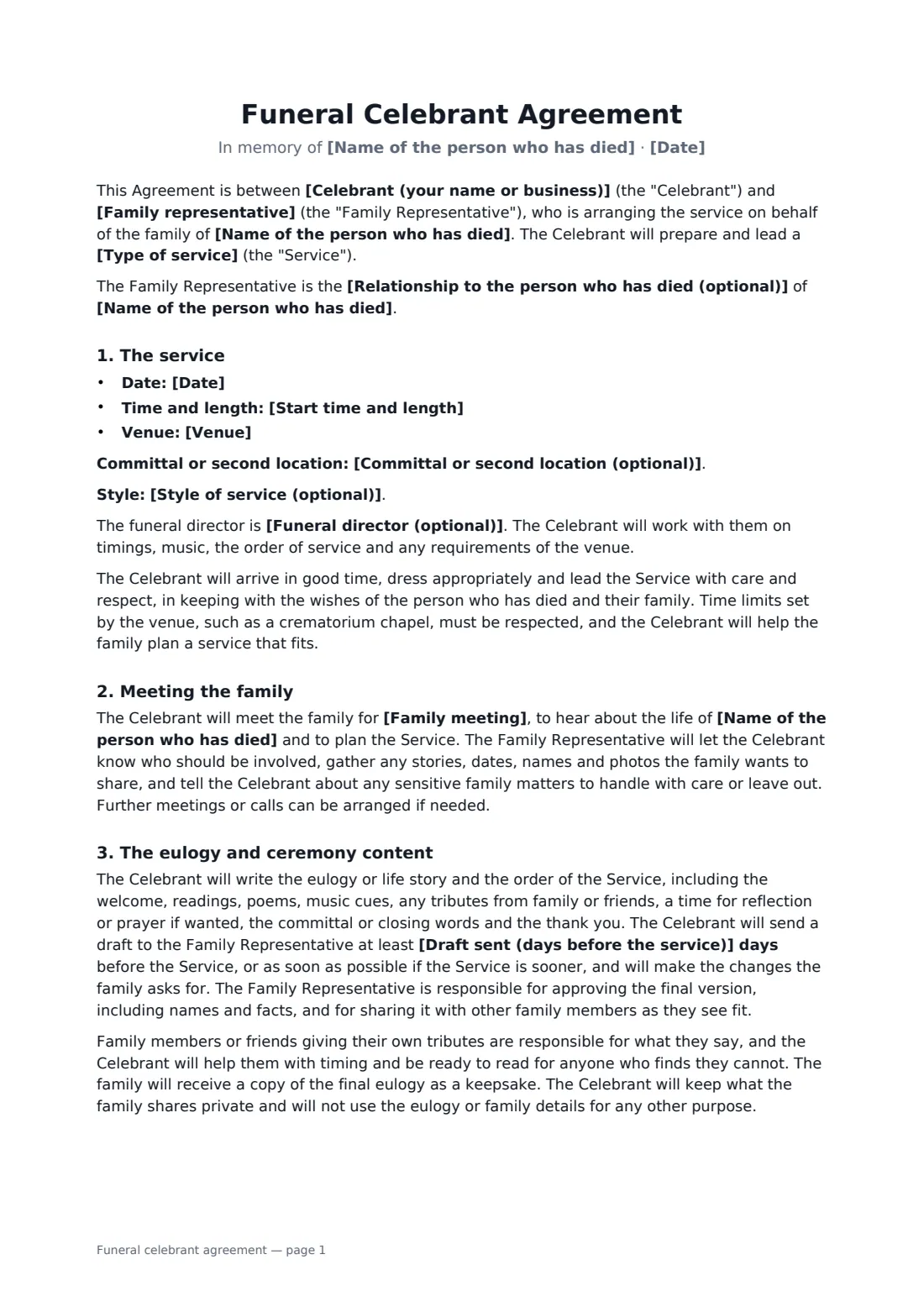
A funeral celebrant agreement gives a grieving family a clear, gentle record of what the celebrant will do: meet them, write the eulogy and order of service, share a draft for approval, and lead the service with care.
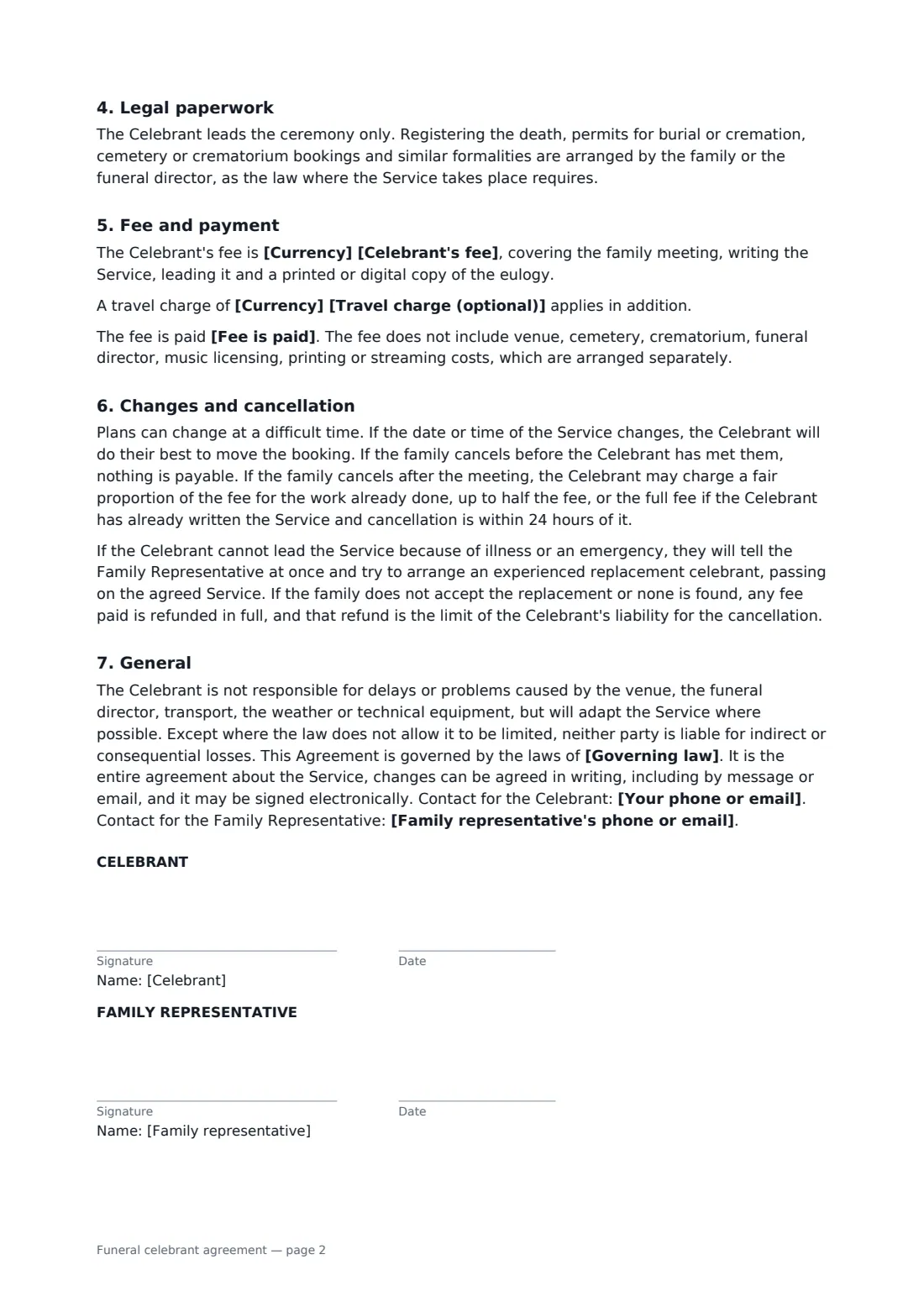
This template covers the type of service, date, time, venue and any committal, the funeral director, the style of service, the family meeting, writing and approving the eulogy, tributes from family and friends, a keepsake copy, privacy, the celebrant's ceremony-only role (registration and permits stay with the family or funeral director), the fee and travel, payment directly or through the funeral director, and kind, simple terms for changes and cancellation. FileIt places the signature and date boxes for the celebrant and the family representative.
- Best for
- Funeral celebrants, civil celebrants, officiants and ministers
- Signed by
- The celebrant and a family representative
- Services
- Funeral, memorial, celebration of life, graveside, ashes
- Length
- About 2 pages
When to use a funeral celebrant agreement
- A non-religious funeral at a crematorium chapel
- A memorial service or celebration of life some weeks after a death
- A graveside or committal service
- A ceremony for scattering or interring ashes
- A celebrant booked through a funeral director, paid on the funeral account
What you fill in
20 blanks, then the name and email of each person who signs: celebrant, family representative.
1 The parties
- Celebrant (your name or business)*
- Your phone or email*
- Family representative*
- Relationship to the person who has died (optional)
- Family representative's phone or email*
2 The service
- Name of the person who has died*
- Type of service* funeral service · memorial service · celebration of life · graveside or committal service · scattering or interment of ashes
- Date*
- Start time and length*
- Venue*
- Committal or second location (optional)
- Funeral director (optional)
- Style of service (optional)
3 Preparation
- Family meeting*
- Draft sent (days before the service)*
4 Fee
- Currency*
- Celebrant's fee*
- Travel charge (optional)
- Fee is paid* by the Family Representative directly, within 14 days of the service · by the Family Representative directly, before the service · through the funeral director, as part of the funeral account
5 Other terms
- Governing law*
6 Who signs
- Celebrant signature and date · The celebrant or officiant leading the service.
- Family representative signature and date · The family member or friend arranging the service and paying the fee.
What the funeral celebrant agreement covers
- The service
- Meeting the family
- The eulogy and ceremony content
- Legal paperwork
- Fee and payment
- Changes and cancellation
- General
Using the funeral celebrant agreement, step by step
1 Enter the family and the person
Add the family representative, their relationship, and the name of the person who has died.
2 Describe the service
Choose the type of service and enter the date, time and length, venue, any committal location, the funeral director and the style of service.
3 Set the preparation
Describe the family meeting and how many days before the service the draft eulogy will be sent.
4 Fee and send
Enter your fee, any travel charge and how the fee is paid, then add the family representative as a signer.
Tips before you send it
- Keep the agreement short to read — families sign this at a hard time. Talk it through on the phone first.
- Check the venue's time slot; crematorium chapels often have strict limits.
- Offer to read a tribute for anyone who finds on the day that they can't.
- If the service is sooner than the draft deadline, the template says the draft is sent as soon as possible.
Sign it online in minutes
- Fill in the blanks. Names, dates and amounts go straight into the agreement — the preview shows exactly where.
- Name who signs. Tick “This is me” for your own part. FileIt builds the PDF with every signature, date box on the right line, and you can check or move anything before sending.
- Send it. Each signer gets a secure link and signs from any device — no account needed. The signed PDF, with an audit trail and a Certificate of Completion, is filed in your vault and emailed to everyone.
Funeral celebrant agreement: frequently asked questions
Who approves the eulogy?
The family representative approves the final version, including names and facts, and can share it with other family members. The celebrant makes the changes the family asks for.
What if the family cancels?
Before the family meeting nothing is payable. After it, the celebrant may charge a fair share of the fee for work done, up to half, or the full fee if the service has been written and cancellation is within 24 hours of it.
Does the celebrant handle the death registration?
No. The celebrant leads the ceremony only. Registering the death, burial or cremation permits and bookings are arranged by the family or funeral director as the local law requires.
Is it valid if signed online?
In most countries, including the US (ESIGN Act and UETA), the UK, the EU (eIDAS) and Canada, an electronic signature is generally valid for an ordinary services contract like this one. FileIt keeps an audit trail and a Certificate of Completion with the signed PDF as evidence of who signed and when.
Can I change the wording?
You fill in the blanks and choose the options on the setup page; optional clauses appear only when you fill them in. If you need different clauses, draft your own document and upload it to FileIt eSignature instead — you can still place the signature boxes in the editor.
Is this template free?
Yes. The template is free to use with the eSignature app in FileIt. The person you send it to doesn't need a FileIt account to sign.