What is Form SSA-1945?
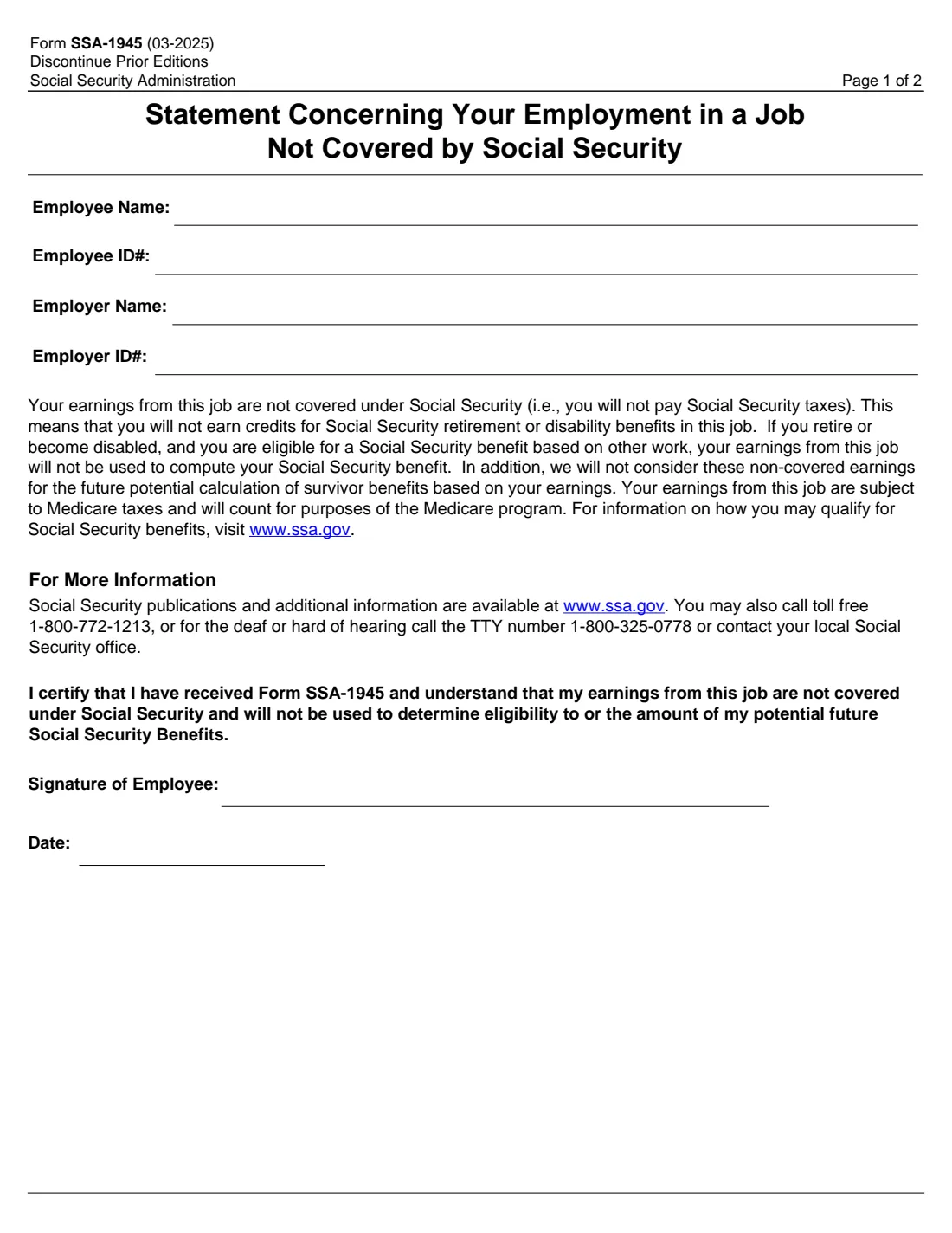
Form SSA-1945, Statement Concerning Your Employment in a Job Not Covered by Social Security, is the Social Security Administration form State and local government employers use to tell new employees that the earnings from their job are not covered under Social Security. The Social Security Protection Act of 2004 requires State and local government employers to give the statement to employees hired January 1, 2005 or later in a job not covered under Social Security.
The statement explains that the employee won't pay Social Security taxes on the job and won't earn Social Security credits from it, that those earnings won't be used to compute a Social Security retirement or disability benefit or future survivor benefits, and that the earnings are still subject to Medicare taxes and count for Medicare. The employee signs to certify they received the form and understand this.
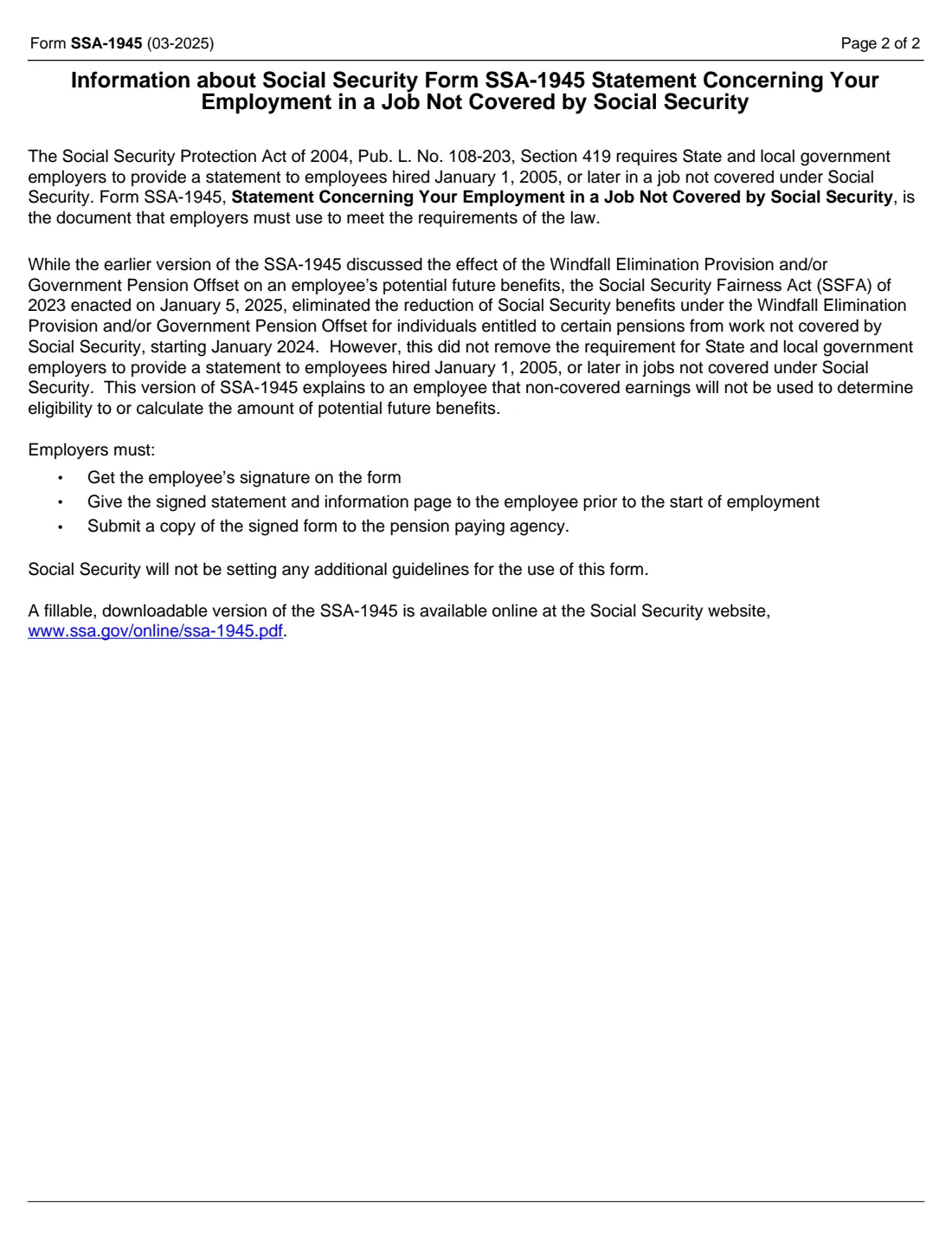
This 03-2025 edition reflects the Social Security Fairness Act, enacted January 5, 2025, which eliminated the Windfall Elimination Provision and Government Pension Offset. As the form's information page says, that didn't remove the requirement for employers to give the statement.
FileIt fills in the employee and employer names and ID numbers on SSA's own PDF, the employee can sign with eSignature, and the signed statement is kept in the vault. FileIt never submits anything to SSA.
- Who fills it
- The State or local government employer fills in the names and IDs; the employee signs and dates it.
- Given to
- The employee keeps the signed statement and information page; the employer sends a copy to the pension paying agency.
- When
- Before the start of employment in a job not covered by Social Security.
- Signatures
- The employee signs and dates it.
- Law
- Social Security Protection Act of 2004, Pub. L. No. 108-203, Section 419.
- Edition
- Form SSA-1945 (03-2025)
Who needs to fill out Form SSA-1945?
- State and local government employers hiring into positions not covered by Social Security.
- Public school districts, cities, counties and state agencies with pension plans instead of Social Security coverage.
- HR and onboarding staff preparing new-hire paperwork for non-covered positions.
- New public employees asked to sign the statement as part of their hiring paperwork.
When to use Form SSA-1945
- For every employee hired January 1, 2005 or later into a job not covered under Social Security.
- Before the employee's first day: page 2 says employers must give the signed statement to the employee prior to the start of employment.
- When replacing an older edition. The form says to discontinue prior editions; the earlier version discussed the Windfall Elimination Provision and Government Pension Offset.
What you need before you start
- The employee's name and the employer's employee ID number for them.
- The employer's name and employer ID number.
- The employee's signature and the date they sign.
What’s on Form SSA-1945
The 2025 edition has 2 pages. FileIt asks for it in 1 parts, and it is signed by Employee:
- Employee and employerEmployer (state or local government)
How to fill out Form SSA-1945, step by step
1 Employee and employer details
The employer enters the employee's name and employee ID number, and its own name and employer ID number.
2 The statement
The body of the form tells the employee that the job's earnings are not covered under Social Security, won't earn Social Security credits, and won't be used to compute Social Security retirement, disability or survivor benefits, but are subject to Medicare taxes and count for Medicare.
3 Employee's certification
The employee certifies they received Form SSA-1945 and understand that the earnings from the job are not covered under Social Security and won't be used to determine eligibility for, or the amount of, potential future Social Security benefits. They sign and date it.
4 Page 2: Information for employers
The information page explains the legal requirement and what employers must do: get the employee's signature, give the signed statement and information page to the employee before employment starts, and send a copy of the signed form to the pension paying agency.
Common mistakes to avoid
- Using an older edition that describes the Windfall Elimination Provision and Government Pension Offset. The form says to discontinue prior editions.
- Giving the statement after the job has started. It must be given before the start of employment.
- Forgetting to send a copy of the signed form to the pension paying agency.
- Keeping the only signed copy. The employee must receive the signed statement and the information page.
After you fill it out
Have the employee sign and date the statement before they start work.
Give the signed statement and the information page to the employee, and submit a copy of the signed form to the pension paying agency, as page 2 requires.
FileIt keeps the signed PDF in the vault. For questions about Social Security benefits, the form points to www.ssa.gov and 1-800-772-1213 (TTY 1-800-325-0778).
Fill out Form SSA-1945 online with FileIt
- Pick the person. Choose someone from People and FileIt fills in their name, date of birth, address and other details it already knows.
- Answer plain-language questions. One part of the form at a time, with the official help text beside each question — 4 fields in all. Your answers save as you go.
- Check the live preview. Watch your answers land on the real Social Security Administration (SSA) form, and let FileIt do any worksheet arithmetic.
- Generate the official PDF. FileIt prints your answers into the agency’s own PDF and files it in that person’s folder in your vault. Sign it, or send it for e-signature.
FileIt fills the form — it never files or submits anything for you. Deliver the finished form to whoever asked for it, the way the form’s instructions say.
Start Form SSA-1945 now — it’s freeForm SSA-1945: frequently asked questions
Who must give employees Form SSA-1945?
State and local government employers, for employees hired January 1, 2005 or later in a job not covered under Social Security, under Section 419 of the Social Security Protection Act of 2004.
Is SSA-1945 still required after the Social Security Fairness Act?
Yes. The form's information page says the Act, enacted January 5, 2025, eliminated the Windfall Elimination Provision and Government Pension Offset but did not remove the requirement to give employees this statement.
What does signing SSA-1945 mean for the employee?
The employee certifies they received the form and understand that the earnings from this job are not covered under Social Security and won't be used to determine eligibility for, or the amount of, their potential future Social Security benefits.
Do I pay Medicare taxes in a job not covered by Social Security?
The statement says the earnings from the job are subject to Medicare taxes and count for the Medicare program.
Who gets a copy of the signed form?
The employee receives the signed statement and information page, and the employer submits a copy of the signed form to the pension paying agency.
Can I fill out Form SSA-1945 online?
With FileIt the employer fills in the details online on SSA's official PDF, and the employee can sign it with eSignature. FileIt doesn't submit it anywhere.
Official sources
- Blank form (PDF), published by Social Security Administration (SSA): https://www.ssa.gov/forms/ssa-1945.pdf
- Official instructions and guidance: https://www.ssa.gov/forms/ssa-1945.pdf
- Edition shown on this page: Form SSA-1945 (03-2025) (checked 2026-09-28).
FileIt is not affiliated with or endorsed by Social Security Administration (SSA) or any government. This page explains the form in general terms and is not legal, tax or immigration advice. Always read the official instructions, and check that you are using the edition the recipient accepts. Page last reviewed 2026-09-28.