What is Form I-102?
Form I-102 is how a nonimmigrant in the United States asks U.S. Citizenship and Immigration Services for an arrival-departure document: a replacement of a lost, stolen or mutilated Form I-94, Form I-94W (visa waiver) or Form I-95 (crewman's landing permit), an initial I-94 you weren't issued when you were admitted, or a corrected one that USCIS issued with incorrect information.
Before filing, the instructions point you to CBP's website (www.cbp.gov/i94), where you may be able to get a paper version of an electronic I-94 for free. Form I-102 is for when that isn't possible, or for one of the other reasons it covers. The instructions say you must have a U.S. address to file, and you must send a copy of a government-issued ID plus the evidence for your reason.
FileIt pre-fills your name, date of birth and email from your vault's People record, walks you through all seven parts, and prints your answers onto USCIS's own I-102 PDF (edition 04/01/24). It saves the finished form in your vault folder. USCIS requires a handwritten signature, so you print it, sign in ink, and mail it with your evidence and fee yourself.
- Who files
- A nonimmigrant in the United States who needs an I-94, I-94W or I-95 replaced, issued or corrected.
- Pages
- 5 (Parts 1-7, including interpreter, preparer and additional information).
- Signature
- Handwritten in ink; a parent or legal guardian may sign for an applicant under 14.
- Fee
- Set by USCIS's fee schedule (Form G-1055), not printed on the form.
- Edition
- 04/01/24 (OMB No. 1615-0079, expires 03/31/2027)
Who needs to fill out Form I-102?
- Nonimmigrants whose Form I-94, I-94W or I-95 was lost, stolen or mutilated.
- People admitted at a land border, airport or seaport who weren't issued an I-94 at admission.
- People whose I-94, I-94W or I-95 was issued by USCIS with an error, such as after an extension or change of status.
- Nonimmigrant members of the U.S. Armed Forces, NATO or the Partnership for Peace program who weren't issued an I-94 when they entered.
When to use Form I-102
- When you can't get your electronic I-94 from CBP's website and need the record from USCIS.
- When you need a replacement of a paper I-94 that USCIS issued with an extension of stay or change of status, and it was lost, stolen or mutilated.
- For an I-94W, only if you were admitted at a land border, or at an airport or seaport on or before June 28, 2010, as the instructions say.
- When a USCIS-issued I-94 has incorrect information and you need it corrected.
What you need before you start
- A copy of a government-issued ID showing your legal name and date of birth.
- Your A-Number and USCIS Online Account Number, if you have them.
- Your U.S. mailing address (and physical address if different), date of birth, country of birth and citizenship.
- Details of your last entry: date, place, class of admission, type of port-of-entry, current status and when it expires.
- Your I-94 number if you have it, and the passport or travel document you used to travel here, even if expired.
- The evidence for your reason: passport pages showing admission, a police report for a theft, the original mutilated form, or the original form and a signed statement for a correction.
What’s on Form I-102
The 2024 edition has 5 pages. FileIt asks for it in 9 parts:
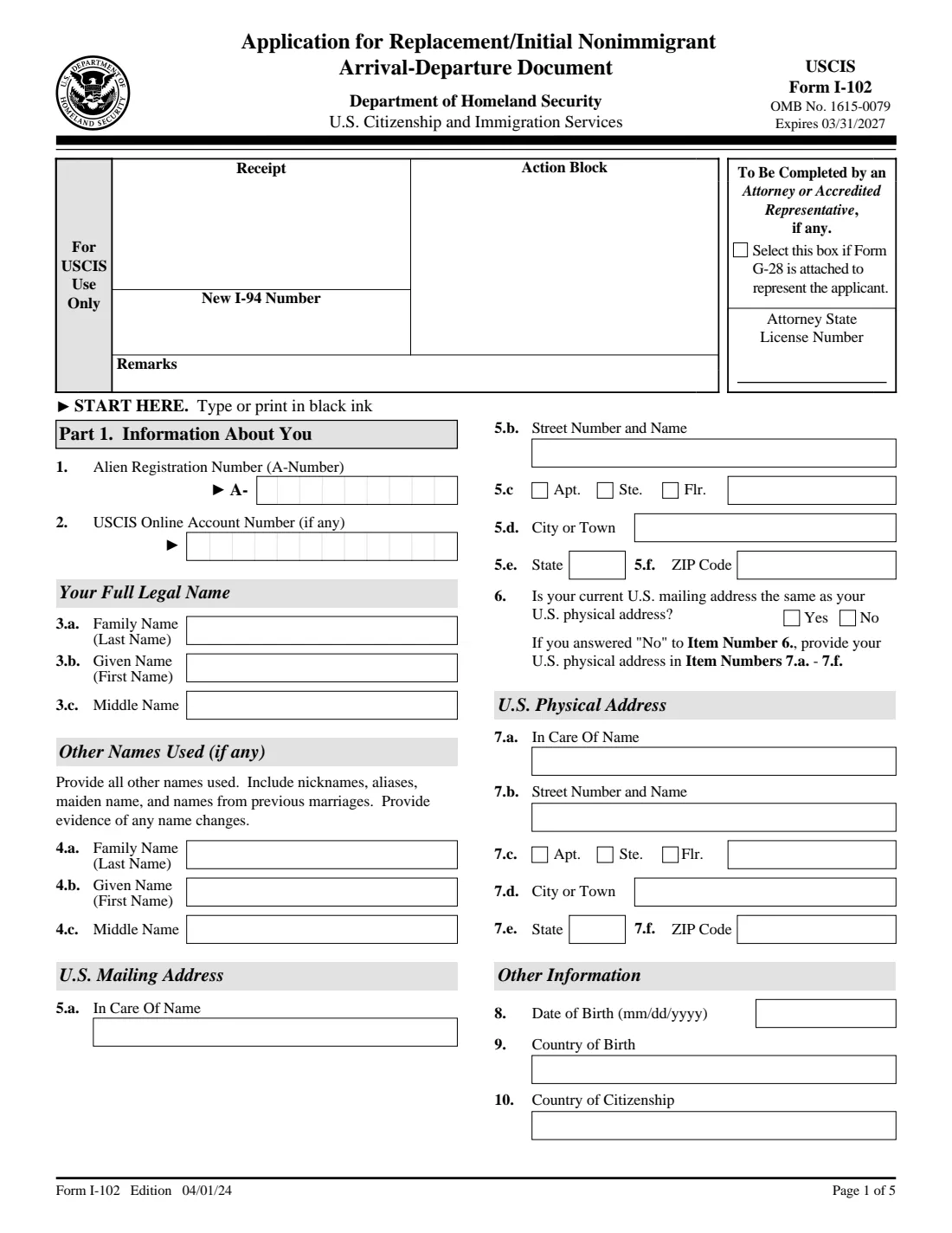
- Attorney or accredited representative (top of page 1)Preparer
- Part 1. Information about youApplicant
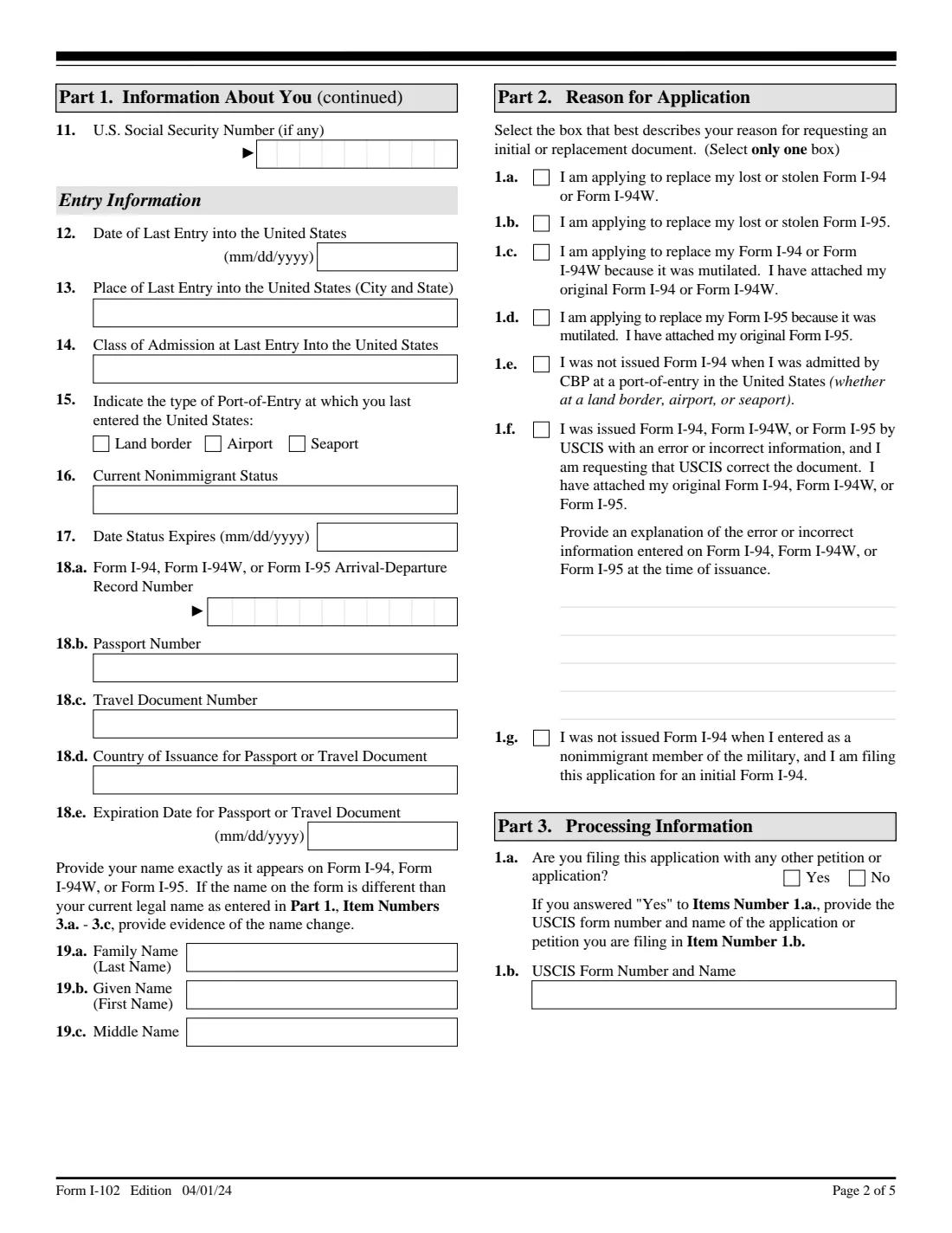
- Part 1. Entry informationApplicant
- Part 2. Reason for applicationApplicant
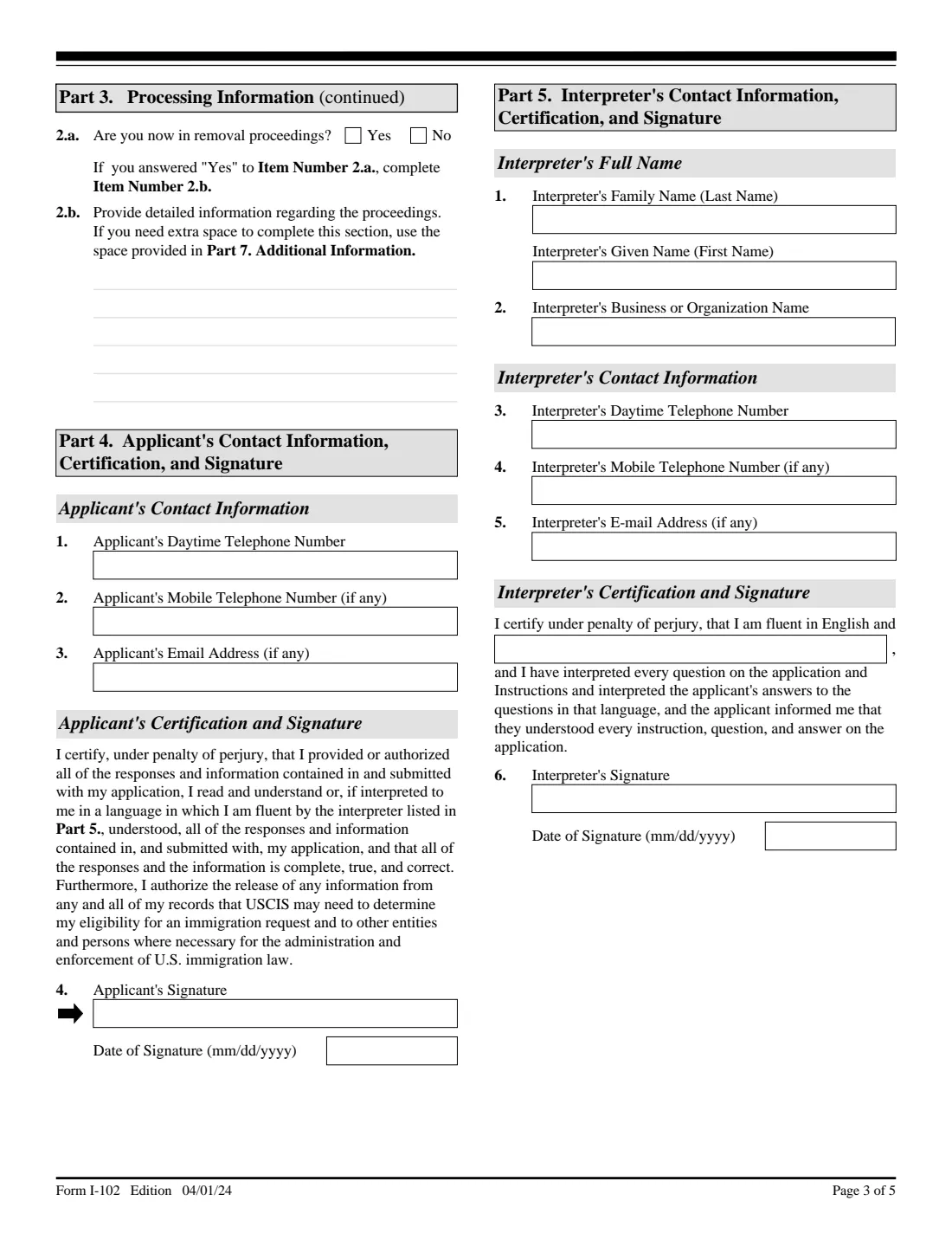
- Part 3. Processing informationApplicant
- Part 4. Applicant's contact information and signatureApplicant
- Part 5. Interpreter's contact information and certificationInterpreter
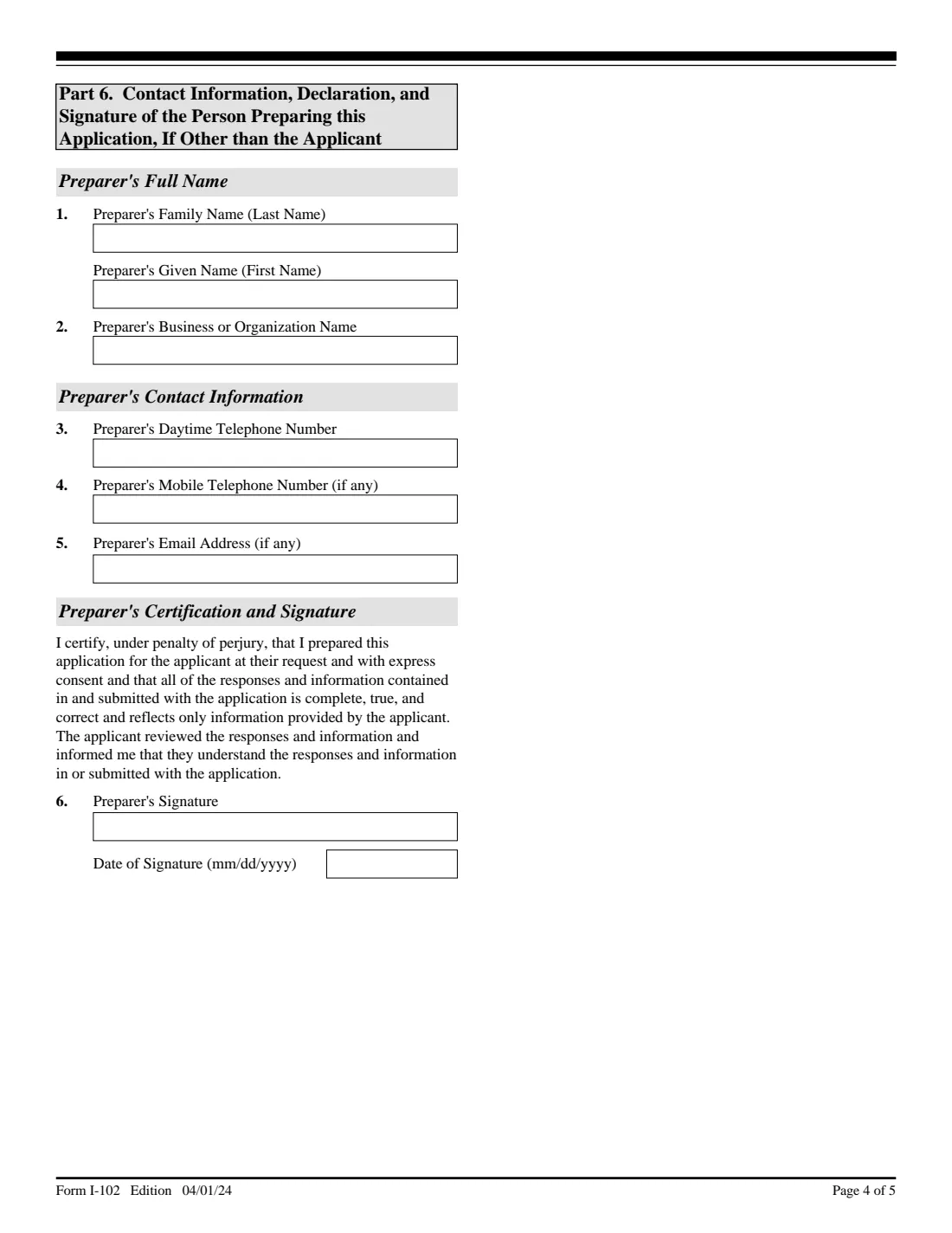
- Part 6. Person preparing this application, if other than the applicantPreparer
- Part 7. Additional informationApplicant
How to fill out Form I-102, step by step
1 Part 1. Information about you
Your A-Number and online account number if any, legal name, other names used, U.S. mailing and physical addresses, date and country of birth, citizenship and Social Security number. Then your last entry: date, place, class of admission, port-of-entry type, current status and expiry, I-94 number, passport or travel document, and your name exactly as it appears on the I-94, I-94W or I-95.
2 Part 2. Reason for application
Select only one box: replace a lost or stolen I-94/I-94W (1.a) or I-95 (1.b), replace a mutilated one (1.c, 1.d), an initial I-94 you weren't issued at admission (1.e), a correction of a USCIS error with an explanation (1.f), or an initial I-94 for a nonimmigrant military member (1.g).
3 Part 3. Processing information
Say whether you're filing another petition or application at the same time (and which), and whether you're in removal proceedings, with details if you are.
4 Part 4. Your contact information and signature
Daytime and mobile phone and email. You sign and date by hand in ink after printing.
5 Parts 5 and 6. Interpreter and preparer
Only if someone interpreted the form for you or prepared it. They give their name, organization and contact details and sign by hand. One person who did both fills in both parts.
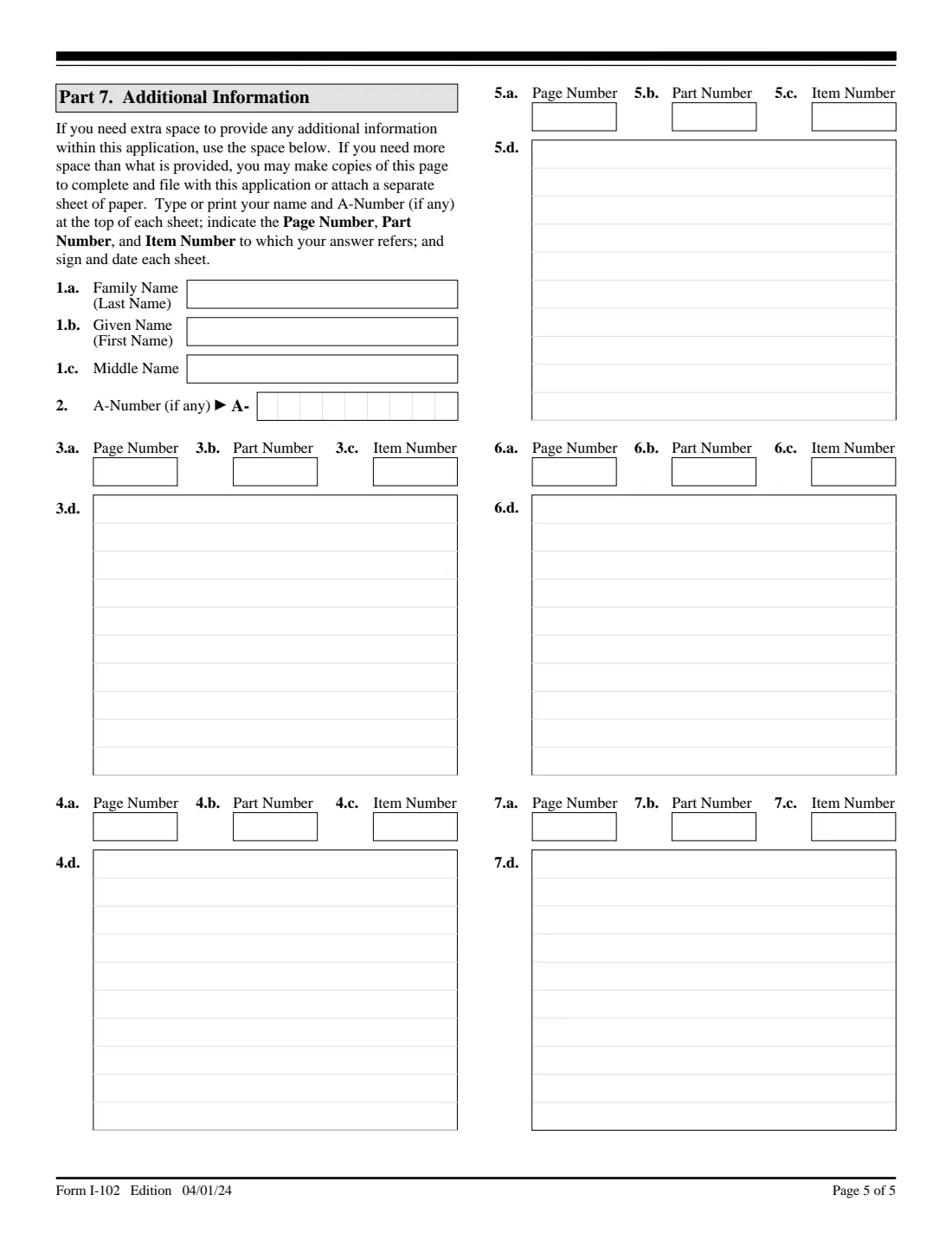
6 Part 7. Additional information
Extra space, with the page, part and item number each answer belongs to. FileIt prints your name and A-Number at the top. Sign and date the page.
Common mistakes to avoid
- Filing an I-102 when the electronic I-94 is available on CBP's website.
- Selecting more than one reason in Part 2.
- Forgetting the evidence for your reason, such as the original mutilated form or the signed statement for a correction.
- Leaving out the passport or travel document you used because it has expired; the instructions say to include it anyway.
- Typing your name in the signature box or leaving it unsigned: USCIS rejects unsigned applications and doesn't accept a typed or stamped name.
- Mixing pages from different editions; all pages must be from the same edition.
After you fill it out
Print every page, sign and date Part 4 in ink (and Part 7 if used), and have any interpreter or preparer sign theirs.
Attach the copy of your ID and the evidence for your reason, and pay the fee from USCIS's fee schedule.
Mail it to the address on the USCIS Form I-102 page. A Form G-1145 clipped on top gets you an email or text when it's accepted at a Lockbox.
USCIS may ask for more evidence or an interview, and notifies you of its decision in writing. FileIt keeps the filled form in your vault folder.
Fill out Form I-102 online with FileIt
- Pick the person. Choose someone from People and FileIt fills in their name, date of birth, address and other details it already knows.
- Answer plain-language questions. One part of the form at a time, with the official help text beside each question — 88 fields in all. Your answers save as you go.
- Check the live preview. Watch your answers land on the real U.S. Citizenship and Immigration Services (USCIS) form, and let FileIt do any worksheet arithmetic.
- Generate the official PDF. FileIt prints your answers into the agency’s own PDF and files it in that person’s folder in your vault.
FileIt fills the form — it never files or submits anything for you. Deliver the finished form to whoever asked for it, the way the form’s instructions say.
Start Form I-102 now — it’s freeForm I-102: frequently asked questions
Can I get my I-94 without filing Form I-102?
Often, yes. The instructions say you may be able to get a paper version of an electronic I-94 from CBP's website at www.cbp.gov/i94, which is free. File Form I-102 if you can't get it there or need a replacement, initial or corrected document.
How much does Form I-102 cost?
The fee isn't printed on the form. The instructions point to Form G-1055, USCIS's fee schedule, available at www.uscis.gov/forms.
Can I sign Form I-102 electronically?
Not on the paper form. USCIS won't accept a stamped or typewritten name in place of a signature. It does accept a photocopy, fax or scan of the original with a handwritten ink signature.
Who signs for a child?
If the applicant is under 14, a parent or legal guardian may sign. A legal guardian may also sign for a mentally incompetent person.
My I-94 shows the wrong information. Is Form I-102 the right form?
If USCIS issued it with the error, yes: select 1.f, explain the error, and attach the original form, a signed and dated statement of what needs correcting, and evidence of the correct information.
Do I need a U.S. address?
Yes. The instructions say you must have a United States address to file this application.
Official sources
- Blank form (PDF), published by U.S. Citizenship and Immigration Services (USCIS): https://www.uscis.gov/sites/default/files/document/forms/i-102.pdf
- Official instructions and guidance: https://www.uscis.gov/i-102
- Edition shown on this page: 04/01/24 (OMB 1615-0079, expires 03/31/2027) (checked 2026-10-01).
FileIt is not affiliated with or endorsed by U.S. Citizenship and Immigration Services (USCIS) or any government. This page explains the form in general terms and is not legal, tax or immigration advice. Always read the official instructions, and check that you are using the edition the recipient accepts. Page last reviewed 2026-10-01.