What is Form HSMV 82101?
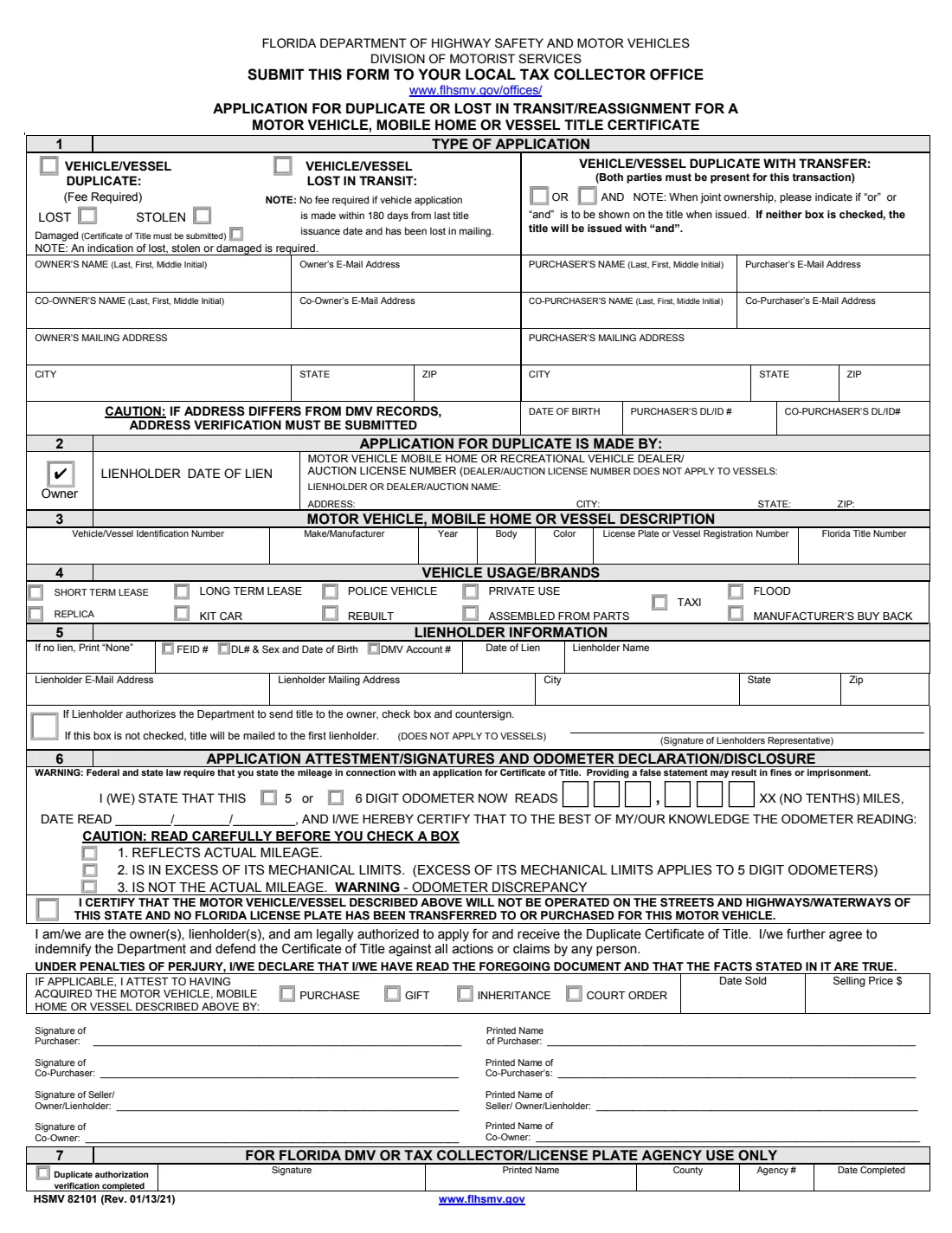
Form HSMV 82101 is the Florida Department of Highway Safety and Motor Vehicles' Application for Duplicate or Lost in Transit/Reassignment for a Motor Vehicle, Mobile Home or Vessel Title Certificate. You use it when the paper title for your car, truck, motorcycle, mobile home or boat is lost, stolen or damaged, when a title you ordered never reached you, or when you need a duplicate so you can transfer the vehicle to a buyer straight away. The current edition is HSMV 82101 (Rev. 01/13/21), and it combines the older forms HSMV 82101, 82055 and 87009.
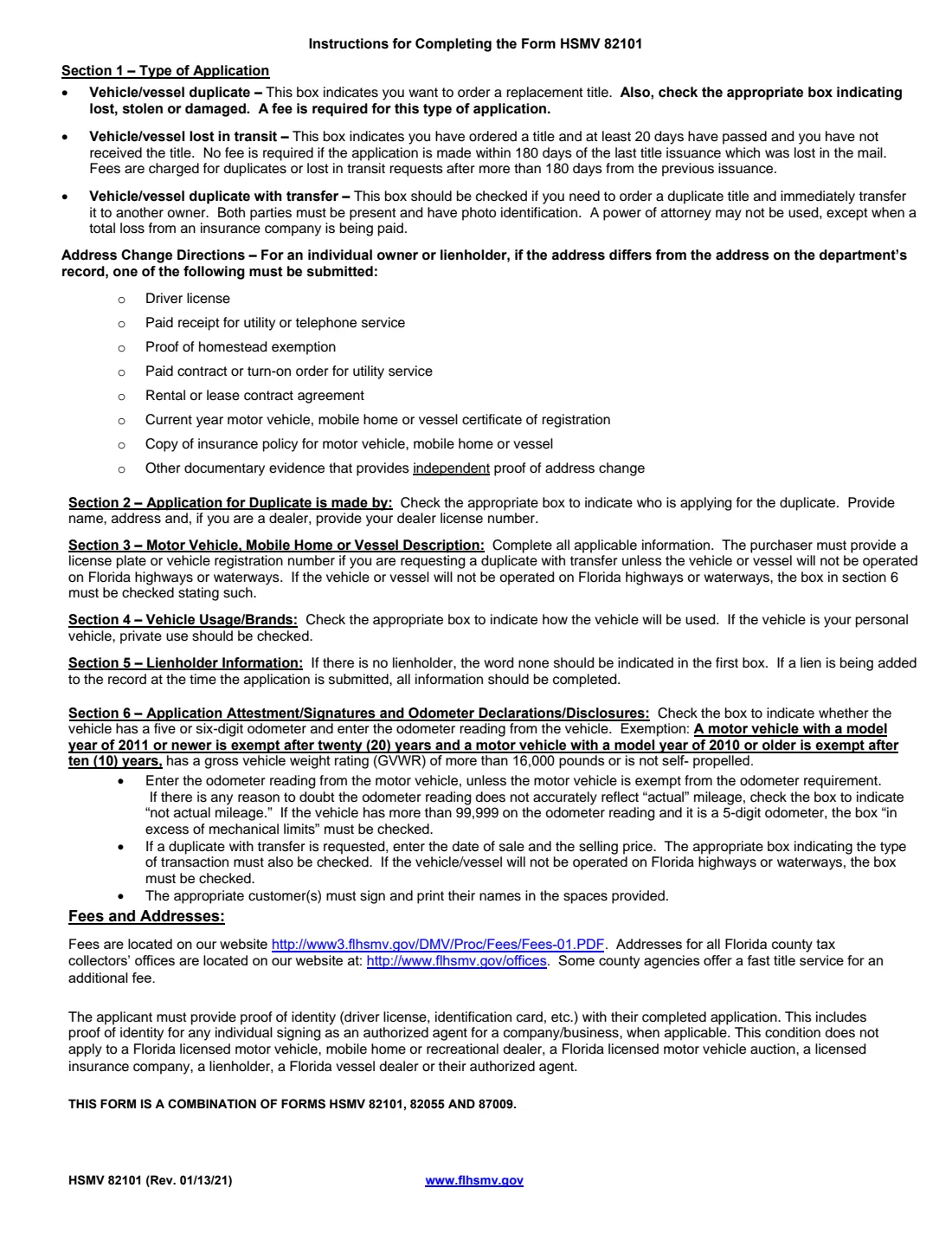
The one-page form covers the type of application, the owner and any co-owner, who is applying, the vehicle or vessel description, usage and brands, the lienholder, the odometer declaration and the signatures. For a duplicate with transfer it also takes the purchaser's details and the sale. Page 2 holds FLHSMV's instructions. You submit the form to your local county tax collector office, not to FLHSMV directly.
FileIt lets you fill out HSMV 82101 online. It pre-fills your name from the People records in your vault, builds the 'Last, First, Middle initial' name boxes, fills the six odometer digit boxes from one answer and prints everything onto FLHSMV's own PDF. The filled form is saved in your vault, and you can send it for e-signature. FileIt never submits anything: you take or send the signed form to the tax collector yourself.
- Who fills it
- The owner (and co-owner) of the vehicle, mobile home or vessel. For a duplicate with transfer, the purchaser completes their part too.
- Where it goes
- Your local county tax collector office. Office addresses are listed at www.flhsmv.gov/offices/.
- Fees
- A duplicate requires a fee. A lost-in-transit request has no fee if made within 180 days of the last title issuance. FLHSMV publishes the amounts on its website, and some counties offer a fast title service for an additional fee.
- Identity
- The applicant must provide proof of identity, such as a driver license or identification card.
- Signatures
- Owner and co-owner; purchaser and co-purchaser for a transfer; the lienholder's representative if the title is to be mailed to the owner.
- Edition
- HSMV 82101 (Rev. 01/13/21): the form on page 1, instructions on page 2.
Who needs to fill out Form HSMV 82101?
- Florida vehicle, mobile home or vessel owners whose paper title is lost, stolen or damaged.
- Owners who ordered a title at least 20 days ago and never received it in the mail.
- Owners who are selling a vehicle or vessel but can't find the title, and want a duplicate transferred to the buyer in one visit.
- Owners who have paid off a loan and need a replacement title issued after the lien was satisfied.
- Co-owners named on the title, who sign alongside the owner.
When to use Form HSMV 82101
- As soon as you notice the title is missing, stolen or too damaged to use.
- When at least 20 days have passed since you ordered a title and it hasn't arrived.
- Before selling a vehicle or vessel whose title you can't find, using the duplicate-with-transfer option with the buyer present.
- When you need the paper title to move the vehicle to another state or to sell it privately.
What you need before you start
- The owner's and any co-owner's full names, email addresses and mailing address.
- Address verification if your address differs from DMV records, such as a driver license, a paid utility or telephone receipt, proof of homestead exemption, a rental or lease agreement, a current registration or an insurance policy.
- The vehicle or vessel identification number, make, year, body, color, plate or vessel registration number and Florida title number.
- The lienholder's name, identification number, address and lien date, if there is a lien.
- The odometer reading and the date you read it, unless the vehicle is exempt or it's a vessel or mobile home.
- The damaged title itself, if you're replacing a damaged one.
- For a transfer: the purchaser's name, address, date of birth and driver license or ID number, the sale date and price.
- Proof of identity for everyone signing.
What’s on Form HSMV 82101
The 2021 edition has 2 pages. FileIt asks for it in 9 parts, and it is signed by Owner and Co-owner and Purchaser and Co-purchaser and Lienholder representative:
- Section 1: Type of applicationOwner
- OwnerOwner
- Co-ownerCo-owner
- Section 3: Motor vehicle, mobile home or vessel descriptionOwner
- Section 4: Vehicle usage / brandsOwner
- Section 5: Lienholder informationOwner
- Section 6: Odometer declarationOwner
- Duplicate with transfer: purchaserPurchaser
- Section 6: Attestment and signaturesOwner
How to fill out Form HSMV 82101, step by step
1 Section 1: Type of application
Tick 'vehicle/vessel duplicate' to replace a title, and then lost, stolen or damaged: the form requires one of the three, and a damaged title must be sent in. Tick 'lost in transit' instead for a title that never arrived. For a duplicate with transfer, both parties must be present, and if there will be two purchasers you choose whether the new title shows 'or' or 'and' (it's issued with 'and' if you choose neither).
2 Owner and purchaser details
Enter the owner's and co-owner's names as 'Last, First, Middle initial', their email addresses and the owner's mailing address. If that address differs from DMV records, attach address verification. For a transfer, the purchaser columns take the purchaser's and co-purchaser's names, emails, mailing address, the purchaser's date of birth and both driver license or ID numbers.
3 Section 2: Who is applying
Section 2 says who applies for the duplicate: the owner, a lienholder, or a motor vehicle, mobile home, recreational vehicle dealer or auction. FileIt fills the form for an owner and ticks the Owner box.
4 Sections 3 and 4: Description, usage and brands
Give the VIN or vessel identification number, make, year, body, color, plate or vessel registration number and Florida title number. Then tick how the vehicle is used (private use for a personal vehicle) and any brand that applies, such as rebuilt, flood or manufacturer's buy back.
5 Section 5: Lienholder
If there is no lien, the first box reads 'None'. Otherwise give the lienholder's FEID number, driver license with sex and date of birth, or DMV account number, the date of lien, name, email and mailing address. If the lienholder lets FLHSMV mail the title to you, tick the box; the lienholder's representative countersigns. Without it, the title goes to the first lienholder (this doesn't apply to vessels).
6 Section 6: Odometer and signatures
Say whether the odometer has 5 or 6 digits, enter the reading without tenths and the date read, and certify whether it reflects actual mileage, exceeds its mechanical limits or is not the actual mileage. For a transfer, tick how the vehicle was acquired and give the date sold and selling price. Everyone involved signs and prints their name, declaring under penalties of perjury that the facts are true.
Common mistakes to avoid
- Choosing 'duplicate' without saying whether the title was lost, stolen or damaged.
- Not sending in the damaged title with the application.
- Leaving the lienholder section blank instead of 'None' when there is no lien.
- Forgetting address verification when your address differs from DMV records.
- Marking a 6-digit odometer as 'in excess of its mechanical limits', which applies to 5-digit odometers.
- Trying to do a duplicate with transfer without both parties present, or with a power of attorney.
- Arriving without proof of identity.
After you fill it out
Have the owner and co-owner sign, on paper or through FileIt's e-signature if your tax collector accepts it. For a duplicate with transfer, the owner and purchaser sign at the office, where both must be present with photo identification.
Submit the form, proof of identity, any address verification, the damaged title (if that applies) and the fee to your local county tax collector office. Office addresses are at www.flhsmv.gov/offices/.
FileIt keeps the filled PDF in your vault. When the new title arrives, add it to your vault so the next owner, lender or DMV request is easy.
Fill out Form HSMV 82101 online with FileIt
- Pick the person. Choose someone from People and FileIt fills in their name, date of birth, address and other details it already knows.
- Answer plain-language questions. One part of the form at a time, with the official help text beside each question — 70 fields in all. Your answers save as you go.
- Check the live preview. Watch your answers land on the real Florida Department of Highway Safety and Motor Vehicles (FLHSMV) form, and let FileIt do any worksheet arithmetic.
- Generate the official PDF. FileIt prints your answers into the agency’s own PDF and files it in that person’s folder in your vault. Sign it, or send it for e-signature.
FileIt fills the form — it never files or submits anything for you. Deliver the finished form to whoever asked for it, the way the form’s instructions say.
Start Form HSMV 82101 now — it’s freeForm HSMV 82101: frequently asked questions
Where do I submit Form HSMV 82101?
To your local county tax collector office. The form says so at the top, and FLHSMV lists the offices at www.flhsmv.gov/offices/.
Is there a fee for a duplicate Florida title?
Yes, the form marks the duplicate as 'Fee Required'. A lost-in-transit request has no fee if you apply within 180 days of the last title issuance. FLHSMV publishes the amounts on its website; FileIt doesn't list them.
My new title never arrived. Which box do I tick?
Tick 'vehicle/vessel lost in transit'. The instructions say it's for a title you ordered at least 20 days ago and haven't received.
Can I sell my car if I lost the Florida title?
Yes, by applying for a duplicate with transfer on this form. Both you and the buyer must be present with photo identification, and a power of attorney can't be used except when an insurance company pays a total loss.
Does this form work for boats and mobile homes?
Yes. HSMV 82101 covers motor vehicles, mobile homes and vessels. The odometer declaration doesn't apply to vessels, and the lienholder's 'mail to owner' box doesn't apply to vessels.
Do I need a notary?
The form has no notary block. The signers declare under penalties of perjury that the facts are true, and the applicant must show proof of identity.
Can I fill out HSMV 82101 online?
Yes. FileIt fills it out online and prints your answers onto FLHSMV's official PDF. You then sign it and take or send it to the tax collector yourself. FileIt does not submit it.
Official sources
- Blank form (PDF), published by Florida Department of Highway Safety and Motor Vehicles (FLHSMV): https://www.flhsmv.gov/pdf/forms/82101.pdf
- Official instructions and guidance: https://www.flhsmv.gov/pdf/forms/82101.pdf
- Edition shown on this page: HSMV 82101 (Rev. 01/13/21) (checked 2026-10-01).
FileIt is not affiliated with or endorsed by Florida Department of Highway Safety and Motor Vehicles (FLHSMV) or any government. This page explains the form in general terms and is not legal, tax or immigration advice. Always read the official instructions, and check that you are using the edition the recipient accepts. Page last reviewed 2026-10-01.