What is NC Form GEN-58?
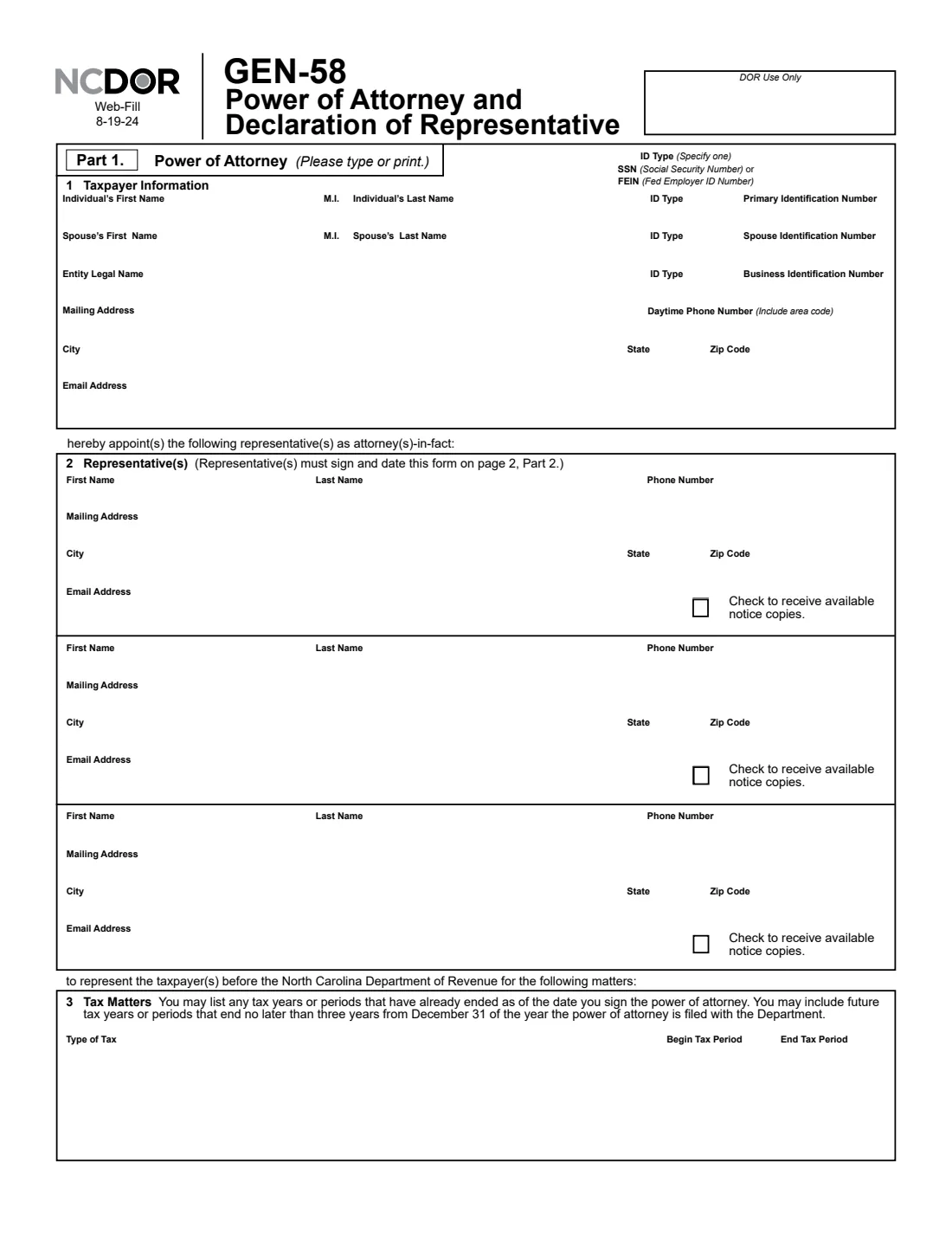
Form GEN-58, Power of Attorney and Declaration of Representative, is how a taxpayer appoints one or more representatives as attorneys-in-fact before the North Carolina Department of Revenue (NCDOR). For the tax types and periods you list, the representatives may receive and inspect confidential tax information, which may include federal tax information, and perform any act you can perform, such as signing agreements, consents or other documents.
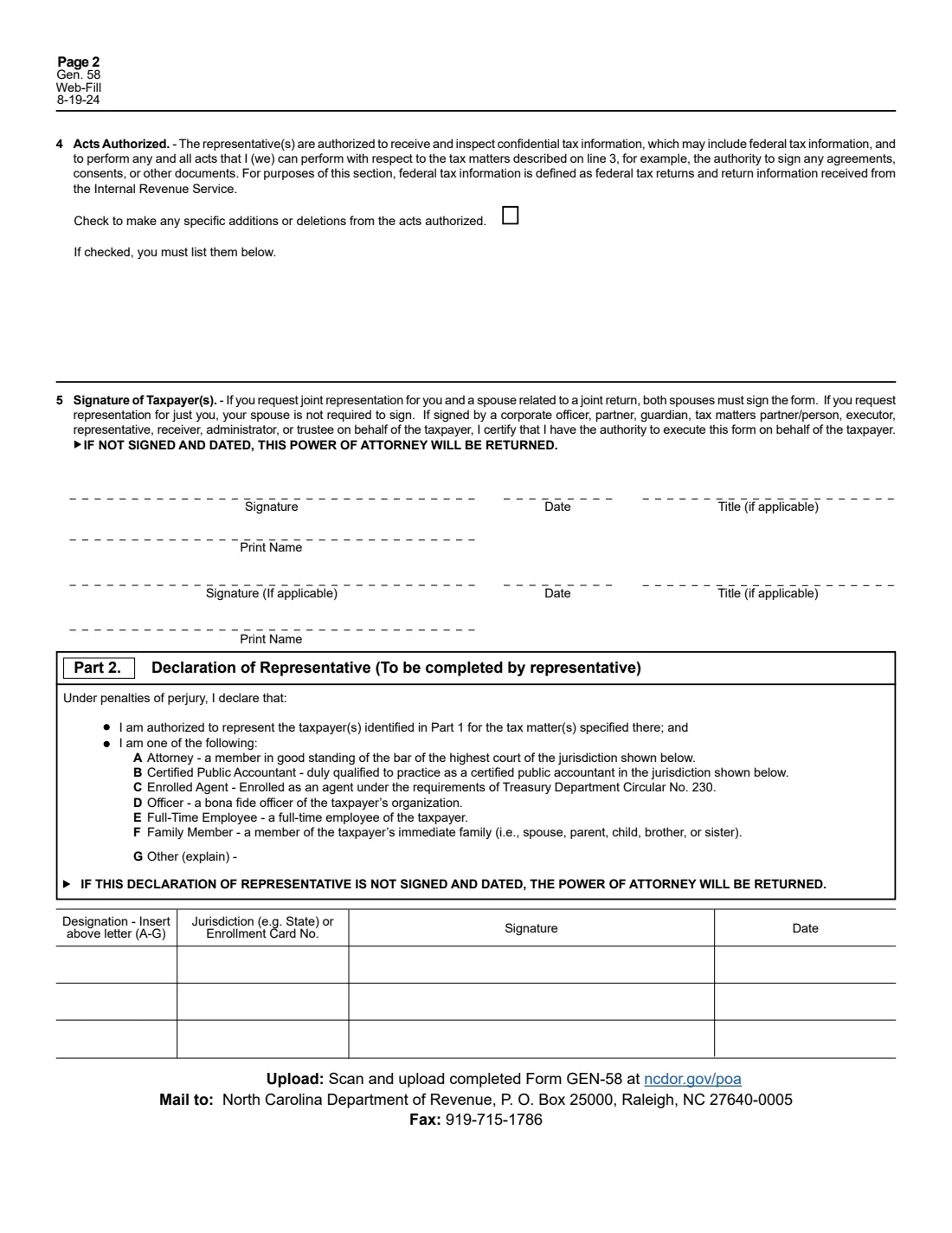
The form has two parts. In Part 1 you give the taxpayer's details, name up to three representatives, list the tax matters (chosen from the Department's list, from individual income and withholding to sales and use and motor fuels), note any additions to or deletions from the acts authorized, and sign. In Part 2 each representative declares their standing (attorney, CPA, enrolled agent, officer, full-time employee, family member or other) and signs. The current edition is the web-fill version dated 8-19-24.
FileIt guides you through GEN-58 in plain English and prints your answers into NCDOR's own PDF. The Department asks for a typed form, and the PDF comes out typed. FileIt keeps each representative's details and declaration together, checks the tax-period rule and saves the finished PDF to your vault. You then sign it and send it to NCDOR yourself: FileIt never files anything with the Department.
- Who fills it
- The taxpayer (Part 1) and each representative (the Part 2 declaration).
- Given to
- The NC Department of Revenue: scan and upload it at ncdor.gov/poa, mail it to P. O. Box 25000, Raleigh, NC 27640-0005, or fax it to 919-715-1786.
- Signatures
- The taxpayer signs and dates line 5 (both spouses for joint representation). Each representative signs and dates Part 2.
- Representatives
- Up to three on the form, each designated A to G.
- Edition
- Web-Fill 8-19-24
- Agency
- North Carolina Department of Revenue (NCDOR)
Who needs to fill out NC Form GEN-58?
- Individuals who want a CPA, attorney or enrolled agent to handle a North Carolina income tax notice or audit.
- Married couples who want the same representative for a joint return.
- Businesses that want an officer, employee or outside adviser to deal with NCDOR on sales and use, withholding or other business taxes.
- Families where a relative helps a parent or sibling with North Carolina tax matters (designation F).
When to use NC Form GEN-58
- When someone needs to act for you, not just receive information, on North Carolina tax matters.
- When you want representatives to receive copies of available notices.
- When you want to limit or extend the standard acts authorized (line 4).
What you need before you start
- The taxpayer's name and SSN (or, for a business, its legal name and FEIN), mailing address, daytime phone and email.
- Your spouse's name and SSN for joint representation.
- Each representative's name, phone, mailing address and email.
- The types of tax and the begin and end dates of the periods to cover.
- Each representative's designation and, for an attorney, CPA or enrolled agent, their jurisdiction or enrollment card number.
What’s on NC Form GEN-58
The 2024 edition has 3 pages. FileIt asks for it in 10 parts, and it is signed by Taxpayer and Spouse / second signer and Representative 1 and Representative 2 and Representative 3:
- Part 1, line 1: Taxpayer informationTaxpayer
- Part 1, line 1: SpouseSpouse / second signer
- Part 1, line 2: Representative 1Representative 1
- Part 1, line 2: Representative 2Representative 2
- Part 1, line 2: Representative 3Representative 3
- Part 1, line 3: Tax mattersTaxpayer
- Part 1, line 4: Acts authorizedTaxpayer
- Part 1, line 5: Signature of taxpayer(s)Taxpayer
- Part 1, line 5: Second signatureSpouse / second signer
- Part 2: Declaration of representativeRepresentative 1
How to fill out NC Form GEN-58, step by step
1 Line 1: Taxpayer information
An individual gives their name and SSN, with the spouse's for joint representation. A business gives its legal name, ID type (FEIN or SSN) and number. Add the mailing address, daytime phone and email.
2 Line 2: Representatives
Name up to three representatives with their phone, mailing address and email. Tick "Check to receive available notice copies" for anyone who should get copies of notices.
3 Line 3: Tax matters
Choose each type of tax and give the begin and end of the tax period. You may list periods that have already ended when you sign, and future periods that end no later than three years from December 31 of the year the form is filed.
4 Line 4: Acts authorized
Representatives may receive and inspect confidential tax information and do anything you can do for those matters. Tick the box only to add to or take away from those acts, and list the changes.
5 Line 5 and Part 2: Signatures
The taxpayer signs, dates and prints their name, with a title if signing for an entity or as a fiduciary. Both spouses sign for joint representation. Each representative chooses a designation (A to G, explaining G), gives the jurisdiction or enrollment card number where it applies, and signs and dates Part 2.
Common mistakes to avoid
- Leaving the form unsigned or undated. The form says it will be returned if the taxpayer's signature or a representative's declaration is missing.
- Adding your spouse without both of you signing. For joint representation both spouses sign.
- Listing future periods that end more than three years after December 31 of the year you file.
- Ticking the line 4 box without listing the additions or deletions.
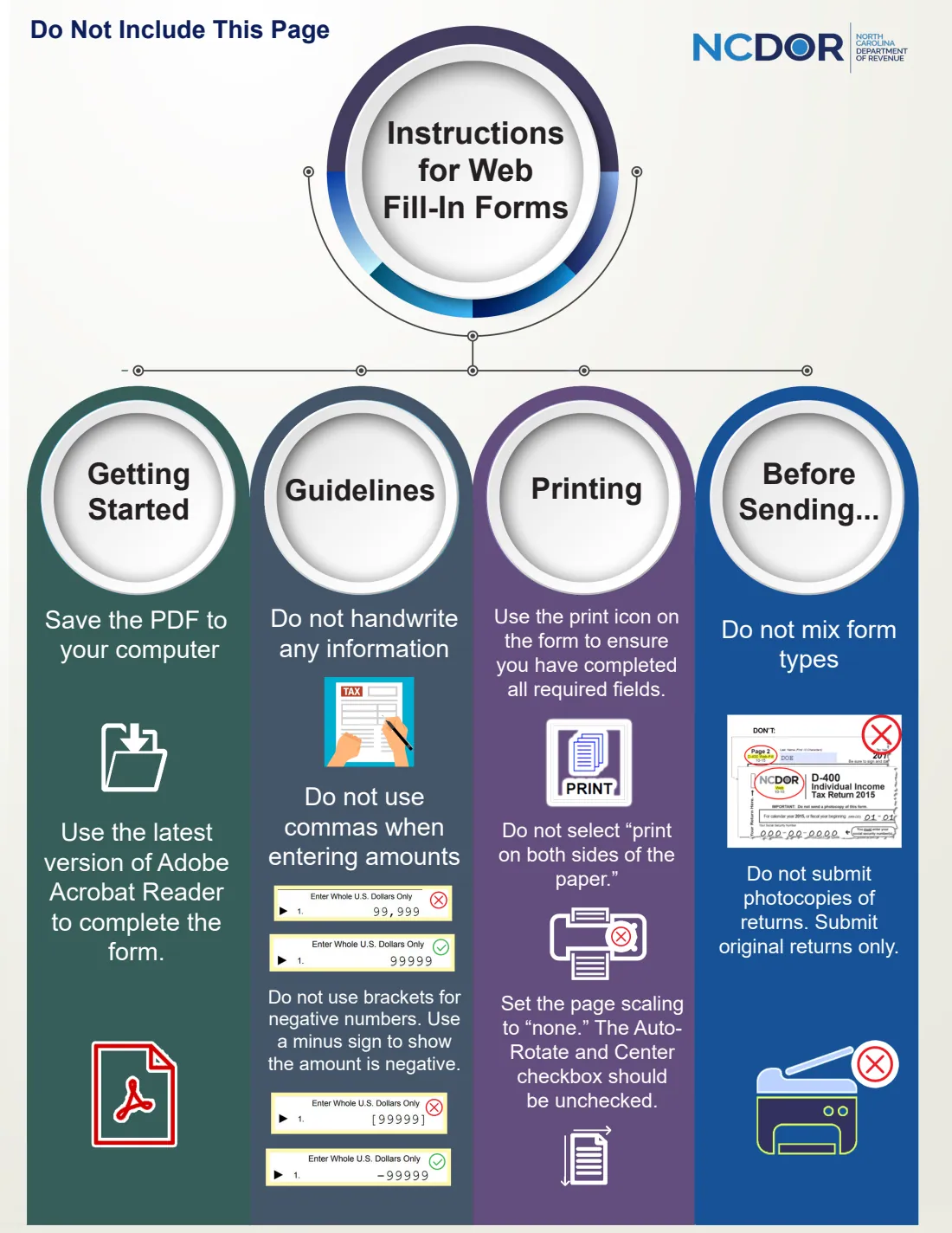
- Sending page 1 of the PDF. It is NCDOR's web-fill instruction page, marked "Do Not Include This Page".
After you fill it out
Sign and date line 5, and have each representative sign and date Part 2. FileIt can place signature and date boxes with its optional e-signature, or you can print and sign by hand.
Send only the two form pages, not the first "Do Not Include This Page" instruction page. Upload a scan at ncdor.gov/poa, mail it to North Carolina Department of Revenue, P. O. Box 25000, Raleigh, NC 27640-0005, or fax it to 919-715-1786. FileIt doesn't send it.
The finished PDF stays in your vault folder as a record of who can act for you.
Fill out NC Form GEN-58 online with FileIt
- Pick the person. Choose someone from People and FileIt fills in their name, date of birth, address and other details it already knows.
- Answer plain-language questions. One part of the form at a time, with the official help text beside each question — 69 fields in all. Your answers save as you go.
- Check the live preview. Watch your answers land on the real North Carolina Department of Revenue form, and let FileIt do any worksheet arithmetic.
- Generate the official PDF. FileIt prints your answers into the agency’s own PDF and files it in that person’s folder in your vault. Sign it, or send it for e-signature.
FileIt fills the form — it never files or submits anything for you. Deliver the finished form to whoever asked for it, the way the form’s instructions say.
Start NC Form GEN-58 now — it’s freeNC Form GEN-58: frequently asked questions
Can I fill out Form GEN-58 online?
Yes. FileIt asks each question in plain English and prints your answers into NCDOR's official GEN-58 PDF. You then sign it and upload, mail or fax it yourself.
Where do I send Form GEN-58?
Scan and upload it at ncdor.gov/poa, mail it to North Carolina Department of Revenue, P. O. Box 25000, Raleigh, NC 27640-0005, or fax it to 919-715-1786.
How many representatives can I name?
The form has room for three, each with their own row in the Part 2 declaration.
Who can be a representative?
The declaration lists A attorney, B certified public accountant, C enrolled agent, D officer of the taxpayer's organization, E full-time employee, F family member (spouse, parent, child, brother or sister), and G other, with an explanation.
Does my spouse have to sign?
Only if you request joint representation for you and your spouse on a joint return. For representation of just you, your spouse doesn't sign.
What does the representative get access to?
Confidential tax information for the matters listed, which may include federal tax returns and return information NCDOR received from the IRS, and the power to do anything you can do for those matters unless you delete it on line 4.
Official sources
- Blank form (PDF), published by North Carolina Department of Revenue: https://www.ncdor.gov/documents/forms/form-gen-58-power-attorney-and-declaration-representative/open
- Official instructions and guidance: https://www.ncdor.gov/taxes-forms/power-attorney
- Edition shown on this page: Web-Fill 8-19-24 (checked 2026-09-28).
FileIt is not affiliated with or endorsed by North Carolina Department of Revenue or any government. This page explains the form in general terms and is not legal, tax or immigration advice. Always read the official instructions, and check that you are using the edition the recipient accepts. Page last reviewed 2026-09-28.