What is ISP-1640 CPP child rearing provision?
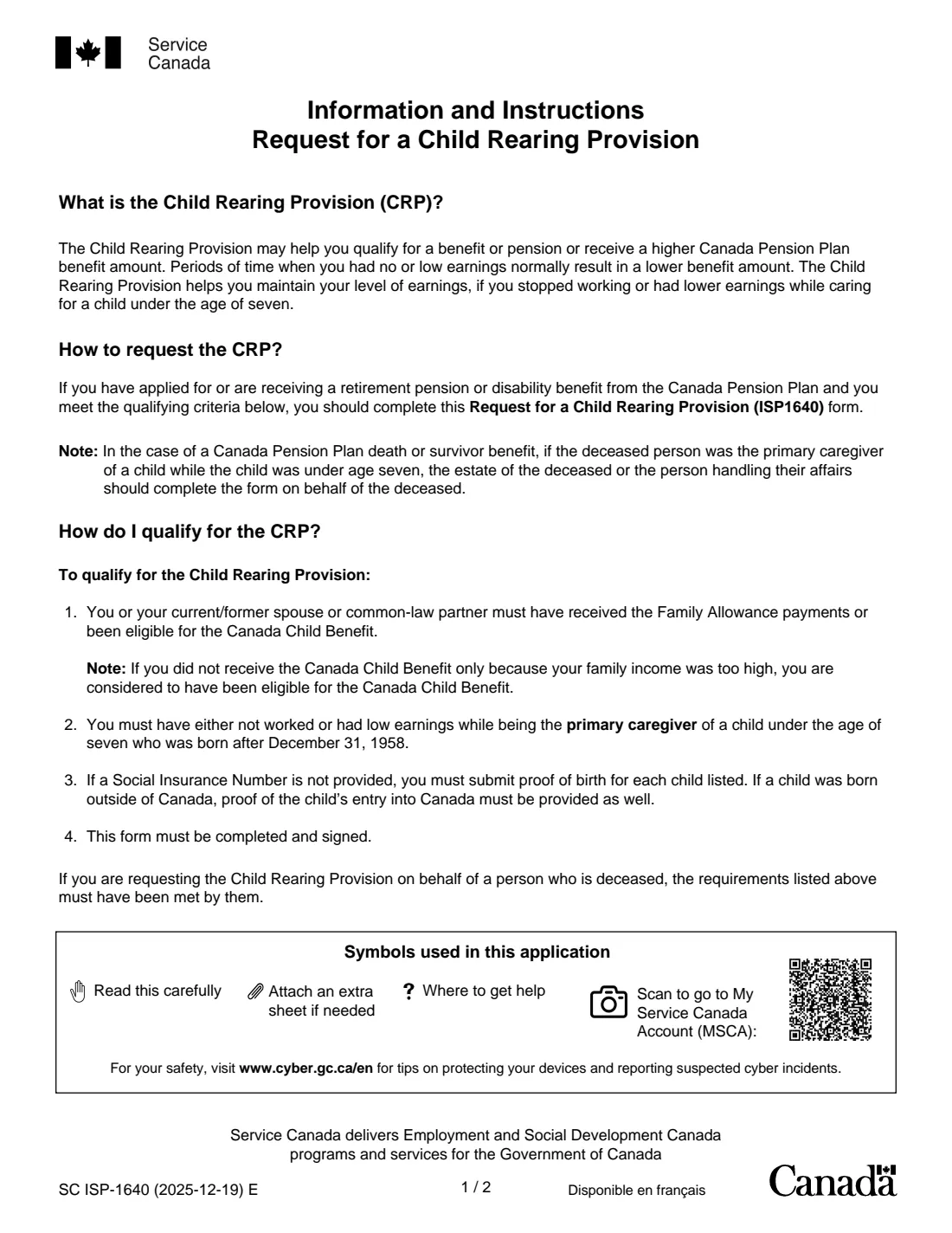
Years with no or low earnings normally lower a Canada Pension Plan (CPP) benefit. The Child Rearing Provision (CRP) helps you keep your level of earnings for the time you stopped working or had lower earnings while caring for a child under seven, which can help you qualify for a benefit or raise its amount. Form ISP-1640 is how you ask for it.
The form's information sheet says to complete it if you have applied for or are receiving a CPP retirement pension or disability benefit and meet the criteria: you or your current or former spouse or common-law partner received the Family Allowance or were eligible for the Canada Child Benefit, and you had no or low earnings while you were the primary caregiver of a child under 7 born after December 31, 1958. For a CPP death or survivor benefit, the estate or the person handling the deceased's affairs can complete it for them.
FileIt walks you through the children table, the Family Allowance and Canada Child Benefit questions and the optional parts (a spouse's waiver, completing it for someone who has died, a witness), then prints everything into Service Canada's own PDF, with your SIN at the top of each form page. The form asks for a pen signature, so you print it, sign it and mail it or drop it off yourself. FileIt never submits anything.
- Who fills it
- Parents who have applied for or receive a CPP retirement pension or disability benefit, or the estate of a deceased parent
- Given to
- Service Canada, by mail or dropped off at a Service Canada Centre (you can also apply through My Service Canada Account)
- When
- With a CPP benefit application, or later if you already receive a CPP benefit
- Children
- Born after December 31, 1958; the time you were their primary caregiver while they were under 7
- Signatures
- You, in pen; your current/former spouse or partner only for the D1 waiver; a witness only if you sign with a mark
- Edition
- SC ISP-1640 (2025-12-19) E
Who needs to fill out ISP-1640 CPP child rearing provision?
- Parents, most often mothers, who stayed home or worked part time while raising young children and are applying for or receiving the CPP.
- People receiving a CPP disability benefit whose contribution record has gaps from caring for children under 7.
- The estate of, or person handling the affairs of, a deceased parent when a CPP death or survivor benefit is involved.
- Couples where one partner was the primary caregiver but the other received the Family Allowance, and needs a waiver.
When to use ISP-1640 CPP child rearing provision
- When you apply for a CPP retirement pension or disability benefit and had low or no earnings while caring for a child under 7.
- Later, if you already receive a CPP benefit and the provision was never applied.
- When settling the CPP death or survivor benefits of a parent who was the primary caregiver of young children.
What you need before you start
- Your Social Insurance Number, name, address and telephone number (or the deceased's SIN and name, if you apply for them).
- For each child: full name, SIN (or a copy of the birth certificate), date of birth and, if born outside Canada, the date they entered Canada.
- Who received the Family Allowance (before 1993) and the Canada Child Benefit (since 1993), and any periods when they were not received.
- Any periods when you were not the primary caregiver, with the reason.
- If a waiver is needed: your current or former spouse or partner's name, SIN, phone number and signature.
What’s on ISP-1640 CPP child rearing provision
The 2025 edition has 11 pages. FileIt asks for it in 7 parts:
- Section A: Information about youApplicant
- Section B: Information about the child(ren)Applicant
- Section C: Family Allowance and Canada Child BenefitApplicant
- Section D: Waiver of rights by your current/former spouse or partnerCurrent or former spouse or partner
- Section E: Declaration and signatureApplicant
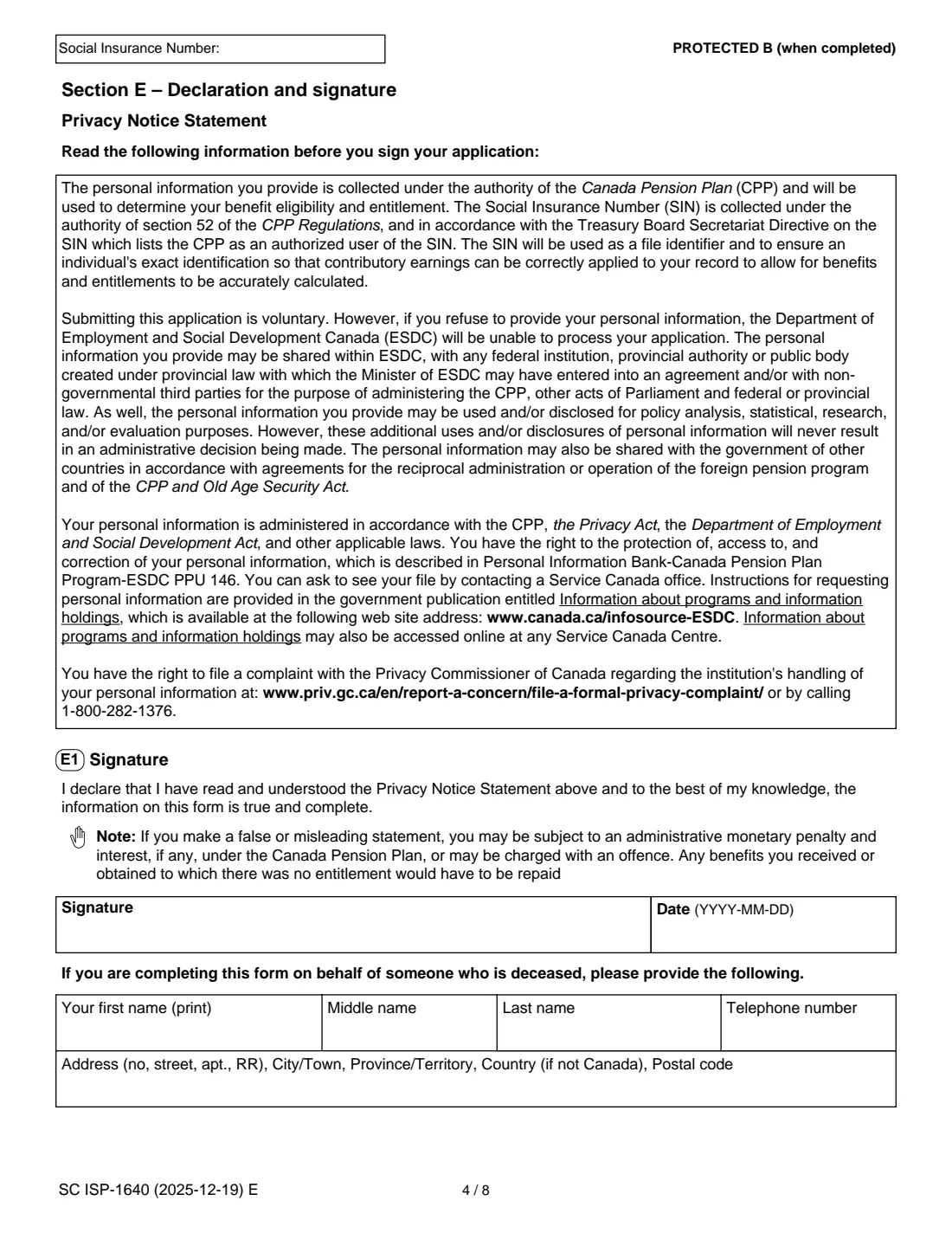
- If you complete it for someone who has diedApplicant
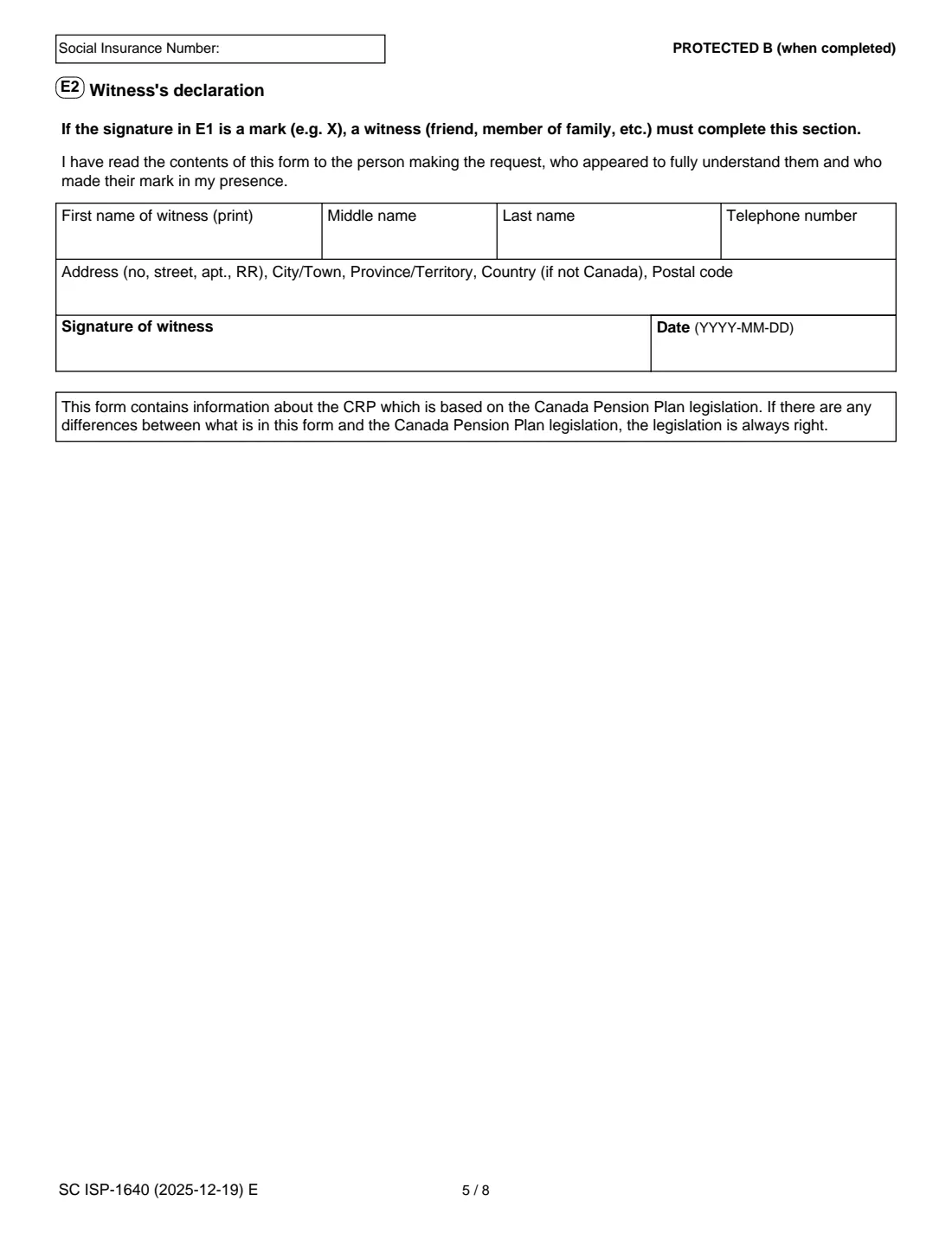
- E2. Witness's declarationWitness
How to fill out ISP-1640 CPP child rearing provision, step by step
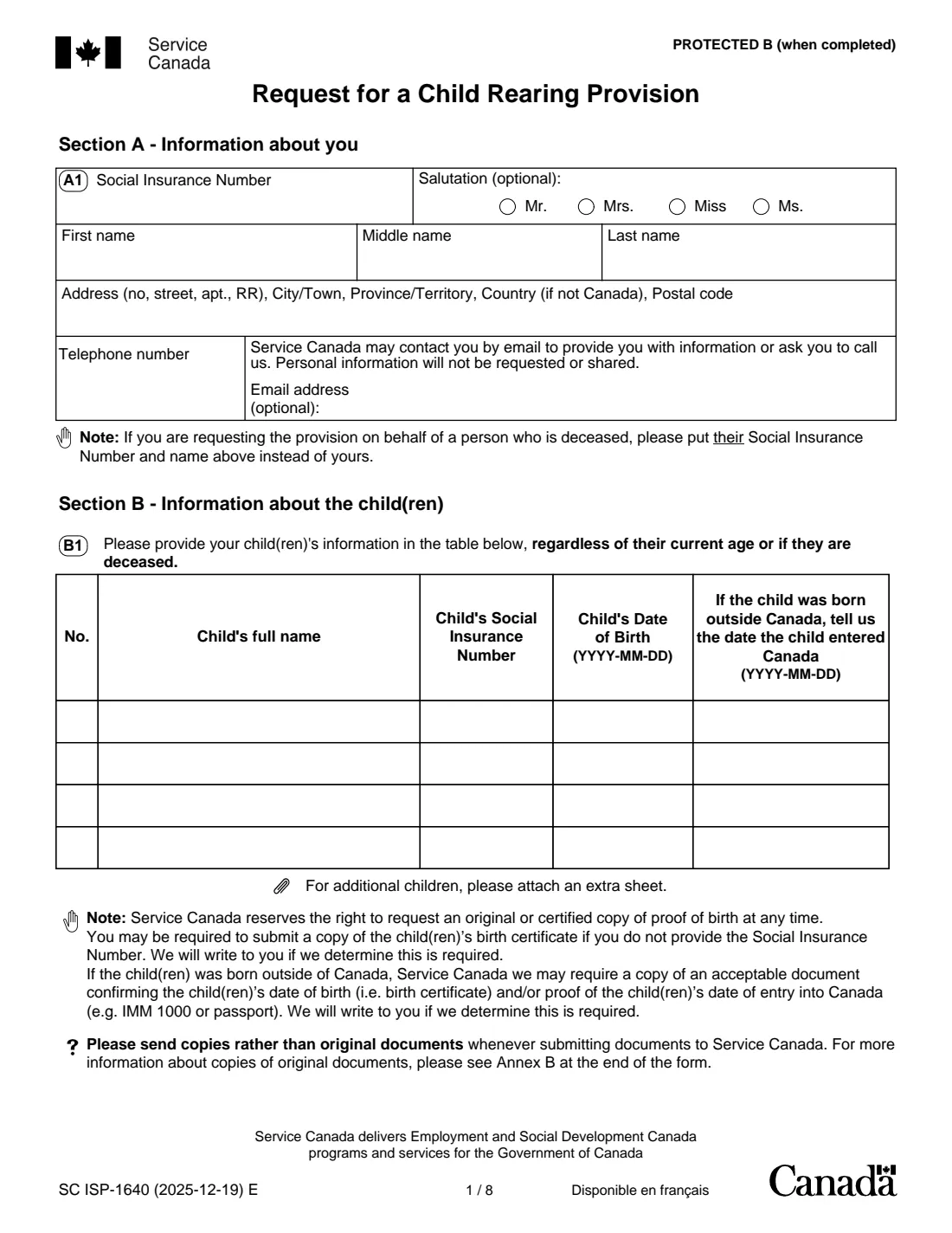
1 Section A — Information about you
Your SIN, optional salutation, name, address on one line, telephone number and optional email address. If you are requesting the provision for a person who has died, put their SIN and name here instead of yours.
2 Section B — The children
List every child regardless of their current age or if they have died: full name, SIN, date of birth and, if born outside Canada, the date they entered Canada. The form has four rows; attach a sheet for more. Without a SIN, Service Canada may ask for a copy of the birth certificate.
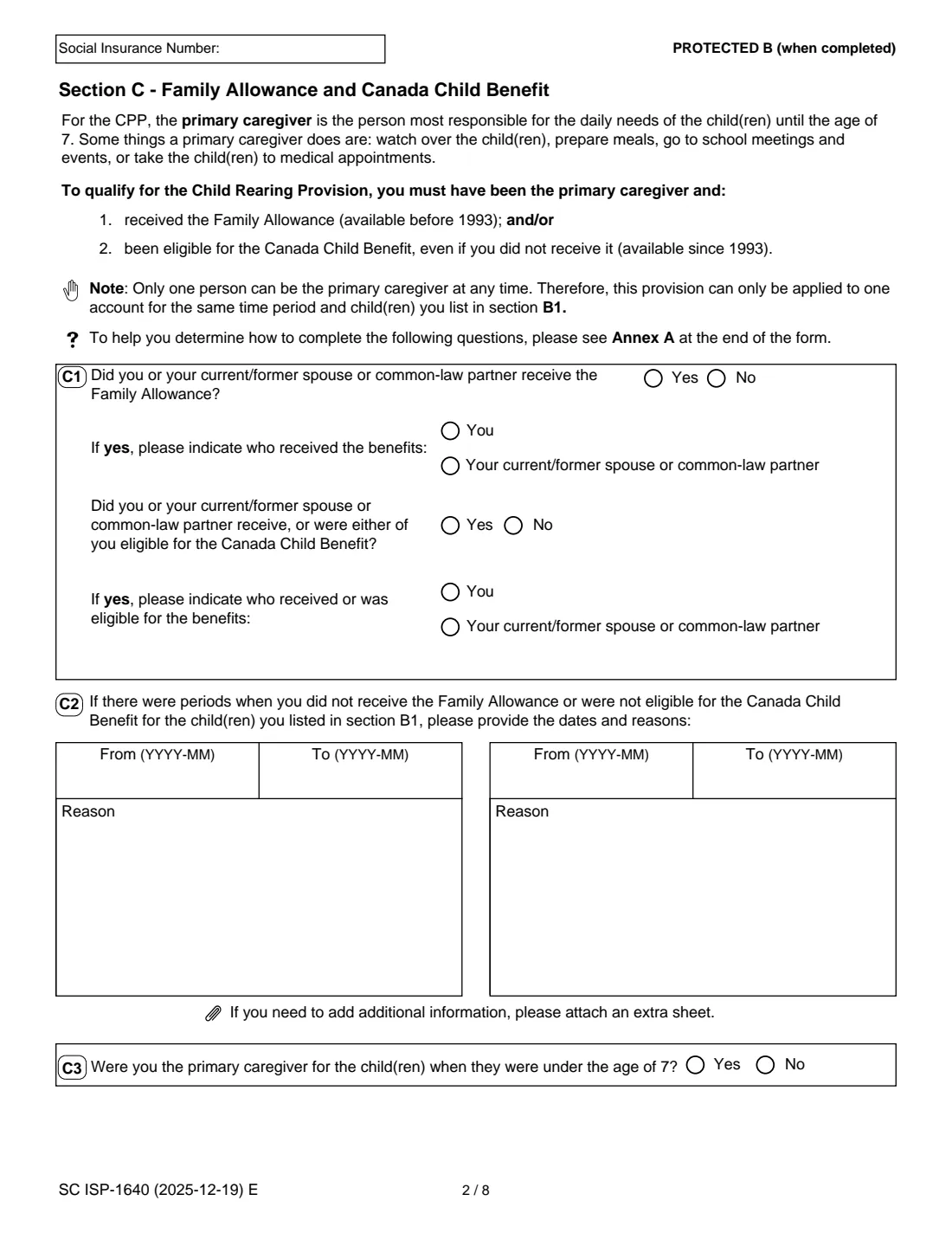
3 Section C — Family Allowance and Canada Child Benefit
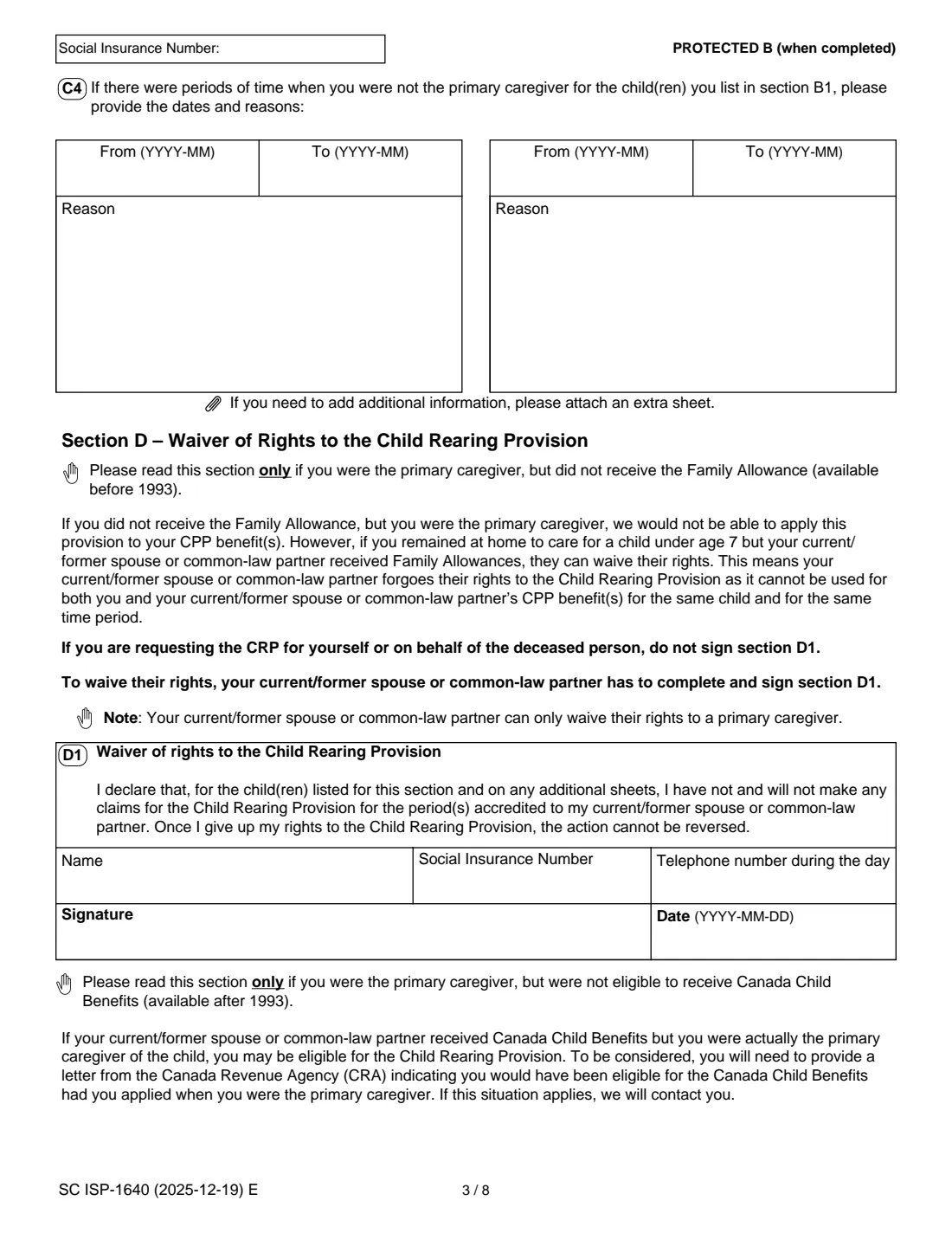
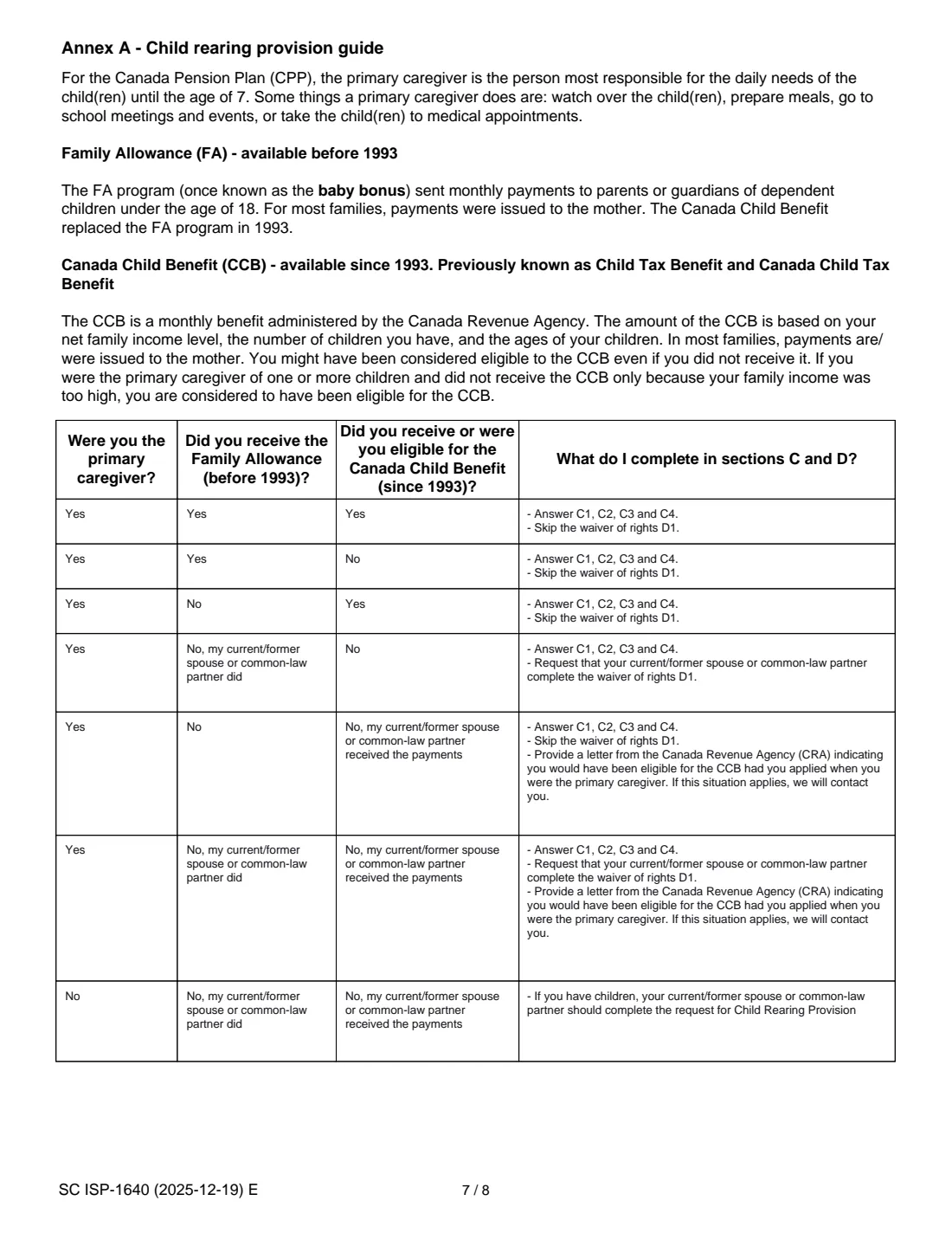
C1 asks whether you or your current or former spouse or partner received the Family Allowance, and whether either of you received or was eligible for the Canada Child Benefit, and who. C2 lists periods without those benefits, C3 asks whether you were the primary caregiver while the children were under 7, and C4 lists periods when you were not. Annex A at the end of the form shows what to complete in each situation.
4 Section D — Waiver of rights
Only if you were the primary caregiver but your current or former spouse or partner received the Family Allowance. They complete and sign D1 to give up their right to the provision for those children and periods, and the form warns the waiver cannot be reversed. If you apply for yourself without a waiver, or for a deceased person, D1 is not signed.
5 Section E — Declaration and signature
Sign and date in pen. If you complete the form for someone who has died, add your own name, telephone number and address. If you sign with a mark, a witness completes E2.
Common mistakes to avoid
- Leaving out children who are now adults or have died. The form asks for all of them.
- Forgetting the SIN at the top of each page and on every sheet you add.
- Signing with anything other than a pen, or not signing at all.
- Having your spouse sign the D1 waiver when you are requesting the provision for yourself without one, or for a deceased person.
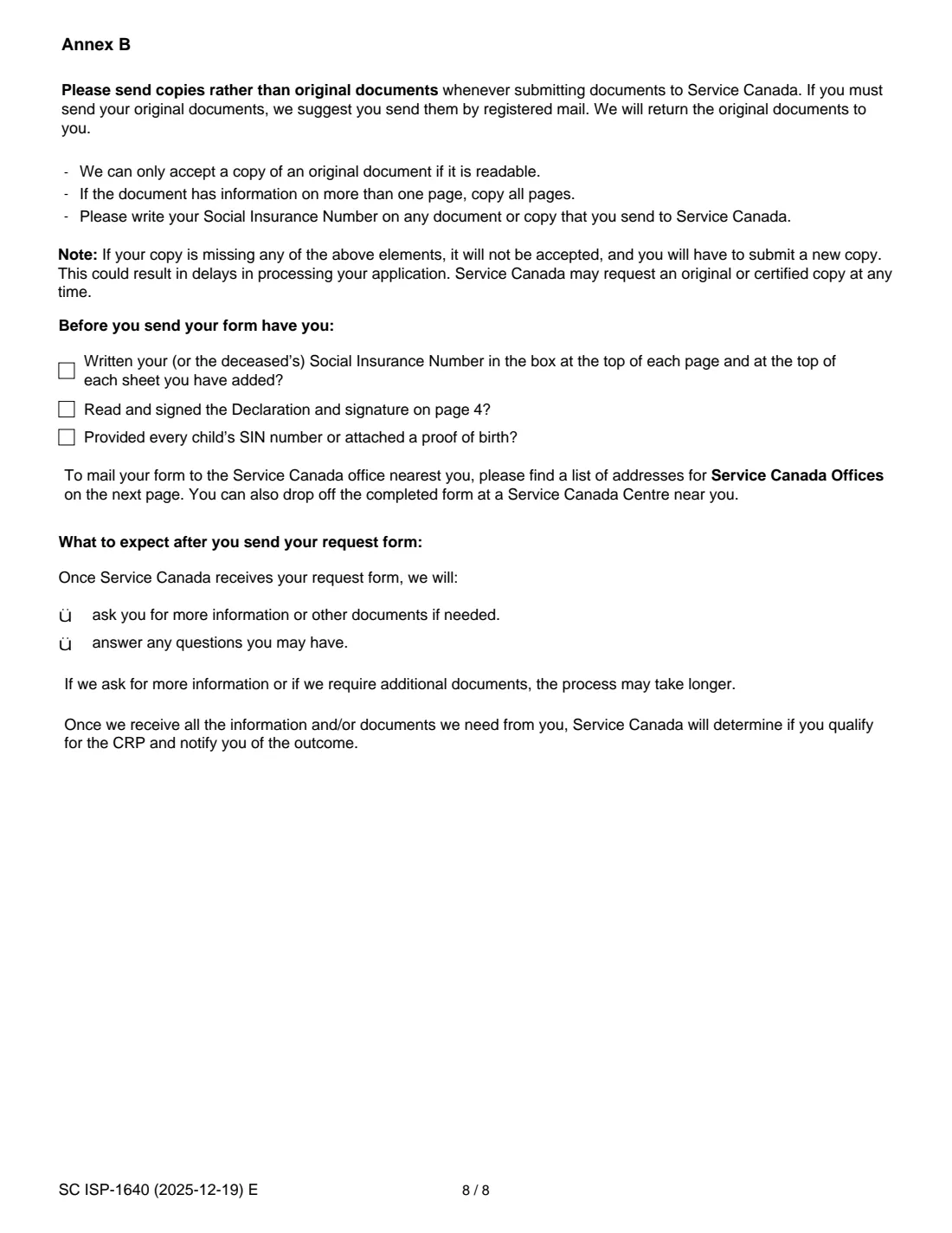
- Sending original documents. The form asks for readable copies of every page, with your SIN on them.
- Listing a child born before 1959: the provision covers children born after December 31, 1958.
After you fill it out
Print the PDF, sign and date section E in pen, and have your spouse or partner sign D1 if a waiver applies. Go through the checklist in Annex B.
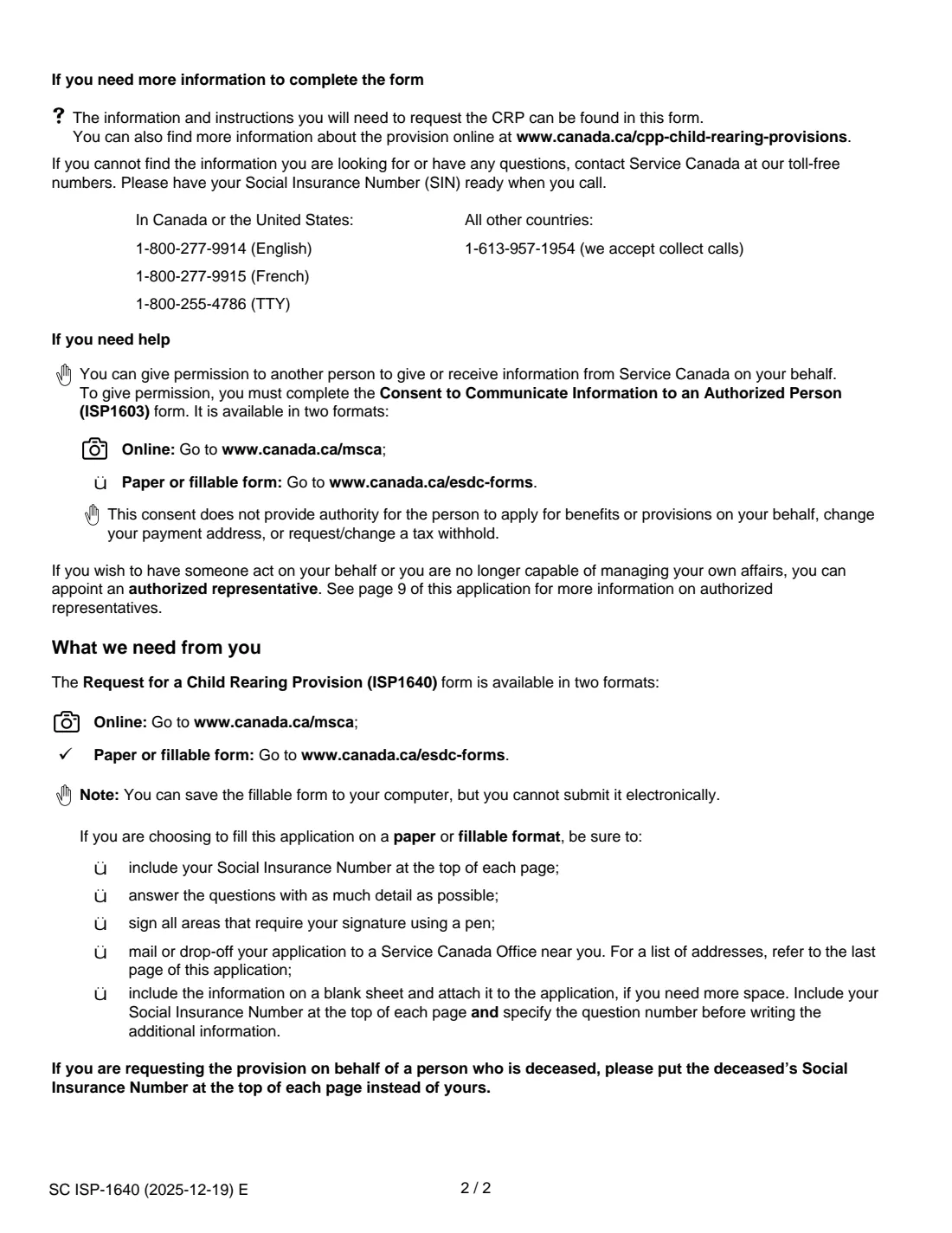
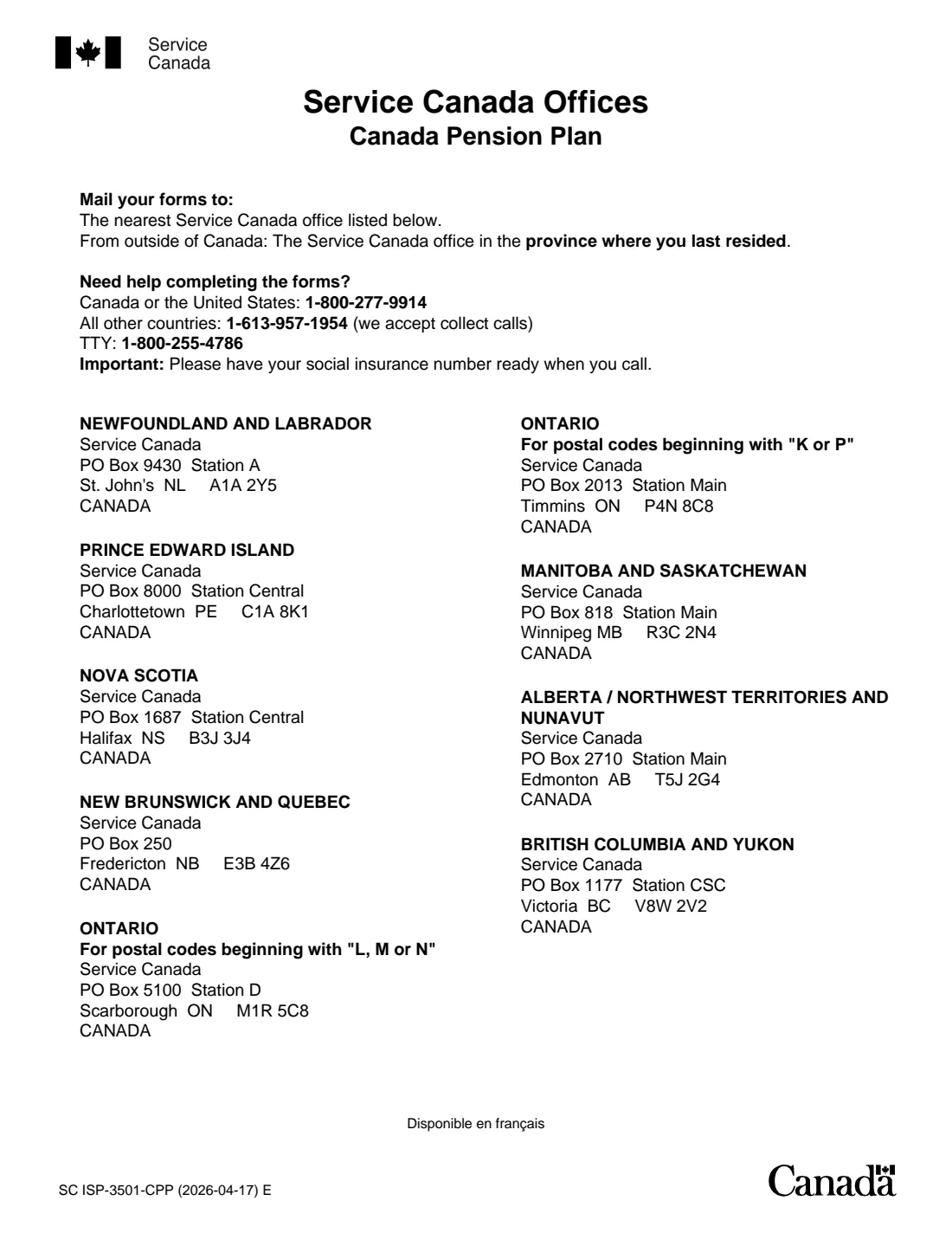
Mail it to the Service Canada office for your province or territory, listed on the last page of the form (from outside Canada, the office for the province where you last lived), or drop it off at a Service Canada Centre. Include copies of any supporting documents.
The form says Service Canada will ask for more information or documents if needed, and will tell you whether you qualify once it has everything. Keep the filled copy in your FileIt vault.
Fill out ISP-1640 CPP child rearing provision online with FileIt
- Pick the person. Choose someone from People and FileIt fills in their name, date of birth, address and other details it already knows.
- Answer plain-language questions. One part of the form at a time, with the official help text beside each question — 58 fields in all. Your answers save as you go.
- Check the live preview. Watch your answers land on the real Service Canada, for Employment and Social Development Canada (ESDC) form, and let FileIt do any worksheet arithmetic.
- Generate the official PDF. FileIt prints your answers into the agency’s own PDF and files it in that person’s folder in your vault.
FileIt fills the form — it never files or submits anything for you. Deliver the finished form to whoever asked for it, the way the form’s instructions say.
Start ISP-1640 CPP child rearing provision now — it’s freeISP-1640 CPP child rearing provision: frequently asked questions
What does the CPP Child Rearing Provision do?
It helps you keep your level of earnings for the periods you stopped working or earned less while caring for a child under seven, so those years don't lower your CPP benefit. It can help you qualify for a benefit or receive a higher amount.
Who qualifies?
The form says you or your current or former spouse or common-law partner must have received the Family Allowance or been eligible for the Canada Child Benefit, and you must have had no or low earnings while you were the primary caregiver of a child under 7 born after December 31, 1958.
I never got the Canada Child Benefit because our income was too high. Can I still apply?
Yes. The form says that if you did not receive the Canada Child Benefit only because your family income was too high, you are considered to have been eligible.
Can both parents get the provision for the same child?
No. Only one person can be the primary caregiver at any time, so the provision applies to one account for the same period and child. If your spouse or partner received the Family Allowance but you were the caregiver, they can waive their rights in section D1.
Can I apply online instead?
Yes. Canada.ca says you can request the provision through My Service Canada Account or by mailing form ISP-1640. The fillable PDF can be saved but not submitted electronically.
Can I request it for a parent who has died?
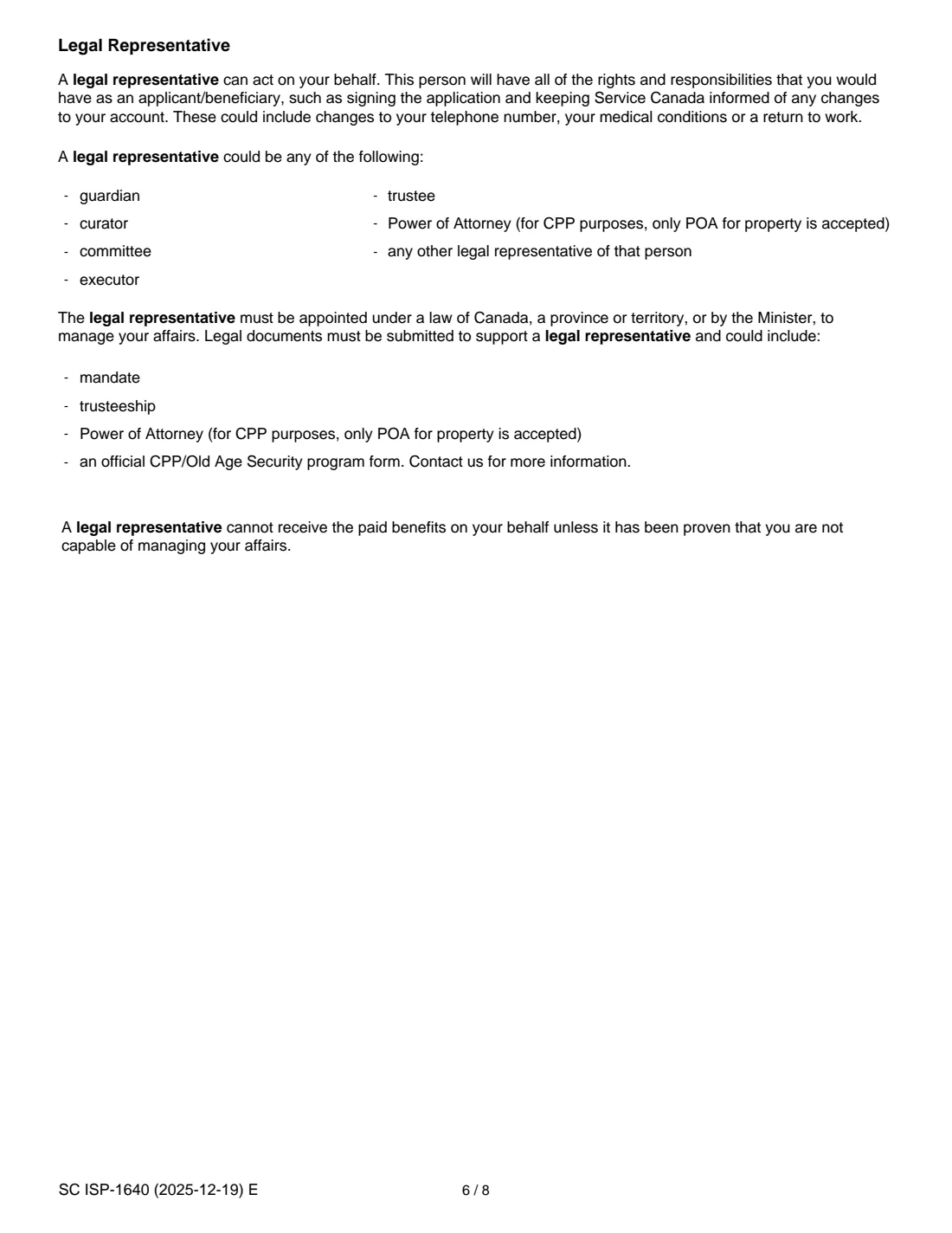
Yes. For a CPP death or survivor benefit, the estate or the person handling the deceased's affairs completes the form, puts the deceased's SIN and name in Section A, and adds their own details in Section E.
Can I fill out ISP-1640 online with FileIt?
Yes. FileIt prints your answers, including names with accents, into Service Canada's official PDF and saves it in your vault. You sign it in pen and send it yourself.
Official sources
- Blank form (PDF), published by Service Canada, for Employment and Social Development Canada (ESDC): https://catalogue.servicecanada.gc.ca/apps/EForms/pdf/en/ISP-1640.pdf
- Official instructions and guidance: https://www.canada.ca/cpp-child-rearing-provisions
- Edition shown on this page: SC ISP-1640 (2025-12-19) E (checked 2026-09-28).
FileIt is not affiliated with or endorsed by Service Canada, for Employment and Social Development Canada (ESDC) or any government. This page explains the form in general terms and is not legal, tax or immigration advice. Always read the official instructions, and check that you are using the edition the recipient accepts. Page last reviewed 2026-09-28.