What is BURS 1A taxpayer registration (individuals)?
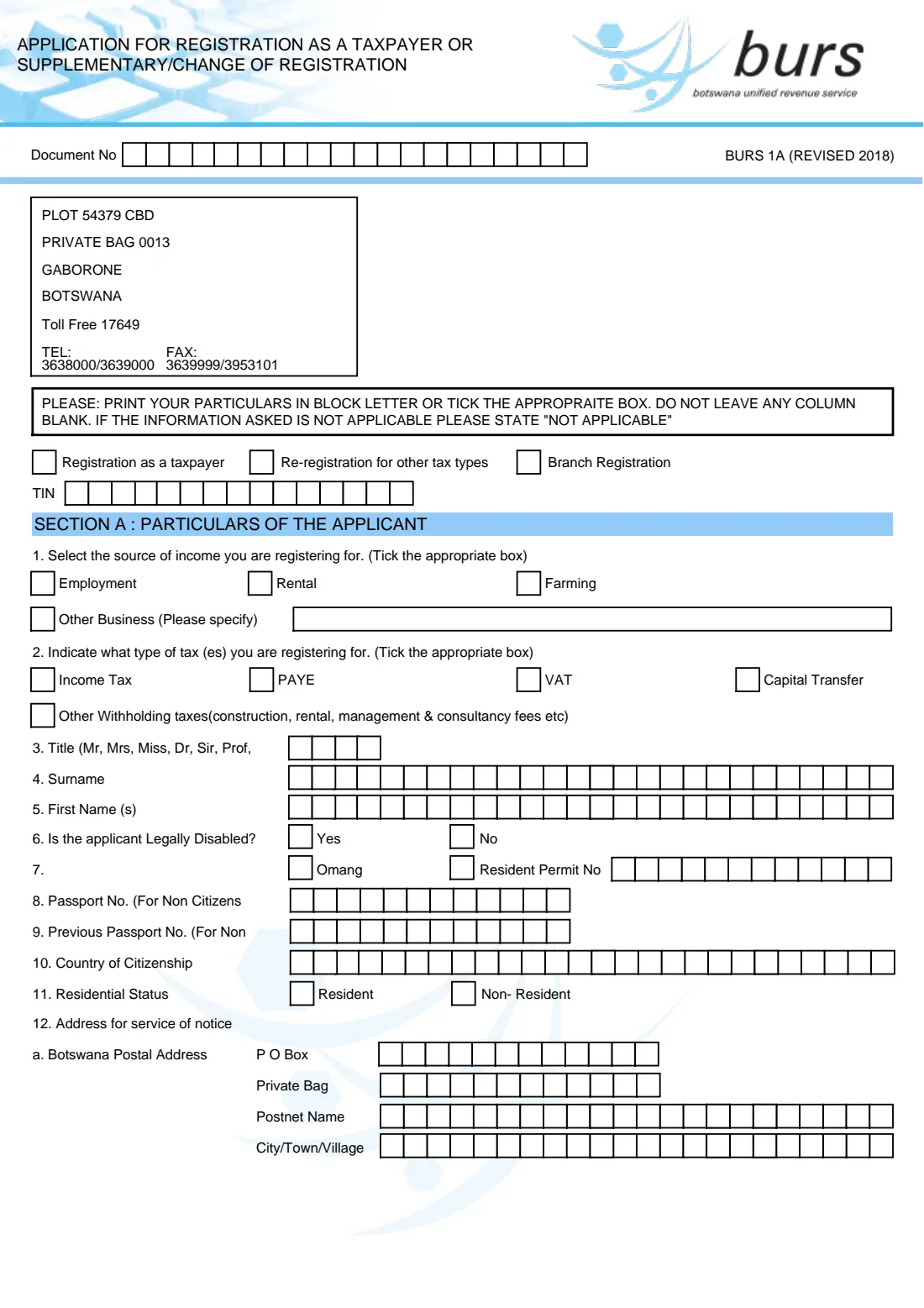
BURS 1A (Revised 2018) is the Botswana Unified Revenue Service's application for registration as a taxpayer or supplementary/change of registration for individuals. A first registration gets you a Taxpayer Identification Number (TIN). The same form is used when you already have a TIN and want to register for other tax types, such as VAT or PAYE, or register a branch.
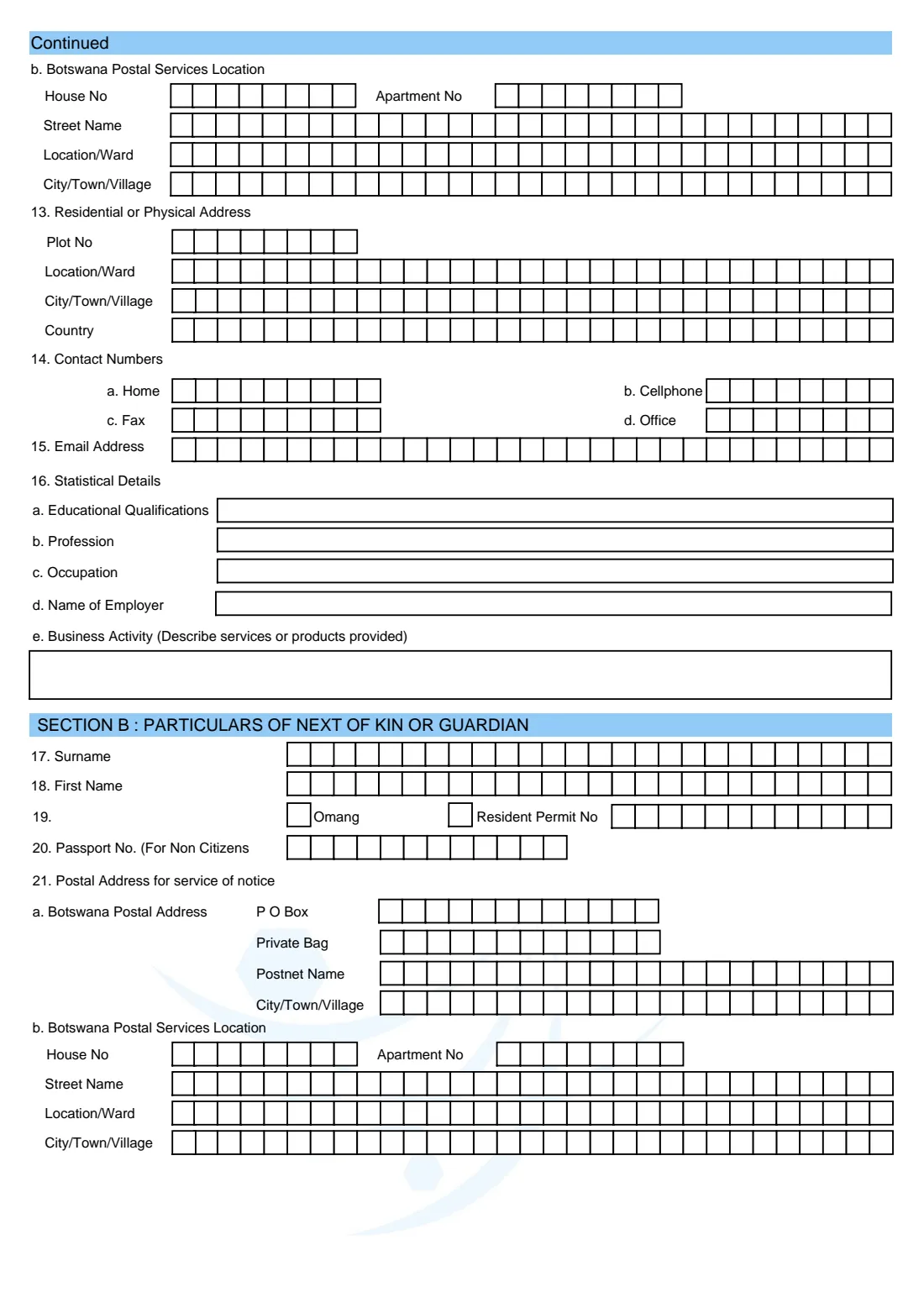
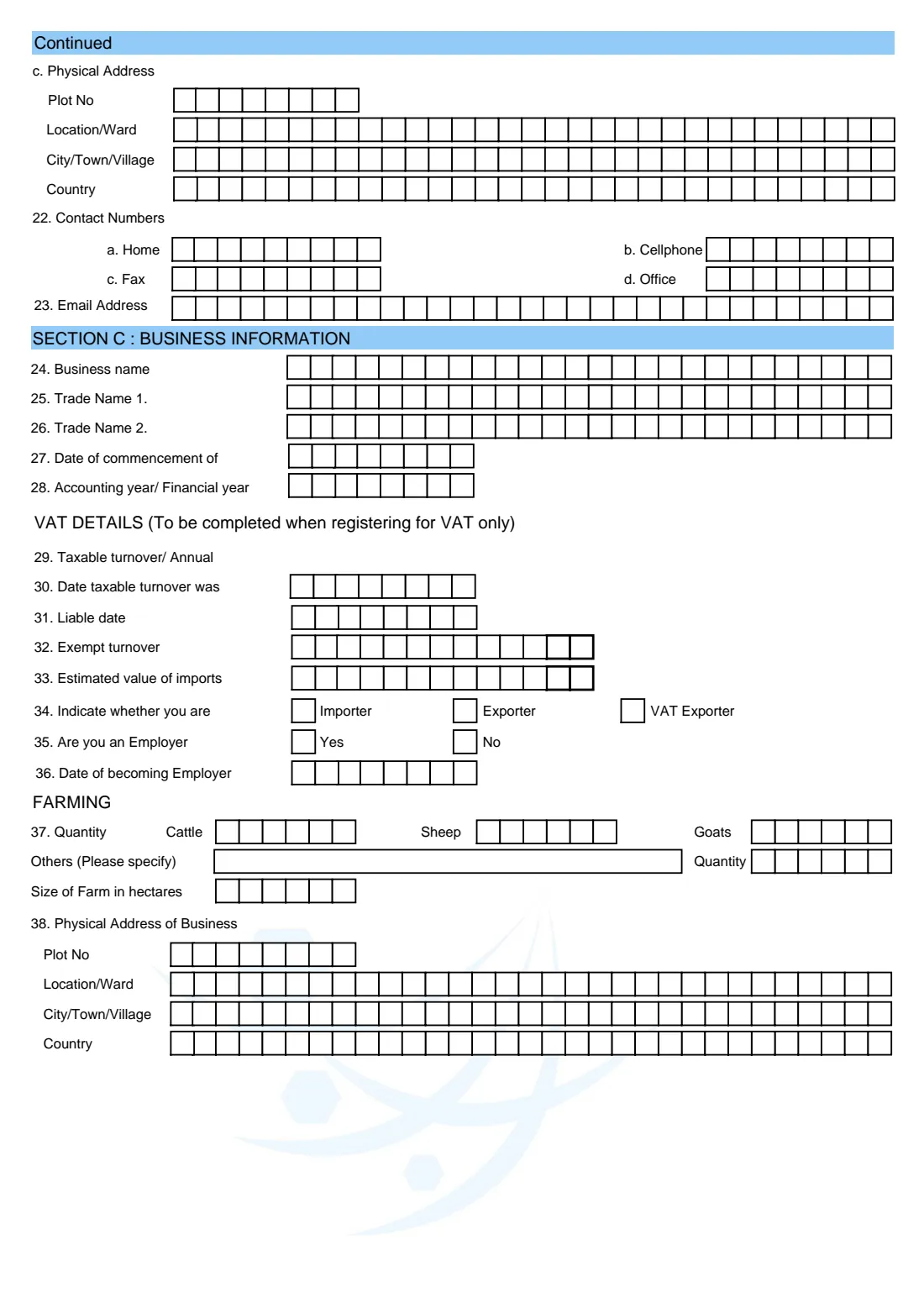
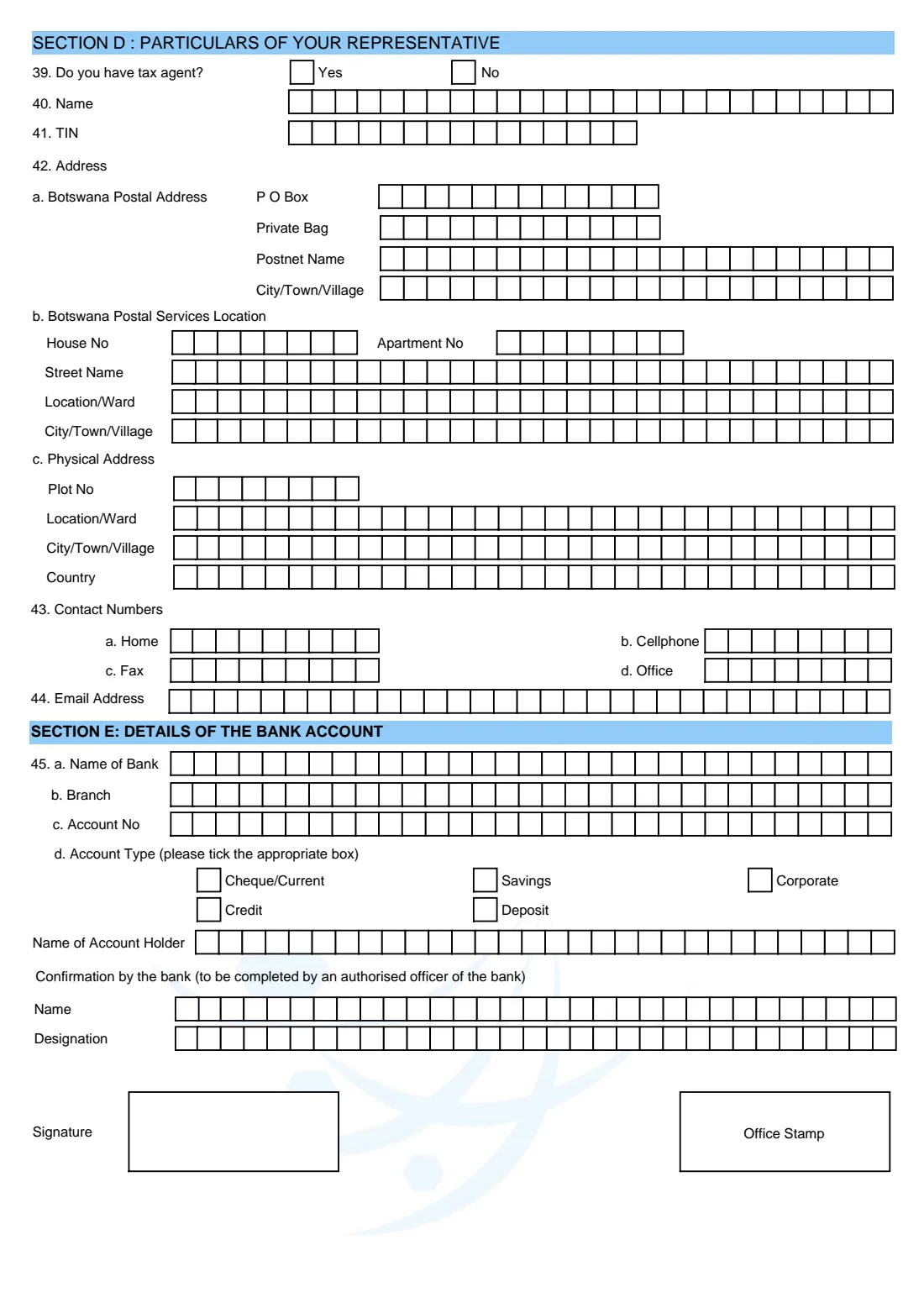
The form runs to five pages and is organised in sections. Section A is the applicant, Section B next of kin or guardian, and Section C your business, with VAT and farming details. Section D covers a tax agent, Section E the bank account, Section F the documents attached and Section G the declaration. Almost every answer goes in rows of single-character boxes, and BURS asks for block letters and for no column to be left blank.
FileIt takes you through the sections that apply to you. It opens the business, VAT, farming and bank parts only when you need them, pre-fills your name and details from the People in your FileIt vault, checks Omang and phone number formats, and prints every answer one character per box into BURS's own PDF. Dates print as DDMMYYYY and amounts split into pula and thebe. The finished form is saved in your vault. You sign it by hand and hand it in to BURS yourself. FileIt never files anything with BURS.
- Who fills it
- An individual applying to register as a taxpayer, or their tax agent
- Given to
- The Botswana Unified Revenue Service (BURS)
- When
- Before you start earning taxable income, or when you add a tax type or branch to your TIN
- Signatures
- The taxpayer or representative signs Section G by hand, and a bank officer confirms Section E if it is used
- Edition
- BURS 1A (Revised 2018)
- Pages
- Five
Who needs to fill out BURS 1A taxpayer registration (individuals)?
- Individuals in Botswana who need a TIN for the first time, for example on starting employment or a business.
- Sole traders, landlords and farmers registering their business, rental or farming income.
- Individuals whose taxable turnover means they must register for VAT, or who choose to register voluntarily.
- People who have started employing staff and need to register for PAYE.
- Existing taxpayers adding a tax type or registering a branch under their TIN.
- Tax agents completing the form on behalf of a client, with a letter of authority.
When to use BURS 1A taxpayer registration (individuals)
- When you first start earning income that must be declared to BURS and don't yet have a TIN.
- When you start a business, begin renting out property or start farming as an individual.
- When your taxable turnover reaches the VAT registration threshold, or when you want to register for VAT voluntarily.
- When you become an employer and must deduct PAYE.
- When you need to add another tax type or register a branch (tick re-registration or branch registration at the top).
What you need before you start
- Your Omang, or your passport and residence permit if you are not a citizen, plus a copy to attach.
- Your existing TIN if you are re-registering or registering a branch.
- Your postal address (P O Box, Private Bag or Postnet), your Botswana Postal Services location and your physical address with plot number.
- Home, mobile and office phone numbers and an email address.
- Your next of kin's or guardian's names, ID number and addresses.
- For a business: trade names, the date it started, its financial year end and its physical address.
- For VAT: annual taxable turnover, the date it was reached, the liable date, exempt turnover and estimated imports.
- Bank name, branch, account number and type if you give bank details, with the bank's confirmation.
- Supporting documents such as proof of turnover, a list of assets and any letters of authority.
What’s on BURS 1A taxpayer registration (individuals)
The 2018 edition has 5 pages. FileIt asks for it in 13 parts:
- Type of registrationApplicant
- Section A: Particulars of the applicant (questions 1 to 11)Applicant
- Addresses and contacts (questions 12 to 15)Applicant
- 16 Statistical detailsApplicant
- Section B: Particulars of next of kin or guardian (questions 17 to 23)Applicant
- Section C: Business information (questions 24 to 28 and 38)Applicant
- VAT details (questions 29 to 34 — only when registering for VAT)Applicant
- Employer (questions 35 and 36)Applicant
- Farming (question 37)Applicant
- Section D: Particulars of your representative (questions 39 to 44)Applicant
- Section E: Details of the bank accountApplicant
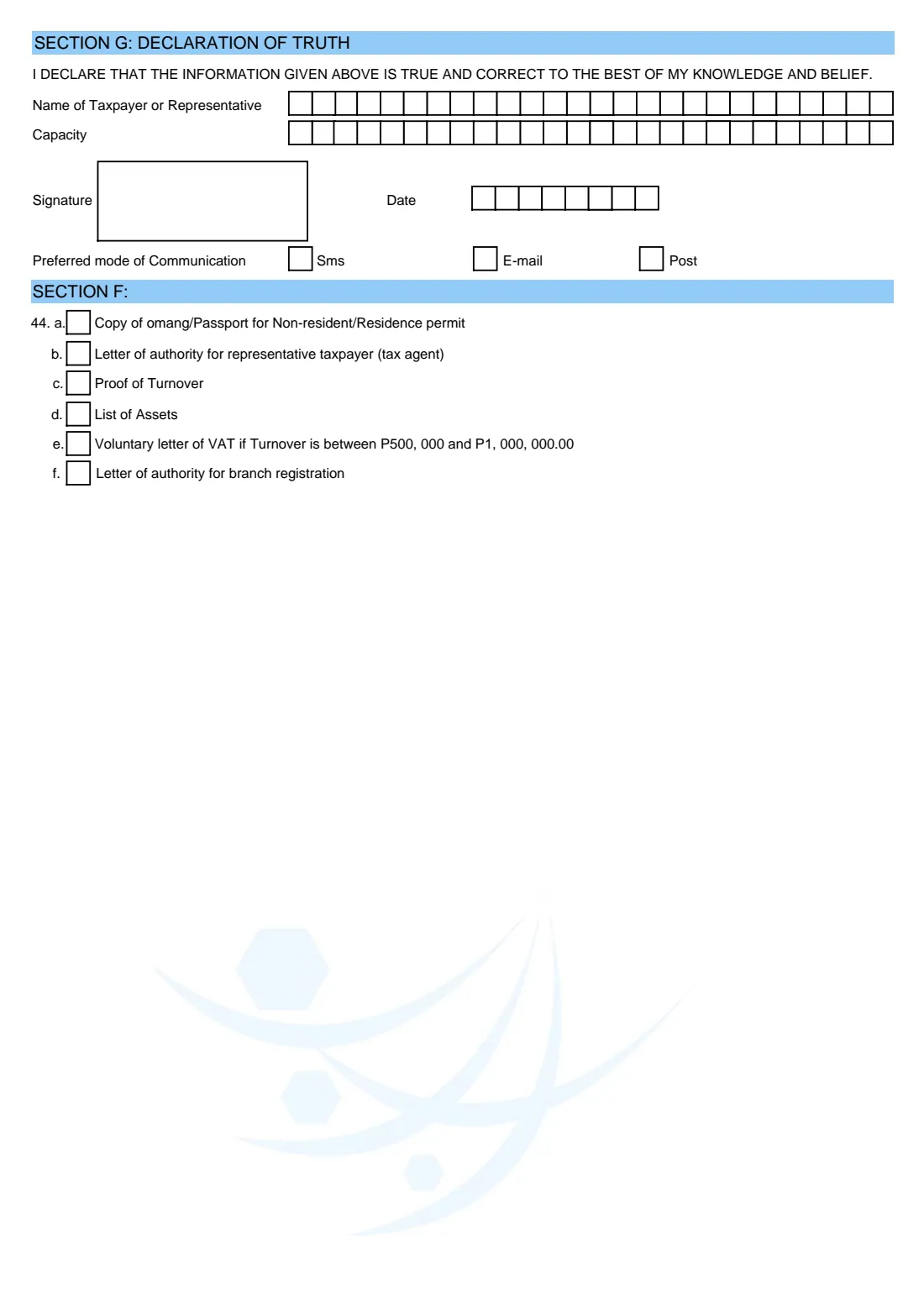
- Section G: Declaration of truthApplicant
- Section F: Documents attachedApplicant
How to fill out BURS 1A taxpayer registration (individuals), step by step
1 Type of registration and TIN
Tick one of 'Registration as a taxpayer', 'Re-registration for other tax types' or 'Branch registration'. If you already have a TIN, write it in the boxes below. FileIt asks for it only for re-registration and branch registration.
2 Section A: Particulars of the applicant (questions 1 to 11)
Question 1 is your sources of income (employment, rental, farming or other business, which you describe) and question 2 the tax types you are registering for: income tax, PAYE, VAT, capital transfer or other withholding taxes. You can tick more than one of each.
Then give your title, surname, first names and whether you are legally disabled. Question 7 is your Omang or residence permit number, with a tick showing which one. Non-citizens also give their passport and previous passport numbers, followed by country of citizenship and residential status.
3 Questions 12 to 15: addresses and contacts
Question 12 is your address for service of notices. It has two parts: a postal address (P O Box, Private Bag or Postnet name and the town) and your Botswana Postal Services location (house, street, ward and town). Question 13 is where you live, question 14 your phone numbers and question 15 your email address. Each box holds one character, so long street names may need abbreviating.
4 Question 16: Statistical details
Your educational qualifications, profession, occupation, employer's name and a description of any business activity (the services or products you provide).
5 Section B: Next of kin or guardian (questions 17 to 23)
Names, Omang or residence permit number (or passport for non-citizens), postal address, location, physical address, phone numbers and email of a person BURS can contact about you.
6 Section C: Business information (questions 24 to 28 and 38)
For individuals with business, rental or farming income: business name, up to two trade names, the date the business started, the accounting or financial year end and the business's physical address.
7 VAT details (questions 29 to 34)
Only when registering for VAT: annual taxable turnover, the date it was reached, the liable date, exempt turnover, estimated value of imports and whether you are an importer, exporter or VAT exporter. Amounts go into pula boxes followed by two thicker thebe boxes.
8 Questions 35 to 37: Employer and farming
Say whether you are an employer and, if so, since when. Farmers give the number of cattle, sheep, goats and other livestock and the size of the farm in hectares.
9 Section D: Particulars of your representative (questions 39 to 44)
If a tax agent acts for you, give their name, TIN, addresses, phone numbers and email, and attach their letter of authority.
10 Section E: Details of the bank account
Bank name, branch, account number, account type and account holder. The lower part is a confirmation by the bank, which an authorised bank officer completes, signs and stamps.
11 Section G: Declaration of truth and Section F: Documents attached
Give the name and capacity of the person signing (the taxpayer or representative) and the date, and choose SMS, email or post for communication. Sign the declaration by hand. In Section F, tick the documents you are attaching. The first is a copy of your Omang, or of your passport or residence permit if you are a non-resident. Others include a tax agent's letter of authority, proof of turnover, a list of assets, a voluntary VAT letter if turnover is between P500,000 and P1,000,000 (as printed on this edition), and a letter of authority for a branch registration.
Common mistakes to avoid
- Leaving the tick boxes in questions 1 and 2 empty. Tick every income source and tax type that applies.
- Forgetting the business or VAT pages after ticking other business or VAT.
- Writing more characters than there are boxes. Abbreviate long names or streets to fit.
- Mixing up the Omang and residence permit ticks in question 7 or 19.
- Omitting the postal address. BURS sends notices to the address in question 12.
- Leaving out a copy of your Omang or passport. Section F lists it first.
- Ticking PAYE without saying you are an employer in question 35.
- Giving bank details without the bank officer's confirmation and stamp.
After you fill it out
Print the completed form from your FileIt vault and sign the declaration in Section G by hand. If you gave bank details, take the form to your bank so an authorised officer can complete, sign and stamp the confirmation in Section E.
Hand the form to BURS with the documents you ticked in Section F. The form's first page gives the BURS head office address as Plot 54379 CBD, Private Bag 0013, Gaborone. BURS also runs online e-Services, so ask BURS if you would rather register online. FileIt does not submit the form.
Keep the signed copy and the TIN BURS gives you in your FileIt vault. If your details change later, for example your address, bank account or tax types, BURS 1A is also the supplementary/change of registration form.
Fill out BURS 1A taxpayer registration (individuals) online with FileIt
- Pick the person. Choose someone from People and FileIt fills in their name, date of birth, address and other details it already knows.
- Answer plain-language questions. One part of the form at a time, with the official help text beside each question — 133 fields in all. Your answers save as you go.
- Check the live preview. Watch your answers land on the real Botswana Unified Revenue Service (BURS) form, and let FileIt do any worksheet arithmetic.
- Generate the official PDF. FileIt prints your answers into the agency’s own PDF and files it in that person’s folder in your vault.
FileIt fills the form — it never files or submits anything for you. Deliver the finished form to whoever asked for it, the way the form’s instructions say.
Start BURS 1A taxpayer registration (individuals) now — it’s freeBURS 1A taxpayer registration (individuals): frequently asked questions
What is the BURS 1A form?
BURS 1A is the Botswana Unified Revenue Service's application for registration as a taxpayer or supplementary/change of registration for individuals. It gets you a TIN, or adds tax types or a branch to an existing registration.
How do I get a TIN in Botswana as an individual?
You apply to BURS. On paper, that means the BURS 1A form with a copy of your Omang (or passport and residence permit). BURS also runs online e-Services. BURS then gives you a Taxpayer Identification Number.
Can I fill in BURS 1A online?
Yes, with FileIt. It guides you through the sections that apply to you and prints your answers into BURS's official PDF, one character per box, saved in your vault. You then sign it and hand it in yourself, because FileIt doesn't submit forms to BURS.
Where do I submit BURS 1A?
Hand it to BURS with your supporting documents. The form's first page gives the head office address as Plot 54379 CBD, Private Bag 0013, Gaborone.
Do I need to fill in every section?
The form asks you not to leave any column blank and to write 'not applicable' where something doesn't apply. Sections such as VAT details, farming, the representative and the bank account only matter if they apply to you. FileIt leaves boxes you don't need empty, so you can write N/A by hand if BURS asks.
When do I need to register for VAT?
When your taxable turnover reaches the VAT registration threshold, or voluntarily. Section F of this edition mentions a voluntary VAT letter where turnover is between P500,000 and P1,000,000. Check the current threshold with BURS, as it can change.
Can a tax agent fill in BURS 1A for me?
Yes. Section D records your representative, and Section F asks for a letter of authority for a representative taxpayer (tax agent). The declaration can be signed by the taxpayer or the representative.
Is BURS 1A only for new taxpayers?
No. You can also use it for re-registration for other tax types, for a branch registration, or to change your registration details.
Official sources
- Blank form (PDF), published by Botswana Unified Revenue Service (BURS): https://www.burs.org.bw/index.php/treaties-and-legislation/category/15-tax-forms?download=727:individual-burs1
- Official instructions and guidance: https://www.burs.org.bw/index.php/tax/registration
- Edition shown on this page: BURS 1A (Revised 2018) (checked 2026-09-26).
FileIt is not affiliated with or endorsed by Botswana Unified Revenue Service (BURS) or any government. This page explains the form in general terms and is not legal, tax or immigration advice. Always read the official instructions, and check that you are using the edition the recipient accepts. Page last reviewed 2026-09-26.