What is SRSS person permitted to enquire (SU698)?
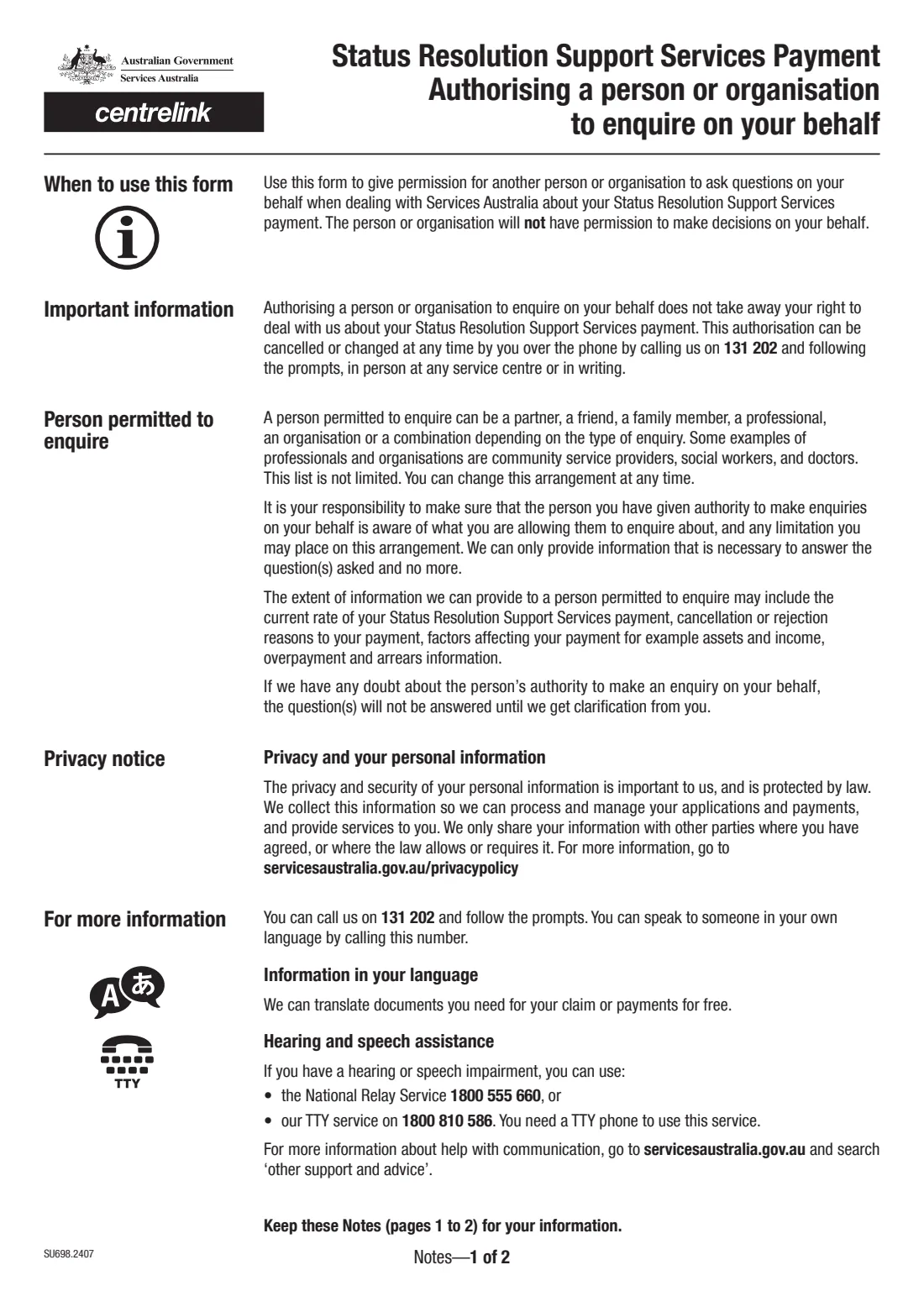
Form SU698 lets a person receiving the Status Resolution Support Services (SRSS) payment give another person or organisation permission to ask Services Australia questions on their behalf about that payment. The person or organisation becomes a 'person permitted to enquire': they can ask questions, but they can't make decisions for you, and you keep your own right to deal with Services Australia.
Services Australia can tell a person permitted to enquire things like the current rate of your SRSS payment, why a payment was cancelled or rejected, the factors affecting it such as income and assets, and overpayment and arrears information. You can cancel or change the arrangement at any time.
FileIt walks you through the current edition (SU698.2407) and prints your answers into Services Australia's own PDF. It shows only the parts that apply — a person or an organisation, the customer declaration or the third party authorisation — and saves the finished form to your FileIt vault. You then post it or take it to a service centre yourself.
- Who fills it
- The SRSS customer (questions 1–12, or a third party at question 13) and the person permitted to enquire (questions 14–15)
- Given to
- Services Australia — by post or in person at a service centre
- What it allows
- Enquiries only — no decisions on your behalf
- Signatures
- The customer (or a third party if the customer can't sign) and the person permitted to enquire
- Payment
- Status Resolution Support Services (SRSS) payment only
- Edition
- SU698.2407
Who needs to fill out SRSS person permitted to enquire (SU698)?
- People receiving the Status Resolution Support Services payment who want a partner, friend, family member or caseworker to be able to ask about it.
- Community service providers, social workers, doctors and other organisations supporting an SRSS recipient.
- A person signing for an SRSS recipient who can't sign because of a physical or mental disability.
When to use SRSS person permitted to enquire (SU698)
- When you want someone else to be able to ask Services Australia about your SRSS payment.
- When you want an arrangement for a set period — you can give From and To dates instead of choosing 'Indefinitely'.
- When you want to replace or change who can enquire for you — you can also cancel or change it by calling 131 202, at a service centre or in writing.
- For other Centrelink payments, or to appoint a nominee who can act for you, use form SS313 instead.
What you need before you start
- Your Customer Reference Number (CRN), if you know it, your name, date of birth and permanent address.
- The authorised person's name and date of birth — or the organisation's trading name, business name and contact person.
- Their relationship to you, their permanent and postal addresses, phone number and email.
- How long the arrangement should last.
- A password of 4 to 12 letters or numbers, chosen by the person permitted to enquire.
- If a third party signs for you: their name, relationship, address and phone number, and evidence that you can't sign (unless it's a court-appointed arrangement).
What’s on SRSS person permitted to enquire (SU698)
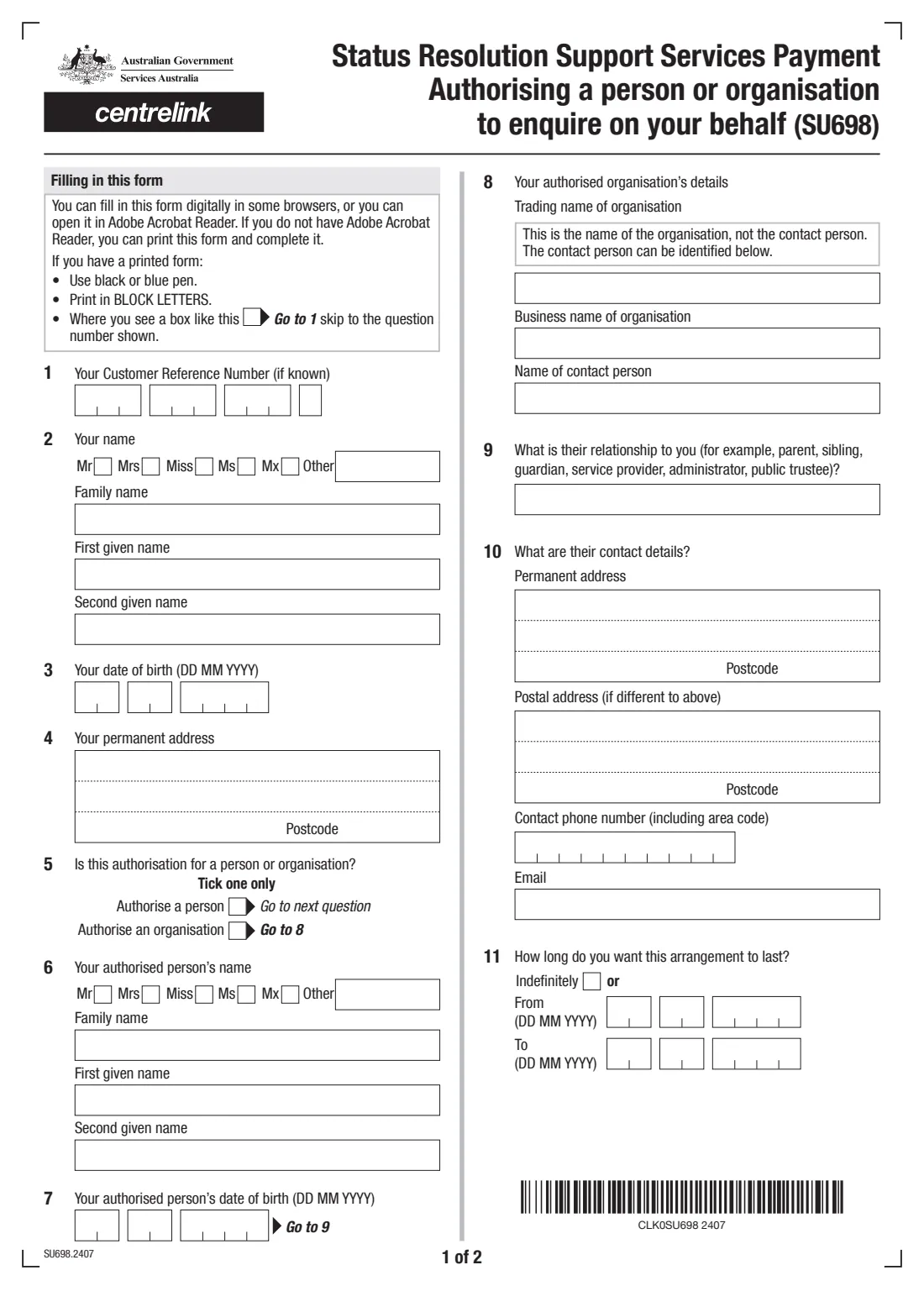
The 2024 edition has 4 pages. FileIt asks for it in 6 parts, and it is signed by Customer and Third party signing for the customer and Person permitted to enquire:
- About you (questions 1–4)Customer
- Who you're authorising (questions 5–11)Customer
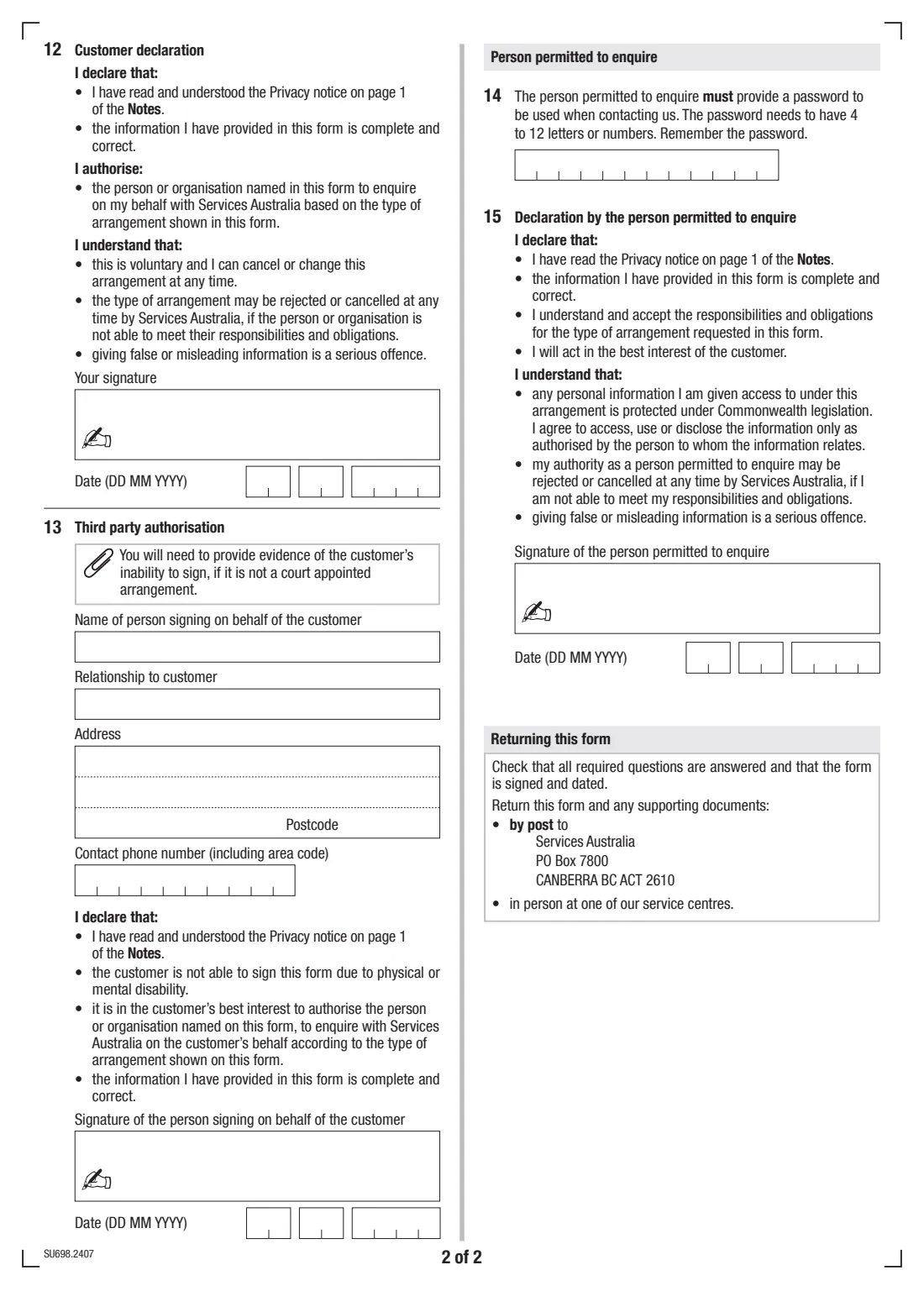
- Who signs for the customer (questions 12–13)Customer
- 12. Customer declarationCustomer
- 13. Third party authorisationThird party signing for the customer
- Person permitted to enquire (questions 14–15)Person permitted to enquire
How to fill out SRSS person permitted to enquire (SU698), step by step
1 Questions 1–4: your details
Give your CRN if you know it, your title and name, date of birth and permanent address. FileIt pre-fills your name and date of birth from your People record.
2 Questions 5–8: who you're authorising
Choose a person or an organisation. For a person, give their title, name and date of birth. For an organisation, give its trading name (not the contact person), business name and the name of the contact person.
3 Questions 9–11: their relationship, contact details and how long
Say how they're related to you — for example parent, sibling, guardian, service provider, administrator or public trustee — and give their addresses, phone number and email. Then choose 'Indefinitely' or a set period.
4 Question 12 or 13: signing for the customer
You sign the Customer declaration at question 12. Only if you can't sign because of a physical or mental disability does someone sign the Third party authorisation at question 13 instead, giving their name, relationship, address and phone number.
5 Questions 14–15: the person permitted to enquire
The person permitted to enquire chooses a password of 4 to 12 letters or numbers, to use whenever they contact Services Australia, then signs and dates their declaration.
Common mistakes to avoid
- Using this form for a payment other than the SRSS payment.
- Filling in both the person and the organisation details — tick one at question 5 and complete that part only.
- Giving the contact person's name as the organisation's trading name.
- Choosing a password with spaces or symbols — it must be 4 to 12 letters or numbers.
- Having a third party sign without providing evidence that the customer can't sign, when it isn't a court-appointed arrangement.
- Forgetting that the person permitted to enquire must also sign and date question 15.
After you fill it out
Check every required question is answered, then sign: you (or the third party) and the person permitted to enquire. Print it from FileIt and sign by hand, or send it for e-signature first.
Return the form and any supporting documents by post to the Services Australia address printed on it, or in person at a service centre. FileIt doesn't send it for you.
A copy stays in your FileIt vault. You can cancel or change the arrangement at any time by calling 131 202, at a service centre or in writing.
Fill out SRSS person permitted to enquire (SU698) online with FileIt
- Pick the person. Choose someone from People and FileIt fills in their name, date of birth, address and other details it already knows.
- Answer plain-language questions. One part of the form at a time, with the official help text beside each question — 51 fields in all. Your answers save as you go.
- Check the live preview. Watch your answers land on the real Services Australia (Centrelink) form, and let FileIt do any worksheet arithmetic.
- Generate the official PDF. FileIt prints your answers into the agency’s own PDF and files it in that person’s folder in your vault. Sign it, or send it for e-signature.
FileIt fills the form — it never files or submits anything for you. Deliver the finished form to whoever asked for it, the way the form’s instructions say.
Start SRSS person permitted to enquire (SU698) now — it’s freeSRSS person permitted to enquire (SU698): frequently asked questions
What is form SU698 for?
It lets someone receiving the Status Resolution Support Services payment authorise a person or organisation to make enquiries with Services Australia about that payment on their behalf.
Can the person permitted to enquire make decisions for me?
No. The form's notes say the person or organisation will not have permission to make decisions on your behalf, and you keep the right to deal with Services Australia yourself.
What information can they be given?
The notes list things like your current SRSS payment rate, reasons a payment was cancelled or rejected, factors affecting it such as income and assets, and overpayment and arrears information. Services Australia only gives what's needed to answer the question asked.
How do I return the SU698?
The form says to return it with any supporting documents by post to Services Australia, or in person at one of their service centres.
How do I cancel the arrangement?
You can cancel or change it at any time by calling 131 202 and following the prompts, in person at a service centre, or in writing.
Who can be a person permitted to enquire?
A partner, friend, family member, professional or organisation — for example a community service provider, social worker or doctor. The list isn't limited.
Official sources
- Blank form (PDF), published by Services Australia (Centrelink): https://www.servicesaustralia.gov.au/sites/default/files/2024-07/su698-2407en-f.pdf
- Official instructions and guidance: https://www.servicesaustralia.gov.au/su698
- Edition shown on this page: SU698.2407 (checked 2026-09-28).
FileIt is not affiliated with or endorsed by Services Australia (Centrelink) or any government. This page explains the form in general terms and is not legal, tax or immigration advice. Always read the official instructions, and check that you are using the edition the recipient accepts. Page last reviewed 2026-09-28.