What is the holiday rental guest registration form template?
Many hosts need to know exactly who's staying before a booking begins: names, an ID, how many people, whether a car or pet is coming, and confirmation that everyone agrees to the house rules. Doing this by text message means details get scattered across several messages, and a lead guest can easily forget to mention a plus-one or a pet until they're already at the door. This template puts the whole check-in into one guided form.
An online registration form also gives guests a clear record of what they agreed to. Instead of a rushed conversation at handover, they read the rules in their own time, tick a box to confirm they've read them, and sign on screen — all before they even arrive. That's a much better first impression than a laminated sheet taped to the fridge.
Every submission becomes a PDF saved automatically in your FileIt vault, in the folder you set up for that property or booking, with any uploaded ID attached. If a query comes up mid-stay or after checkout, the signed registration is already filed and easy to find.
- Best for
- Hosts, property managers and short-term rental owners
- Filled in by
- The lead guest, before or on arrival
- Time to complete
- About 4-5 minutes
- Includes
- Conditional logic, file upload, signature, two consent statements
Who uses a holiday rental guest registration form?
- A holiday cottage owner asks every booking to register before check-in so ID and party size are confirmed in advance
- A property manager running several listings uses one form per property, filed into a separate FileIt folder for each
- A host in a jurisdiction that requires recording overnight guest details keeps a digital log instead of a paper register
- A villa rental collects vehicle registration plates in advance so gate access or parking can be arranged
- A pet-friendly rental finds out what kind of pet is coming so the right supplies are ready
- A host uses the signed house-rules agreement as a reference if a dispute comes up about noise, smoking or damage after the stay
Questions on this holiday rental guest registration form
24 questions over 3 pages · includes signature, file upload, conditional questions, multiple pages, consent checkbox.
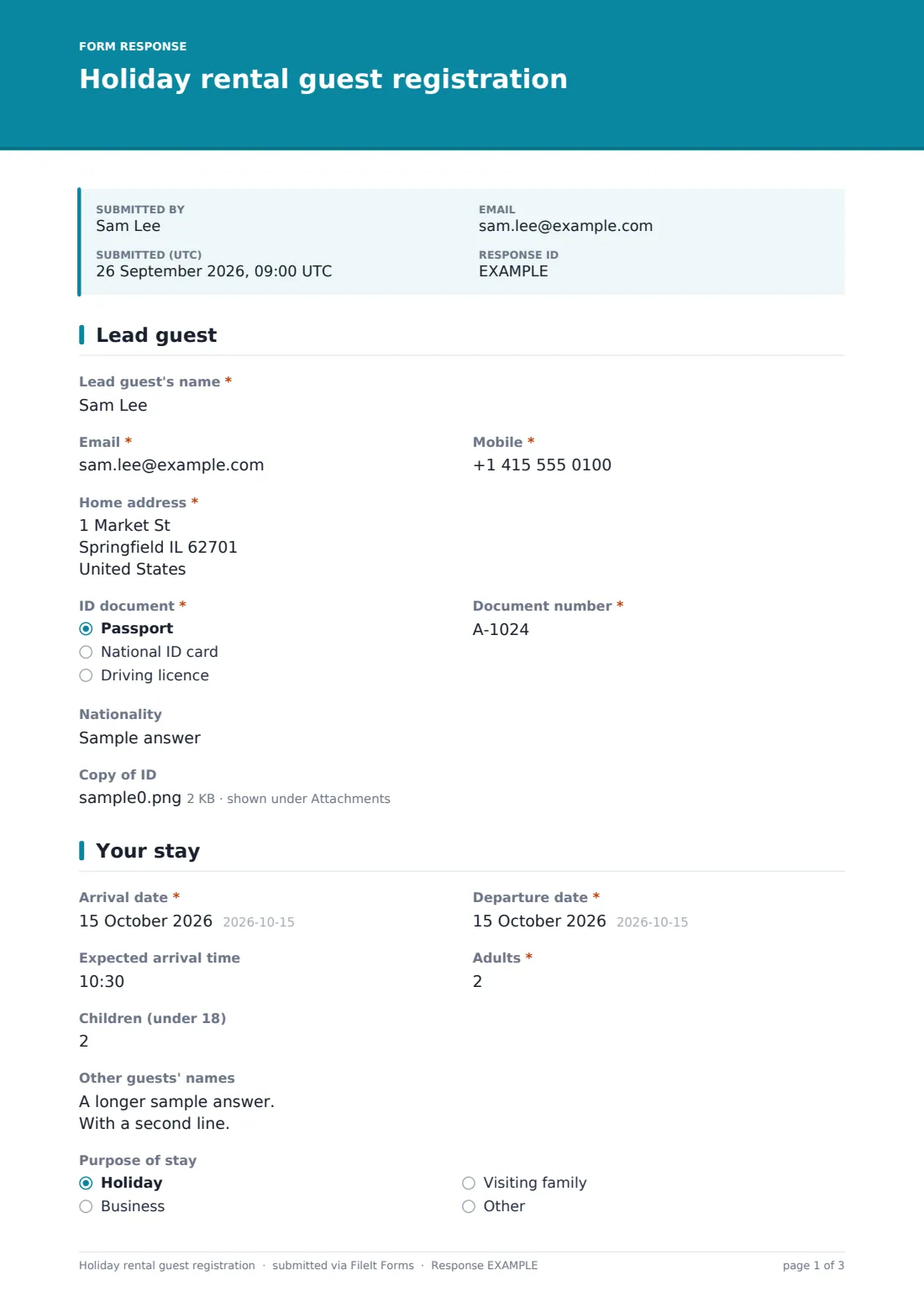
1 Lead guest
- Lead guest's name*
- Email*
- Mobile*
- Home address*
- ID document* Passport · National ID card · Driving licence
- Document number*
- Nationality
- Copy of ID
2 Your stay
- Arrival date*
- Departure date*
- Expected arrival time
- Adults*
- Children (under 18)
- Other guests' names
- Purpose of stay Holiday · Business · Visiting family
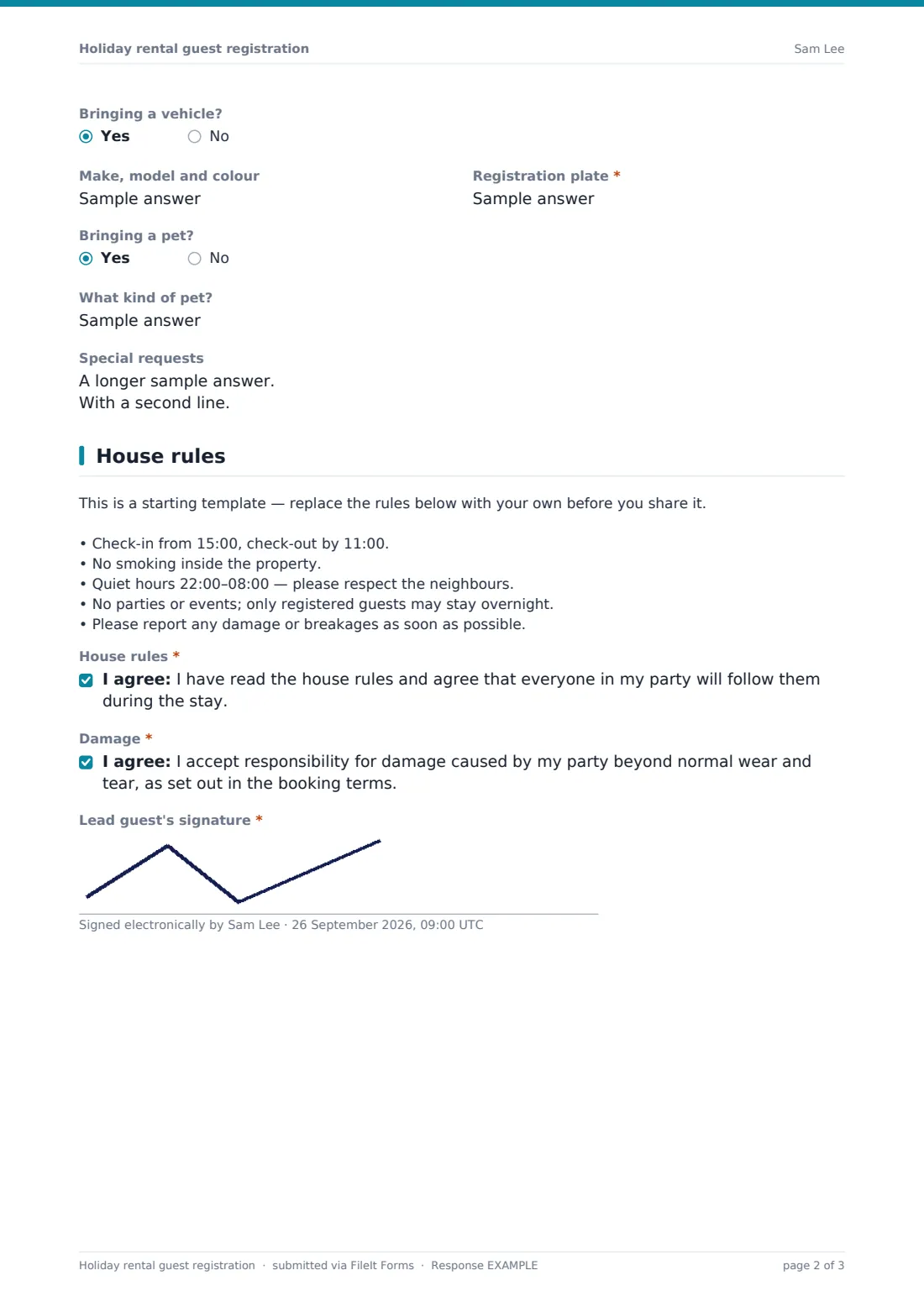
- Bringing a vehicle?
- Make, model and colour asked only when it applies
- Registration plate* asked only when it applies
- Bringing a pet?
- What kind of pet? asked only when it applies
- Special requests
3 House rules
- House rules*
- Damage*
- Lead guest's signature*
The holiday rental guest registration form, page by page
1 Lead guest
The form starts with the lead guest's name, email, mobile number and home address, followed by an ID document type (passport, national ID or driving licence) and its number. A nationality field and an optional ID copy upload are included for hosts who need to record more detail — the template notes this upload should only be used if the host actually requests it and matches local rules, since ID requirements vary a lot by country and type of let.
2 Your stay
This page captures the practical shape of the booking: arrival and departure dates, an expected arrival time, and the number of adults and children in the party. A long-text field lets the lead guest list every other guest's name — useful where local rules require recording everyone staying overnight, not just the person who booked.
A purpose-of-stay question (holiday, business, or visiting family, with an "Other" option) helps hosts understand their guest mix. Two yes/no questions — Bringing a vehicle? and Bringing a pet? — each reveal a short follow-up only when answered yes: vehicle make, model, colour and plate, or details about the pet. A final long-text field, Special requests, catches anything else, like an early check-in or an accessibility need.
3 House rules
A paragraph block holds a starting set of house rules — check-in and check-out times, no smoking, quiet hours, no parties, and reporting damage — clearly marked as a template the host should replace with their own before sharing it. Two separate consent checkboxes follow: one confirming the guest has read and will follow the house rules, and a second acknowledging responsibility for damage caused by their party beyond normal wear and tear, as set out in the booking terms. The lead guest finishes by signing on screen, which the PDF captures as their signature.
Make the template yours
- Replace the sample house rules paragraph with your own property's actual rules before sharing the form with guests
- Remove the ID copy upload entirely if your local rules don't require recording a copy, or make it required if they do
- Add a question about check-in method, like a lockbox code or a meet-and-greet time
- Set the folder filing so each response lands in a folder for that specific property, or that specific booking
- Turn on a closing date tied to the check-in date, so the form stops accepting late registrations
- Add a field for the booking reference or platform (e.g. direct booking, listing site) if you manage several channels
- Adjust the confirmation message to include your actual check-in instructions or a link to a welcome guide
Tips for a better holiday rental guest registration form
- Ask for only the ID detail your local rules actually require — collecting more than necessary is an unnecessary privacy risk for both sides
- Send the registration link as soon as a booking is confirmed, well before arrival, so there's time to fix anything missing
- Keep the house rules short and specific — a long list is more likely to be skimmed than read
- Store any uploaded ID copies with the same care you'd give other sensitive documents, and don't share them beyond what's needed
- If a booking includes a pet, confirm any additional cleaning fee or deposit outside the form, since this template only records the detail, not a charge
- Reconfirm the party's expected arrival time close to the date, since plans often change after the initial registration
Every response becomes a PDF in your vault
As soon as a guest submits the registration, FileIt saves it as a PDF in your vault, in the folder you've set up for that property or booking, along with any uploaded ID. You're notified by email right away, and if you've turned on the optional copy, the guest also receives their own PDF for reference.
Hosts typically use the Responses table to check everything's in order before arrival — party size against the booking, vehicle details for parking, and confirmation the house rules were agreed. If anything's unclear, replying by email is the natural next step, since the form itself doesn't message guests back automatically beyond the confirmation message you've set.
- Start from this template. It opens in the FileIt Forms designer — change any question, add pages, set the rules for when questions appear.
- Share it. Turn on a public link, or send it to people by email, each with their own link. They don’t need a FileIt account.
- Get the answers as PDFs. Each response is saved as a PDF in the vault folder you choose, with uploaded files attached — and listed in a Responses table you can export to CSV.
Holiday rental guest registration form: frequently asked questions
Is this vacation rental guest registration template free?
Yes. It's included with FileIt's Forms app on every plan, including the free plan, and every question can be edited to fit your property.
Do guests need a FileIt account to register?
No. Guests fill in and submit the form using a public link or a personal emailed link — no account is required.
Where do the completed registrations go?
Each one is saved automatically as a PDF in your FileIt vault folder, and you can view or export the full list of responses at any time.
Can we require guests to upload a copy of their ID?
You can make the ID copy upload required in the designer, but check what your local short-term rental rules actually require before you do — this varies widely by location.
Is the signed house rules agreement legally binding?
This template gives you a plain, signed acknowledgement that a guest read and agreed to your rules — it isn't legal advice, and if you need enforceable terms you should have your booking agreement reviewed to fit your situation and local rules.
Can we track vehicle details for parking?
Yes, the form asks for the make, model, colour and registration plate whenever a guest indicates they're bringing a vehicle.
Can we use one form for several rental properties?
You can, or you can duplicate the template per property so each one files into its own vault folder — either approach works.
Can guests fill this in from their phone?
Yes, the form works on any device with a browser, including entering a signature by finger or stylus on a phone or tablet.