What is the tax exemption certificate submission form template?
If you sell to resellers, nonprofits, schools or government buyers, some of your customers will ask not to be charged sales tax. Before you can do that, you need their certificate on file, along with the number, the states it covers and whether it expires. Certificates usually arrive as an email attachment with no context, and someone in accounts ends up reading the small print to work out what it actually covers.
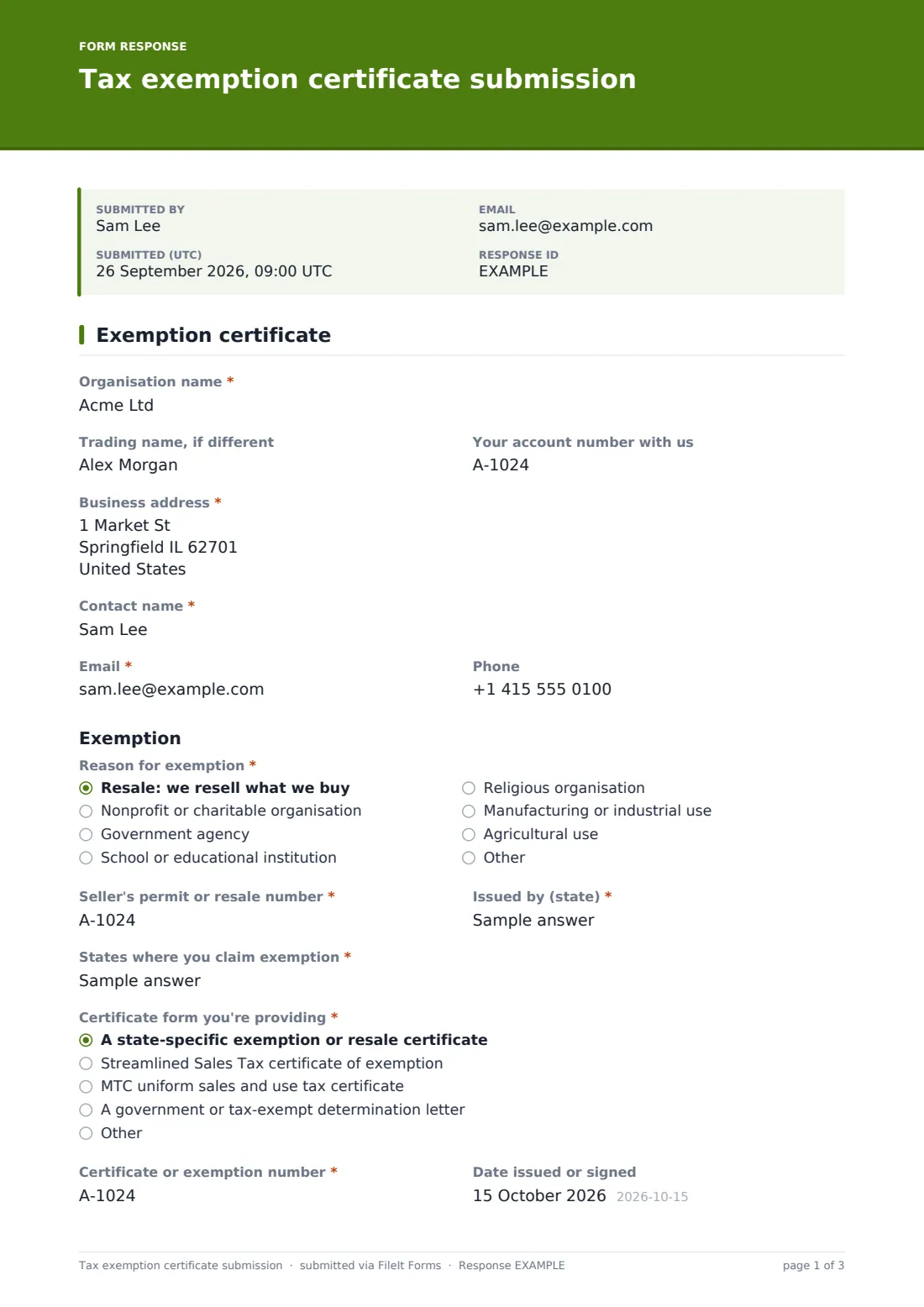
This one-page template has the customer fill in those details next to the certificate itself. They give the organisation name, address and contact, then pick a Reason for exemption. Choosing Resale reveals fields for the seller's permit or resale number and the state that issued it. Every customer lists the states where they claim exemption, says which certificate form they're providing, and enters the certificate number, issue date and expiry date.
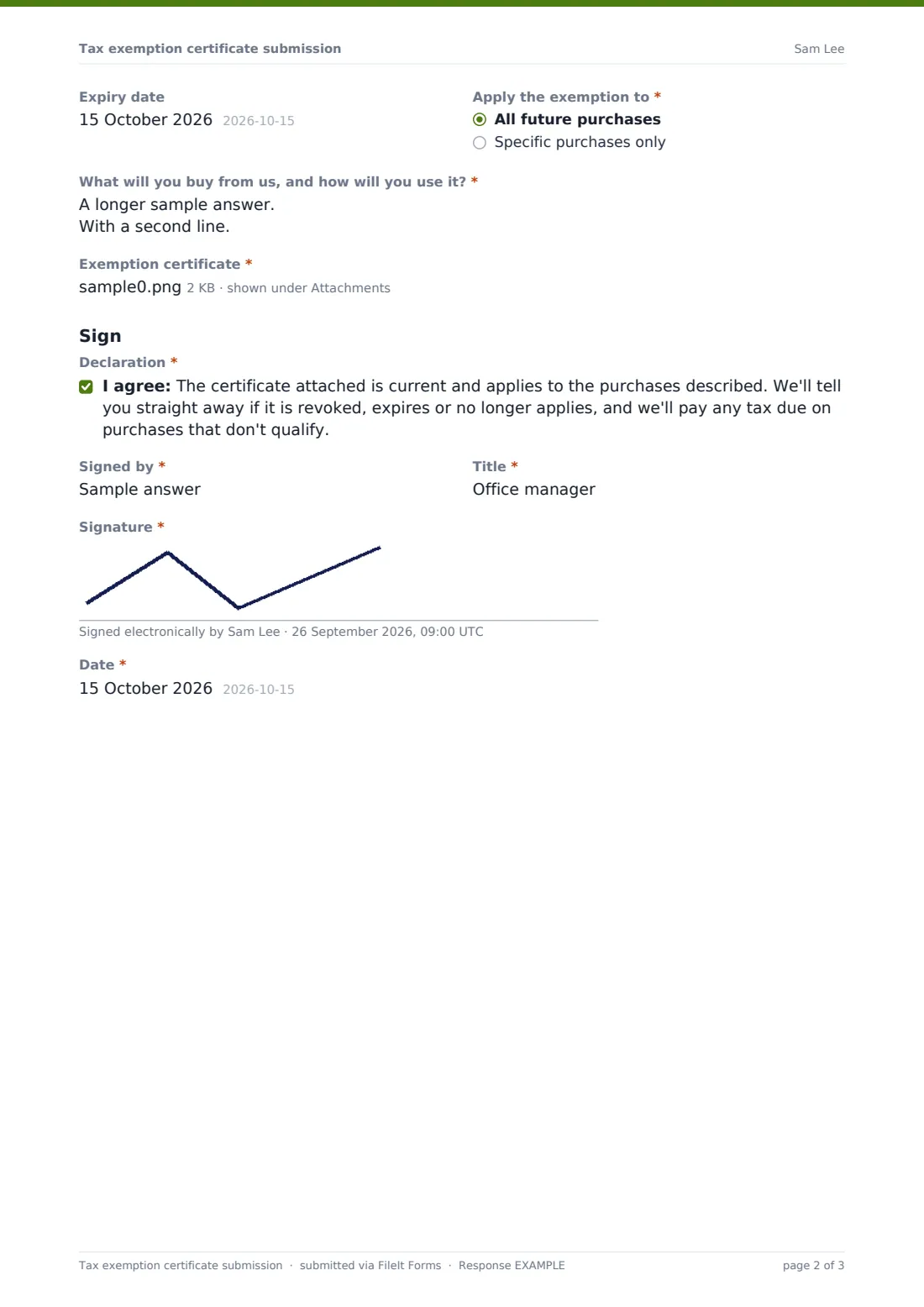
Apply the exemption to lets the customer limit it to specific purchases, and they describe what they'll buy and how they'll use it. The certificate upload and a signed declaration finish the page. Each submission is saved as a PDF in your FileIt vault with the certificate attached.
- Best for
- Wholesalers, distributors, B2B suppliers and online sellers with exempt customers
- Filled in by
- The customer's purchasing, finance or tax contact
- Time to complete
- About 4 minutes
- Includes
- Exemption types, resale permit branch, states, certificate dates, upload and signed declaration
Who uses a tax exemption certificate submission form?
- A wholesaler opening an account for a new retail store that buys for resale
- A school supplies company collecting certificates from districts each school year
- A printing company setting up a nonprofit customer's exemption
- An equipment supplier recording a manufacturer's exemption for production machinery
- An online store adding exempt buyers who order across several states
- Refreshing certificates on file when they reach their expiry dates
Questions on this tax exemption certificate submission form
24 questions · includes signature, file upload, conditional questions, consent checkbox.
1 Exemption certificate
- Organisation name*
- Trading name, if different
- Your account number with us
- Business address*
- Contact name*
- Email*
- Phone
- Reason for exemption* Resale: we resell what we buy · Nonprofit or charitable organisation · Government agency · School or educational institution · Religious organisation · Manufacturing or industrial use · Agricultural use
- Seller's permit or resale number* asked only when it applies
- Issued by (state)* asked only when it applies
- States where you claim exemption*
- Certificate form you're providing* A state-specific exemption or resale certificate · Streamlined Sales Tax certificate of exemption · MTC uniform sales and use tax certificate · A government or tax-exempt determination letter · Other
- Certificate or exemption number*
- Date issued or signed
- Expiry date
- Apply the exemption to* All future purchases · Specific purchases only
- Which purchases?* asked only when it applies
- What will you buy from us, and how will you use it?*
- Exemption certificate*
- Declaration*
- Signed by*
- Title*
- Signature*
- Date*
The tax exemption certificate submission form, page by page
1 Exemption certificate
The customer enters the Organisation name as it appears on the certificate, an optional trading name, their account number with you, the Business address and a contact name, email and phone.
Under Exemption, Reason for exemption lists resale, nonprofit or charitable, government, school or educational, religious, manufacturing or industrial use and agricultural use, with Other. Resale reveals Seller's permit or resale number and Issued by (state). States where you claim exemption is a short list such as TX, CA, NY. Certificate form you're providing distinguishes a state-specific certificate, the Streamlined Sales Tax certificate of exemption, the MTC uniform certificate, a determination letter or something else. Certificate or exemption number, Date issued or signed and Expiry date come next.
Apply the exemption to offers all future purchases or specific purchases only, which asks which ones. What will you buy from us, and how will you use it? describes the intended use. Exemption certificate is a required upload of up to five files.
Under Sign, the customer agrees to a declaration that the certificate is current and applies, that they'll tell you if it stops applying and that they'll pay tax on purchases that don't qualify. They give their name and title, sign and date.
Make the template yours
- Swap the states field for checkboxes of only the states you ship to
- Remove certificate forms you don't accept
- Add your tax team's inbox to the notification emails
- Put your account number format in the help text
- Edit the declaration to match your own terms of sale
- Make Expiry date required if your policy is to recheck every certificate on a cycle
Tips for a better tax exemption certificate submission form
- Check that the certificate is complete and signed before turning off tax on the account
- Match the organisation name on the certificate to the name on your invoices
- Add each certificate's expiry date to the filed document in your vault so FileIt reminds you before it lapses
- Rules on what counts as a valid certificate differ by state; ask a tax adviser if you're unsure, as the form only collects the details
- Keep certificates for as long as the related sales could be reviewed
Every response becomes a PDF in your vault
Each submission is filed as a signed PDF in the vault folder you choose, with the certificate attached to the same document. You're notified by email, and the customer can get a copy of what they sent.
Use the Responses table to see which customers have certificates on file, search by organisation or certificate number, and export to CSV to update your billing system.
- Start from this template. It opens in the FileIt Forms designer — change any question, add pages, set the rules for when questions appear.
- Share it. Turn on a public link, or send it to people by email, each with their own link. They don’t need a FileIt account.
- Get the answers as PDFs. Each response is saved as a PDF in the vault folder you choose, with uploaded files attached — and listed in a Responses table you can export to CSV.
Tax exemption certificate submission form: frequently asked questions
Is this tax exemption certificate form free?
Yes. It's a starter template in FileIt's Forms app on every account, and you can change any question.
Does FileIt check whether a certificate is valid?
No. FileIt stores the certificate and the details the customer gives. Checking validity and deciding whether to stop charging tax is up to you.
Is this form itself an exemption certificate?
No. It's a cover sheet for the customer's own certificate, which they upload. The certificate is the document that supports the exemption.
What happens when a customer chooses Resale?
Two extra fields appear for their seller's permit or resale number and the state that issued it.
Can I be reminded when a certificate expires?
The form asks for the expiry date. Add it to the filed document in your FileIt vault and you'll get reminders on your usual schedule.
Do customers need a FileIt account?
No. Send them the link and they can fill it in, upload the certificate and sign without signing up.