What is the tattoo & piercing consent form template?
Paper consent forms at the front desk slow every appointment down, and they're easy to fill in half-heartedly while waiting. They're also a pain to find again when a client comes back with a question about healing months later.
This template lets clients complete everything on their phone before they arrive. It checks age and ID, records the placement and design or piercing type, asks the health questions that matter for safety — bleeding disorders, blood thinners, allergies, pregnancy — and collects consent to the risks and aftercare. Tattoo-only statements are skipped for piercing clients, and under-18s trigger parent or guardian details.
Each signed form is filed as a PDF in the vault folder you choose, so you can pull up any client's consent in seconds.
- Best for
- Tattoo studios, piercing studios and guest artists
- Filled in by
- The client, with a parent or guardian where allowed for under-18s
- Time to complete
- About 5 minutes
- Includes
- Age and ID check, design and reference uploads, health checklist, five consents, portfolio photo choice, signatures
Who uses a tattoo & piercing consent form?
- Sending the form with the booking confirmation so it's done before arrival
- A tablet at the front desk for walk-ins
- Piercing studios recording the piercing type and allergy information
- Guest spots and conventions where artists need consent records on the go
- Collecting reference images alongside consent
- Recording portfolio photo permission with the rest of the paperwork
Questions on this tattoo & piercing consent form
30 questions over 4 pages · includes signature, file upload, conditional questions, multiple pages, consent checkbox.
1 About you
- Your full name*
- Date of birth*
- Phone*
- Photo ID* Driving licence / driver's license · Passport · National or state ID card
- Are you 18 or over?*
- Parent or guardian's name* asked only when it applies
- Parent or guardian's phone* asked only when it applies
2 Your appointment
- What are you booked for?* Tattoo · Piercing · Both
- Artist or piercer
- Appointment date*
- Placement on the body*
- Describe the tattoo design asked only when it applies
- Reference images asked only when it applies
- Piercing type* asked only when it applies
3 Health
- Do any of these apply to you?* Diabetes · Heart condition · Bleeding disorder or haemophilia · Epilepsy or seizures · Skin condition at the site, such as eczema or psoriasis · Keloids or unusual scarring · A condition or treatment that weakens the immune system · A blood-borne infection, such as hepatitis · History of fainting with needles · None of these
- In the last 24 hours, have you taken blood-thinning medicine, including aspirin, or drunk alcohol?*
- Are you pregnant or breastfeeding?* No · Yes · Not applicable
- Do you have any allergies — for example to latex, metals, inks, antiseptics or plasters?*
- What are you allergic to, and what reaction do you have?* asked only when it applies
- Anything else your artist should know?
4 Consent & aftercare
- Fit to proceed*
- Risks*
- Tattoos are permanent* asked only when it applies
- Design approved* asked only when it applies
- Aftercare*
- May we photograph the finished work for our portfolio and social media?
- Client signature*
- Parent or guardian signature* asked only when it applies
- Date*
The tattoo & piercing consent form, page by page
1 About you
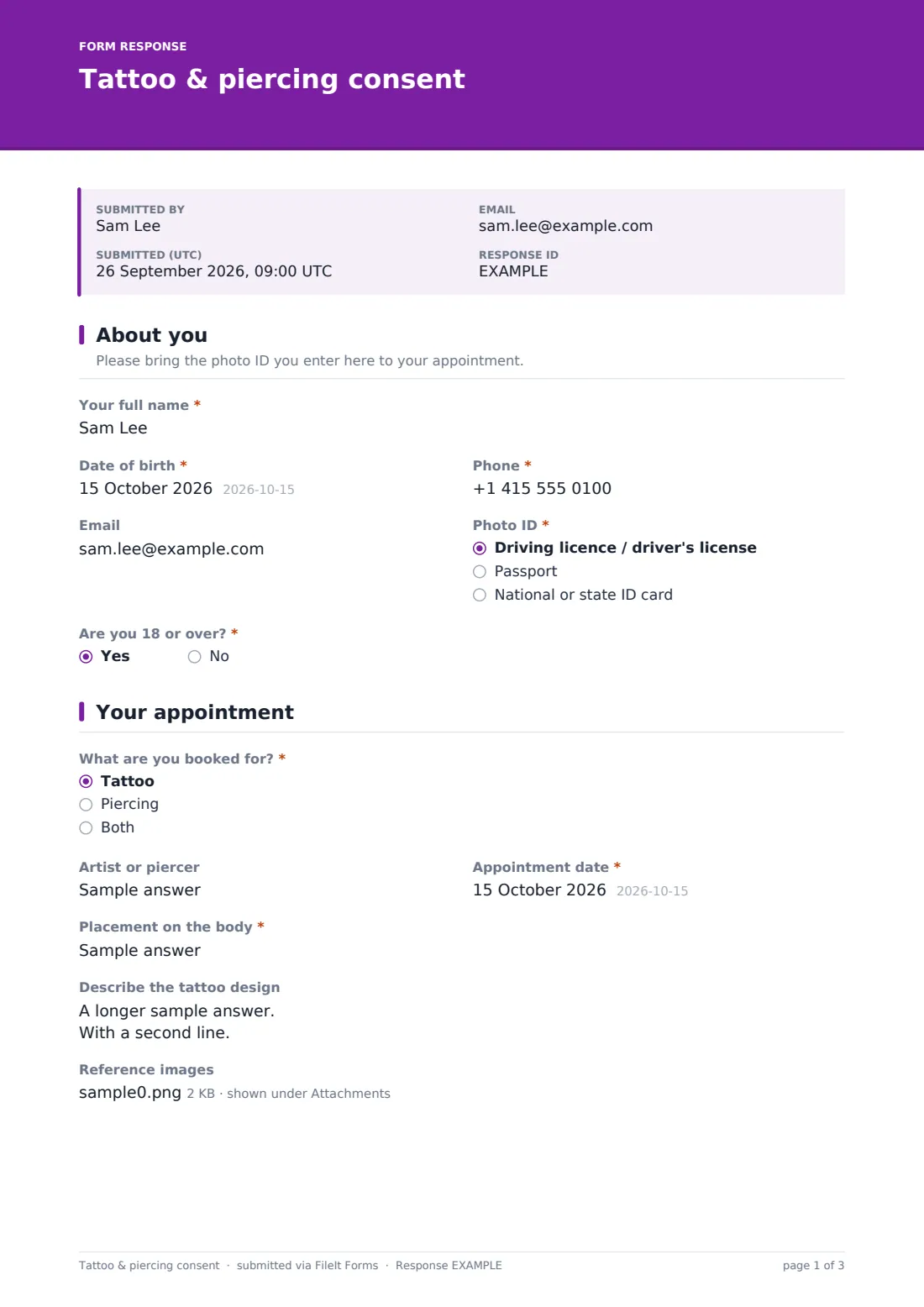
Name, date of birth, phone and photo ID type are required; email is optional. Are you 18 or over? is required — no shows a note about local minimum-age rules and asks for a parent or guardian's name and phone.
2 Your appointment
The client chooses tattoo, piercing or both, and gives the appointment date and placement; artist is optional. For tattoos, they can describe the design and upload up to five reference images. For piercings, the piercing type is required.
3 Health
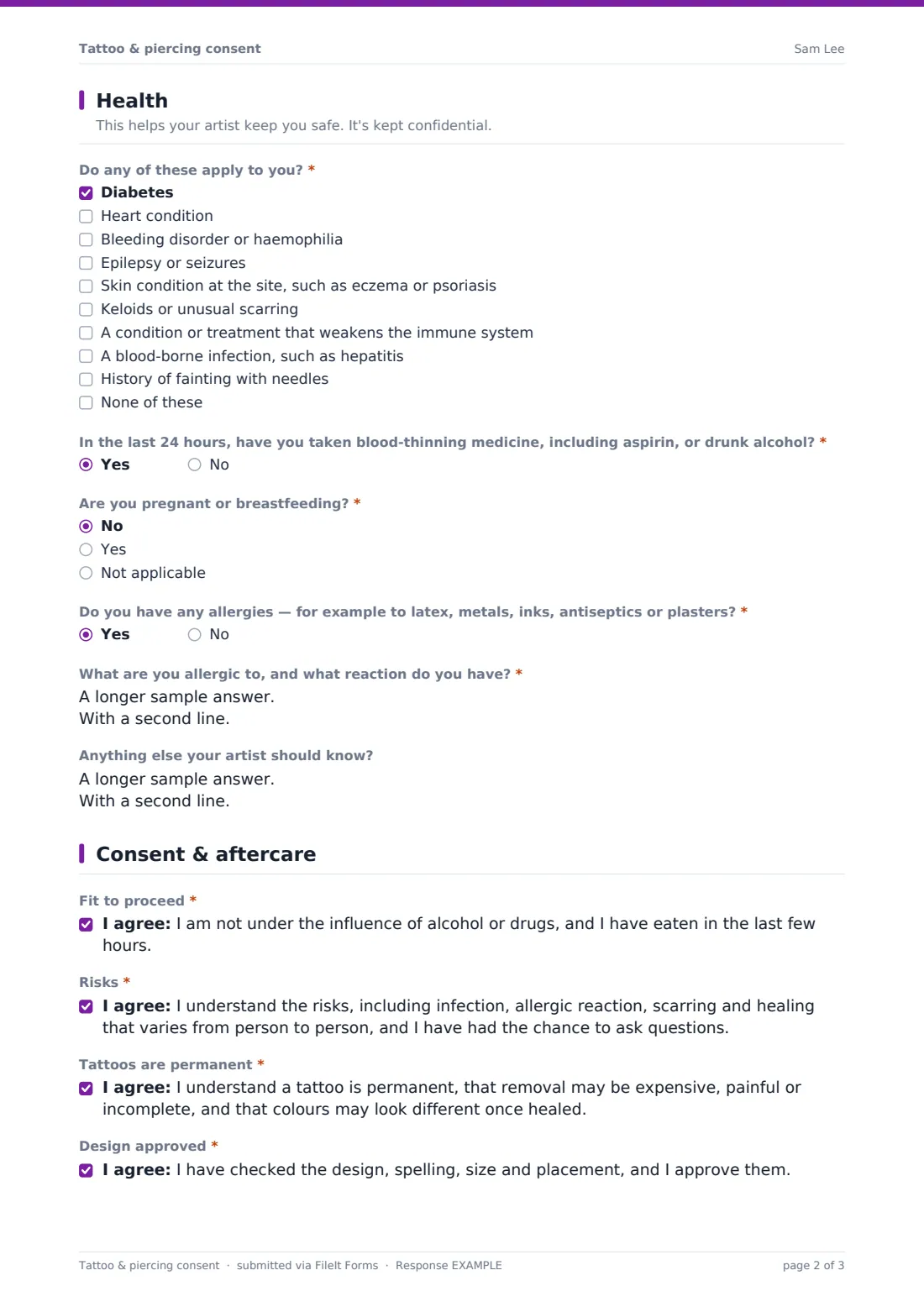
A required checklist covers conditions artists need to know about — diabetes, heart conditions, bleeding disorders, epilepsy, skin conditions at the site, keloids, weakened immunity, blood-borne infections, fainting with needles — or none of these. Required questions ask about blood thinners or alcohol in the last 24 hours, pregnancy or breastfeeding, and allergies (with details if yes). Other notes are optional.
4 Consent & aftercare
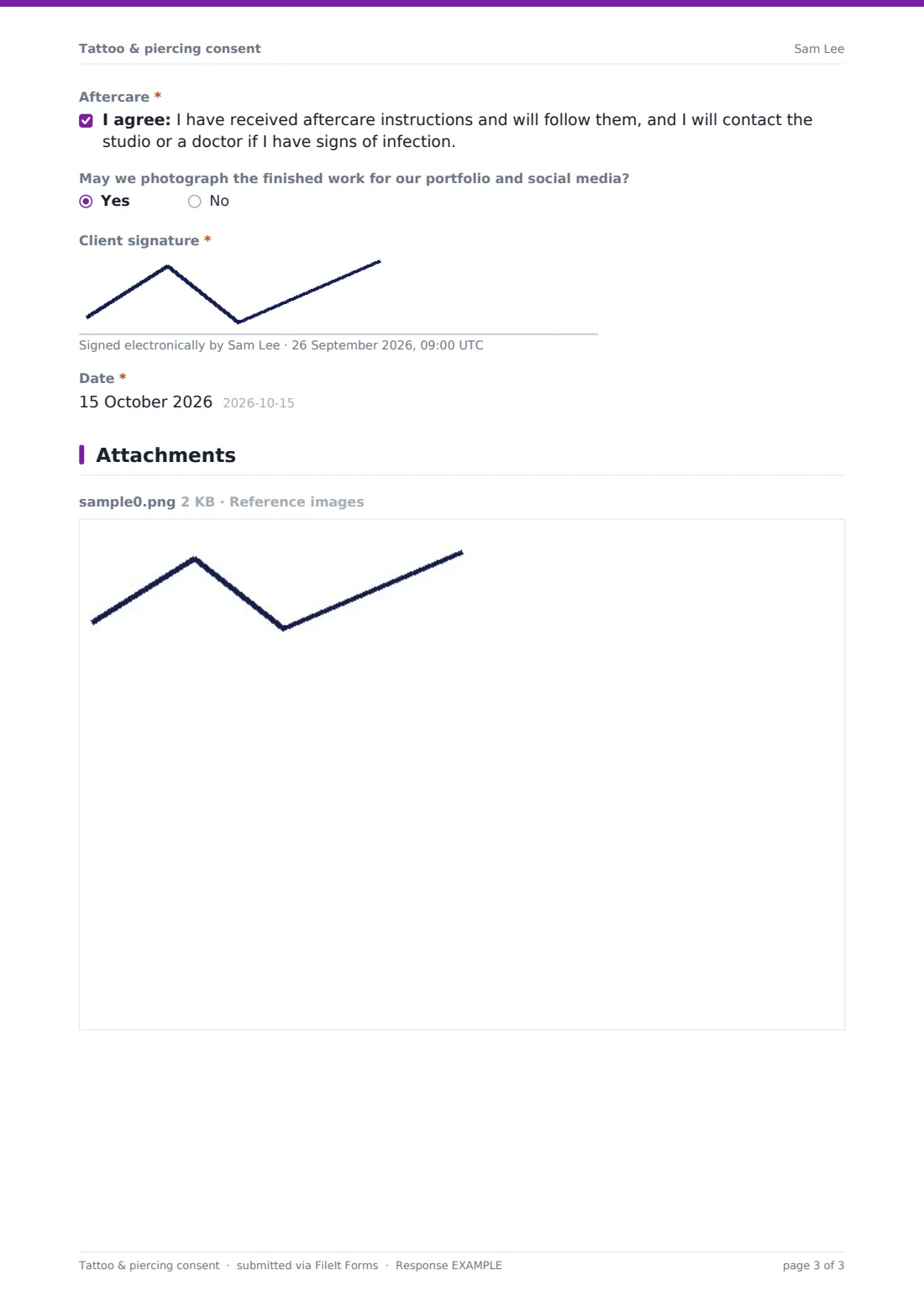
All clients confirm they're fit to proceed, understand the risks and will follow aftercare. Tattoo clients also confirm a tattoo is permanent and approve the design, spelling and placement. An optional question asks about portfolio photos, and the client signs — with a parent or guardian signature for under-18s — and dates.
Make the template yours
- Add your studio's aftercare instructions or a link to them
- Update the age note to match your studio policy and local law
- Add a deposit or cancellation policy consent if you take deposits
- Add ink or jewellery details for your records after the session
- Link the form from your booking confirmation emails
- Match the accent color and cover text to your studio's brand
Tips for a better tattoo & piercing consent form
- Have clients complete the form before the day so they're not rushed at the desk
- Always check the physical ID matches the details on the form
- Read the health answers before you set up, not after
- Ask clients to confirm spelling out loud as well as on the form
- Photograph the finished work only when the client has said yes
- Check your local licensing and health rules — they may require specific wording or records
Every response becomes a PDF in your vault
Each signed form is filed as a PDF in your chosen vault folder and emailed to the client if they gave an address. You can be notified of each new form.
Search the Responses table by name or date when a client returns, or filter for anyone who agreed to portfolio photos. Export to CSV if you keep a separate client log.
- Start from this template. It opens in the FileIt Forms designer — change any question, add pages, set the rules for when questions appear.
- Share it. Turn on a public link, or send it to people by email, each with their own link. They don’t need a FileIt account.
- Get the answers as PDFs. Each response is saved as a PDF in the vault folder you choose, with uploaded files attached — and listed in a Responses table you can export to CSV.
Tattoo & piercing consent form: frequently asked questions
Is this tattoo and piercing consent template free to use?
Yes. It's one of FileIt's ready-made templates, and every FileIt account, including the free plan, includes the Forms app and its full library of templates.
Do people filling in this form need a FileIt account?
No. Anyone with the link, or an emailed request, can complete and submit the form without creating a FileIt account. Only the form owner needs one.
Can clients fill this in on their phone?
Yes. The form works on any phone or tablet, including signatures drawn with a finger.
Does it work for piercing-only clients?
Yes. Choosing piercing hides the tattoo design and permanence questions and asks for the piercing type instead.
What about clients under 18?
The form asks for a parent or guardian's details and signature. Whether you can tattoo or pierce a minor at all depends on local law and your own policy.
Can I add my aftercare instructions?
Yes. Add them as a paragraph on the last page, or link to them, and edit the aftercare consent to match.
Is this a legal waiver?
It's a starting template for consent and health information, not legal advice. Check the requirements for your area with your licensing authority or a lawyer.