What is the septic inspection report form template?
Most homeowners only think about their septic system when it's being sold or when something smells wrong. An inspector's report is often the only written record of what's under the lawn: what the tank is made of, how big it is, how full it is, and whether the drain field is coping.
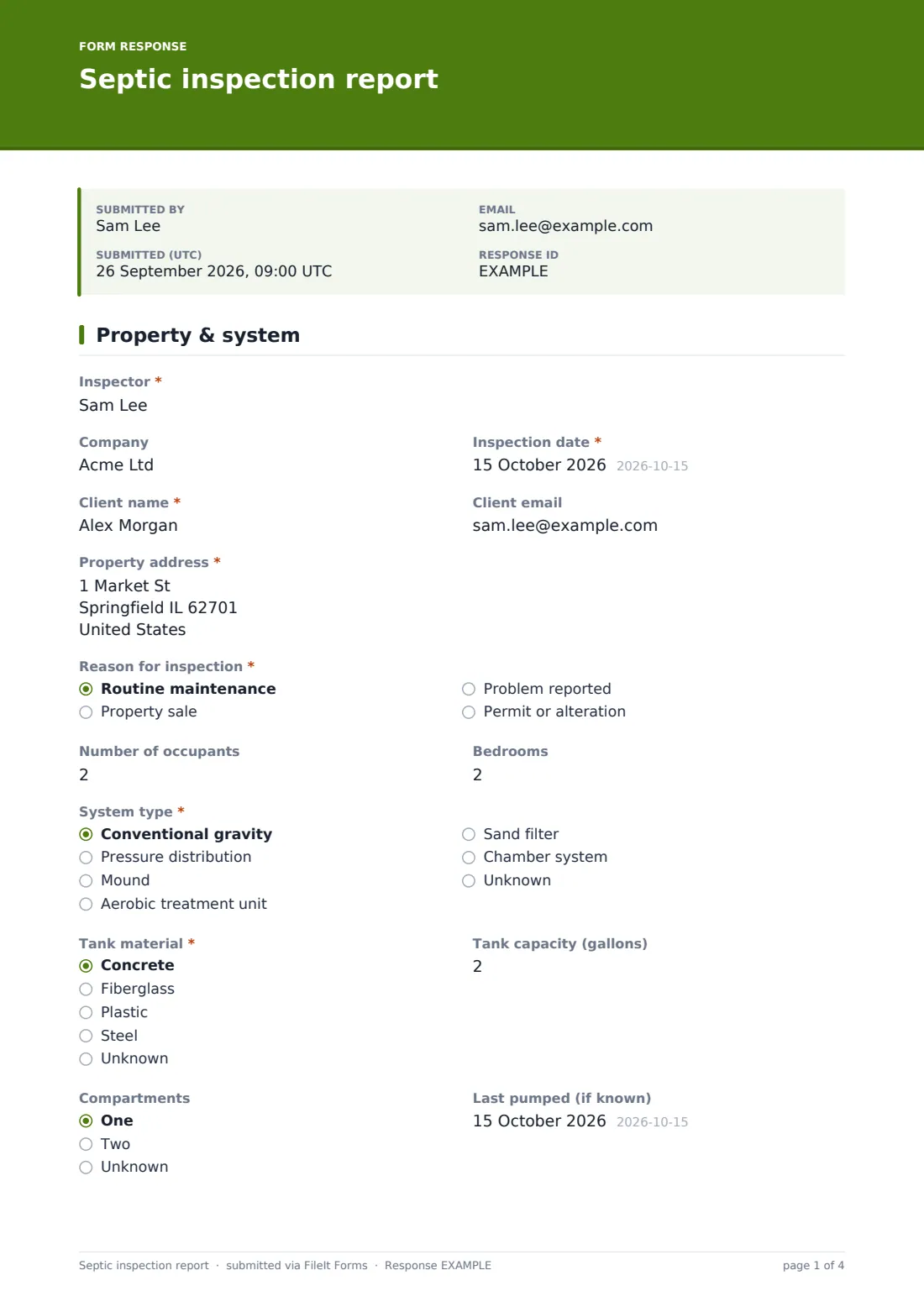
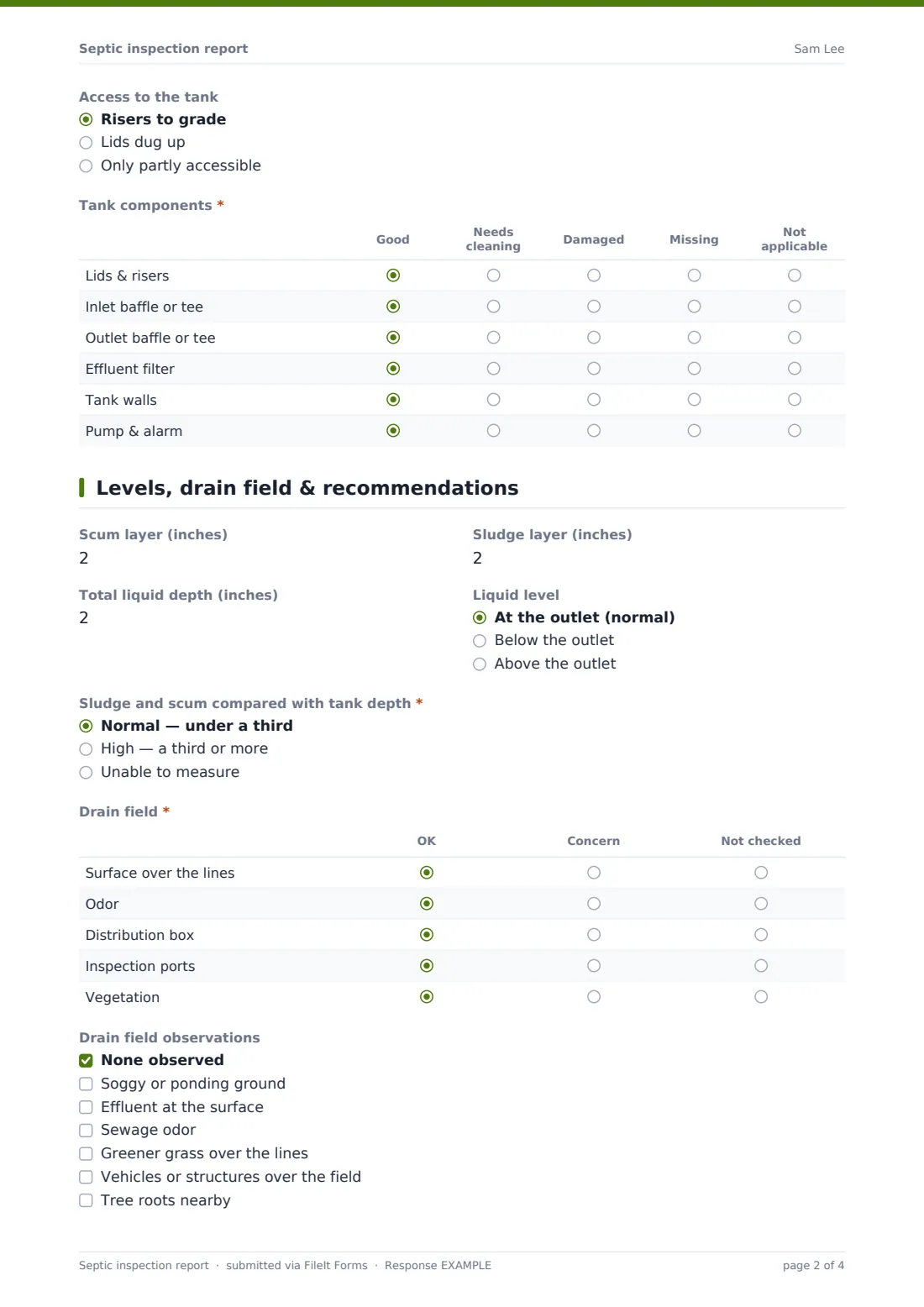
This template covers a septic inspection over two pages. The first describes the property, the system and the tank, with a grid for lids, baffles, the effluent filter, the tank walls and any pump and alarm. The second records scum and sludge depths, the drain field, an overall condition and your recommendations. Mark the sludge and scum as high and a pump-out section appears, so the urgency, booked date and pumping company are written into the same report.
Each finished inspection is saved as a PDF in your FileIt vault, with photos attached, and the client can get their own copy by email.
- Best for
- Septic inspectors, pumpers, home inspectors and rural property managers
- Filled in by
- The inspector, on site
- Time to complete
- About 10 minutes
- Includes
- Component grid, layer depths, drain field checks, pump-out scheduling, photos
Who uses a septic inspection report form?
- An inspection for a buyer before a rural home sale closes
- A routine check every few years on a family's conventional system
- A call-out after the owner reports slow drains and a soggy patch in the yard
- Checking an aerobic treatment unit as part of a maintenance contract
- A property manager recording the state of systems across several rental homes
- Documenting a system before an extension adds bedrooms to the house
Questions on this septic inspection report form
34 questions over 2 pages · includes signature, file upload, conditional questions, multiple pages, ratings.
1 Property & system
- Inspector*
- Company
- Inspection date*
- Client name*
- Client email
- Property address*
- Reason for inspection* Routine maintenance · Property sale · Problem reported · Permit or alteration
- What has the owner noticed?* asked only when it applies
- Number of occupants
- Bedrooms
- System type* Conventional gravity · Pressure distribution · Mound · Aerobic treatment unit · Sand filter · Chamber system · Unknown
- Tank material* Concrete · Fiberglass · Plastic · Steel · Unknown
- Tank capacity (gallons)
- Compartments One · Two · Unknown
- Last pumped (if known)
- Access to the tank Risers to grade · Lids dug up · Only partly accessible
- Tank components* Good · Needs cleaning · Damaged · Missing · Not applicable
2 Levels, drain field & recommendations
- Scum layer (inches)
- Sludge layer (inches)
- Total liquid depth (inches)
- Liquid level At the outlet (normal) · Below the outlet · Above the outlet
- Sludge and scum compared with tank depth* Normal — under a third · High — a third or more · Unable to measure
- Pump the tank* asked only when it applies Within a week · Within a month · At the next scheduled service
- Pump-out booked for asked only when it applies
- Pumping company asked only when it applies
- Drain field* OK · Concern · Not checked
- Drain field observations None observed · Soggy or ponding ground · Effluent at the surface · Sewage odor · Greener grass over the lines · Vehicles or structures over the field · Tree roots nearby
- Hydraulic load test done?
- Load test result asked only when it applies
- Overall condition on the day* Working as intended · Working — maintenance needed · Not working as intended · Couldn't be fully evaluated
- Recommendations*
- Suggested next inspection
- Photos
- Inspector signature*
The septic inspection report form, page by page
1 Property & system
The Inspector, Company, Inspection date, Client name, Client email and Property address come first. Reason for inspection is routine maintenance, property sale, problem reported or permit or alteration; a reported problem asks "What has the owner noticed?".
Number of occupants and Bedrooms give context for how hard the system works. System type ranges from conventional gravity to mound, aerobic and chamber systems. Tank material, Tank capacity (gallons), Compartments, "Last pumped (if known)" and Access to the tank describe the tank itself. A required Tank components grid rates lids and risers, both baffles or tees, the effluent filter, the tank walls, and the pump and alarm as good, needs cleaning, damaged, missing or not applicable.
2 Levels, drain field & recommendations
The inspector records the Scum layer, Sludge layer and Total liquid depth in inches, and the Liquid level against the outlet. The required question "Sludge and scum compared with tank depth" is normal, high or unable to measure. Choosing high opens the Pump-out section: how soon to pump, the booked date and the pumping company.
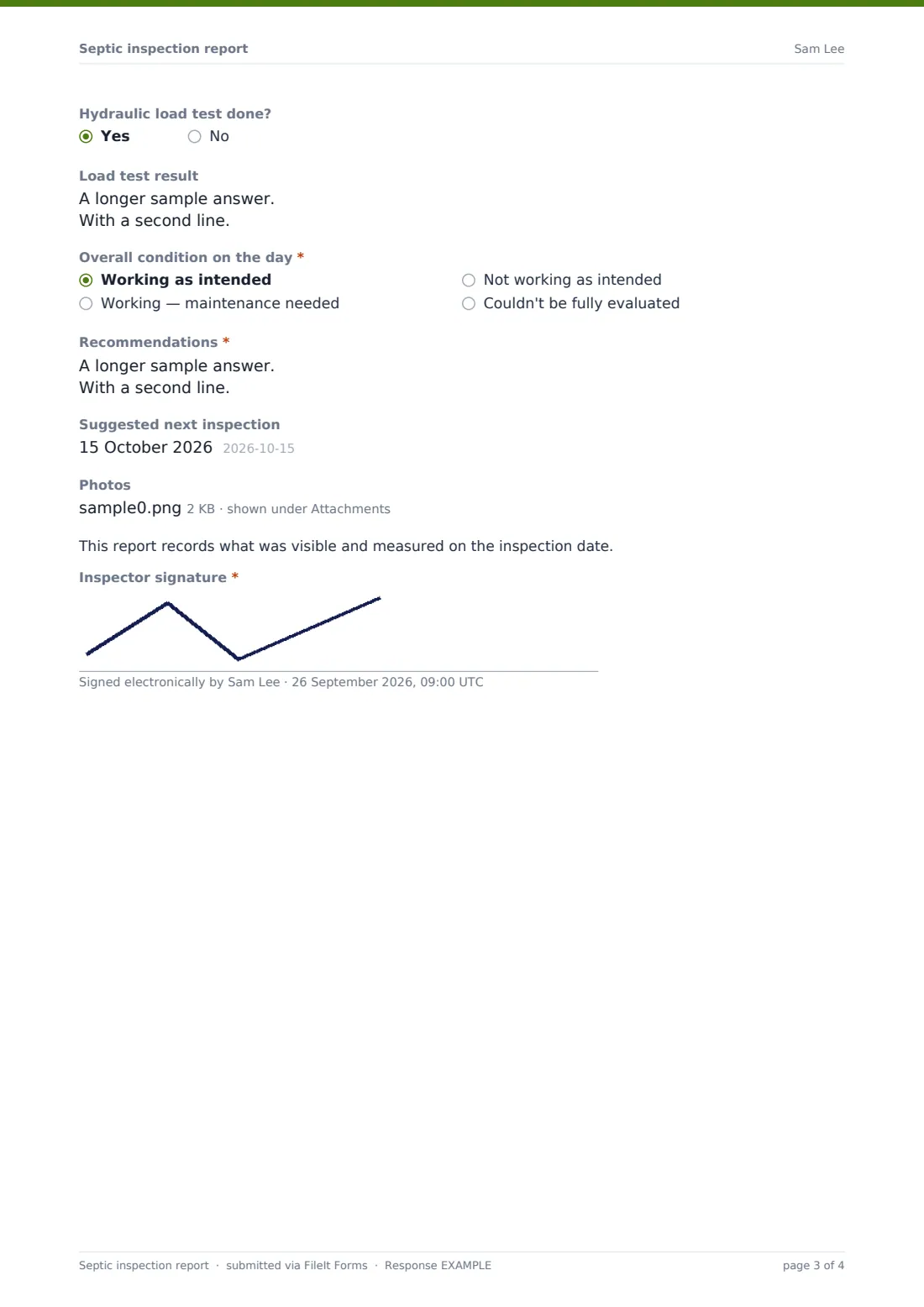
A Drain field grid checks the surface over the lines, odor, the distribution box, inspection ports and vegetation, and Drain field observations lists signs like ponding, effluent at the surface or roots nearby. "Hydraulic load test done?" opens a box for the result. The page finishes with Overall condition on the day, the required Recommendations, a suggested next inspection date, photos and the inspector's signature.
Make the template yours
- Switch the depths to centimetres and the capacity to litres if you work in metric
- Add rows to the components grid for a second tank, a lift station or a chlorinator
- Change the high-sludge wording to the rule of thumb your company uses
- Add a fee and invoice number if inspections are billed on the spot
- Turn off the client copy if reports are reviewed before they go out
- Keep a folder per property so each system's inspections build into a history
Tips for a better septic inspection report form
- Measure scum and sludge in the same place each visit so the numbers compare
- Photograph both baffles — they're the most common failure and the hardest to describe
- Ask the owner about recent heavy water use before a load test
- Walk the drain field in a grid rather than just looking from the patio
- Keep recommendations specific: what, where, and how soon
- Book the pump-out before you leave if the owner agrees
Every response becomes a PDF in your vault
The report is filed as a PDF in your FileIt vault with photos and your signature, and the account owner is notified. If the client's email is entered, they receive a copy too.
In the Responses table, high-sludge results and their pump-out dates are easy to pick out, and a CSV export of inspection dates helps you remind customers when the next check is due.
- Start from this template. It opens in the FileIt Forms designer — change any question, add pages, set the rules for when questions appear.
- Share it. Turn on a public link, or send it to people by email, each with their own link. They don’t need a FileIt account.
- Get the answers as PDFs. Each response is saved as a PDF in the vault folder you choose, with uploaded files attached — and listed in a Responses table you can export to CSV.
Septic inspection report form: frequently asked questions
Is this septic inspection report template free?
Yes. It's included with the Forms app on every FileIt account, including the free plan.
Can I use it for a property sale?
Yes. Choose Property sale as the reason. If your area has an official form for sales, check its requirements and add any fields it needs.
What does choosing a high sludge level do?
It opens a pump-out section asking how soon the tank should be pumped, the date booked and the pumping company.
Does it work for aerobic and mound systems?
Yes. Both are in the System type list, and the components grid includes a pump and alarm row.
Can I add photos?
Yes. Up to eight photos can be attached to each report and they're kept with the PDF.
Does the report say whether a system passes?
It records the overall condition on the day and your recommendations. You can reword the condition options to match how your company reports.