What is the secret Santa sign-up form template?
The worst part of a gift exchange isn't the shopping; it's drawing a name and realizing you know nothing about them. This Secret Santa sign-up fixes that before the draw. Everyone who joins writes a short wish list, the things they love, the things to avoid and their sizes, so whoever picks them has something better than a guess.
Each participant also ticks a consent to keep within the budget, which spares the awkward moment when one gift costs four times the rest. And because teams and families are rarely all in one room any more, the form asks how each person is taking part. Remote players give a shipping address and any delivery notes, and in-person players skip straight past.
Every sign-up is filed as a PDF in your FileIt vault. When sign-ups close, the Responses table has everyone in one list for making the draw, and the PDF is the page you forward to each Santa with their person's wishes.
- Best for
- Offices, remote teams, families, friend groups, classes and clubs
- Filled in by
- Each person joining the gift exchange
- Time to complete
- About 4 minutes
- Includes
- Budget agreement, in-person or remote choice, shipping address, wish list, likes, dislikes, sizes, people to avoid matching
Who uses a secret Santa sign-up form?
- An office Secret Santa with a mix of on-site and remote staff
- A family gift exchange across several households
- A friends' holiday party where the guest list is still growing
- A school staff room or class gift swap
- An online community mailing gifts to each other
Questions on this secret Santa sign-up form
15 questions · includes conditional questions, consent checkbox.
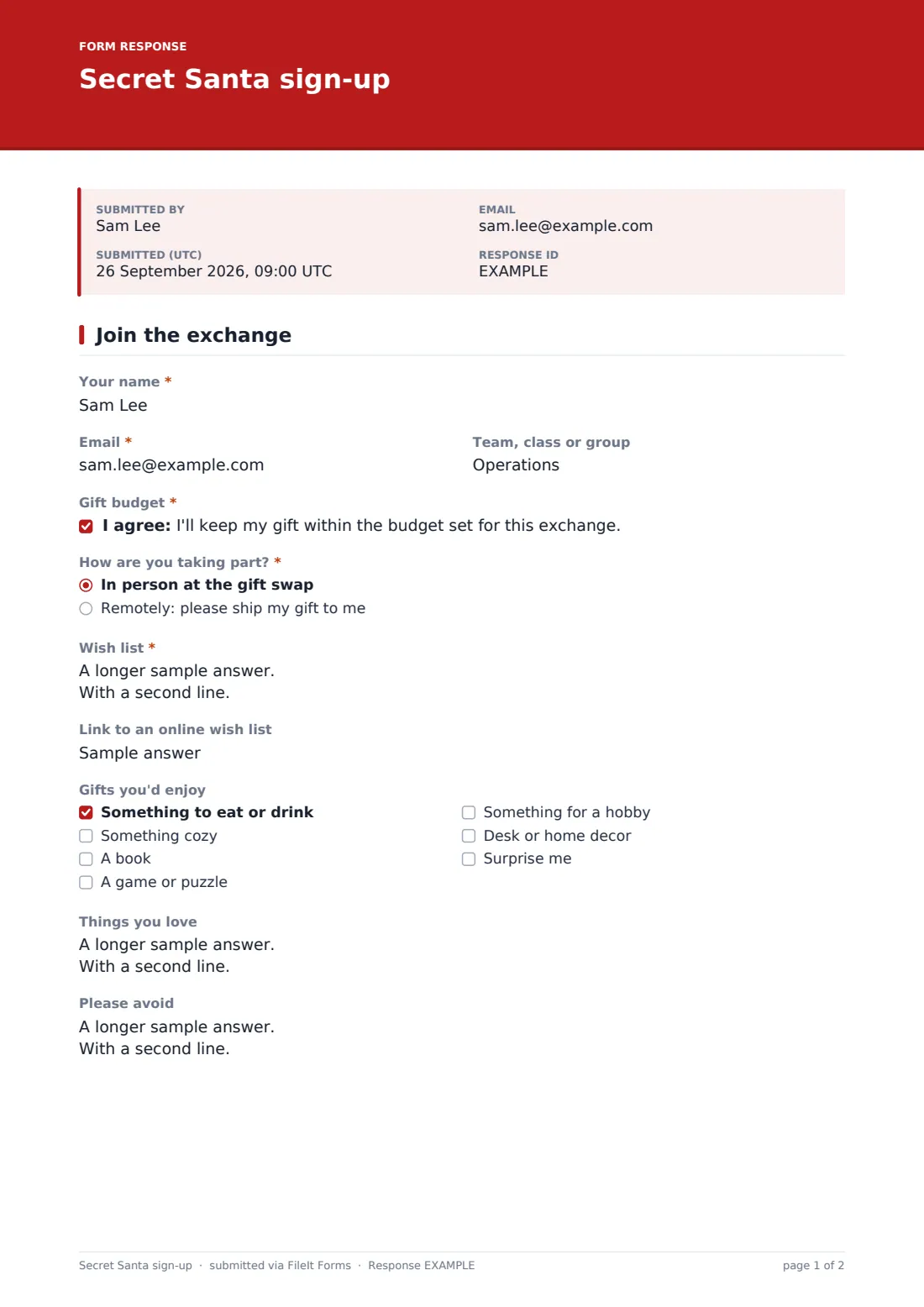
1 Join the exchange
- Your name*
- Email*
- Team, class or group
- Gift budget*
- How are you taking part?* In person at the gift swap · Remotely: please ship my gift to me
- Shipping address* asked only when it applies
- Delivery notes asked only when it applies
- Wish list*
- Link to an online wish list
- Gifts you'd enjoy Something to eat or drink · Something cozy · A book · A game or puzzle · Something for a hobby · Desk or home decor · Surprise me
- Things you love
- Please avoid
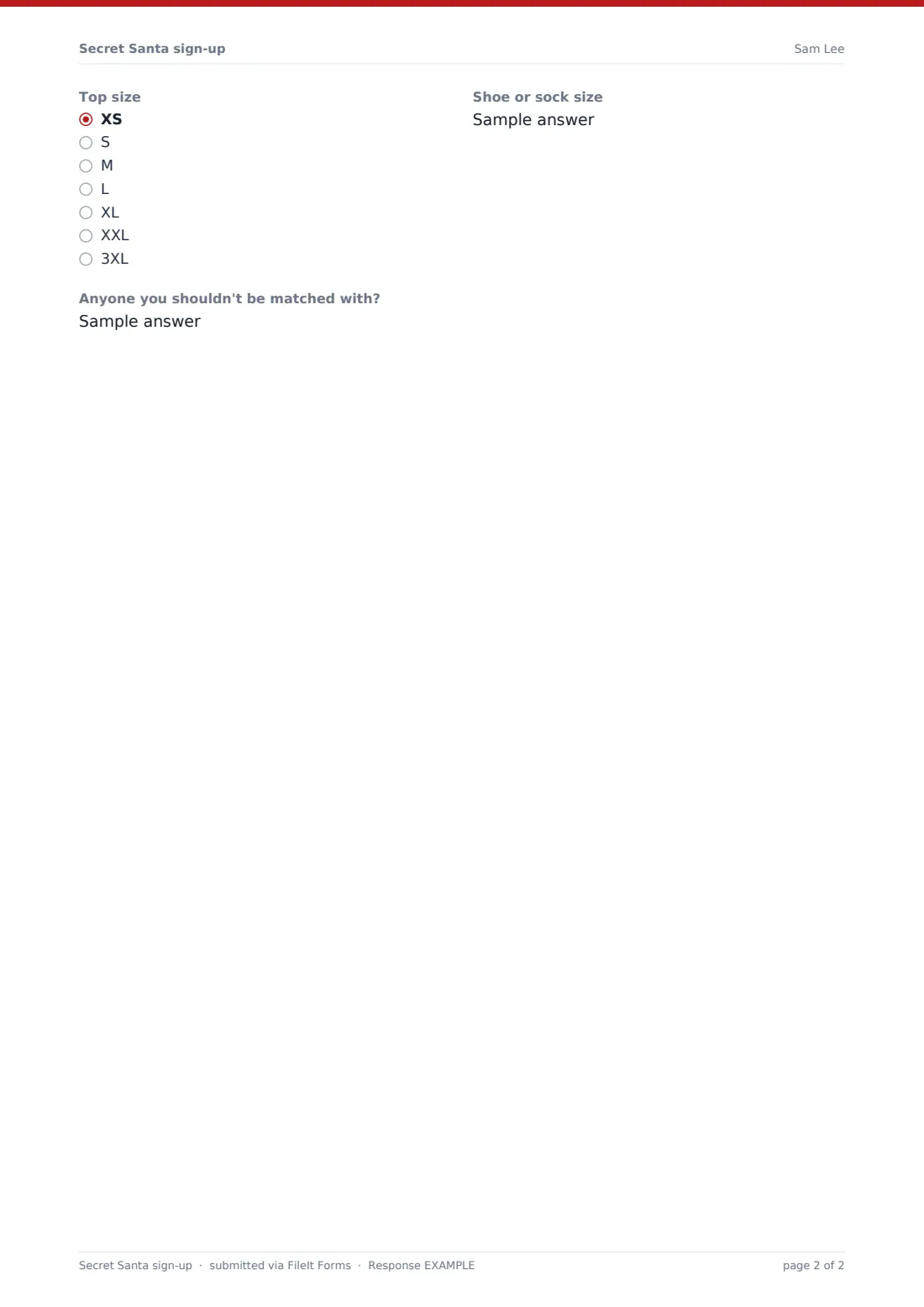
- Top size XS · S · M · L · XL · XXL · 3XL
- Shoe or sock size
- Anyone you shouldn't be matched with?
The secret Santa sign-up form, page by page
1 Join the exchange
Participants give their name, the email their match will be sent to and an optional team or group. A required "Gift budget" consent confirms they'll keep their gift within the amount you set. "How are you taking part?" offers "In person at the gift swap" or "Remotely: please ship my gift to me", and the remote choice opens a shipping address and delivery notes.
The "Wish list" is required, with help text suggesting three or four ideas at different prices, plus an optional link to an online list. "Gifts you'd enjoy" lists food and drink, something cozy, books, games, hobby gear, decor and "Surprise me". "Things you love" and "Please avoid" cover hobbies and favourite colours, allergies and scents. Top size and shoe or sock size help with clothing gifts, and "Anyone you shouldn't be matched with?" stops partners drawing each other.
Make the template yours
- Write the budget, the draw date and the party date into the cover text
- Set a close date for sign-ups so you know when to make the draw
- Remove the remote option if everyone will be at the party
- Add a dietary question if gifts are likely to be food
- Turn on name and email collection if you'd rather ask for identity before the form
Tips for a better secret Santa sign-up form
- Make the draw only after sign-ups close, so late joiners don't upset the matches
- Send each Santa the PDF of their person's sign-up; it has everything on one page
- Check "Anyone you shouldn't be matched with?" before you finalize the pairs
- Give remote players an earlier shipping deadline than the party date
- Keep the budget modest and clear — a stated amount works better than "around"
Every response becomes a PDF in your vault
Each sign-up is saved as a PDF in the vault folder you choose and you're emailed as people join. Participants get their own copy, which is a handy reminder of what they asked for.
Use the Responses table as your participant list. Search by group, export to CSV to make the draw, and forward each Santa the PDF of the person they drew.
- Start from this template. It opens in the FileIt Forms designer — change any question, add pages, set the rules for when questions appear.
- Share it. Turn on a public link, or send it to people by email, each with their own link. They don’t need a FileIt account.
- Get the answers as PDFs. Each response is saved as a PDF in the vault folder you choose, with uploaded files attached — and listed in a Responses table you can export to CSV.
Secret Santa sign-up form: frequently asked questions
Is this Secret Santa template free?
Yes. It's one of the ready-made templates in the Forms app, included on every FileIt account.
Does FileIt draw names automatically?
No. The form collects sign-ups; you make the draw from the Responses list, by hand or with a CSV export.
Can participants see each other's wish lists?
No. Responses are only visible to the form's owner, so you decide what each Santa receives.
Do people need a FileIt account to sign up?
No. Share the link in an email or chat and anyone can join.
Can I use it for a white elephant swap?
Yes. Delete the wish list and sizes, keep the budget agreement and the in-person or remote question.