
What is the public records request form template?
The hardest part of a public records request isn't the paperwork, it's the description. "All emails about the new park" could mean ten documents or ten thousand. Records officers spend days going back and forth with requesters to narrow vague requests, and requesters wait longer for it.
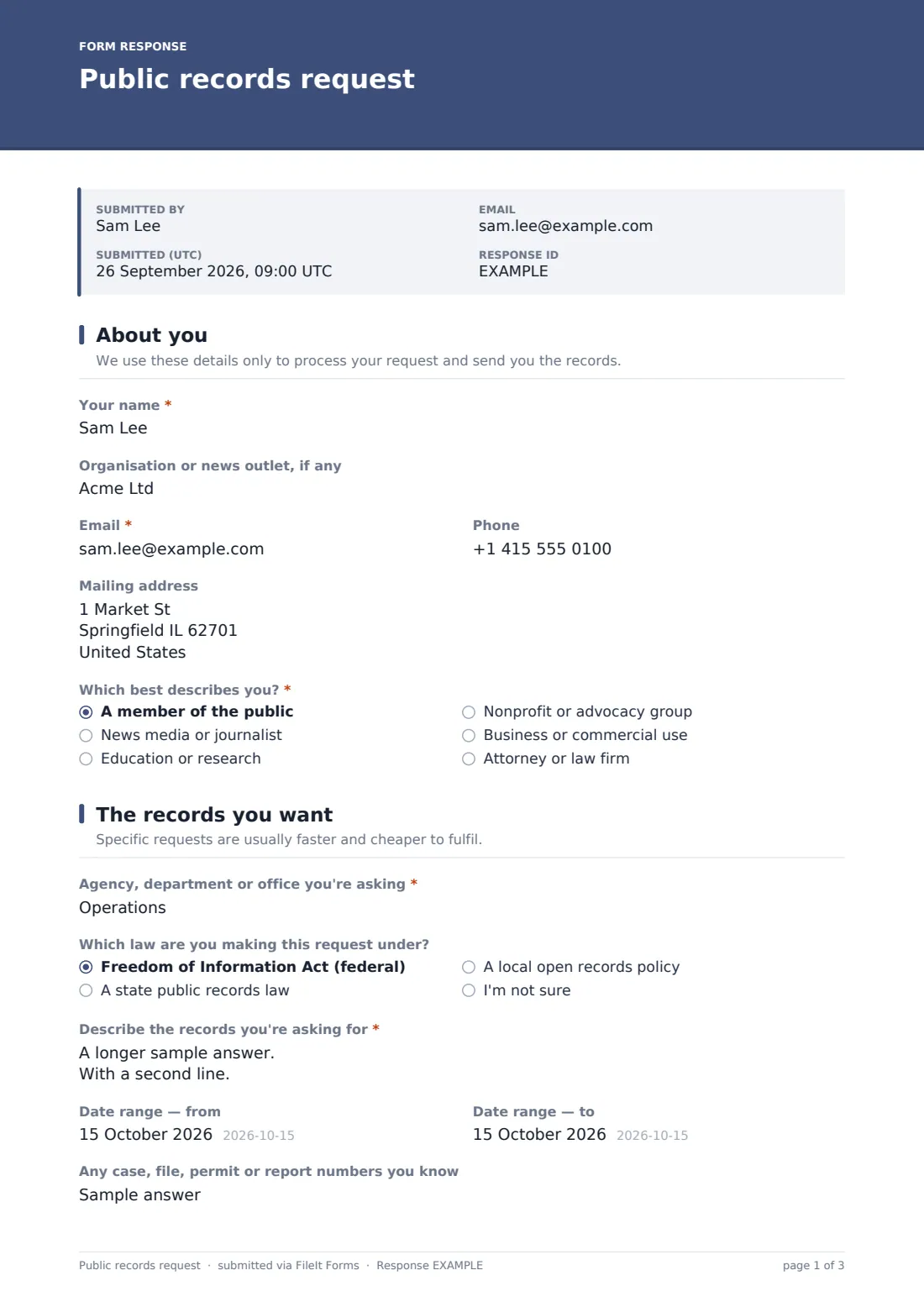
This template guides the requester toward a request that can be searched. It asks which agency or office they're asking, which law they're relying on, a detailed description with help on naming people, document types and search terms, a date range, and any case or permit numbers they know. A supporting document can be uploaded.
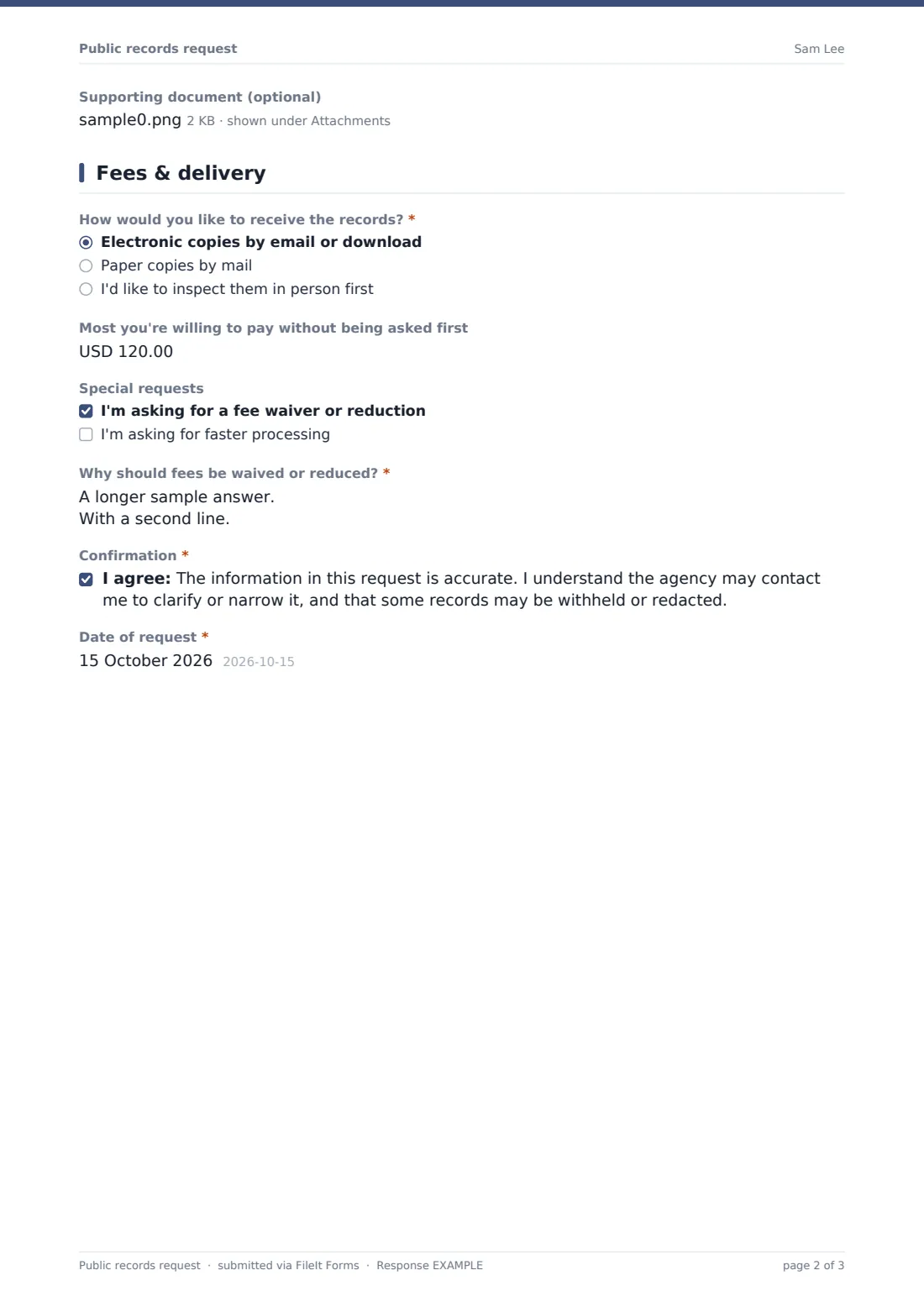
The last page covers delivery and money: how they'd like the records, the most they'll pay without being contacted, and whether they're asking for a fee waiver or faster processing. Ticking the fee waiver reveals a required justification field. Each request is saved as a dated PDF in your FileIt vault, which gives you a record of when it arrived.
- Best for
- City, county and state records offices, school districts and public bodies; also newsrooms and advocacy groups
- Filled in by
- Members of the public, journalists, researchers and businesses
- Time to complete
- About 5 to 10 minutes
- Includes
- Requester category, agency and law, records description, date range, format, fee cap, fee waiver and expedite justifications
Who uses a public records request form?
- An online request form on a city or county clerk's website
- School districts and special districts that receive occasional requests
- Newsrooms standardising how reporters draft requests before sending them
- Advocacy groups helping members ask for records in a consistent way
- Keeping a dated log of every request received
- Smaller public bodies without a dedicated records portal
Questions on this public records request form
21 questions over 3 pages · includes file upload, conditional questions, multiple pages, consent checkbox.
1 About you
- Your name*
- Organisation or news outlet, if any
- Email*
- Phone
- Mailing address
- Which best describes you?* A member of the public · News media or journalist · Education or research · Nonprofit or advocacy group · Business or commercial use · Attorney or law firm
2 The records you want
- Agency, department or office you're asking*
- Which law are you making this request under? Freedom of Information Act (federal) · A state public records law · A local open records policy · I'm not sure
- Which state? asked only when it applies
- Describe the records you're asking for*
- Date range — from
- Date range — to
- Any case, file, permit or report numbers you know
- Supporting document (optional)
3 Fees & delivery
- How would you like to receive the records?* Electronic copies by email or download · Paper copies by mail · I'd like to inspect them in person first
- Most you're willing to pay without being asked first
- Special requests I'm asking for a fee waiver or reduction · I'm asking for faster processing
- Why should fees be waived or reduced?* asked only when it applies
- Why does this request need faster processing?* asked only when it applies
- Confirmation*
- Date of request*
The public records request form, page by page
1 About you
Name, an optional organisation or news outlet, email, phone and a mailing address that's only needed for paper copies. "Which best describes you?" sorts requesters into the public, media, education, nonprofit, commercial and legal groups some fee schedules use.
2 The records you want
The agency or office, the law relied on (choosing a state law asks which state), and the key question: "Describe the records you're asking for". Its help text suggests naming people, document types and search terms. A date range, known reference numbers and an optional supporting document complete it.
3 Fees & delivery
Electronic copies, paper by mail or inspection in person. "Most you're willing to pay without being asked first" sets a fee cap. "Special requests" offers a fee waiver and faster processing; each one ticked requires a justification. A confirmation notes that the agency may ask to narrow the request and that some records may be withheld or redacted, followed by the date.
Make the template yours
- Replace the law question with the exact statute your office works under
- Add your fee schedule and typical response time to the cover text
- Remove the requester categories if your fees are the same for everyone
- Route requests to a records folder and notify the records officer and the legal team
- Add a dropdown of departments so requests reach the right person
- Adapt the wording and currency for an access-to-information law outside the US
Tips for a better public records request form
- Acknowledge each request promptly — the PDF's submission time gives you the date it arrived
- Call or email to narrow a broad request early rather than starting a huge search
- Keep your fee decisions consistent by reading waiver justifications against a written policy
- Track deadlines in your own calendar; response periods differ between laws
- Get advice from your attorney on exemptions and redactions
Every response becomes a PDF in your vault
Each request is filed as a PDF in the vault folder you choose, with any supporting document attached, and the records officer is notified by email. The requester receives a copy of what they sent.
The Responses table lists every request with its date, agency and format. Export it to CSV for your own request log or annual reporting.
- Start from this template. It opens in the FileIt Forms designer — change any question, add pages, set the rules for when questions appear.
- Share it. Turn on a public link, or send it to people by email, each with their own link. They don’t need a FileIt account.
- Get the answers as PDFs. Each response is saved as a PDF in the vault folder you choose, with uploaded files attached — and listed in a Responses table you can export to CSV.
Public records request form: frequently asked questions
Is this public records request template free?
Yes. It's included with FileIt's Forms app on every plan, including free.
Do requesters need an account?
No. Anyone with the link can submit a request.
Does the form work for both FOIA and state laws?
Yes. The requester chooses which law they're using, and you can rename the options or fix one law for your office.
Does FileIt track response deadlines?
No. The form records when the request arrived. Working out and tracking deadlines is up to your office.
Can a journalist use it to draft their own requests?
Yes. A newsroom can keep a copy of the form for reporters, file every request they send in the vault, and use the PDF as the request letter.
Is this legal advice about public records law?
No. It's a starting template. Check the requirements of the law that applies to you.