
What is the pTA membership form template?
Every autumn, PTAs and PTOs ask families to join, and every autumn the same problem comes up: a stack of paper slips with names, half-filled grades and a hopeful tick next to "volunteer" that nobody follows up. A membership form that asks the right questions turns that tick into something a committee chair can actually use.
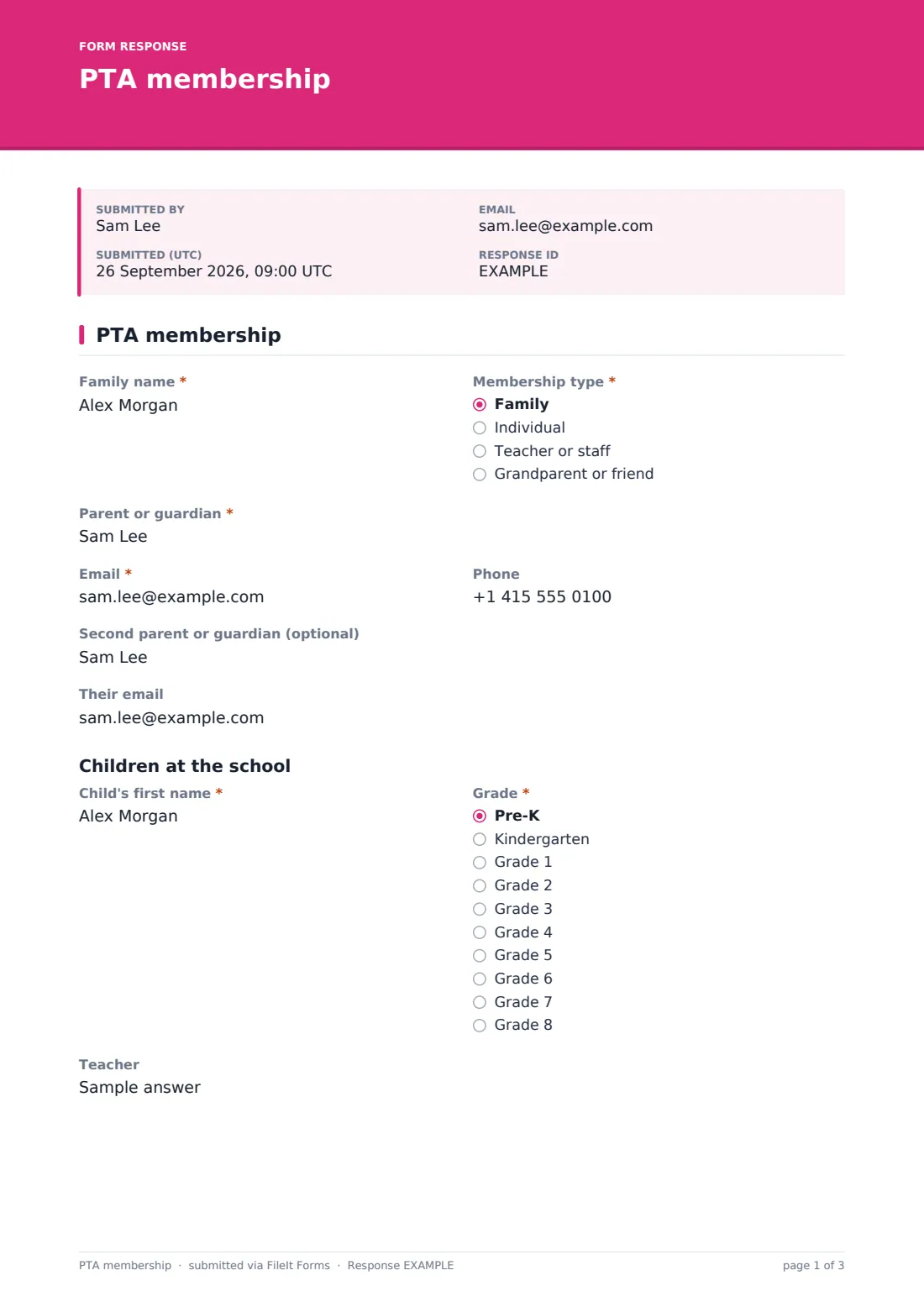
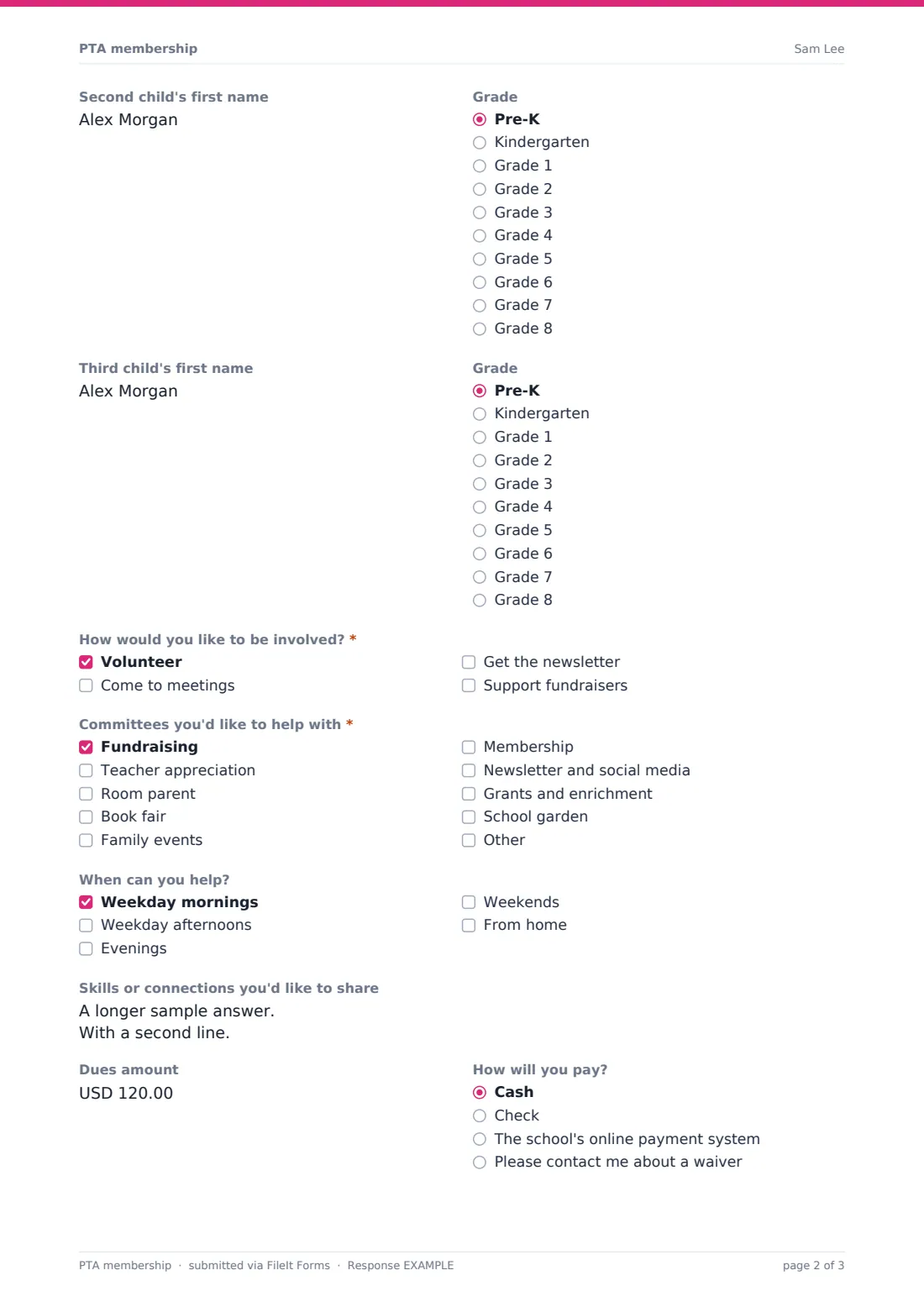
This template fits on one page. Families give their name and membership type, contact details for one or two parents, and the first name, grade and teacher of each child, with extra child rows appearing only when needed. The heart of it is "How would you like to be involved?". Ticking Volunteer opens the committees list — fundraising, teacher appreciation, room parent, book fair and more — plus when they can help and any skills or connections they'd like to share. Dues amount and a payment preference follow, then a directory question and an opt-in for PTA emails.
Each membership is filed as a PDF in your FileIt vault, and families receive a copy at the email they entered.
- Best for
- PTAs, PTOs, parent councils and school booster groups
- Filled in by
- A parent, guardian, teacher or community member
- Time to complete
- About 3 minutes
- Includes
- Children and grades, volunteer committees, availability, dues and payment preference, directory choice
Who uses a pTA membership form?
- Back-to-school membership drive with a QR code at open house
- Recruiting room parents for every class before the first month is out
- A new family joining mid-year after moving into the area
- Teachers and staff joining as members alongside parents
- A committee chair looking for volunteers who can help from home
- Building the member directory with families' permission
Questions on this pTA membership form
22 questions · includes conditional questions, consent checkbox.
1 PTA membership
- Family name*
- Membership type* Family · Individual · Teacher or staff · Grandparent or friend
- Parent or guardian*
- Email*
- Phone
- Second parent or guardian (optional)
- Their email asked only when it applies
- Child's first name*
- Grade* Pre-K · Kindergarten · Grade 1 · Grade 2 · Grade 3 · Grade 4 · Grade 5 · Grade 6 · Grade 7 · Grade 8
- Teacher
- Second child's first name
- Grade asked only when it applies Pre-K · Kindergarten · Grade 1 · Grade 2 · Grade 3 · Grade 4 · Grade 5 · Grade 6 · Grade 7 · Grade 8
- Third child's first name asked only when it applies
- Grade asked only when it applies Pre-K · Kindergarten · Grade 1 · Grade 2 · Grade 3 · Grade 4 · Grade 5 · Grade 6 · Grade 7 · Grade 8
- How would you like to be involved?* Volunteer · Come to meetings · Get the newsletter · Support fundraisers
- Committees you'd like to help with* asked only when it applies Fundraising · Teacher appreciation · Room parent · Book fair · Family events · Membership · Newsletter and social media · Grants and enrichment · School garden
- When can you help? asked only when it applies Weekday mornings · Weekday afternoons · Evenings · Weekends · From home
- Skills or connections you'd like to share asked only when it applies
- Dues amount
- How will you pay? Cash · Check · The school's online payment system · Please contact me about a waiver
- Include our family in the member directory?
- Keeping in touch
The pTA membership form, page by page
1 PTA membership
Families start with Family name and Membership type — family, individual, teacher or staff, or grandparent or friend. Parent or guardian, Email and Phone are next; Second parent or guardian (optional) adds Their email once a name is given.
Under Children at the school, the first child's first name, Grade and Teacher are asked for; Second child's first name and Third child's first name appear as each one before is filled in, each with its own grade.
"How would you like to be involved?" offers volunteering, coming to meetings, getting the newsletter and supporting fundraisers. Ticking Volunteer reveals "Committees you'd like to help with", "When can you help?" and "Skills or connections you'd like to share". Dues amount and "How will you pay?" — cash, check, the school's online payment system, or a request to talk about a waiver — come before "Include our family in the member directory?" and an optional consent to receive PTA emails.
Make the template yours
- Change the grades to match your school, from preschool to high school
- Rename the committees to the ones your PTA actually runs this year
- Set the dues amount as the default, or remove the field if membership is free
- Add a question about languages spoken at home, so you know which translations to offer
- Close the form after the membership drive and open a fresh one next year
- Send each committee chair a CSV of the volunteers who picked them
Tips for a better pTA membership form
- Follow up with every new volunteer within a week while they're still keen
- Make the waiver option easy to find so no family feels left out over dues
- Ask for first names only for children; it's all the PTA needs
- Share the form at open house, in the school newsletter and in class group chats
- Thank families when they join — the confirmation message is a good place to start
- Check directory answers before printing anything with family details
Every response becomes a PDF in your vault
Each membership is saved as a PDF in your FileIt vault, named with the family's name, and the family gets a copy by email. The account owner is notified of every new member.
Membership chairs typically filter the Responses table by committee and export to CSV to build volunteer lists, room parent rosters and the member directory.
- Start from this template. It opens in the FileIt Forms designer — change any question, add pages, set the rules for when questions appear.
- Share it. Turn on a public link, or send it to people by email, each with their own link. They don’t need a FileIt account.
- Get the answers as PDFs. Each response is saved as a PDF in the vault folder you choose, with uploaded files attached — and listed in a Responses table you can export to CSV.
PTA membership form: frequently asked questions
Is this PTA membership form free?
Yes. It's included in the Forms app on every FileIt account, including the free plan.
Can families pay dues through the form?
No. FileIt doesn't take payments. The form records the amount and how the family plans to pay, and you collect it the way your PTA usually does.
What happens when someone ticks Volunteer?
They see the committees list, a question about when they can help, and a box for skills or connections.
Can I use it for a PTO or parent council?
Yes. Change the name in the title and labels; everything else works the same.
Do parents need an account?
No. They fill it in from a link or QR code on any phone or computer.
Can teachers join too?
Yes. Teacher or staff is one of the membership types.