
What is the medical consent for a minor form template?
When a child stays with grandparents for a week, goes to camp with a friend's family, or is looked after while their parents travel, the adult in charge may need to get them seen by a doctor. Clinics and hospitals usually want to know that a parent has agreed to that, and the caregiver needs the practical details: allergies, regular medicines, the child's doctor and the insurance card.
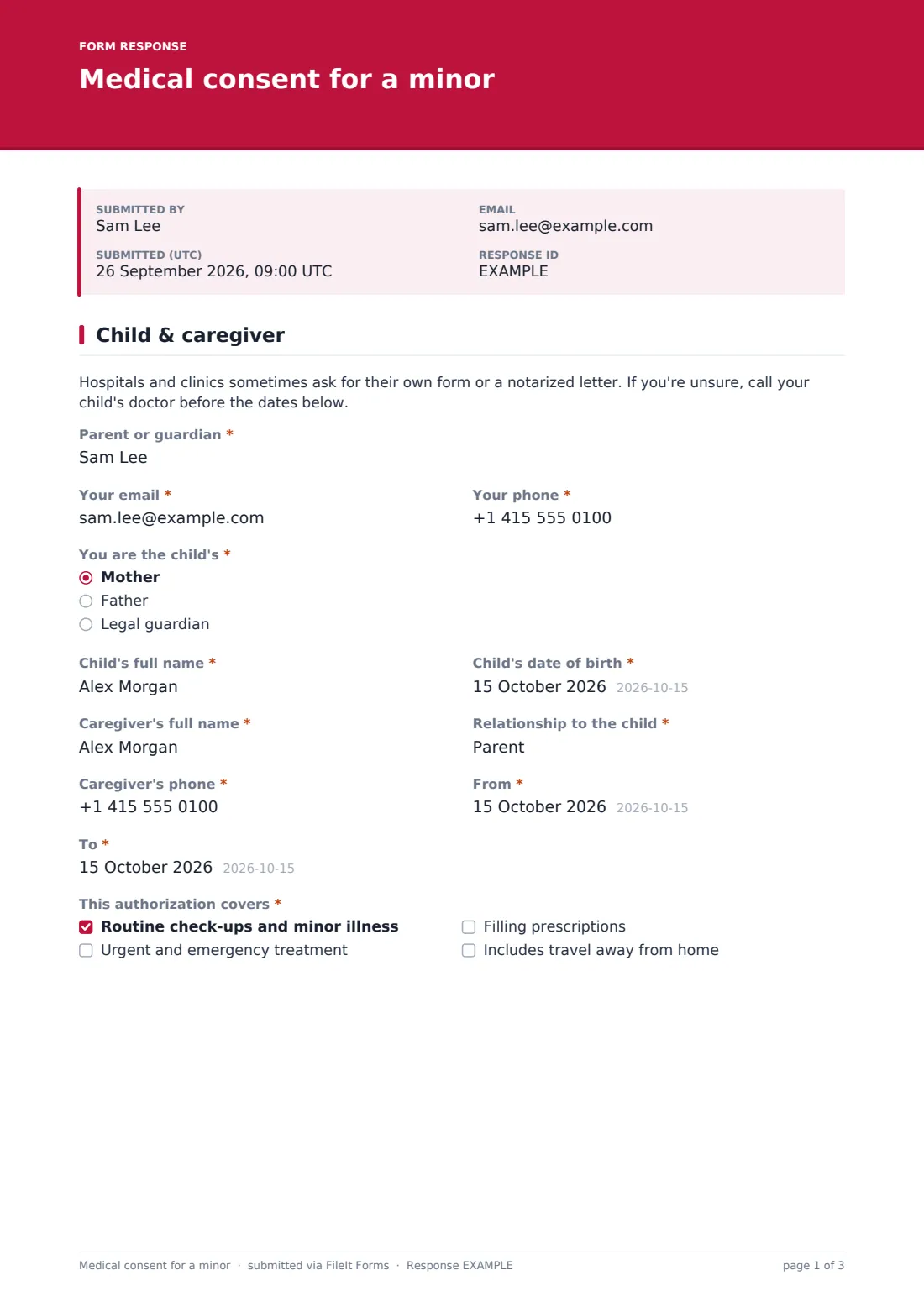
This template puts it all in one signed authorization. The first page names the parent or guardian, how to reach them and their relationship to the child, then the child, the caregiver and the dates. "This authorization covers" lets the parent choose what's included: routine check-ups and minor illness, urgent and emergency treatment, filling prescriptions, and "Includes travel away from home". Ticking travel adds a destination, where they'll be staying and the travel dates.
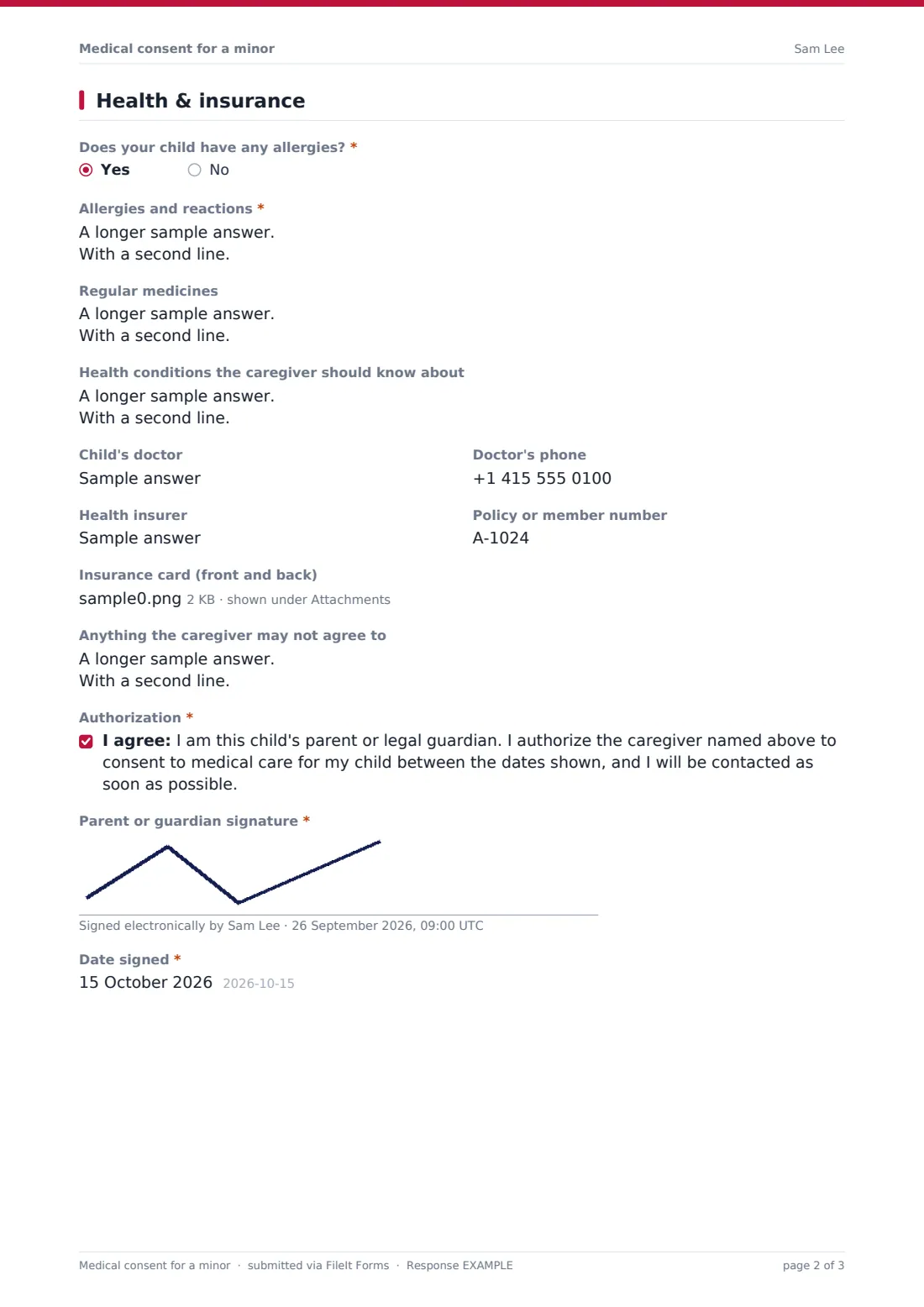
The second page is the health information. "Does your child have any allergies?" opens "Allergies and reactions" on a yes. Regular medicines, health conditions, the child's doctor, the health insurer, the policy number and a photo of the insurance card follow, along with a box for "Anything the caregiver may not agree to". A note at the top says that some hospitals want their own form or a notarized letter. The signed PDF is filed in your FileIt vault, where it sits with the rest of your child's records.
- Best for
- Parents and guardians leaving a child in someone else's care
- Filled in by
- The parent or legal guardian
- Time to complete
- About 8 minutes
- Includes
- Caregiver and dates, scope of consent, travel follow-ups, allergies, medicines, doctor, insurance card upload and signature
Who uses a medical consent for a minor form?
- A child staying with grandparents while parents travel
- A babysitter or nanny caring for children overnight or for a week
- A friend's family taking a child on vacation
- A coach or chaperone on a sports tournament weekend
- A teenager staying with relatives during a parent's hospital stay
- Families who keep an up-to-date consent ready for each school holiday
Questions on this medical consent for a minor form
28 questions over 2 pages · includes signature, file upload, conditional questions, multiple pages, consent checkbox.
1 Child & caregiver
- Parent or guardian*
- Your email*
- Your phone*
- You are the child's* Mother · Father · Legal guardian
- Child's full name*
- Child's date of birth*
- Caregiver's full name*
- Relationship to the child*
- Caregiver's phone*
- From*
- To*
- This authorization covers* Routine check-ups and minor illness · Urgent and emergency treatment · Filling prescriptions · Includes travel away from home
- Destination* asked only when it applies
- Where they'll be staying asked only when it applies
- Travel dates, if different asked only when it applies
2 Health & insurance
- Does your child have any allergies?*
- Allergies and reactions* asked only when it applies
- Regular medicines
- Health conditions the caregiver should know about
- Child's doctor
- Doctor's phone
- Health insurer
- Policy or member number
- Insurance card (front and back)
- Anything the caregiver may not agree to
- Authorization*
- Parent or guardian signature*
- Date signed*
The medical consent for a minor form, page by page
1 Child & caregiver
The opening note comes first. Then the parent or guardian's name, email, phone and "You are the child's" — mother, father or legal guardian. The child's full name and date of birth, the caregiver's full name, "Relationship to the child" and phone. "From" and "To" dates set how long the authorization lasts. "This authorization covers" needs at least one box ticked; "Includes travel away from home" opens the destination, where they'll be staying, and the travel dates if they're different.
2 Health & insurance
The allergy question is required, and a yes asks for each allergy and its reaction. Regular medicines, health conditions the caregiver should know about, the child's doctor and their phone number come next. The health insurer, policy or member number and up to two images of the insurance card follow. "Anything the caregiver may not agree to" lets you set limits, such as surgery that can wait until you're reached. The parent then ticks the authorization statement, signs and adds the date signed.
Make the template yours
- Add a second parent signature if both parents want to sign
- Add a question for the caregiver's address or ID number
- Turn on extra notification addresses so the other parent gets a copy
- Add a dentist alongside the doctor
- Translate the authorization statement if the child is traveling abroad
- File the PDF into your child's own folder in the vault
Tips for a better medical consent for a minor form
- Give the caregiver a printed copy and a photo of the insurance card
- Call the child's doctor ahead of time if you're unsure what they accept
- Keep the dates tight — make a new authorization for each stay
- List allergies with the reaction, not just the name
- Check whether a notarized letter is expected where your child will be
Every response becomes a PDF in your vault
The signed authorization is filed as a PDF in your vault with the insurance card images attached, and a copy is emailed to you. Share or print it for the caregiver.
Next time, open the form and fill it in again with new dates — earlier authorizations stay in the vault as a record.
- Start from this template. It opens in the FileIt Forms designer — change any question, add pages, set the rules for when questions appear.
- Share it. Turn on a public link, or send it to people by email, each with their own link. They don’t need a FileIt account.
- Get the answers as PDFs. Each response is saved as a PDF in the vault folder you choose, with uploaded files attached — and listed in a Responses table you can export to CSV.
Medical consent for a minor form: frequently asked questions
Is this minor medical consent template free?
Yes. It's included in FileIt's Forms app, available on every plan including free.
Will every hospital accept it?
Not necessarily. Requirements differ, and some places ask for their own form or a notarized letter. Check with your child's doctor or the clinic if you're unsure.
What does the travel option add?
Ticking "Includes travel away from home" asks for the destination, where your child will be staying, and travel dates if they differ.
Can I limit what the caregiver agrees to?
Yes. Use "Anything the caregiver may not agree to" to say what should wait until you're contacted.
Does the caregiver need to sign?
Not in this template, but you can add a caregiver signature in the designer.